
Browse sample poster results on the right, then tap one to load that prompt back into the generator on the left.
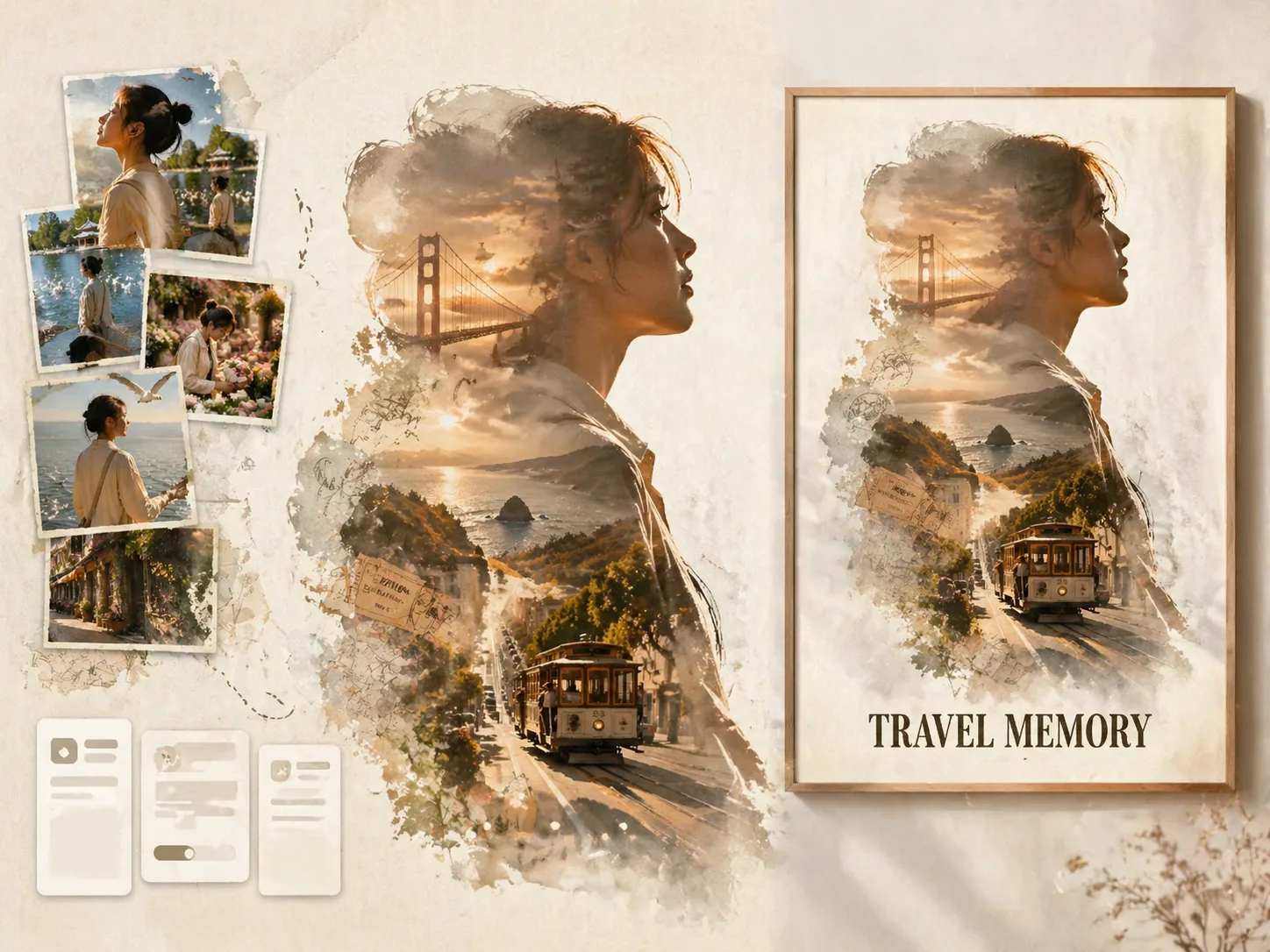
Create travel silhouette posters with GPT Image 2 prompts
This scene helps you transform uploaded vacation photos into a collectible poster where one traveler silhouette holds the destination story. The first reference image defines the main profile, body outline, outfit, and mood. The other photos become real-photo memory nodes around the silhouette, so the final result feels like a designed travel keepsake instead of a generic tourism poster.
Preserve real travelers
Use the first uploaded photo as the main silhouette reference and keep the same face structure, hair, outfit, posture, accessories, and lighting across the collage moments.
Build the destination inside
Add streets, landmarks, weather, transit details, colors, tickets, stamps, maps, and local atmosphere inside the silhouette without losing the uploaded-photo story.
Design a cinematic collage
Guide GPT Image 2 toward double exposure, soft watercolor edges, paper grain, film scratches, negative space, and a restrained poster palette.
Reuse the same prompt structure
Swap the destination, title, subtitle, short travel line, color mood, and uploaded photo set to make posters for couples, families, solo trips, and city memories.
How the travel poster prompt workflow works
Start from a destination template, replace the visible travel details, then generate a poster that keeps the reference photos recognizable while building a new destination world.
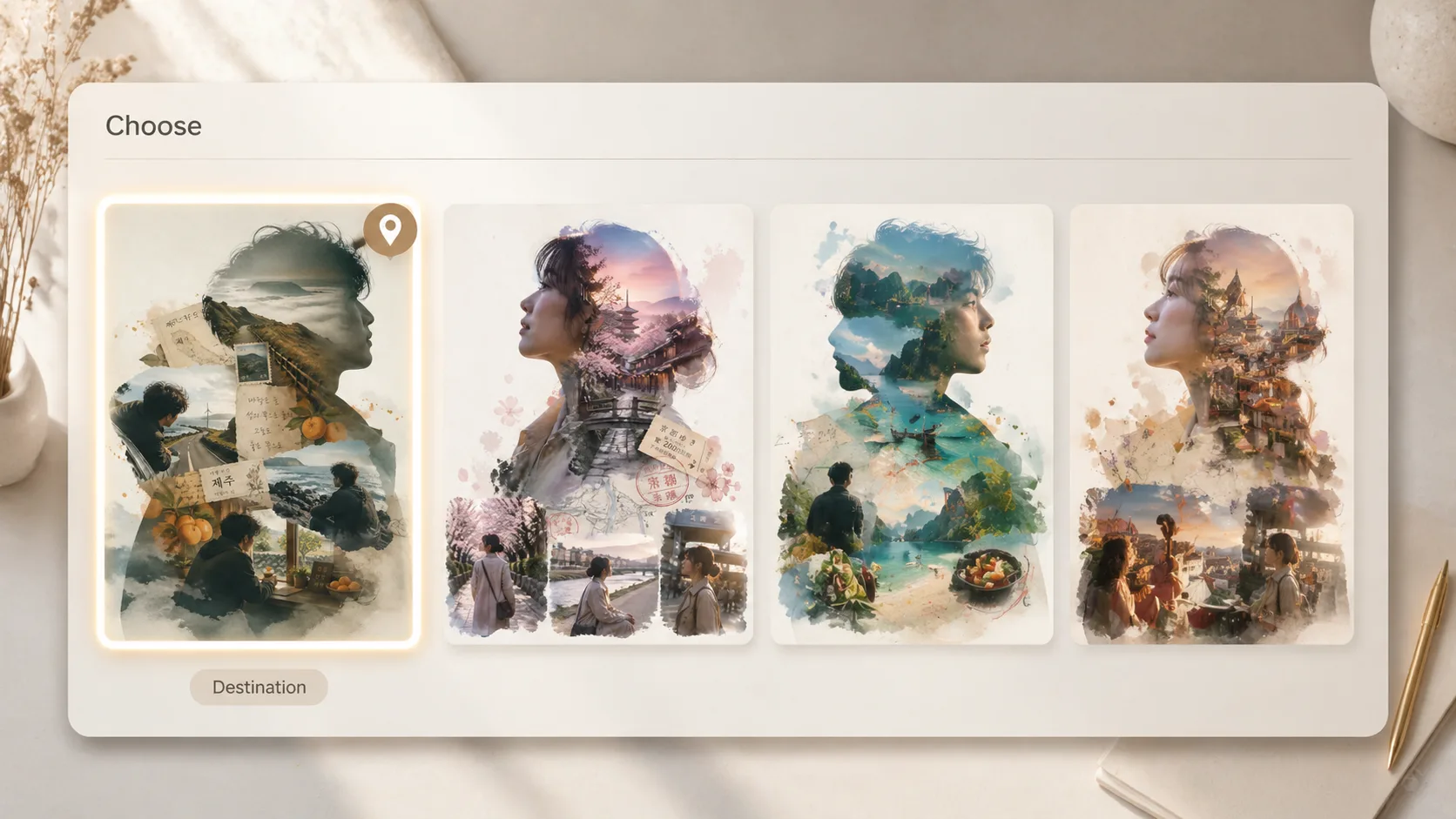
Choose a silhouette travel template
Pick a sample such as San Francisco, Kunming, Taipei, Jeju, Kyoto, Lisbon, Barcelona, Berlin, or Paris. Each prompt already defines the silhouette, collage nodes, destination atmosphere, and short poster text.
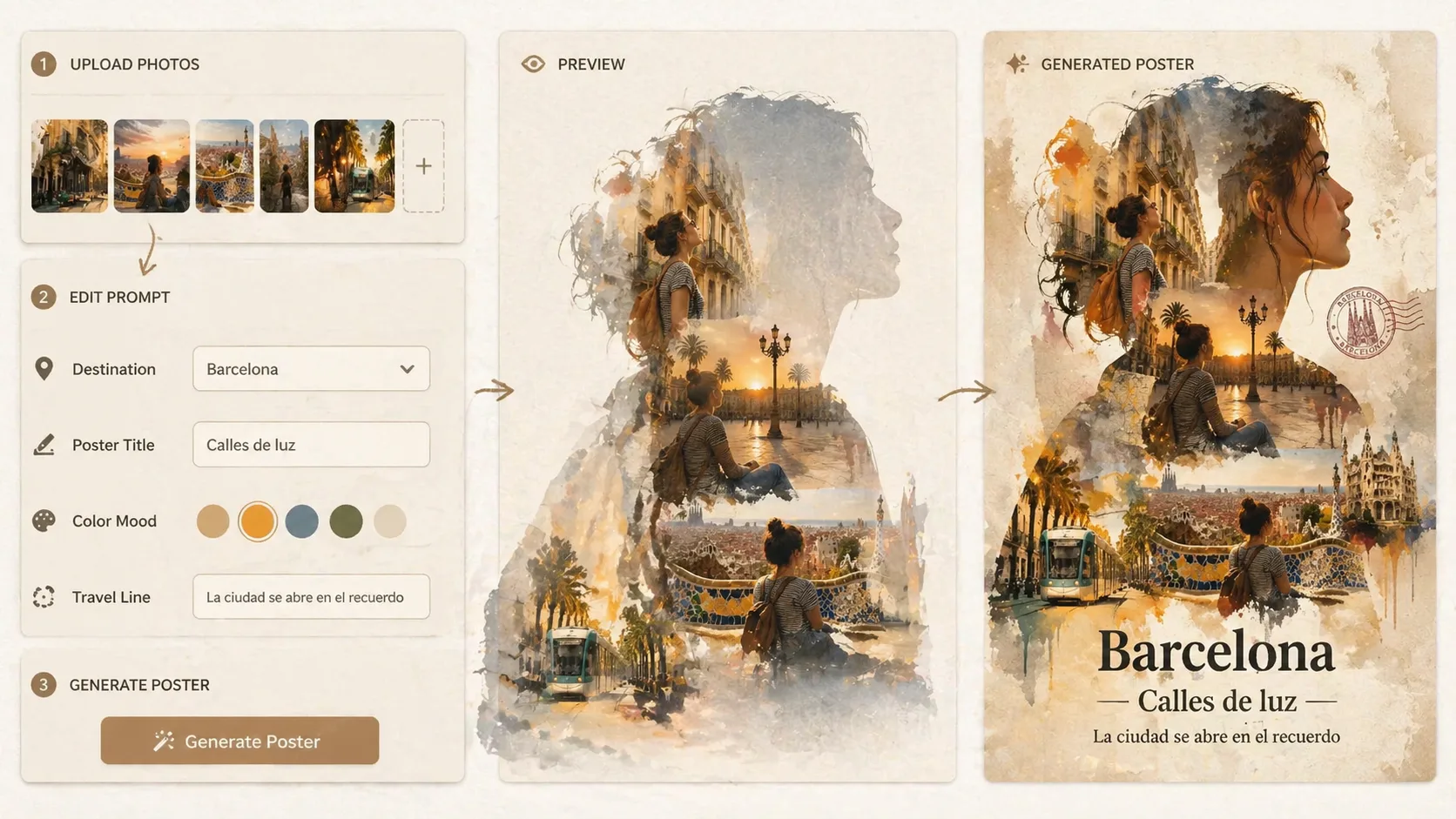
Upload photos and edit variables
Use the first uploaded image for the main traveler silhouette. Use the remaining images as memory moments, then replace the destination, title, subtitle, color palette, route objects, and travel sentence.
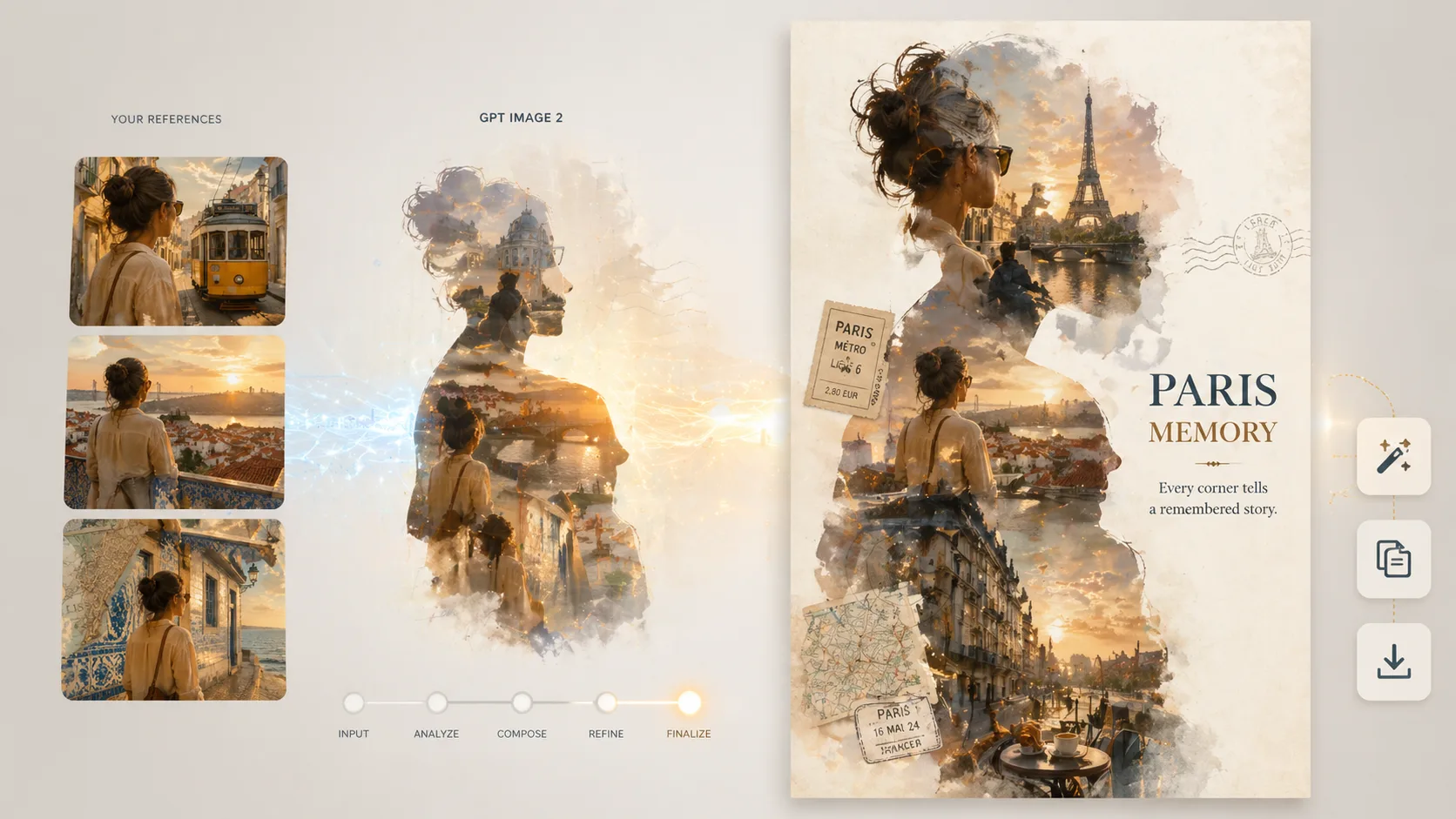
Generate, compare, and refine
Run the prompt with GPT Image 2, check identity preservation and text clarity, then reuse the same structure for another trip or adjust the mood for a cleaner vacation photo collage poster.
Travel silhouette poster prompt FAQ
Answers for using GPT Image 2 travel poster prompts with uploaded vacation photos.
Generate a travel silhouette poster
Open the template, upload trip photos, and create a cinematic GPT Image 2 poster for your next travel memory.