
Browse sample poster results on the right, then tap one to load that prompt back into the generator on the left.
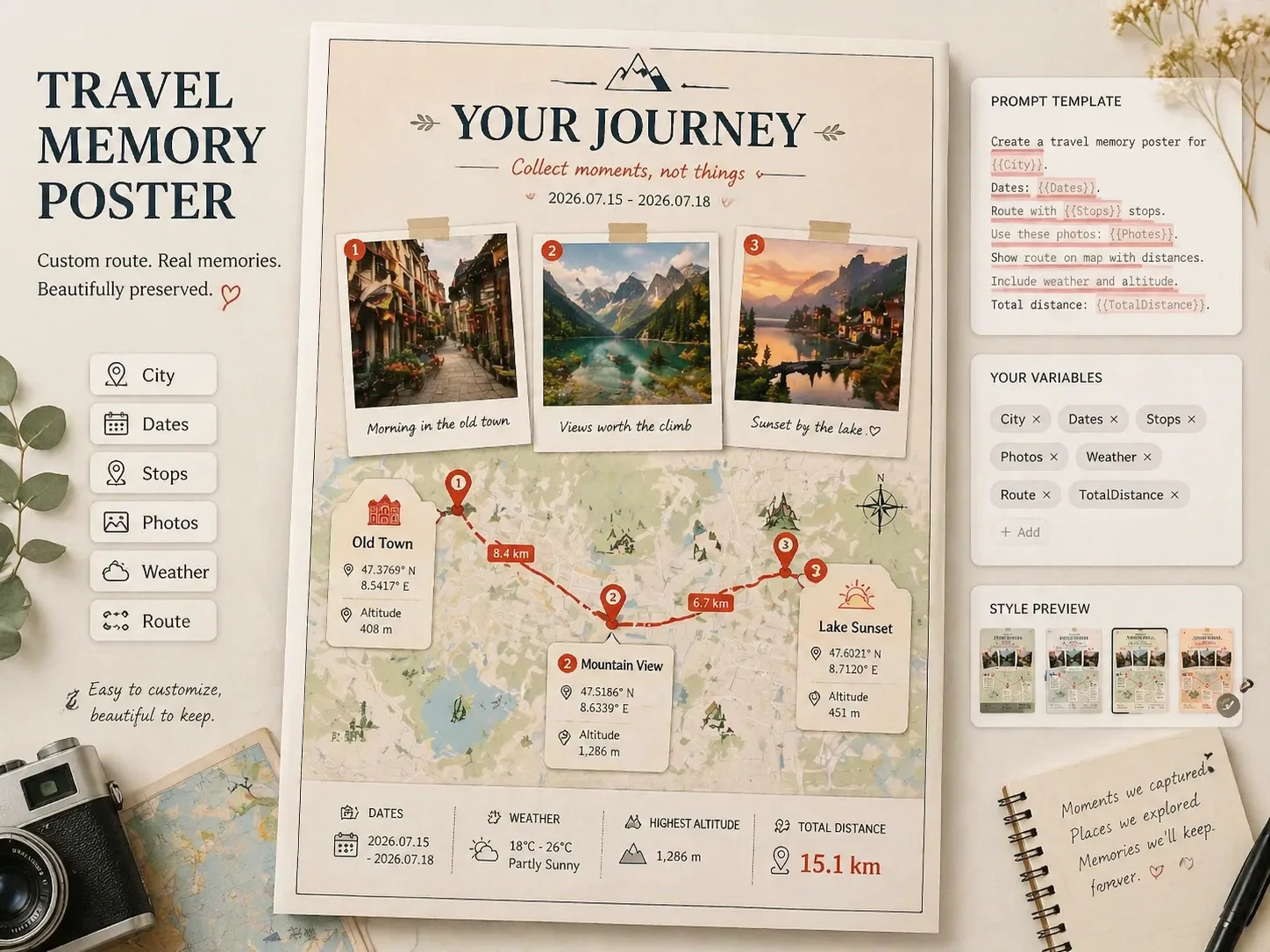
Build travel memory posters with GPT Image 2 prompts
Turn one trip, weekend route, or fictional journey into a polished travel memory poster. These GPT Image 2 prompts keep the route map as the hero, then add three Polaroid-style memories, numbered stops, location cards, dates, weather, altitude, coordinates, and total distance so the final image feels like a real keepsake instead of a generic travel collage.
Route map as the poster hero
Create a readable travel route map poster with a red path, numbered pins, stop cards, distance labels, and enough negative space for a print-ready 2:3 layout.
Polaroid memory photos
Place three Polaroid-style photo moments above the map so a city walk, couple trip, avatar journey, or original character route has a clear visual story.
Editable trip details
Replace city names, travel dates, stop labels, coordinates, weather, altitude, segment distances, and total distance before generating each poster.
Reference-image friendly
Use uploaded traveler, couple, avatar, or original character references when you want the poster to keep a consistent subject across all three memories.
How to create a travel route map poster
Start with a same-structure itinerary poster prompt, adapt the visible travel details, then generate and refine the keepsake inside the GPT Image 2 workspace.
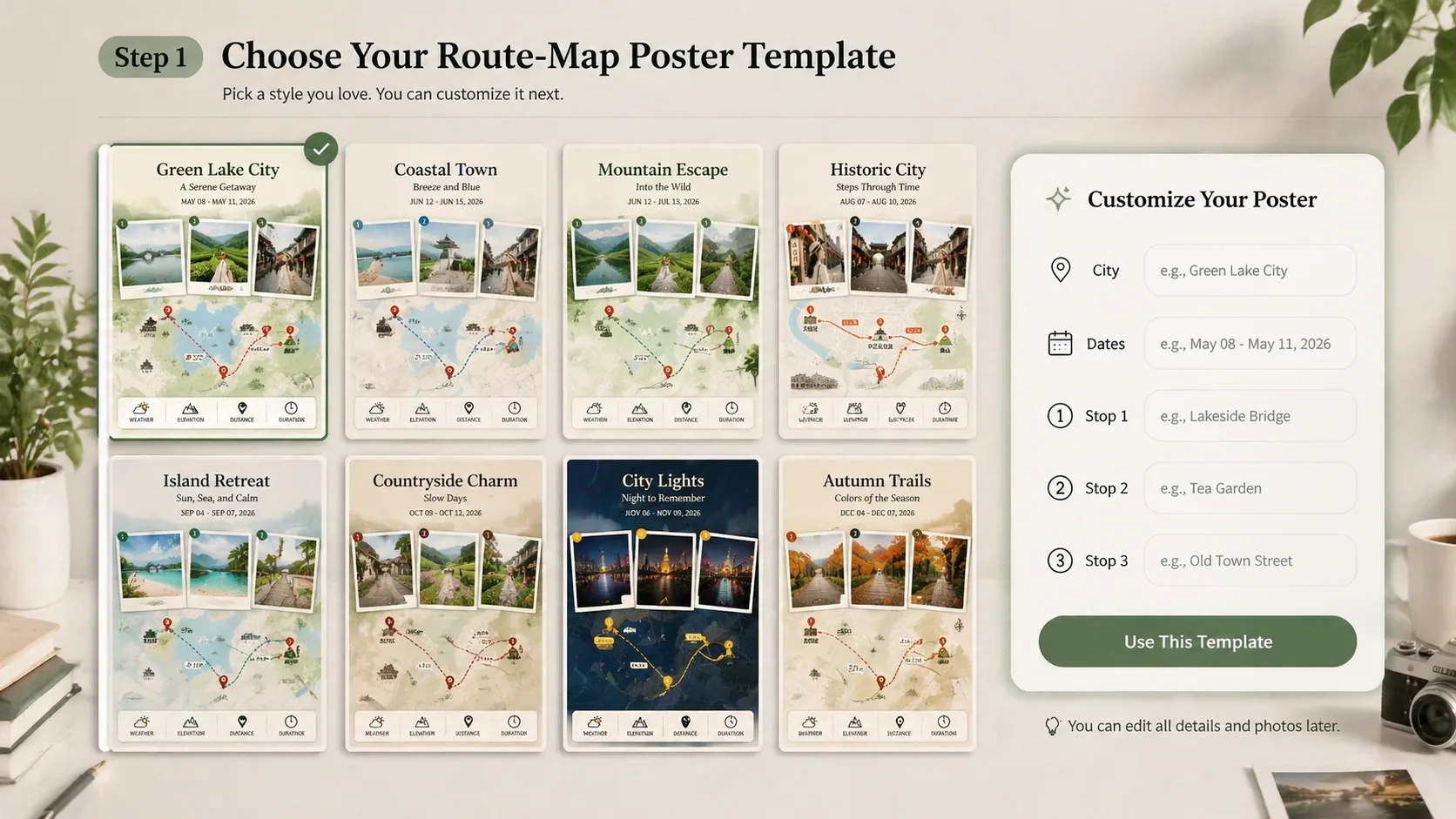
Choose a trip poster template
Pick a city route, weekend walk, real vacation, or fictional journey prompt. Each template is built for a vertical travel memory poster with a map-first composition and three photo memories.
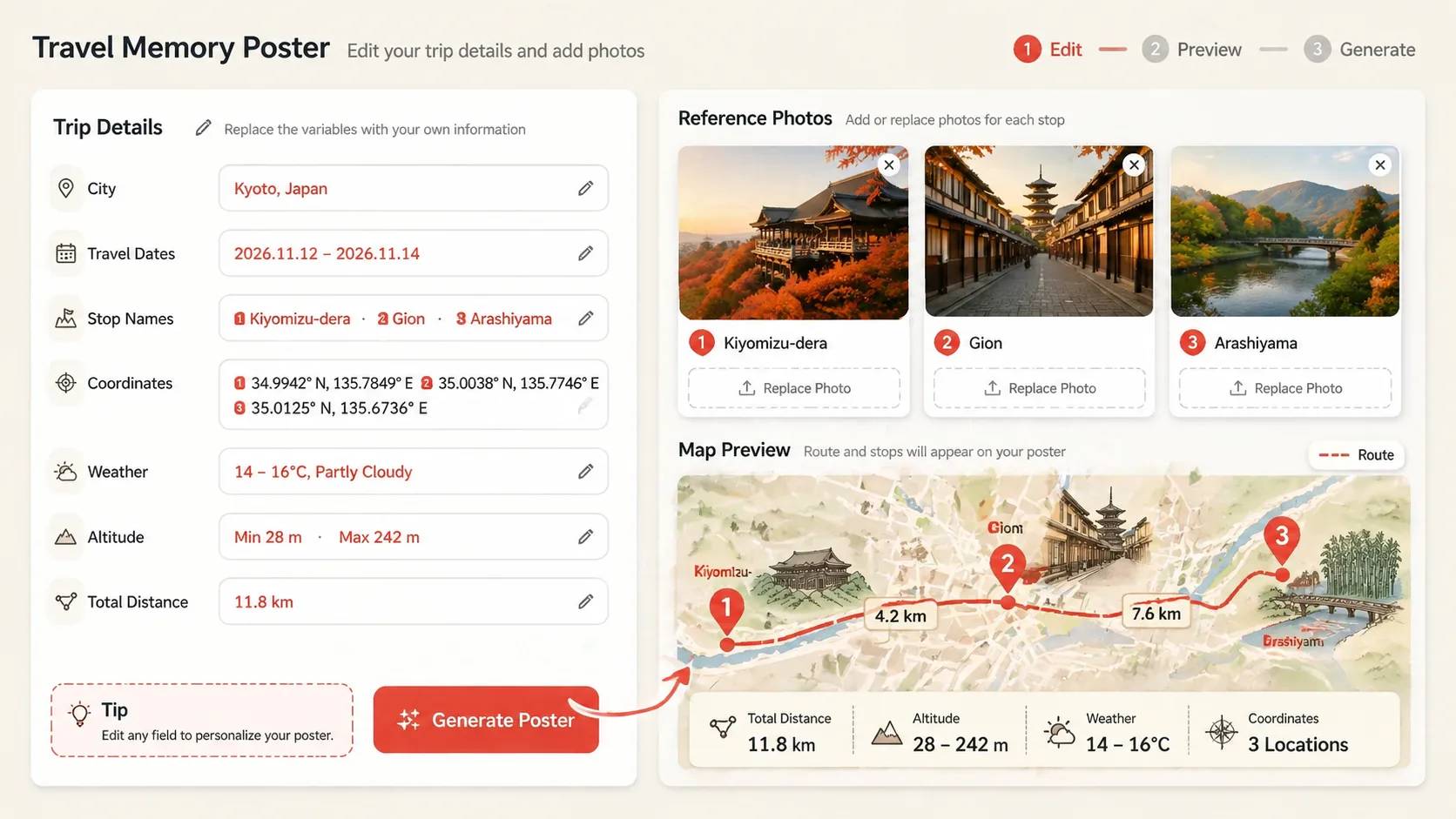
Replace the route details
Edit the destination, dates, three stops, captions, coordinates, weather, altitude, distance labels, and reference-image notes. Keep labels short so GPT Image 2 has a clearer chance of making them readable.
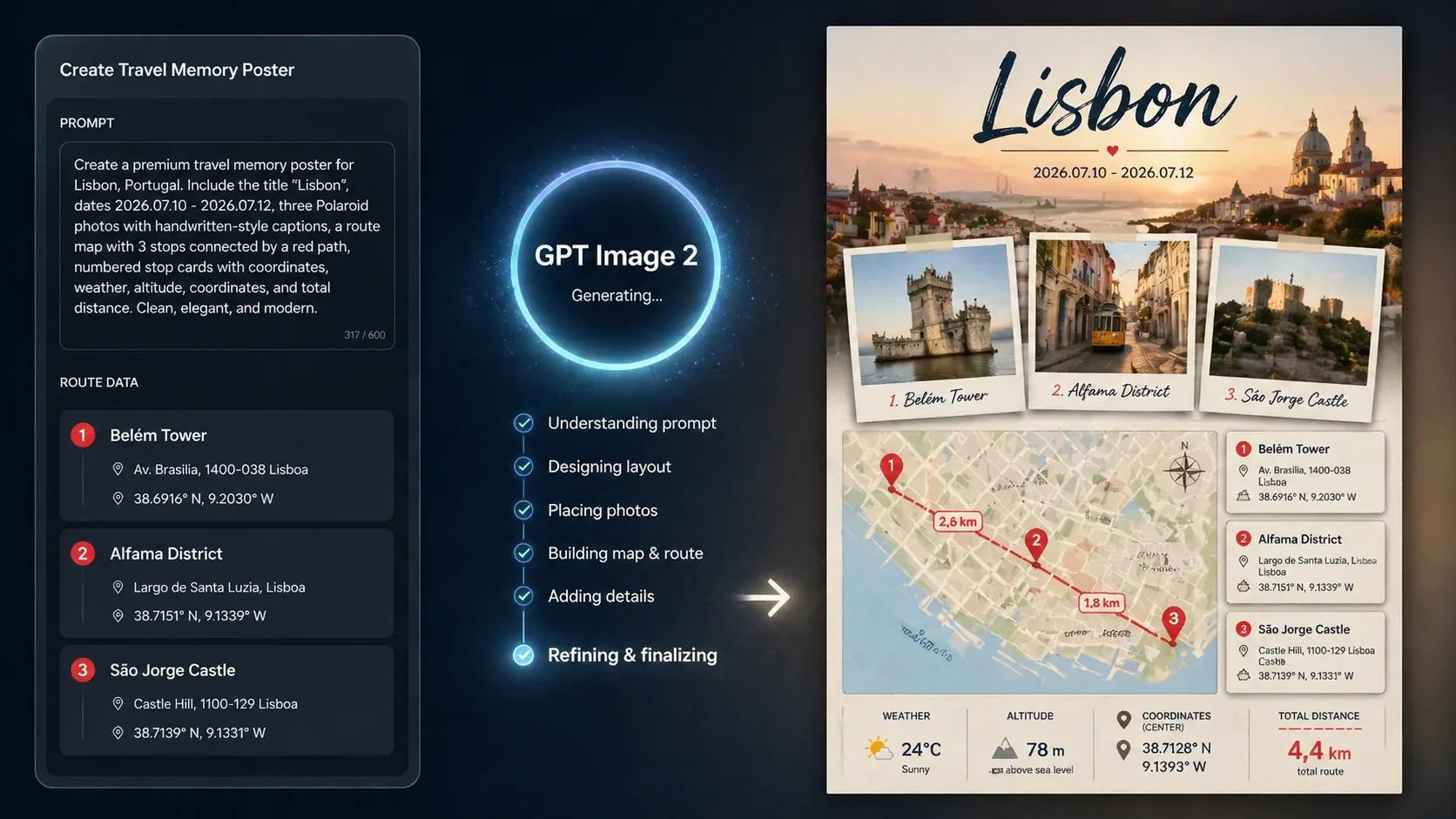
Generate, inspect, and refine
Generate the poster, check the route labels and photo placement, then adjust the prompt if a stop name, stat card, or Polaroid detail needs another pass before sharing or printing.
Travel memory poster GPT Image 2 FAQ
Generate your travel memory poster
Choose a route-map poster prompt, replace the trip details, and create a GPT Image 2 keepsake for a real or imagined journey.