
Browse sample poster results on the right, then tap one to load that prompt back into the generator on the left.
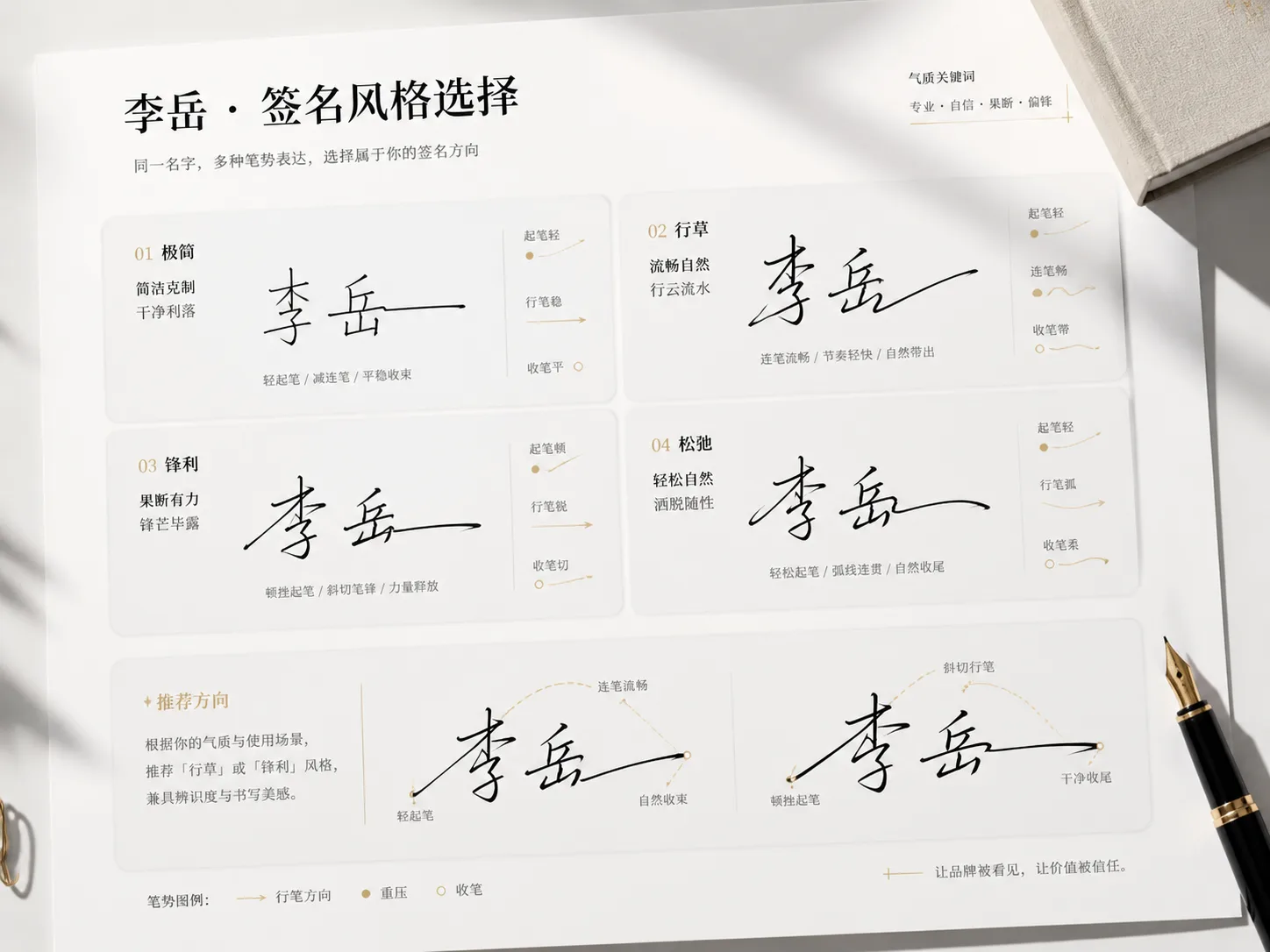
Create signature style posters from one name
These signature style poster GPT Image 2 prompts help you turn a name into polished visual options instead of a single generic handwriting sample. Each template gives the model clear instructions for stroke pressure, connected rhythm, layout, labels, and negative space, so the output feels like a curated personal identity board. The page is aimed at users who want a practical signature generator prompt they can copy, edit, and judge visually, while still keeping the result framed as a creative concept rather than a legal signature.
Stroke-driven signature choices
Generate options based on starting pressure, connected strokes, fast-slow rhythm, deformation, and ending marks, not ordinary font swapping. This makes the board useful when a name needs several moods on one page for quick review.
Poster and card compositions
Build six-style vertical posters, executive boards, Eastern ink posters, square social cards, duo comparisons, and founder concept sheets. The formats cover both narrow social images and wider identity boards, so the same scene can support creators, professionals, and designers.
Editable name variables
Replace the name, role, style mood, accent color, subtitle, or usage context while keeping the prompt structure reusable.
Personal brand exploration
Compare calm, sharp, expressive, minimal, ink, and experimental directions before refining the version that fits a creator profile or shareable post.
How to use signature style GPT Image 2 prompts
Start from the closest poster format, edit the personal variables, then generate and refine until the signature board is clear enough to compare.
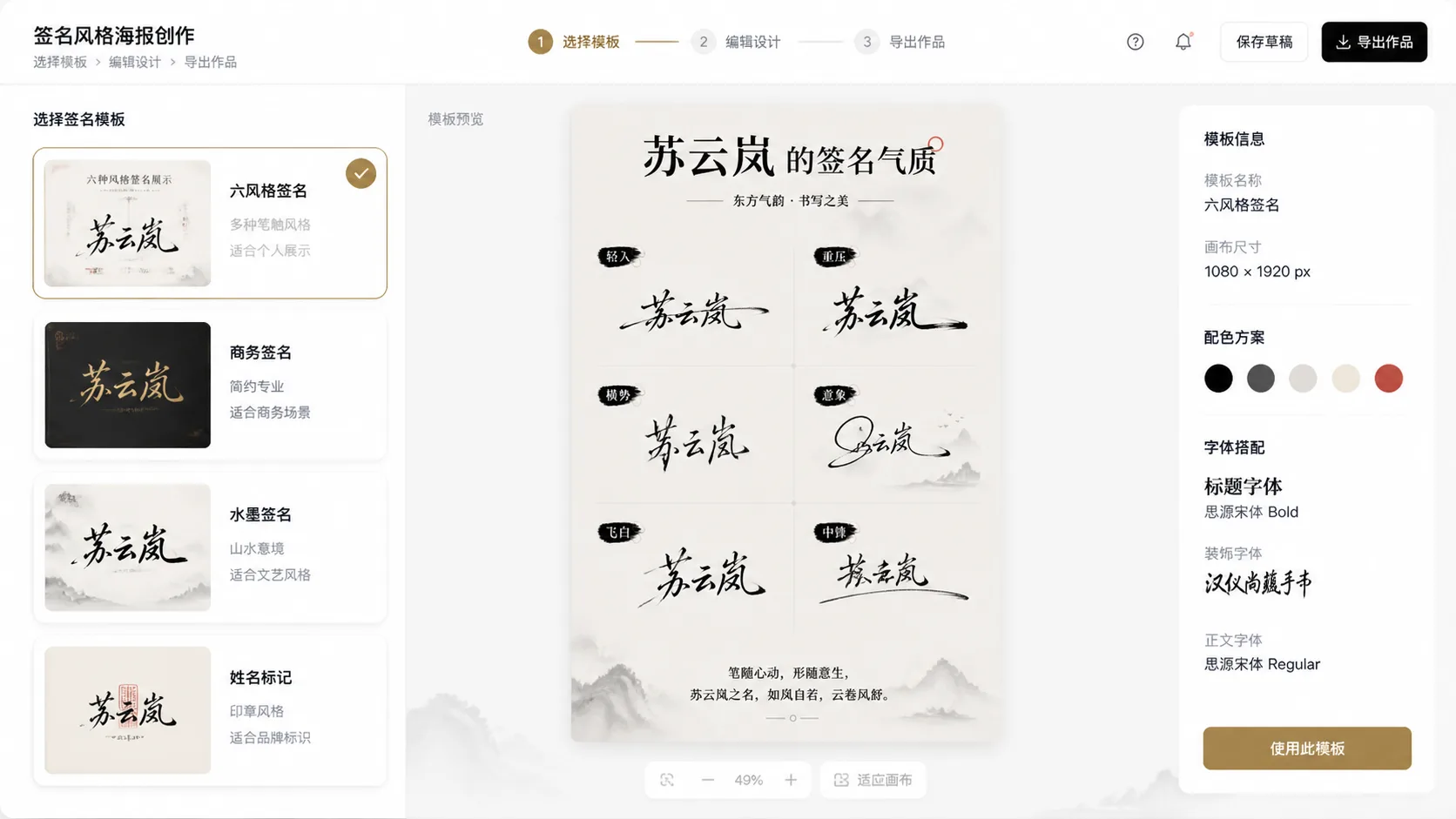
Choose a signature format
Pick the six-style choice poster for variety, an executive board for professional tone, an ink poster for calligraphy energy, or a social card for one finished direction.
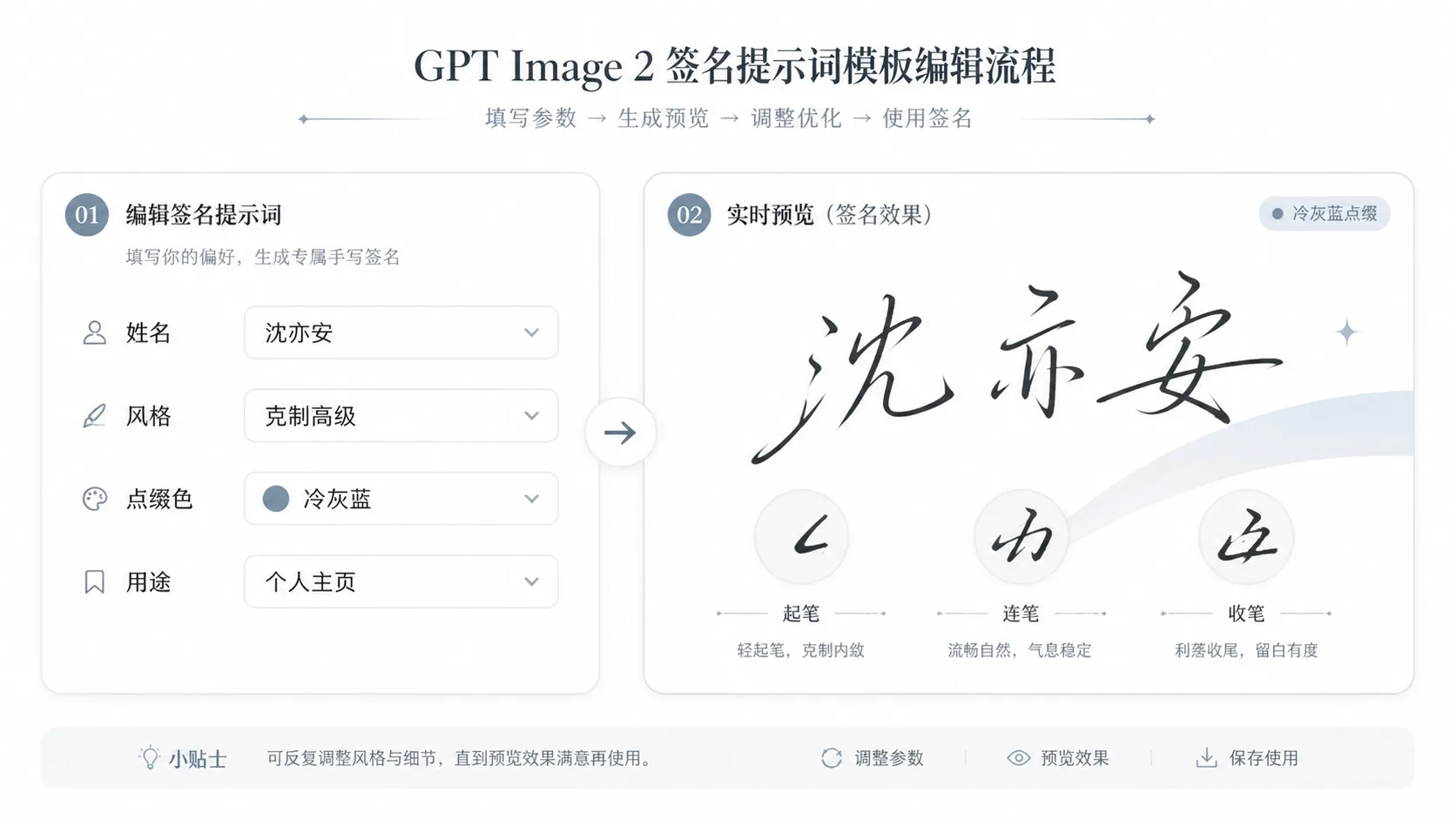
Replace the name and style cues
Edit the name, visible labels, subtitle, role, accent color, and mood. Keep the stroke behavior instructions because they make each option distinct. For Chinese names, keep the visible label rules concise so the final poster remains readable and does not become a cluttered typography sheet.
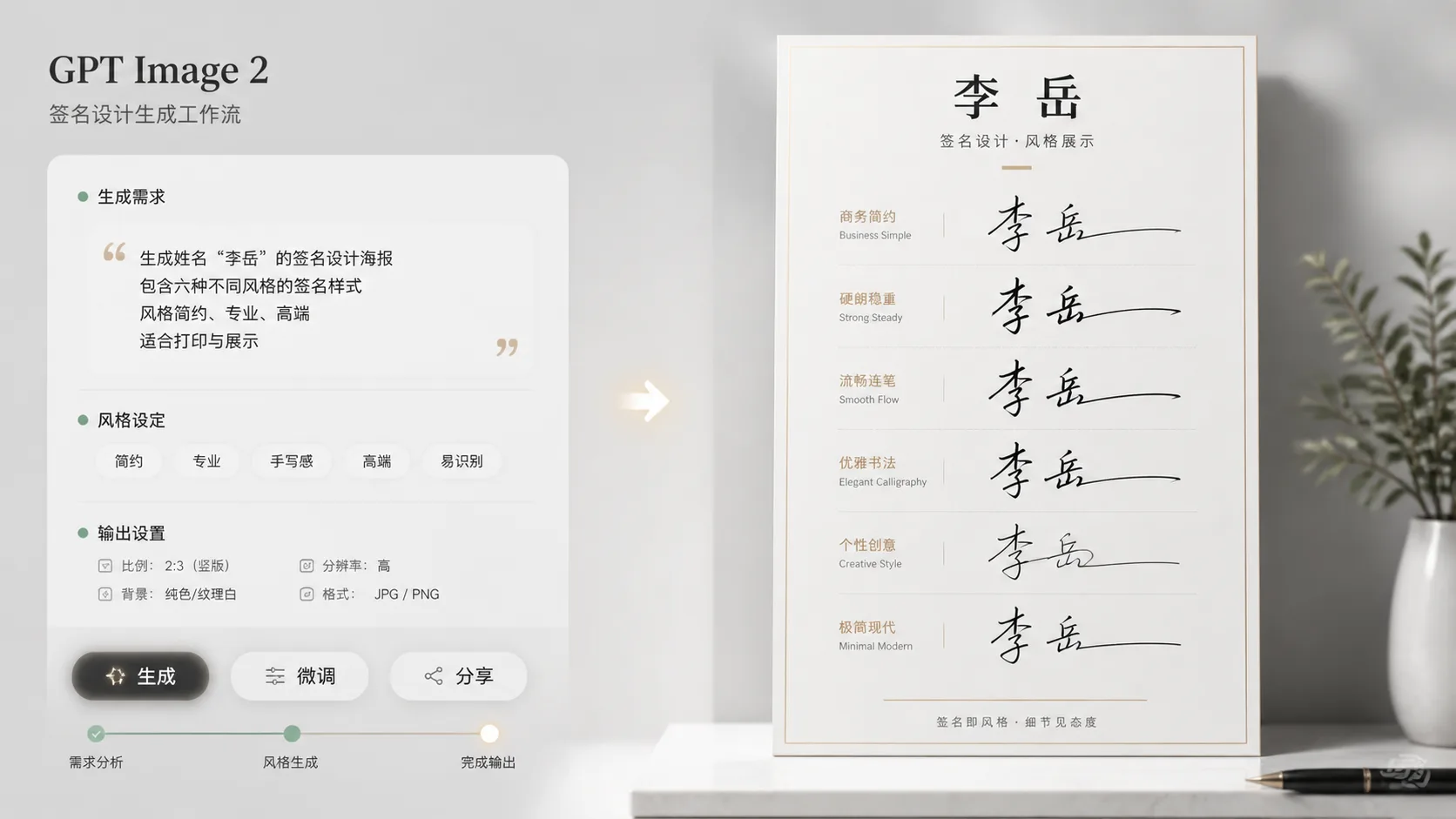
Generate, compare, and refine
Run GPT Image 2, inspect which signatures have the strongest rhythm and layout, then tighten the prompt around one direction or regenerate a cleaner comparison board.
Signature style poster FAQ
Answers for using GPT Image 2 signature prompts safely and effectively.
Generate a signature poster
Choose a template, replace the name, and create personal signature options with GPT Image 2.