
Browse sample poster results on the right, then tap one to load that prompt back into the generator on the left.
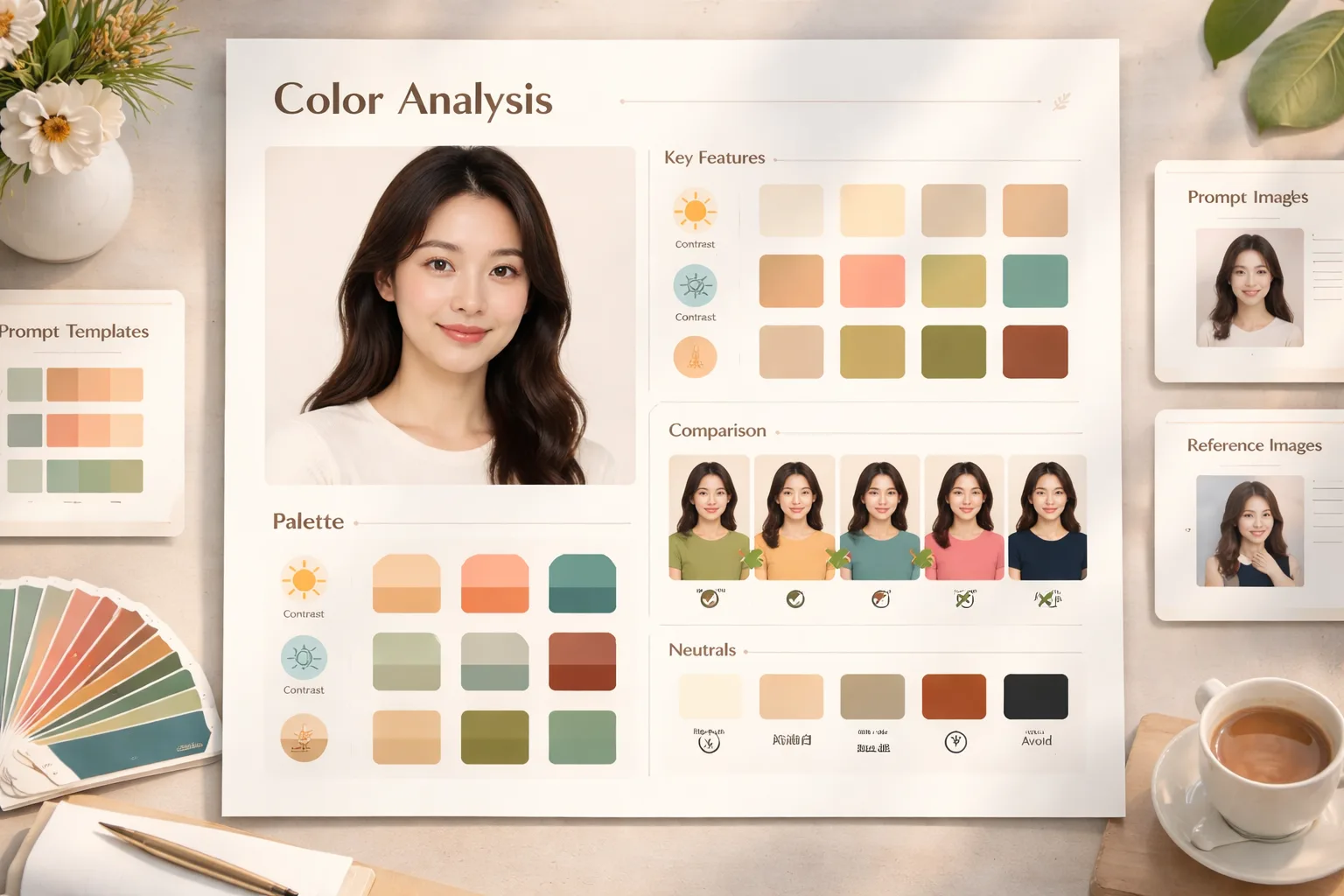
Create personal color analysis GPT Image 2 prompts
Turn a portrait or synthetic model into a structured color analysis board with seasonal palette swatches, undertone notes, same-person outfit comparisons, best neutrals, and avoid/use-less colors. These personal color analysis GPT Image 2 prompts are built for stylists, beauty creators, consultants, and social teams who need a clear visual draft instead of a loose color-theory article.
Portrait-aware palette boards
Start with a reference portrait or a realistic synthetic model, then guide GPT Image 2 around natural skin tone, depth, contrast, and undertone. The prompt keeps the person centered while leaving room for palette cards, short labels, and consulting notes.
Seasonal swatches and neutrals
Build Soft Autumn, Cool Winter, Spring, warm palette, capsule wardrobe, or custom seasonal boards with best colors, best neutrals, and colors to reduce. The swatch system makes the output useful as a style reference, not just a decorative poster.
Same-person color comparisons
Use color palette infographic prompts that show the same face in several shirt or fabric colors, with checkmarks and X marks for quick scanning. This helps viewers compare harmony, warmth, contrast, and color clarity in one image.
Localized consulting layouts
Generate readable reports in English, Chinese, Korean, Japanese, Portuguese, Spanish, German, or French. Each version keeps visible text short so palette names, section labels, and styling notes stay legible inside the final GPT Image 2 result.
How the color analysis template works
Choose a seasonal color analysis GPT Image 2 template, edit the portrait and palette variables, then generate a polished board you can refine for a client draft, style post, or shopping guide.
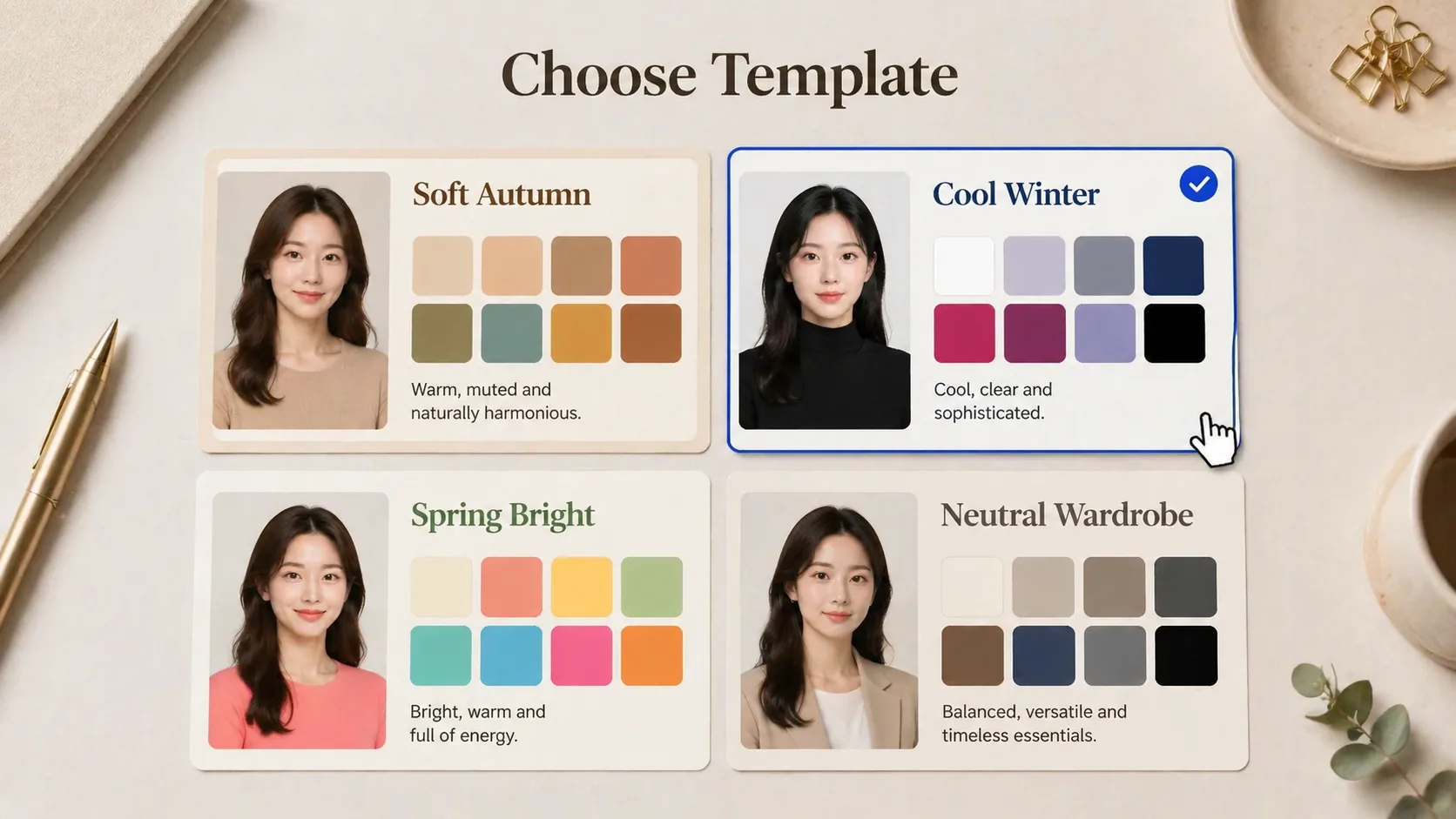
Choose a report style
Start from Soft Autumn, Spring, Cool Winter, warm story, wardrobe map, or compact diagnosis layouts. Pick the aspect ratio that matches your channel, from square cards to vertical mobile stories and wide wardrobe maps.
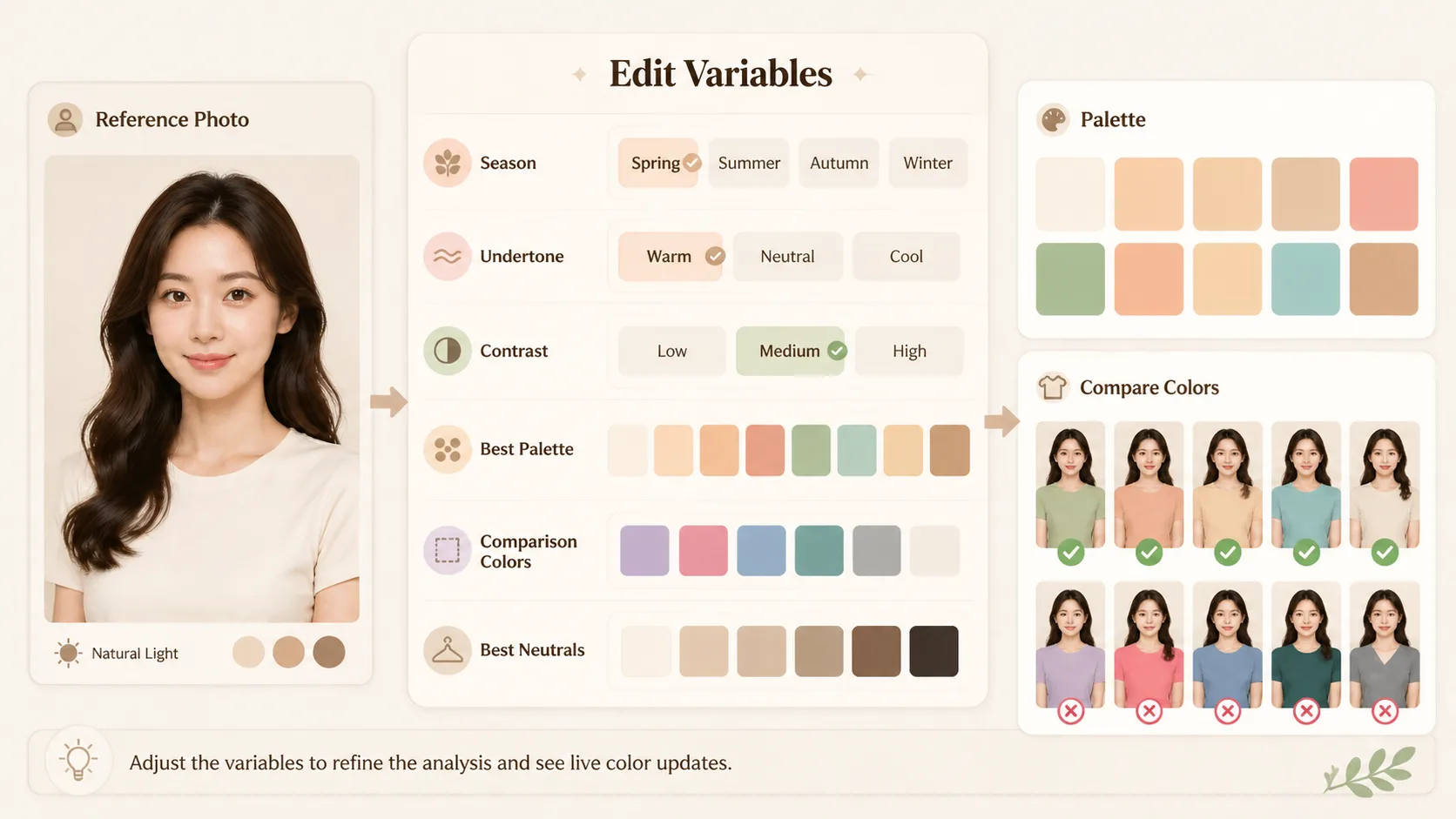
Edit portrait, season, and palette variables
Replace the reference image, seasonal label, undertone, depth, contrast, best palette colors, comparison shirt colors, neutral swatches, avoid colors, and visible language. Keep the wording short so GPT Image 2 can render readable labels.
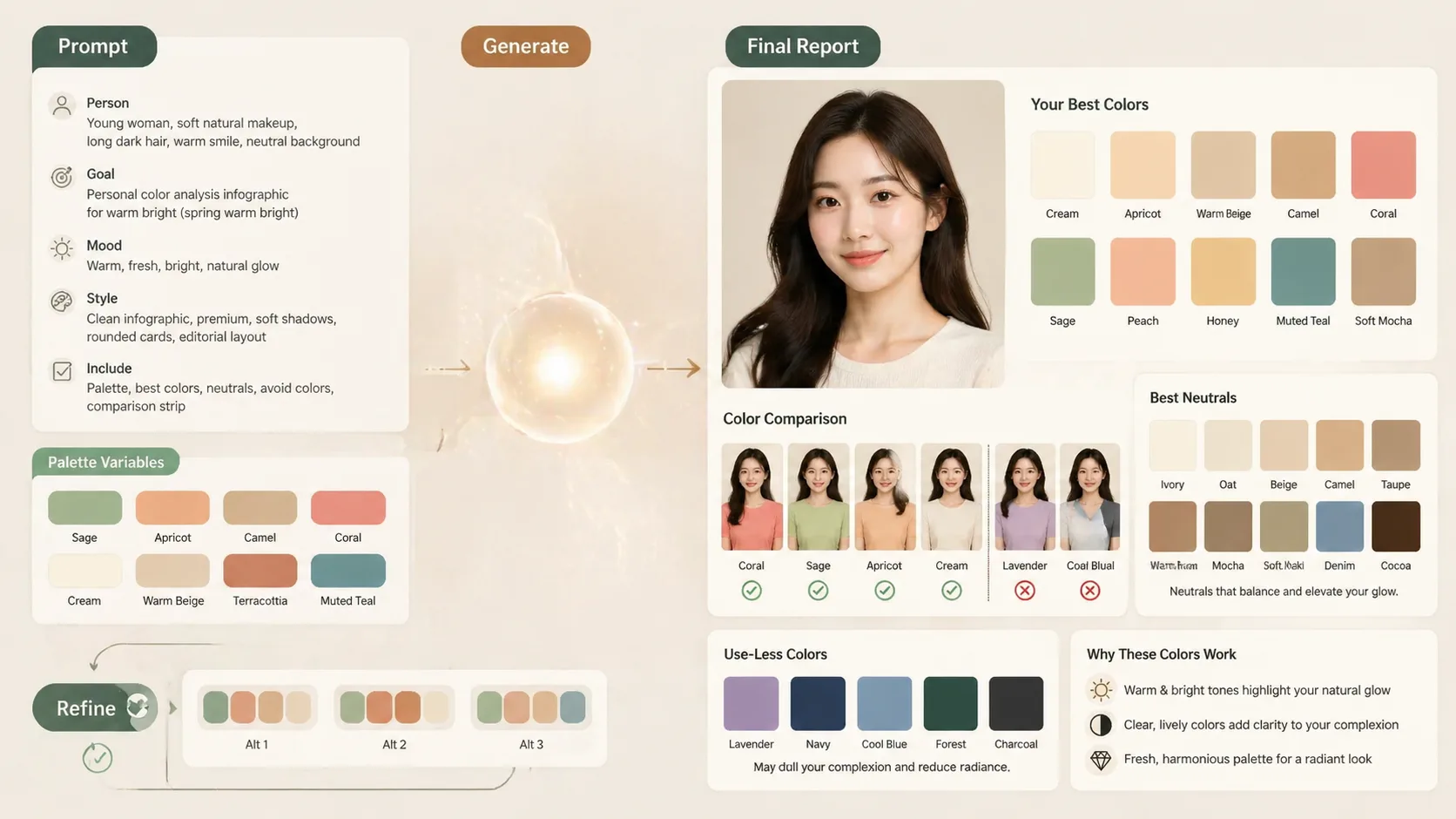
Generate, review, and refine
Run the prompt in the template workspace, inspect the palette board, then refine color names, label density, and layout balance. Treat the result as a visual consultation draft that should be reviewed before giving real personal style advice.
Personal color analysis GPT Image 2 prompts FAQ
Answers for creators using GPT Image 2 color analysis prompts to make portrait-based palette reports.
Generate a color analysis board
Open the template, add a portrait or use the built-in sample direction, then create a seasonal color analysis board with GPT Image 2. Refine the palette names, comparison colors, and visible labels until the report reads clearly.