
Browse sample poster results on the right, then tap one to load that prompt back into the generator on the left.
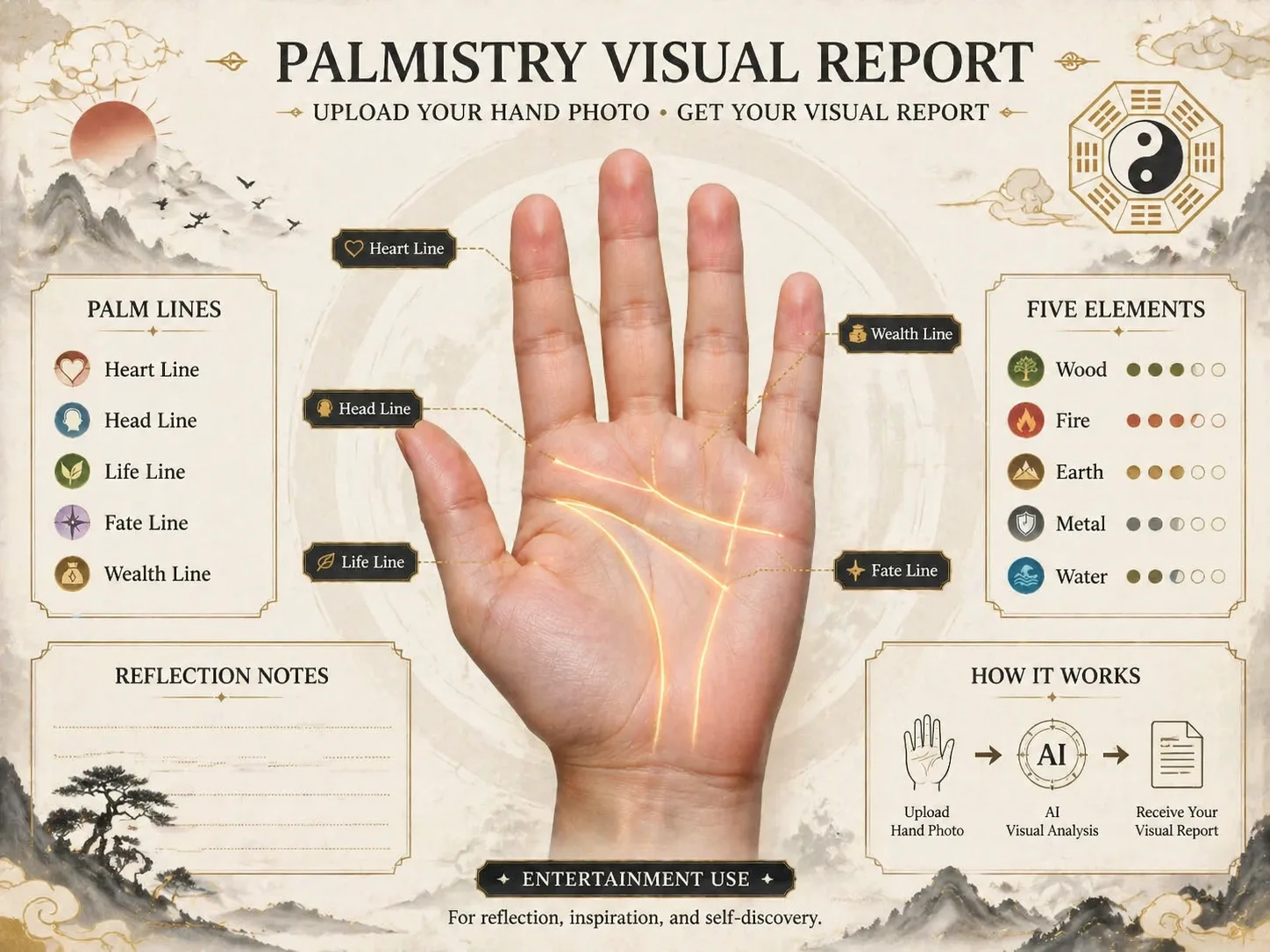
Create palmistry infographic GPT Image 2 prompts from a hand photo
This scene turns a palm reference into a structured visual report instead of a loose fortune-telling image. Start with a hand photo, choose a Chinese metaphysics, social card, five-element map, timeline poster, or localized guide prompt, then let GPT Image 2 organize the palm lines, symbolic notes, and readable text blocks into a polished infographic. The copy stays framed as entertainment and self-reflection, so the result can work for social content, themed articles, prompt experiments, or personal journaling without making medical, financial, or guaranteed destiny claims.
Photo-based palm mapping
Use a clear hand photo as the visual anchor, or generate a neutral demo palm when you only want to test the layout. The prompts ask GPT Image 2 to place the palm at the center, respect the reference shape, and keep the annotations legible.
Major line annotation
Build a palm reading report template around life line, head line, heart line, fate line, and wealth line areas. Each prompt requests clean connectors, short labels, and enough hierarchy for mobile viewing.
Traditional visual language
Combine ink-wash texture, gold accents, bagua geometry, cloud motifs, five-element symbols, or modern mystical lighting while keeping the palmistry infographic organized like a professional report.
Entertainment-safe wording
Keep every hand line analysis prompt reflective and non-deterministic. The templates avoid health diagnosis, wealth promises, identity claims, and fear-based predictions, which makes the output easier to share responsibly.
How to generate a palm reading report template
Choose the closest scene prompt, replace the reading angle and visible language, upload a palm reference, then generate and refine the image with GPT Image 2.
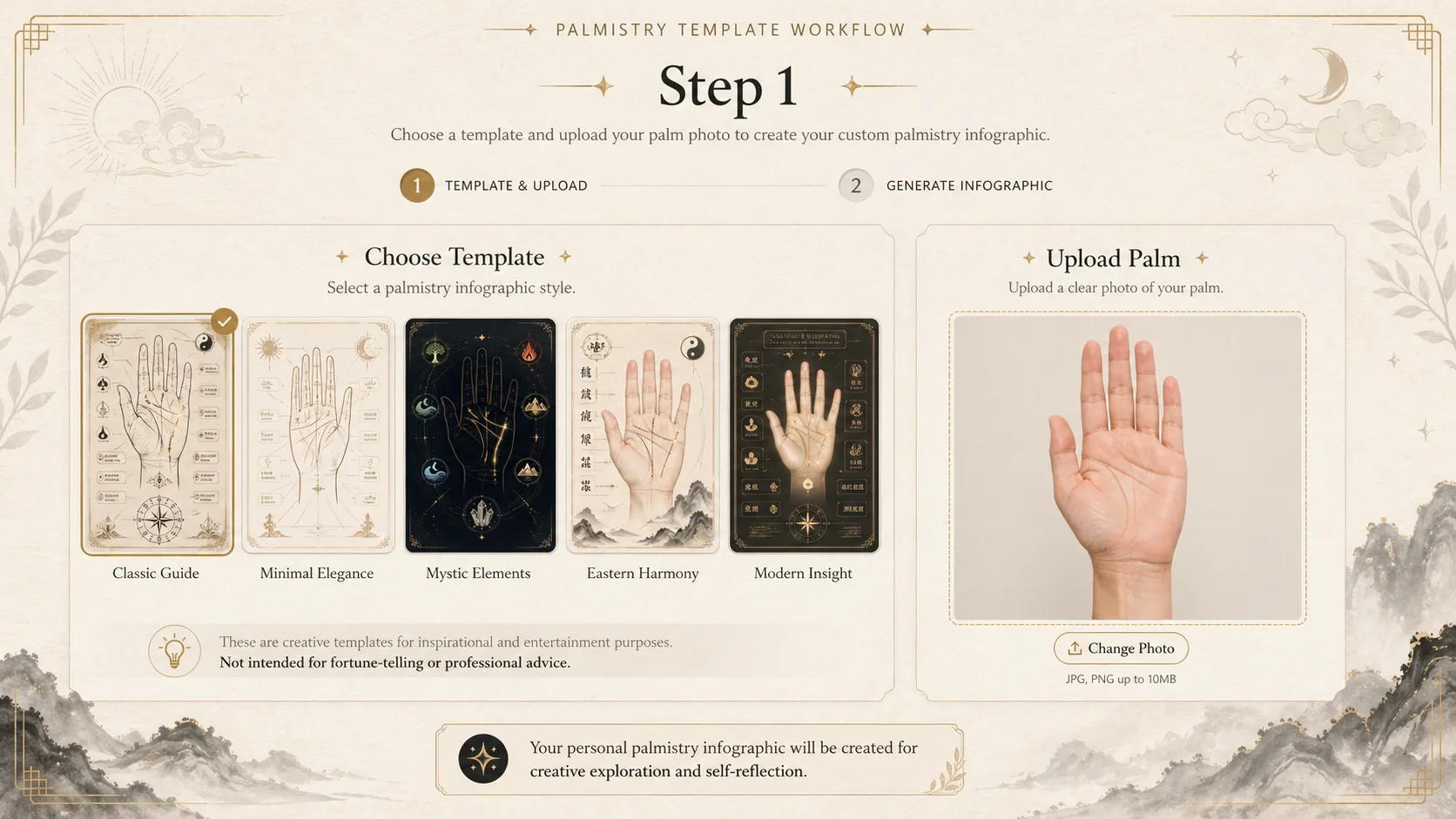
Choose the report style
Pick the Chinese palmistry report, social palm reading card, five-elements hand map, destiny line journey, or a localized guide. Each option uses the same intent: turning a hand photo into a palmistry infographic prompt, with a different layout and cultural finish.
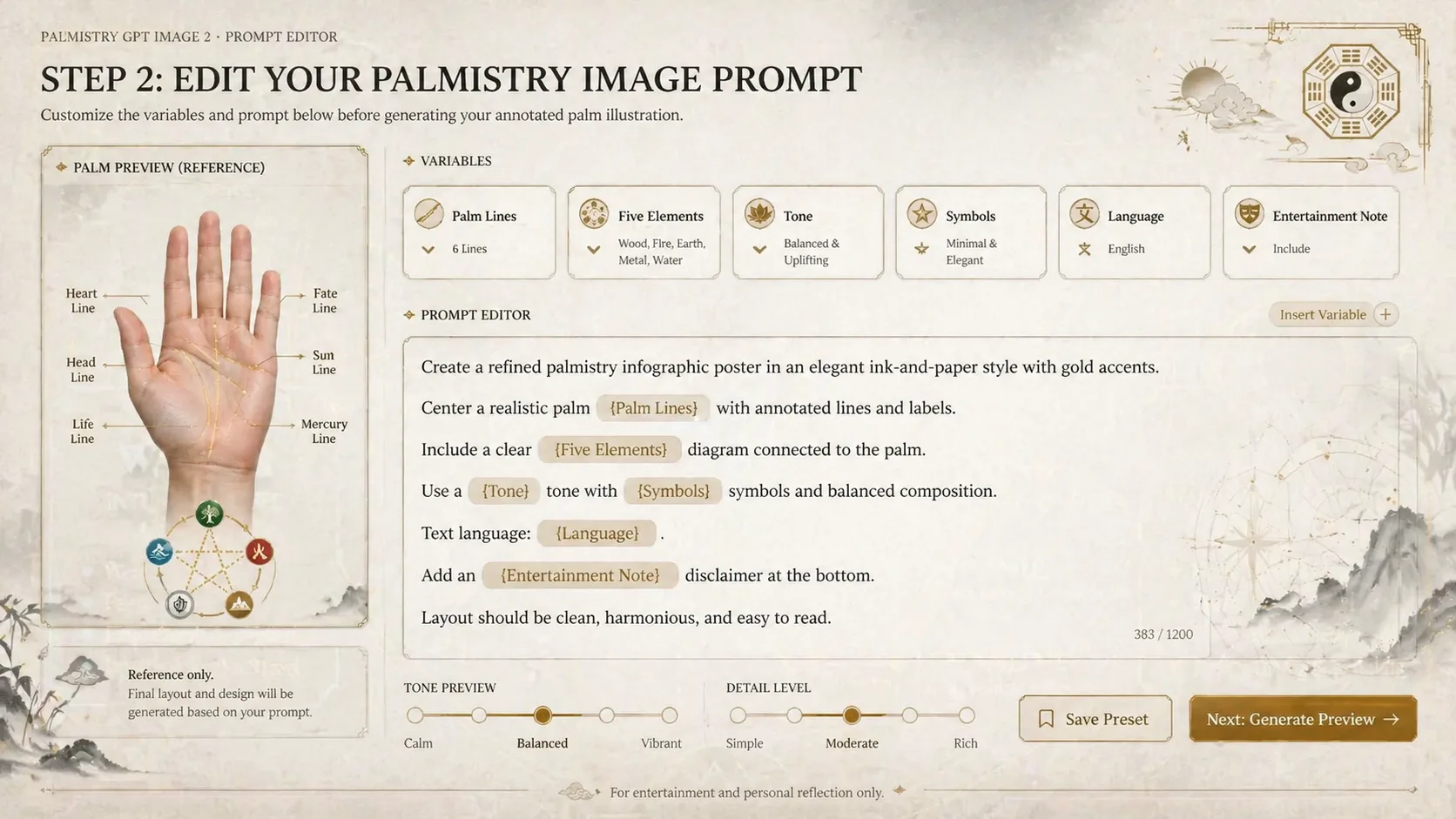
Edit the prompt variables
Replace the reading focus, tone, decorative symbols, visible text language, and report density. Keep the entertainment disclaimer in the prompt and remove any wording that sounds like exact prediction, medical advice, or financial advice.
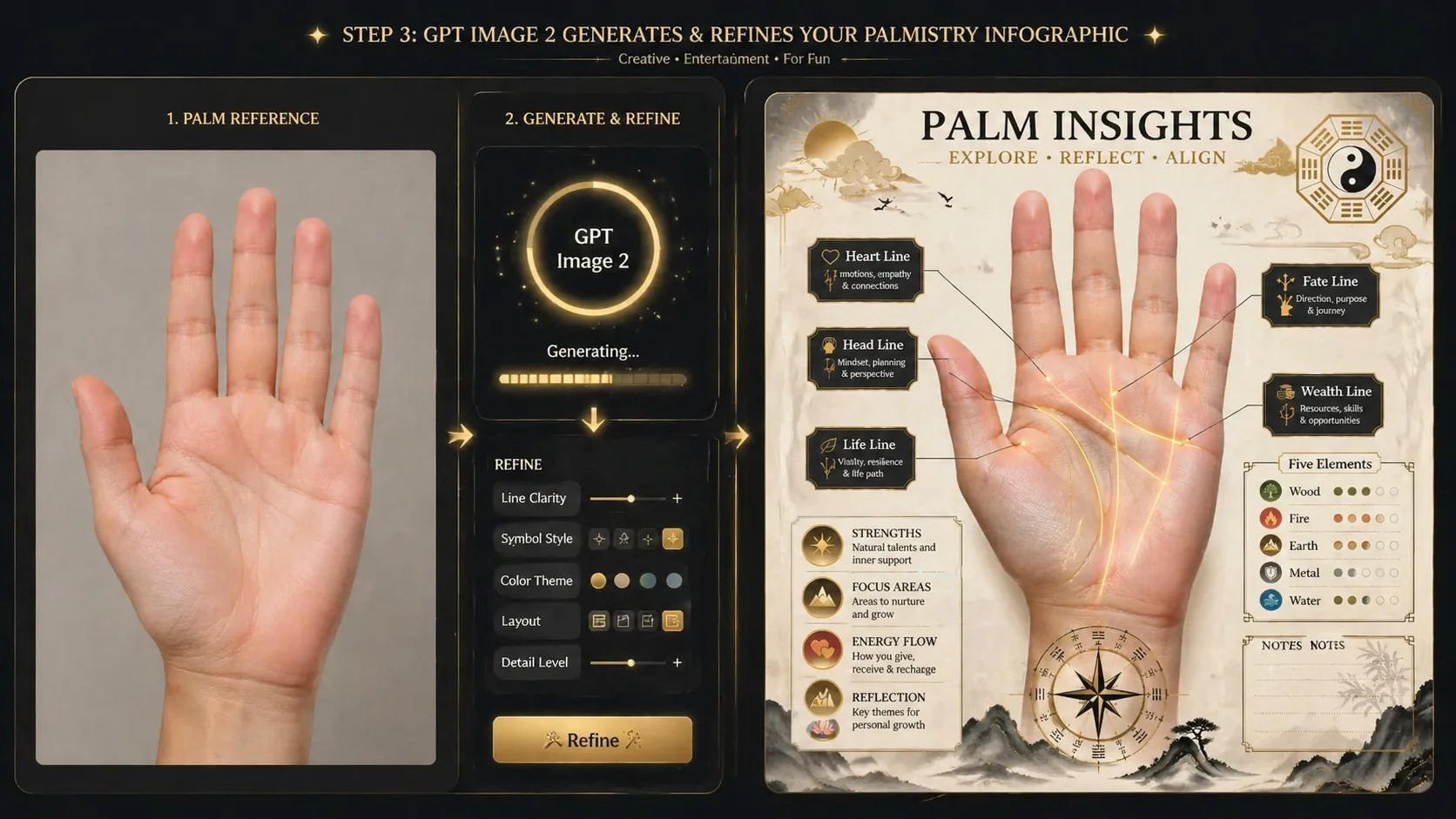
Generate, inspect, and refine
Run the prompt in GPT Image 2, check that the palm lines are readable, and regenerate with clearer labels or simpler sections if the design feels crowded. Save the strongest result as a visual report or reuse the prompt for another palm reference.
Palmistry infographic prompt FAQ
Search-style answers for using these GPT Image 2 palmistry templates safely and clearly.
Generate a palmistry infographic
Start with a palmistry prompt, upload a hand reference, and create an entertainment-style visual report with GPT Image 2.