
Browse sample poster results on the right, then tap one to load that prompt back into the generator on the left.
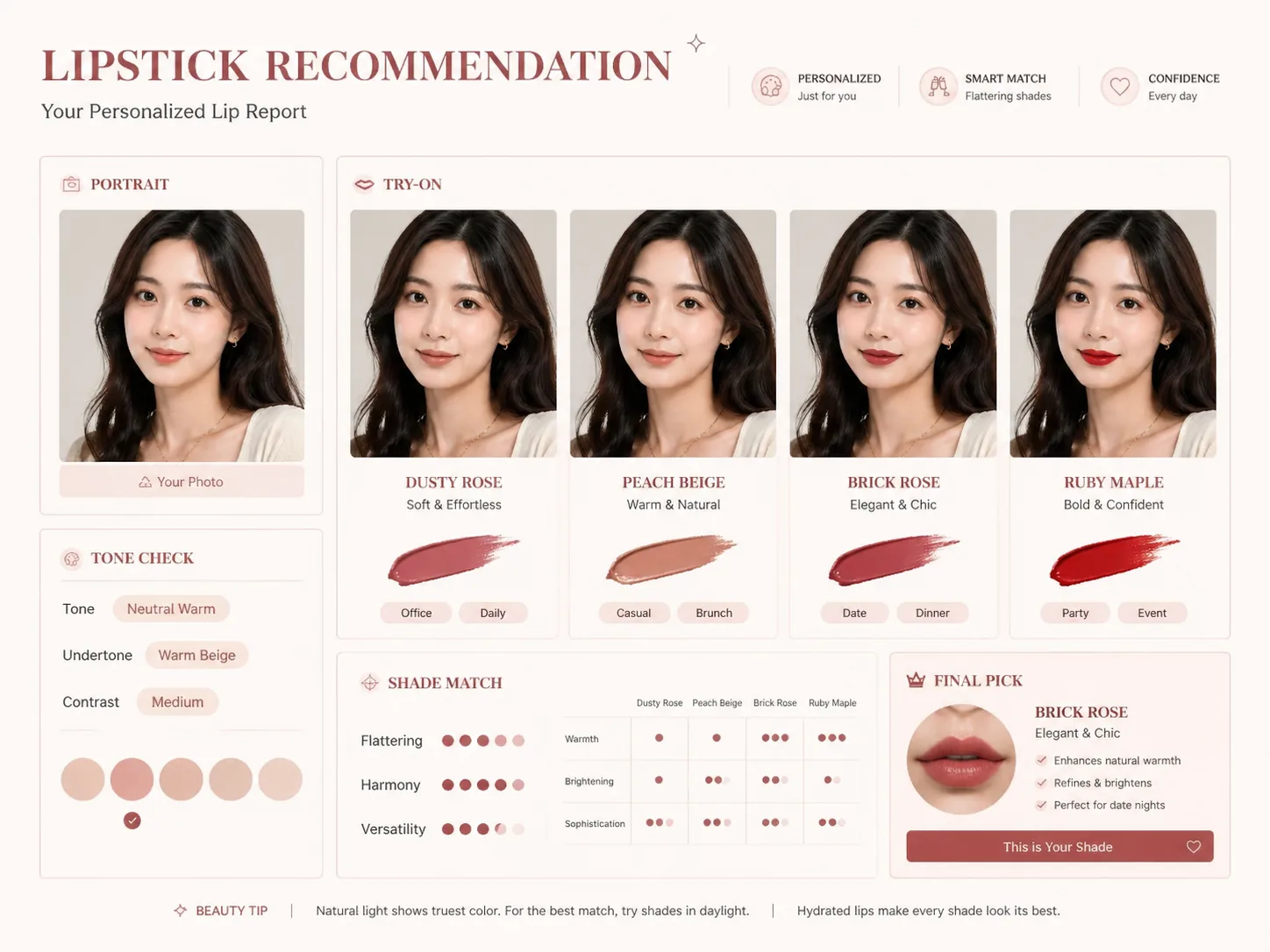
Create lipstick recommendation reports with GPT Image 2 prompts
This template set helps you convert a portrait reference, shade direction, and beauty mood into a structured lipstick recommendation report. Each prompt focuses on practical visual output: same-face try-on panels, undertone notes, scenario labels, concise visible text, and a final shade direction that a creator, consultant, or ecommerce operator can review before sharing.
Portrait-based beauty reports
Start from a reference portrait or a synthetic adult model, then guide GPT Image 2 to build a polished lipstick recommendation report without identity claims, medical language, or attractiveness scoring.
Same-face lipstick try-on matrix
Compare rose, berry, nude, red, or custom shade families on the same face while keeping lighting, pose, skin texture, and camera angle consistent enough for a useful visual decision.
Readable recommendation modules
Add undertone direction, base lip depth, temperament keywords, shade effects, occasion tags, and one final pick so the output feels like a clear beauty consultation, not a crowded collage.
Localized social and shopping layouts
Use English, Chinese, Korean, Japanese, Portuguese, Spanish, German, or French visible text for social posts, beauty counter cards, ecommerce guides, and editorial recommendation posters.
How to use lipstick recommendation GPT Image 2 prompts
Choose the closest report format, replace the portrait and variables, generate the first version, then refine shade count, language, brand mood, and occasion labels until the report matches the channel you need.
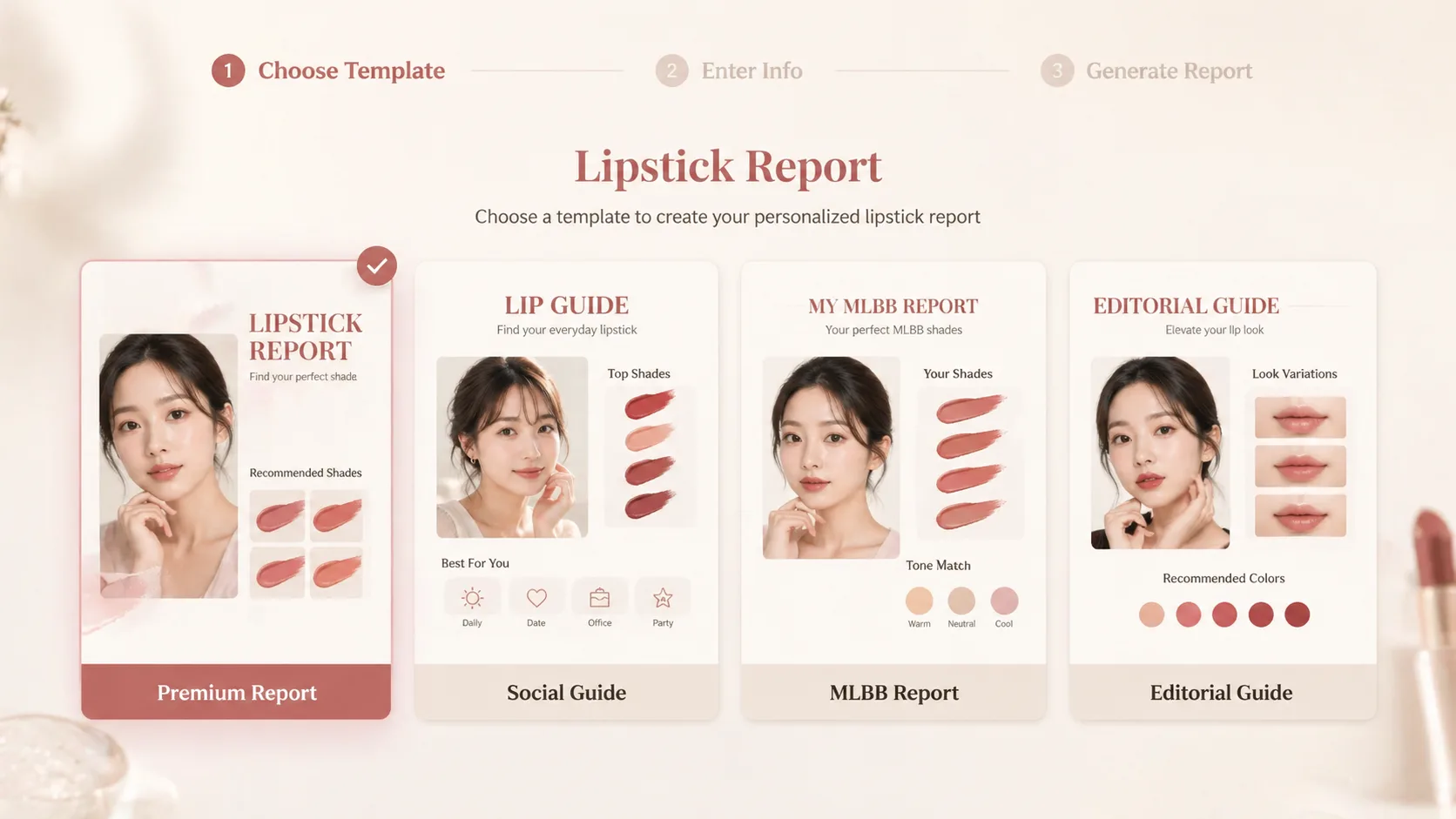
Choose a report style
Pick a premium report, social beauty guide, shopping comparison, minimalist decision board, or editorial poster depending on whether you need a consultation visual, a feed post, or a product-selection aid.
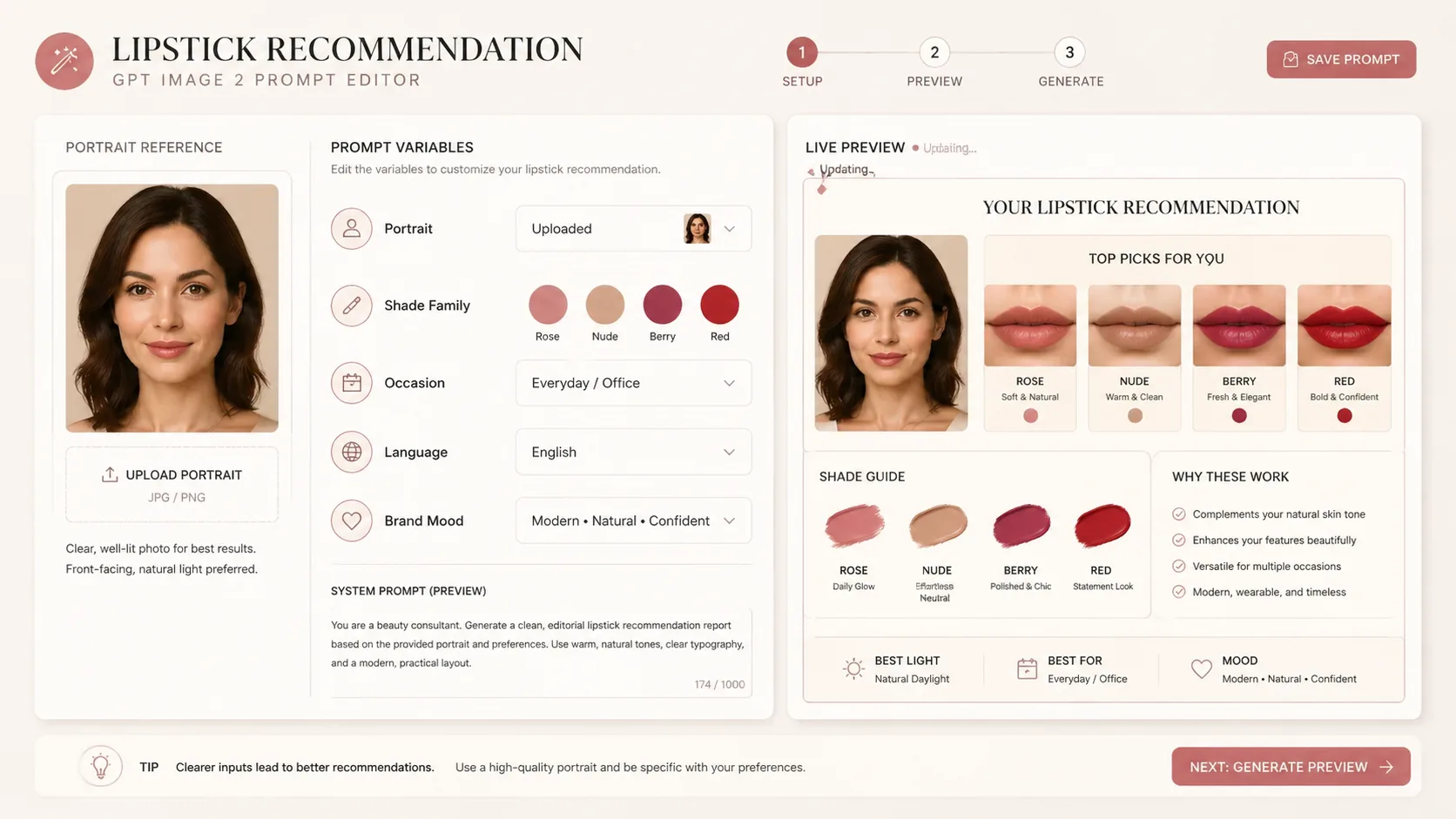
Edit portrait and shade variables
Swap in the portrait reference, preferred shade family, visible language, number of recommendations, use occasions, and brand mood. Keep brand direction descriptive and avoid real logos or trademarked packaging.
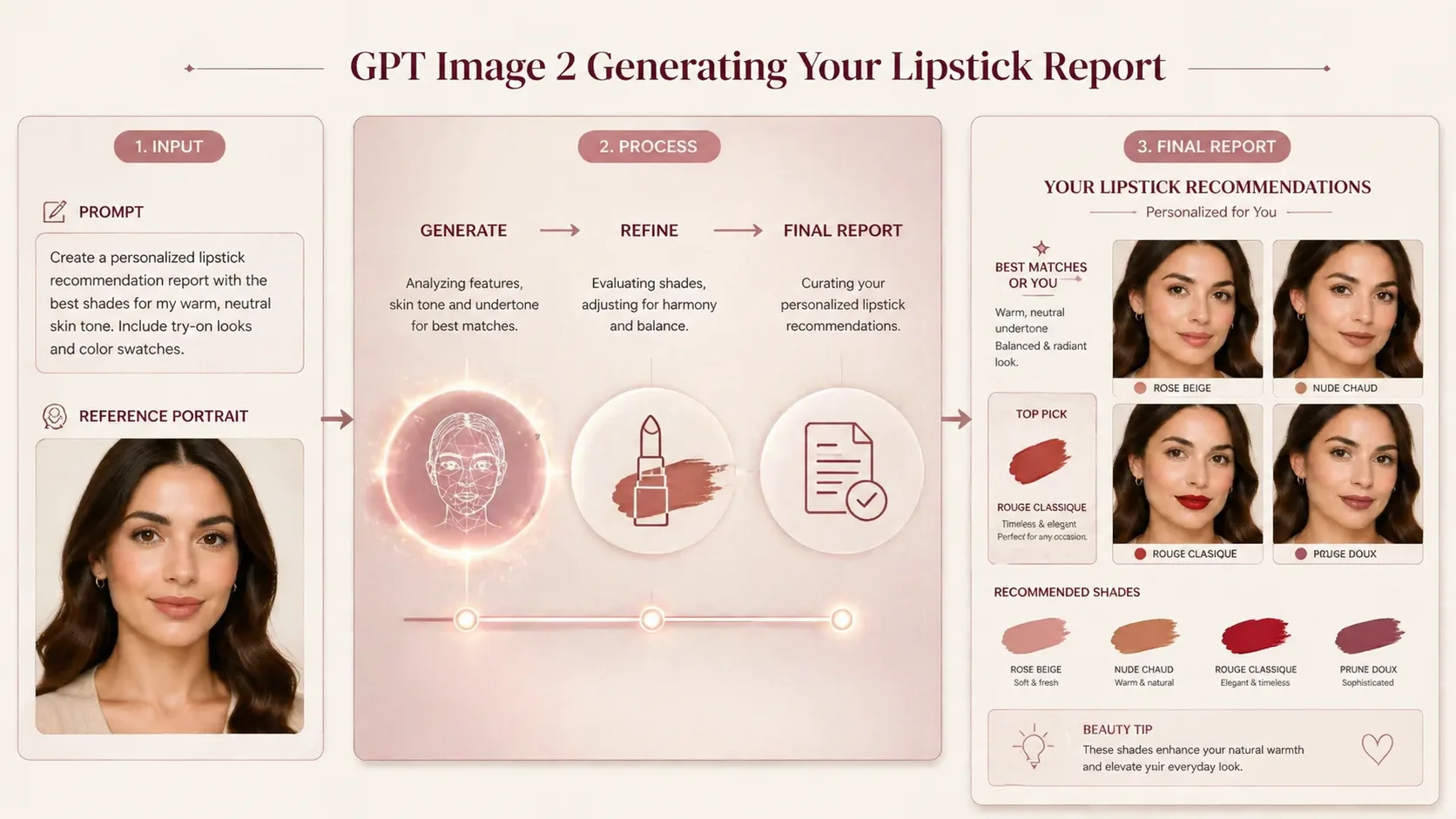
Generate, review, and refine
Run the prompt in GPT Image 2, check whether the face remains consistent and the labels are readable, then adjust the prompt for fewer shades, larger text, cleaner modules, or a different recommendation tone.
Lipstick recommendation prompt FAQ
Search-focused answers for using GPT Image 2 lipstick report prompts with portraits, shade comparisons, and localized visible text.
Generate a lipstick recommendation report
Start with a ready-made lipstick report prompt, add your portrait and shade direction, then create a GPT Image 2 beauty visual you can refine and reuse.