
Browse sample poster results on the right, then tap one to load that prompt back into the generator on the left.
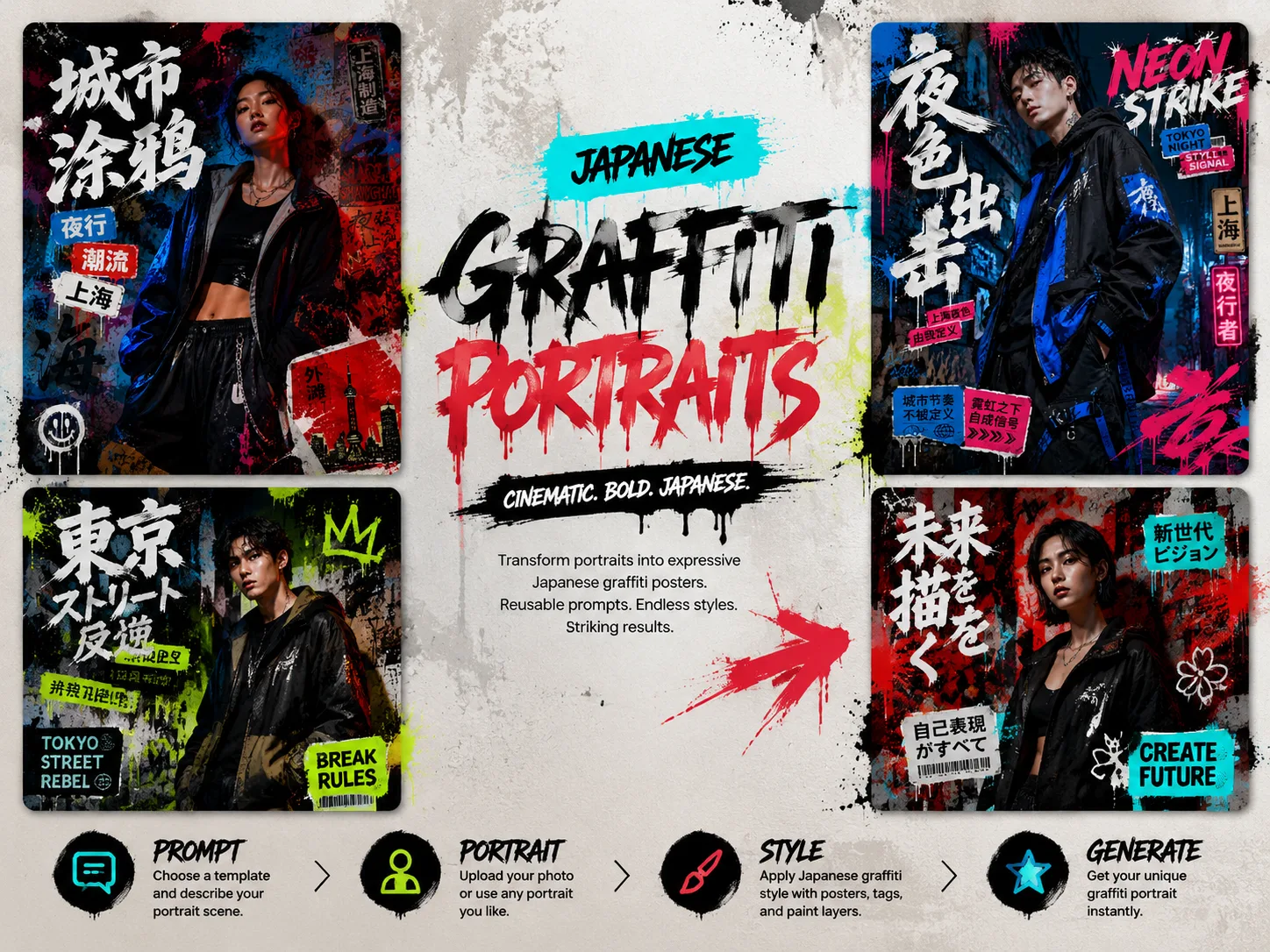
Create graffiti portrait posters with GPT Image 2 prompts
This scene gives creators a reusable prompt system for Japanese graffiti-inspired portrait posters. Instead of writing a long art-direction brief from scratch, start with a structured template that already balances subject, new pose, streetwear styling, readable poster text, spray-paint texture, sticker layers, calligraphy accents, and cinematic portrait lighting.
Reference-friendly portrait transformation
Use a portrait reference, character brief, or original subject description while asking GPT Image 2 for a new pose and expression. The prompts are built to transform the idea into poster key art, not copy the source frame exactly.
Editable graffiti poster system
Swap the headline, city neighborhood, outfit direction, color palette, sticker labels, graffiti marks, and calligraphy accents. Each template keeps the street-poster structure intact while leaving the creative variables open.
Localized street-fashion examples
Browse Tokyo, Shanghai, Taipei, Seoul, Shibuya, Lisbon, Madrid, Berlin, and Paris samples with short visible text in the matching language. The examples show how the same intent adapts across poster formats and city moods.
Polished editorial output
Guide GPT Image 2 toward sharp facial detail, controlled contrast, premium streetwear texture, readable typography, and a finished fashion-poster frame that works for social posts, lookbooks, moodboards, and character presentation.
How to use the graffiti portrait prompt templates
Choose a poster direction, replace the variables, generate with GPT Image 2, then refine the strongest result.
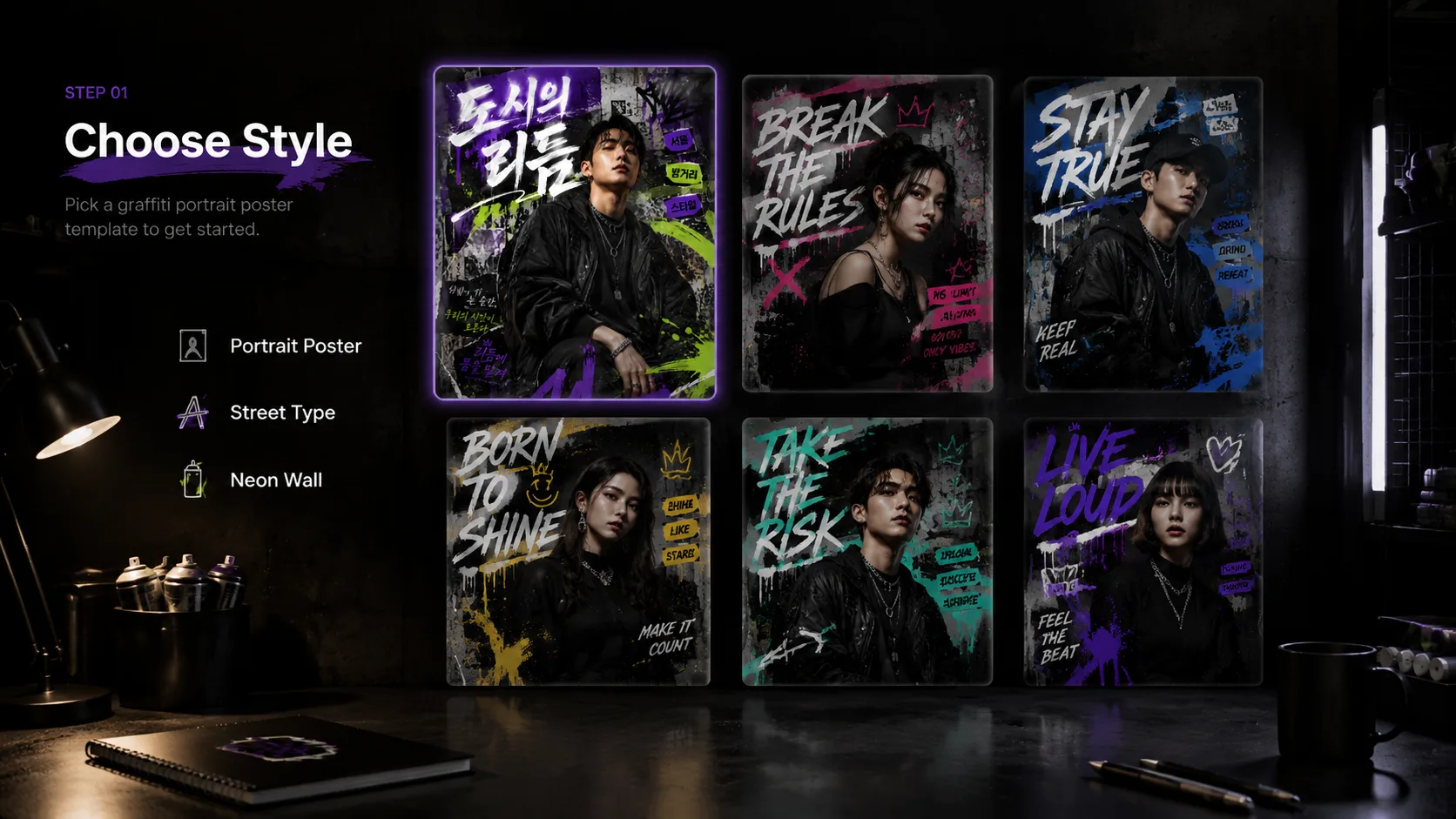
Choose the closest poster style
Start with the prompt whose city mood, language, aspect ratio, and graphic energy match the result you want. Use Tokyo neon for a bold vertical poster, Shibuya calligraphy for Japanese street fashion, or another localized sample when its format fits your channel.
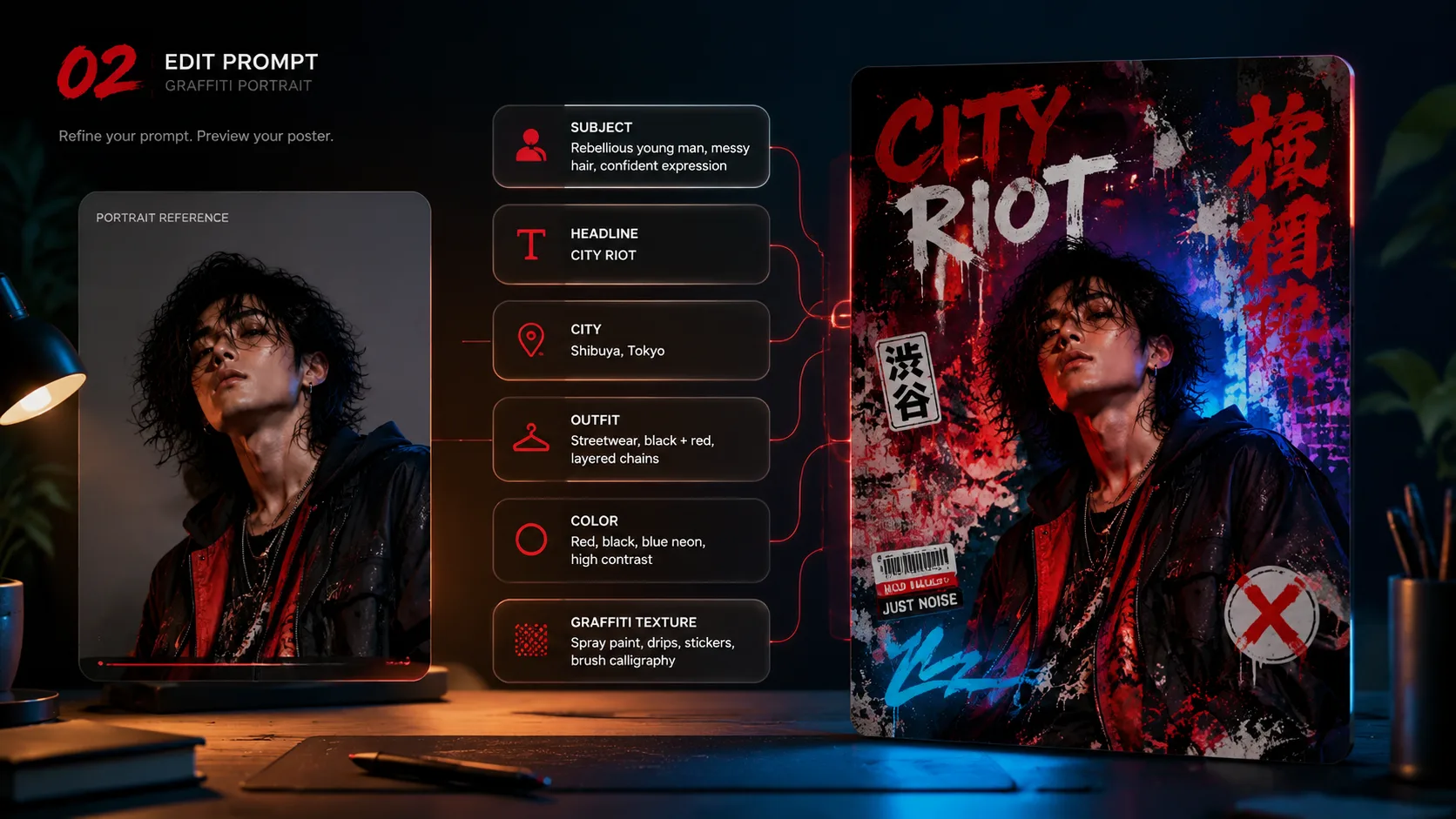
Replace the visible creative variables
Edit the subject, headline, small sticker labels, city reference, outfit style, color harmony, and graffiti symbols before generation. Keep poster text short and avoid real brand logos, celebrity likenesses, protected characters, or unclear lettering requests.
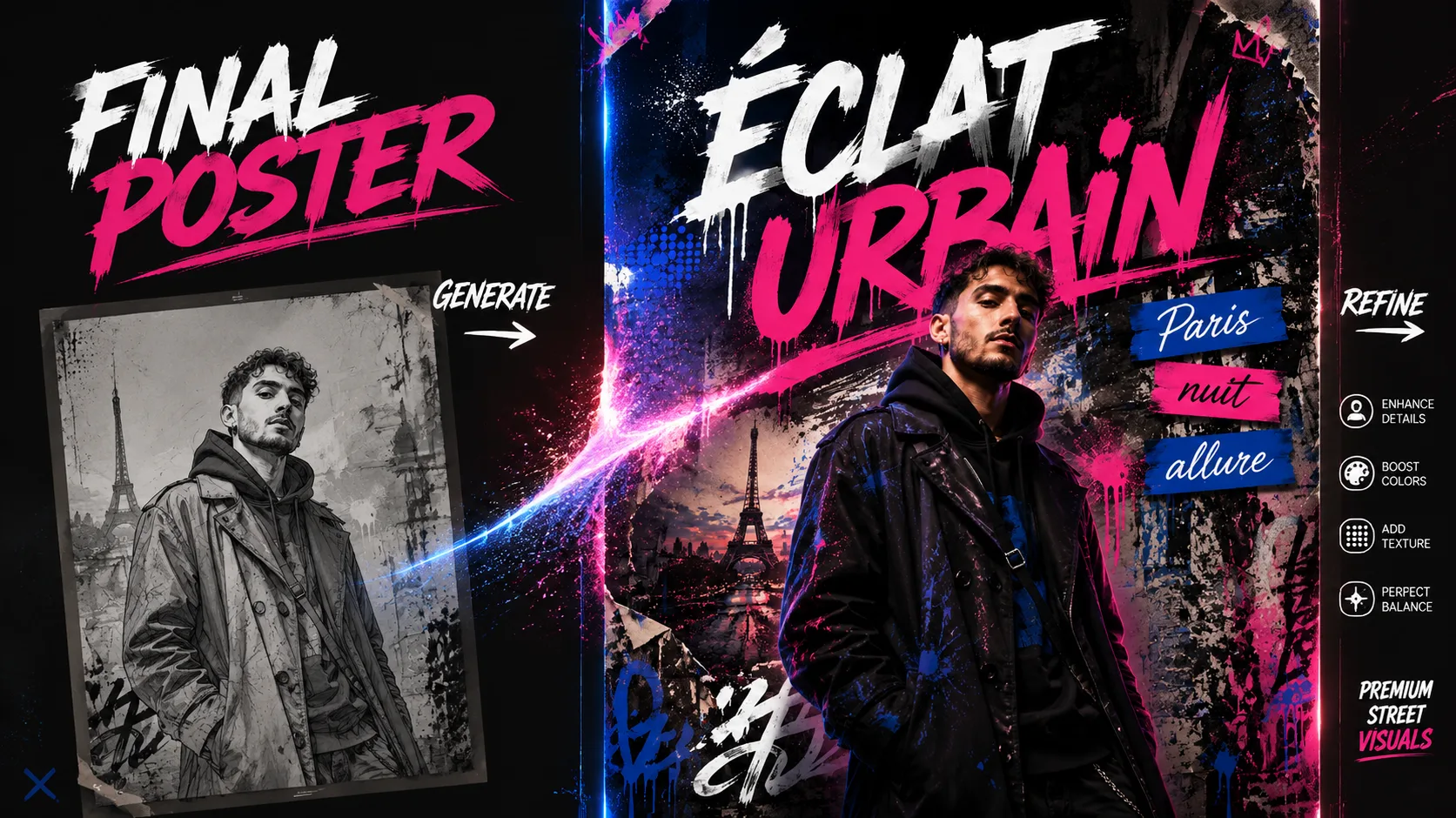
Generate, compare, and refine
Run the prompt in GPT Image 2, review pose, expression, typography, and background density, then reuse the same template with tighter variables. Small changes to palette, headline length, and sticker placement can quickly produce stronger poster variants.
Graffiti portrait poster FAQ
Search-style answers for using Japanese graffiti portrait poster prompts with GPT Image 2.
Generate a graffiti portrait poster
Open a template, replace the subject and poster text, then create a street-fashion portrait with GPT Image 2.