
Browse sample poster results on the right, then tap one to load that prompt back into the generator on the left.
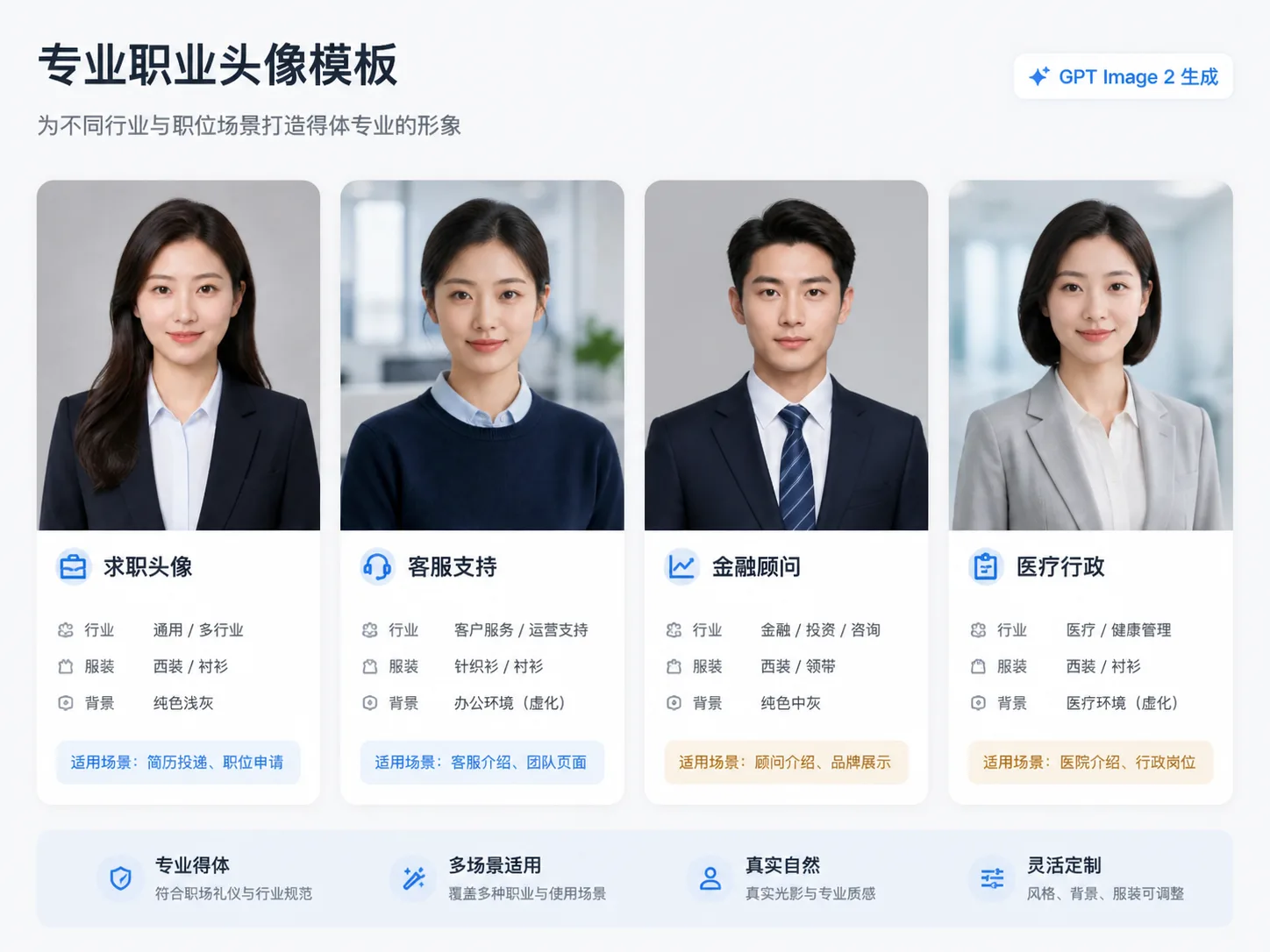
Professional ID photo GPT Image 2 prompts for every role
These templates help turn a casual portrait or blank prompt into a polished professional ID photo direction. Each prompt defines the target role, industry, clothing, expression, background, and usage boundary so the result feels suitable for HR review, team directories, resumes, founder bios, or internal staff profiles without pretending to be an official government document.
Role and industry fit
Start with prompts for finance, healthcare, education, support, hospitality, manufacturing, creative work, and general job applications. The wording tells GPT Image 2 what the portrait needs to communicate in that professional context instead of producing one generic business headshot.
HR-friendly visual control
Guide grooming, posture, expression, lighting, clothing, and background with practical instructions. The result is designed to look competent, approachable, and realistic, with natural skin texture and no heavy glamour filter.
Reference photo workflow
Upload a selfie or old profile image when identity consistency matters. The prompts ask GPT Image 2 to preserve recognizable facial features while improving studio lighting, crop, background cleanliness, and presentation.
Clear compliance boundaries
Use these templates for resumes, business avatars, HR systems, staff badges, and portfolio bios. They intentionally avoid fake credentials, real logos, official seals, passport claims, visa claims, and misleading ID numbers.
How to generate a role-ready professional headshot
Choose the closest template, replace the role variables, add a reference image if needed, then compare several GPT Image 2 results before using the final portrait.
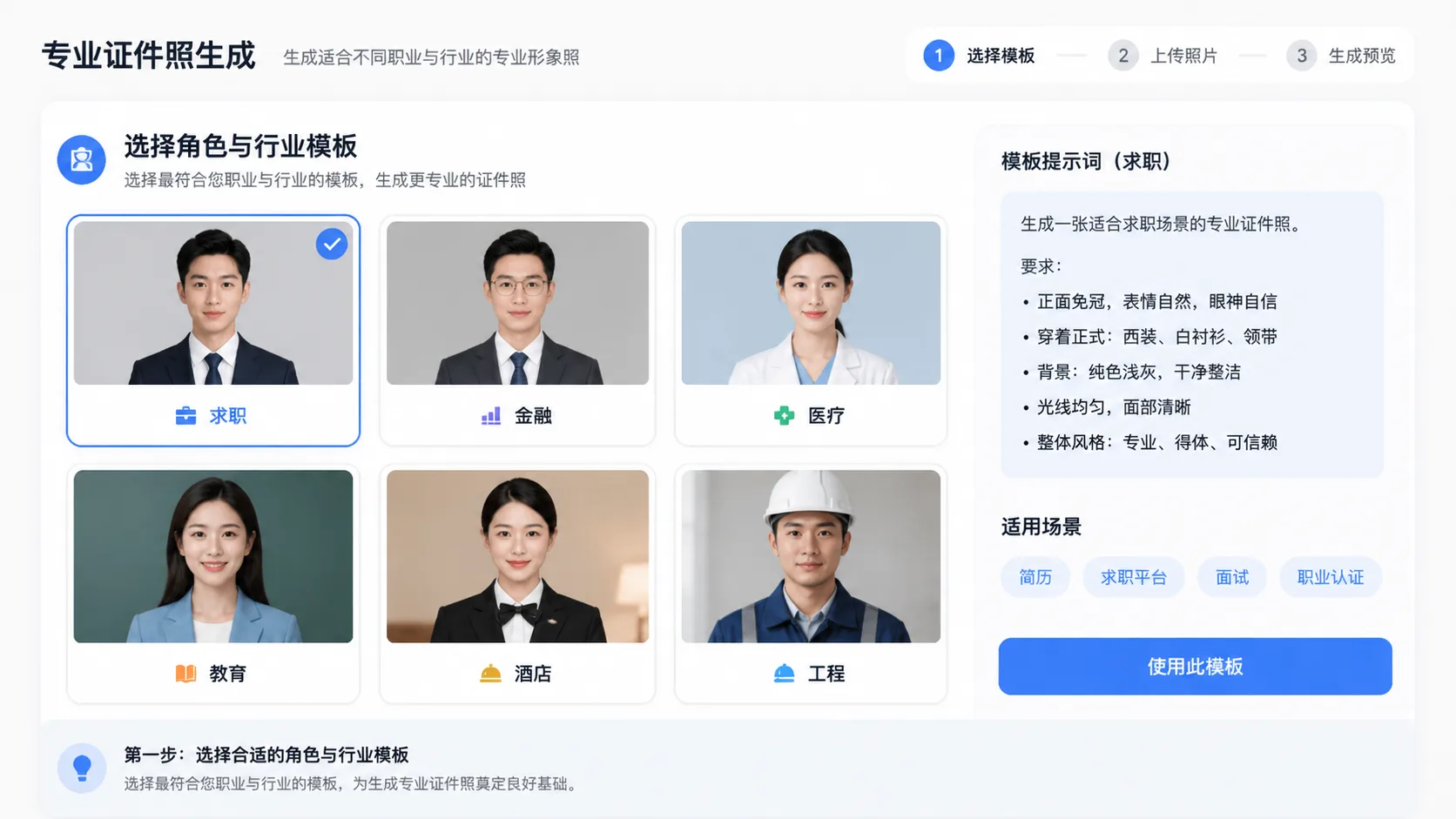
Pick the target context
Select the template that matches the job or organization: conservative finance, warm education, calm healthcare administration, service support, industrial operations, hospitality, creative studio, or broad job application.
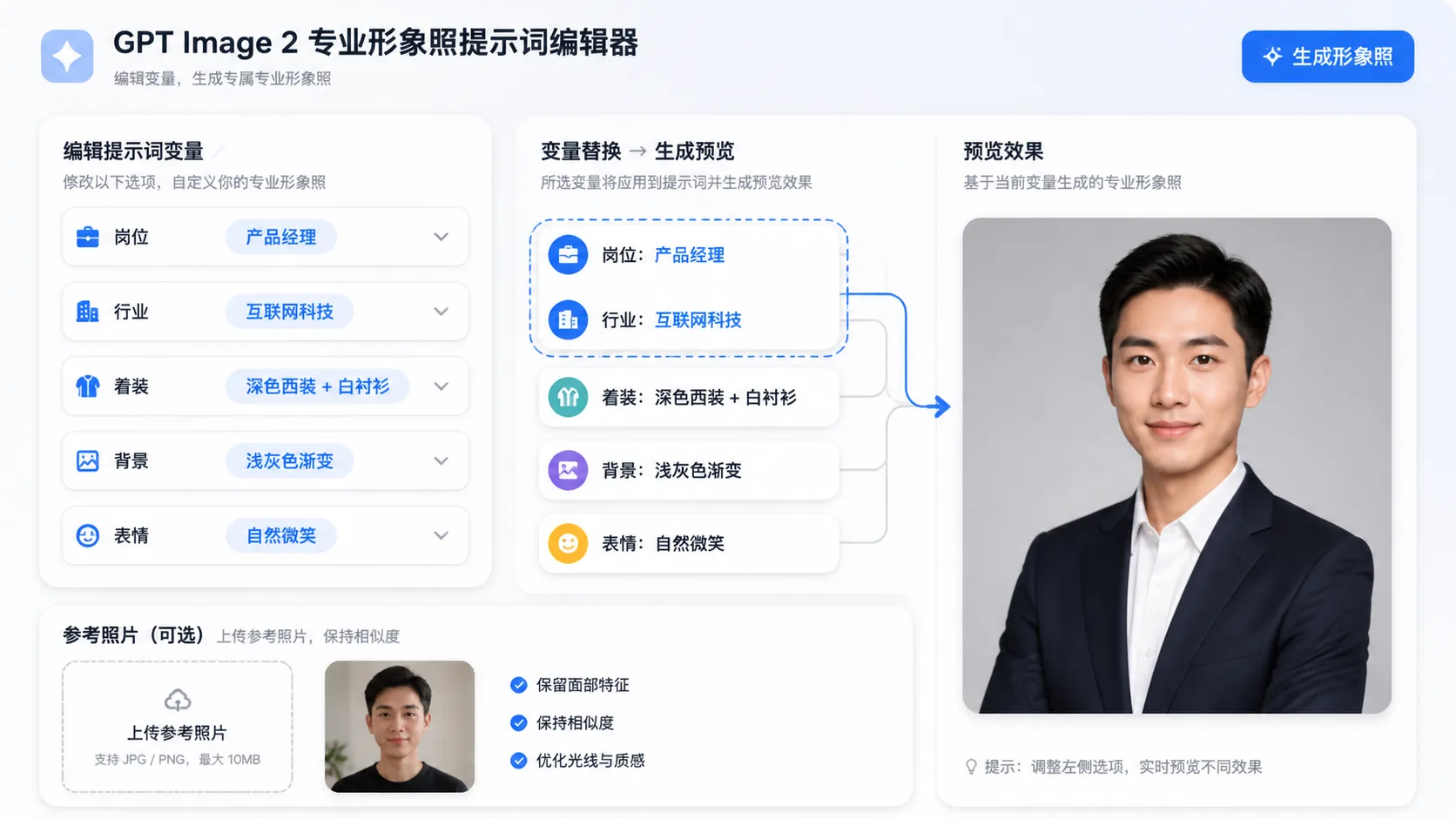
Edit prompt variables
Replace the role, industry, company tone, clothing, expression, background, and reference-photo instruction. Keep wording specific enough that the headshot fits the actual HR or profile use case.
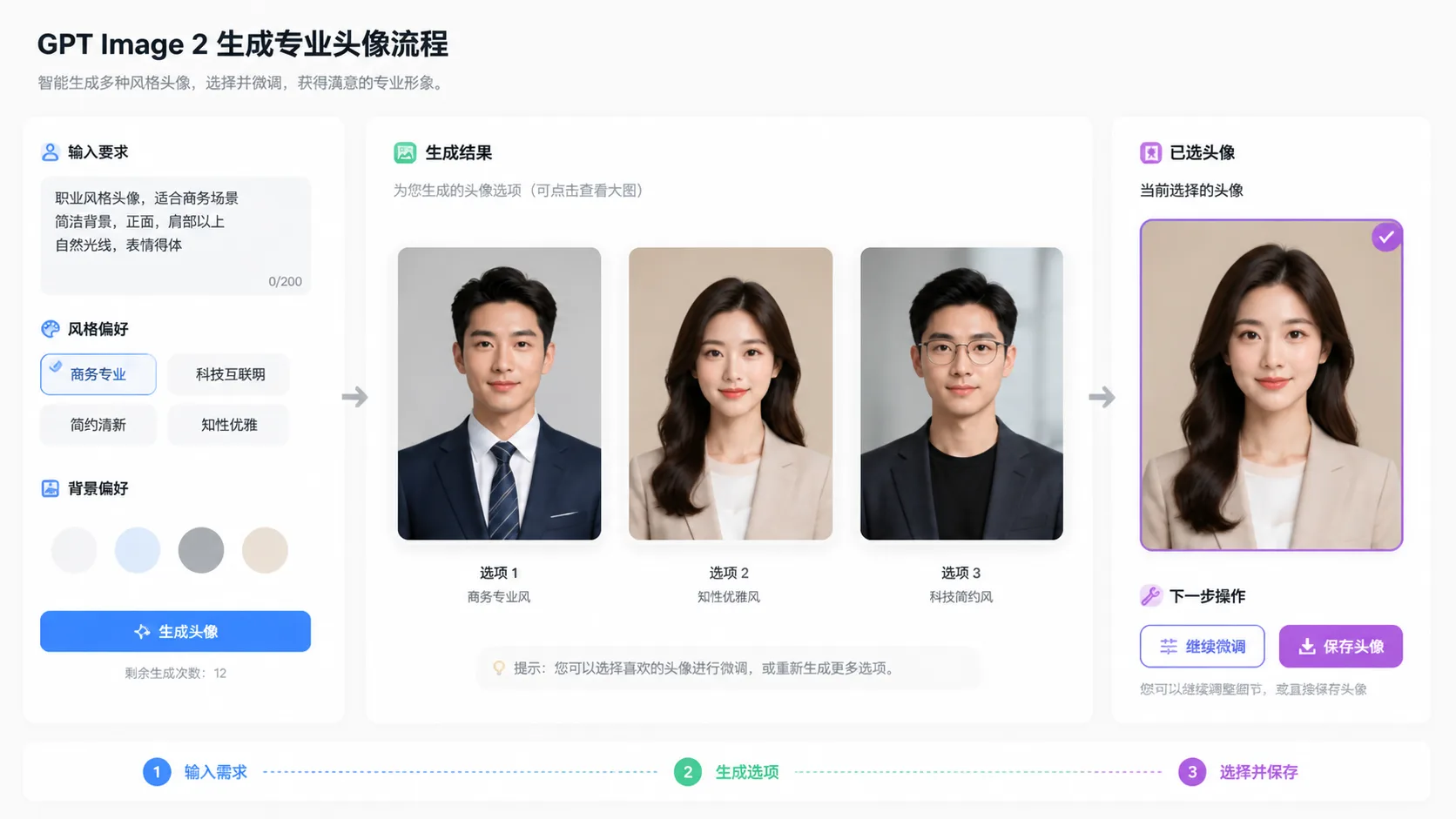
Generate and refine
Create a few professional ID photo options, compare expression and background quality, then reuse the best prompt with small changes for another industry, role, or team member.
Professional ID photo prompt FAQ
Search-style answers for creating HR-friendly headshots with GPT Image 2.
Create your professional headshot
Use a role-specific GPT Image 2 prompt and refine the image for your resume, HR profile, or team directory.