
Browse sample poster results on the right, then tap one to load that prompt back into the generator on the left.
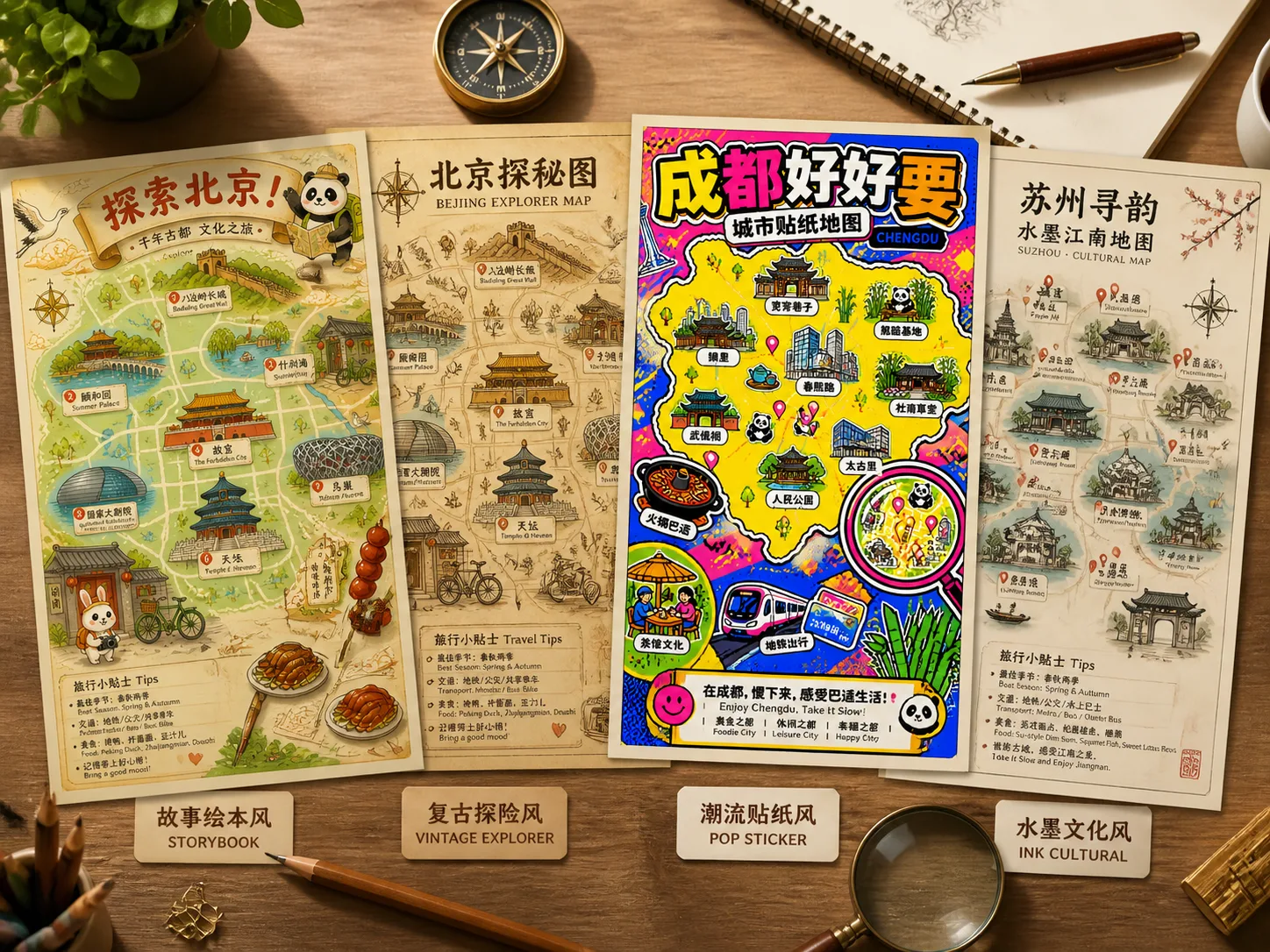
Create illustrated city map posters with GPT Image 2
These GPT Image 2 travel map poster prompts turn a destination brief into a complete vertical city guide image. Start with a city, add landmarks, food, transit, terrain, language labels, and a visual mood, then generate a poster that feels useful for travel content, classroom culture material, local campaigns, or guide-cover concepts.
City-first poster structure
Each template asks GPT Image 2 to organize a simplified city map around 6-8 landmarks, districts, rivers, coastlines, food stops, transport icons, and short readable labels instead of producing a loose travel collage.
Illustration styles for different destinations
Choose warm storybook maps, vintage explorer plates, modern pop sticker posters, ink cultural maps, food trails, transit guides, family weekend routes, or coastal river compositions without rewriting the full prompt.
Poster-ready travel details
The prompts specify vertical 2:3 framing, title banners, red pins, compass marks, magnified details, label language, local symbols, and dense finished compositions so the result looks like a city guide poster.
Editable prompt variables
Replace the city name, landmark list, food list, label language, campaign headline, route slogan, transport modes, mascot, or water feature to reuse the same city guide map prompt across many destinations.
How to use the travel map poster prompts
Pick the closest map intent, replace destination variables, generate with GPT Image 2, then refine labels and density before using the poster concept.
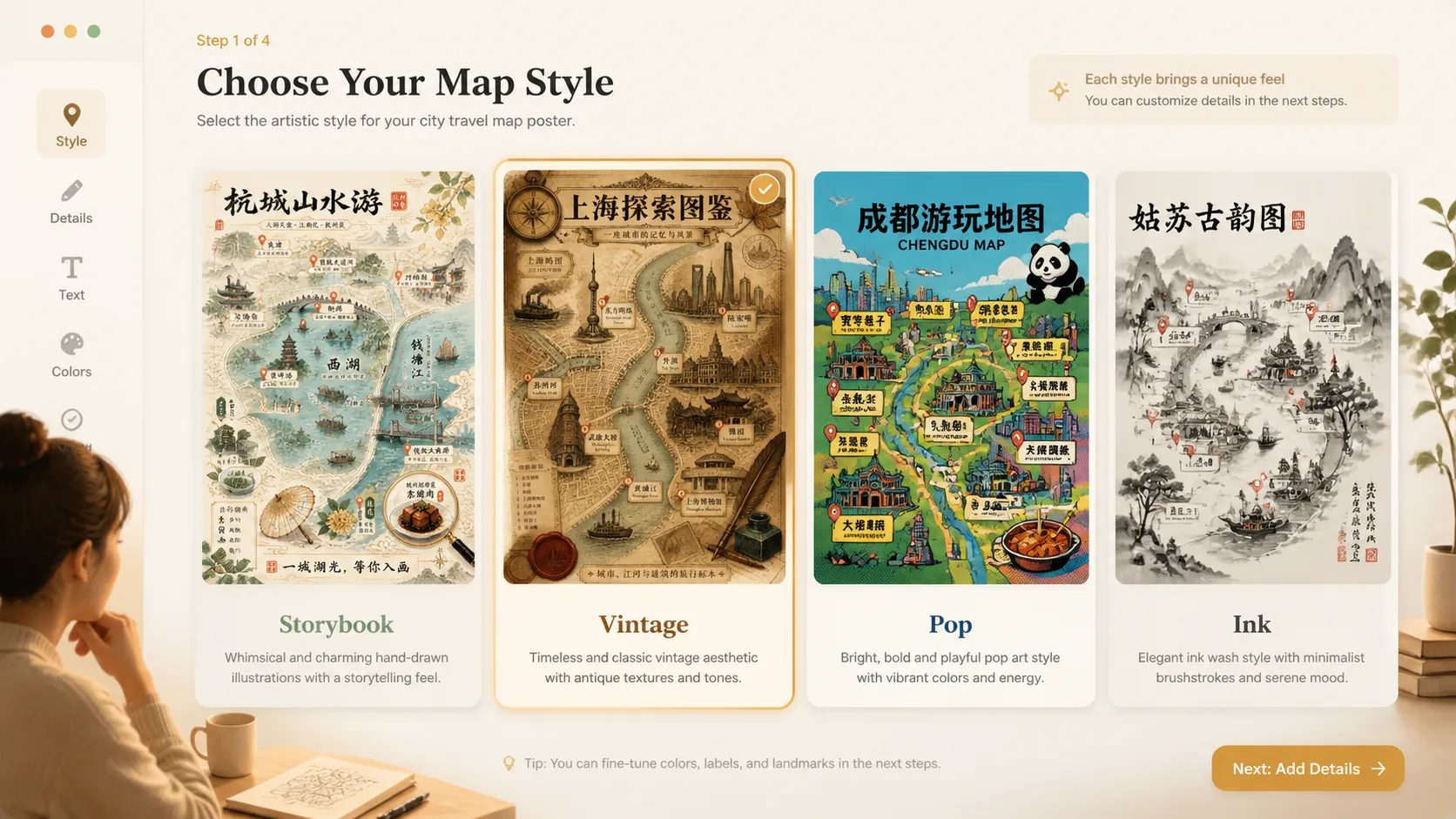
Choose the map style
Select a template that matches the destination job: a playful family poster, a tourism campaign map, a museum-style explorer plate, a food trail, a transit landmark guide, or a waterfront destination poster.
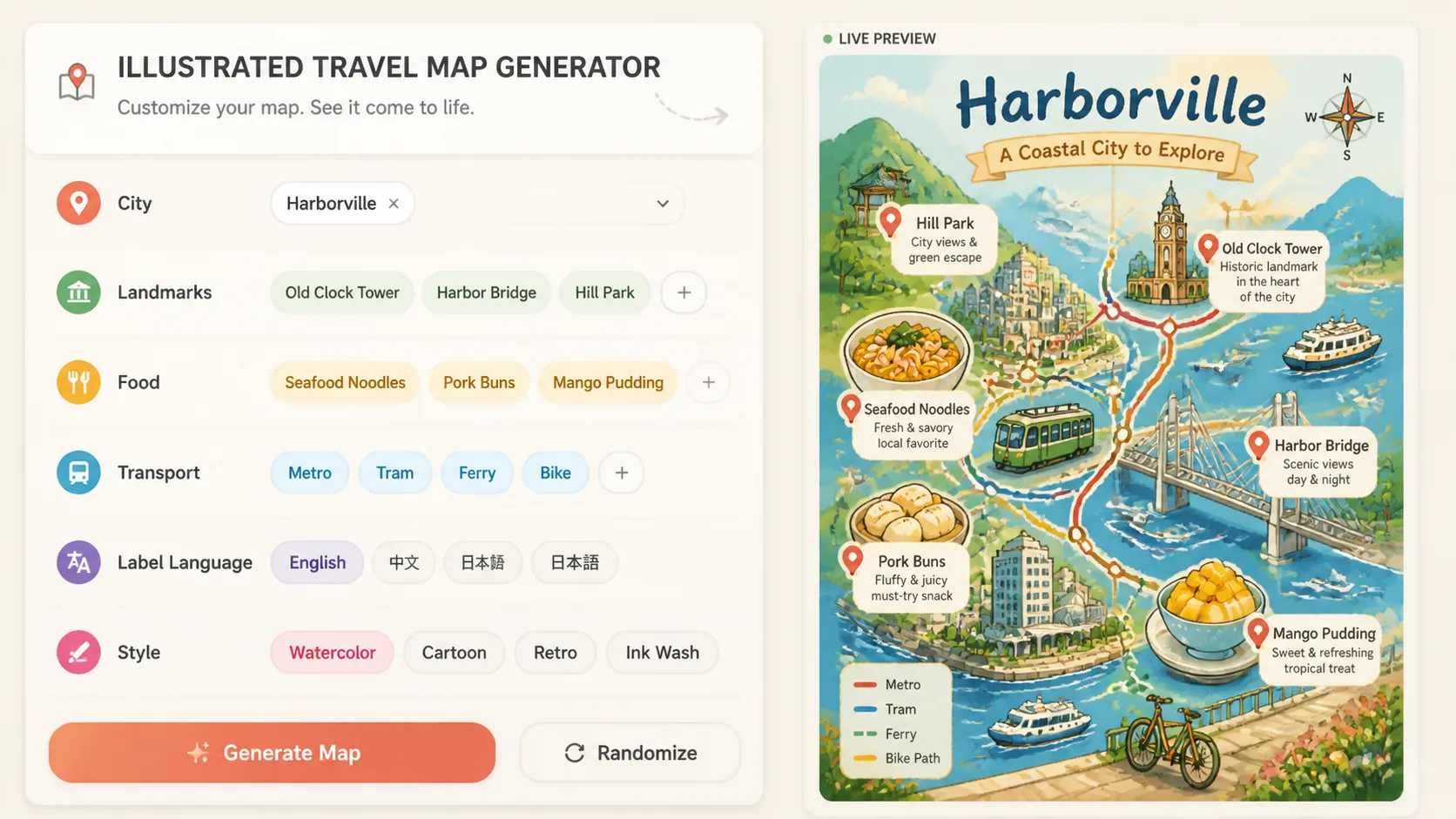
Edit the city brief
Add the city name, 6-8 landmarks, local foods, transport modes, label language, slogan, terrain, and cultural details. Keep factual names concise because image text and labels work best when they are short.
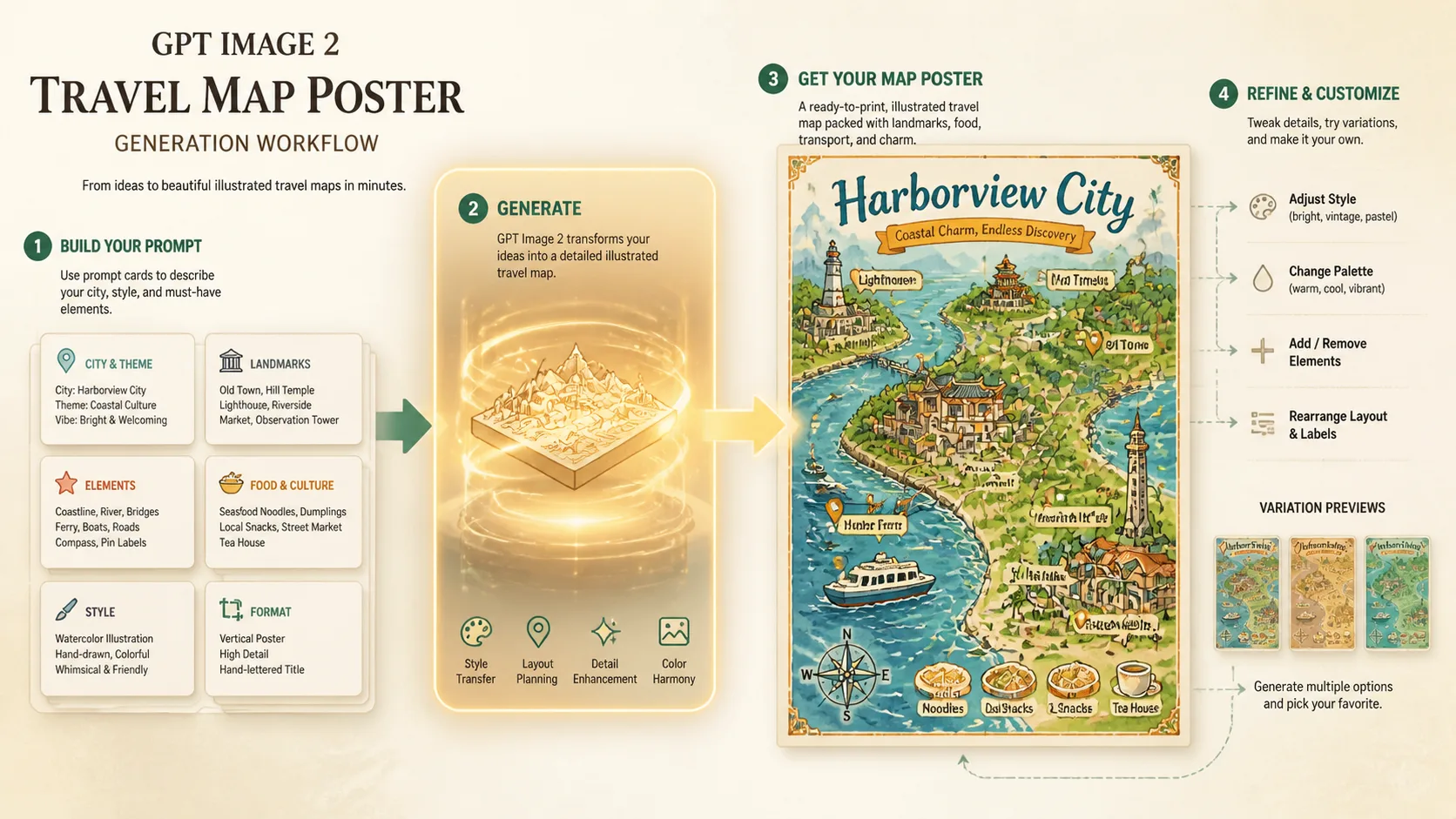
Generate and refine
Run the prompt in GPT Image 2, compare the sample image, then adjust map density, label language, visual style, or landmark priority. Treat the output as an illustrated poster concept and fact-check details before public use.
GPT Image 2 travel map poster FAQ
Answers for creators using illustrated city map poster prompts.
Generate a travel map poster
Choose a city guide map prompt, replace the destination details, and create a poster-ready GPT Image 2 result.