
Browse sample poster results on the right, then tap one to load that prompt back into the generator on the left.
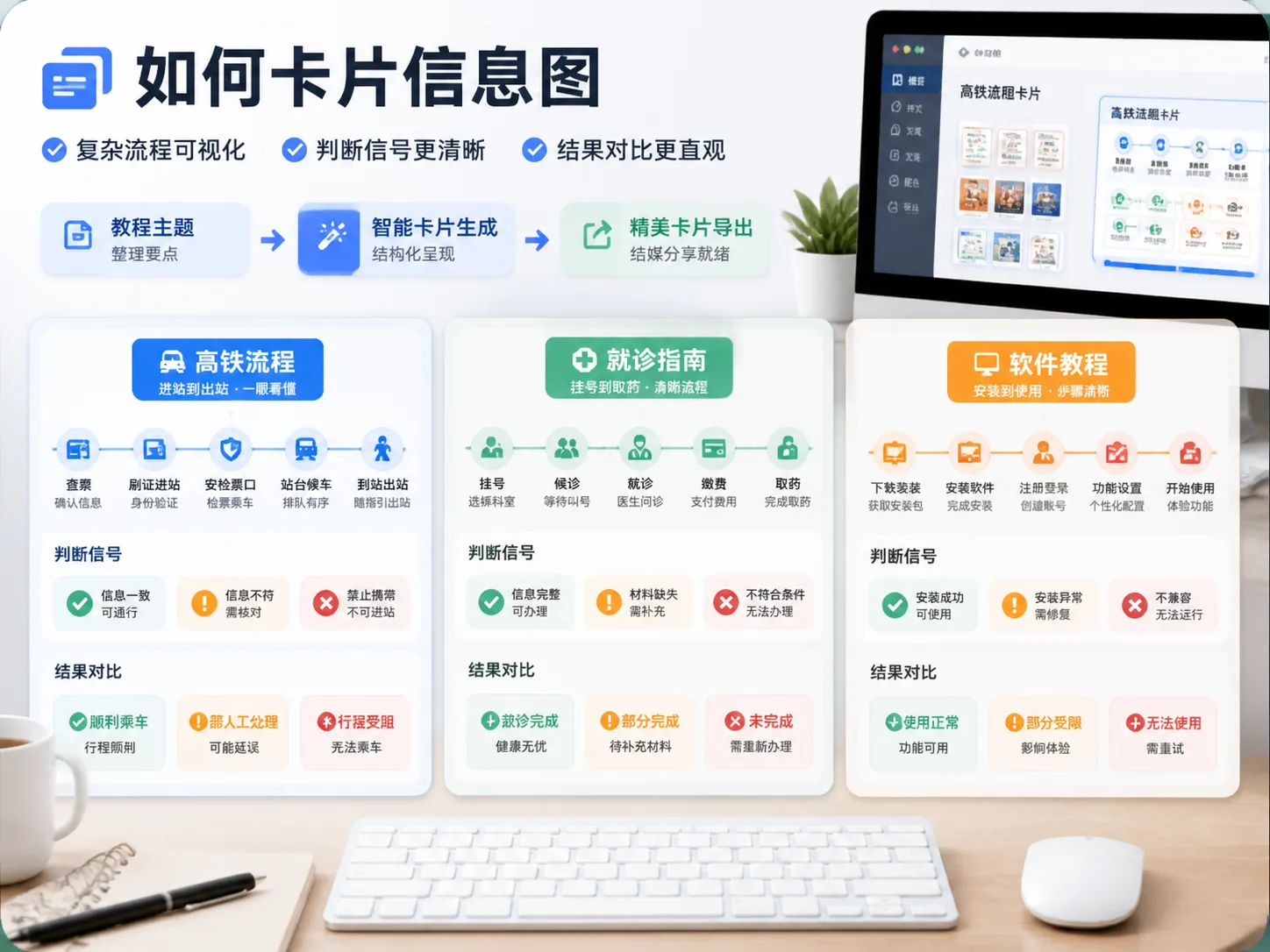
Create how-to card infographics with GPT Image 2
These GPT Image 2 how-to card infographic templates help creators turn tutorial text into a visual path that readers can scan quickly. Instead of asking the model for a generic poster, each prompt asks for short action phrases, concrete conditions, visible result states, and comparison zones. That structure is useful for social knowledge cards, public-service explainers, software workflows, plant-care guides, troubleshooting cards, and small concept lessons.
Visual tutorial paths
Convert long instructions into connected card nodes so the reader sees preparation, action, signal, and result in one flow.
Clear judgment signals
Prompt for visible cues such as ticket status, queue screens, soil dryness, signal lights, tone changes, color depth, or result labels.
Reusable card formats
Start from process cards, service guides, software tutorials, diagnostic cards, safety reviews, and communication technique cards.
Designed for refinement
Replace the topic, audience, signals, and style, generate with GPT Image 2, then adjust wording or references for a cleaner result.
How to use these tutorial card prompts
Pick the closest prompt, replace the variables, then generate a card that communicates action and judgment without long prose.
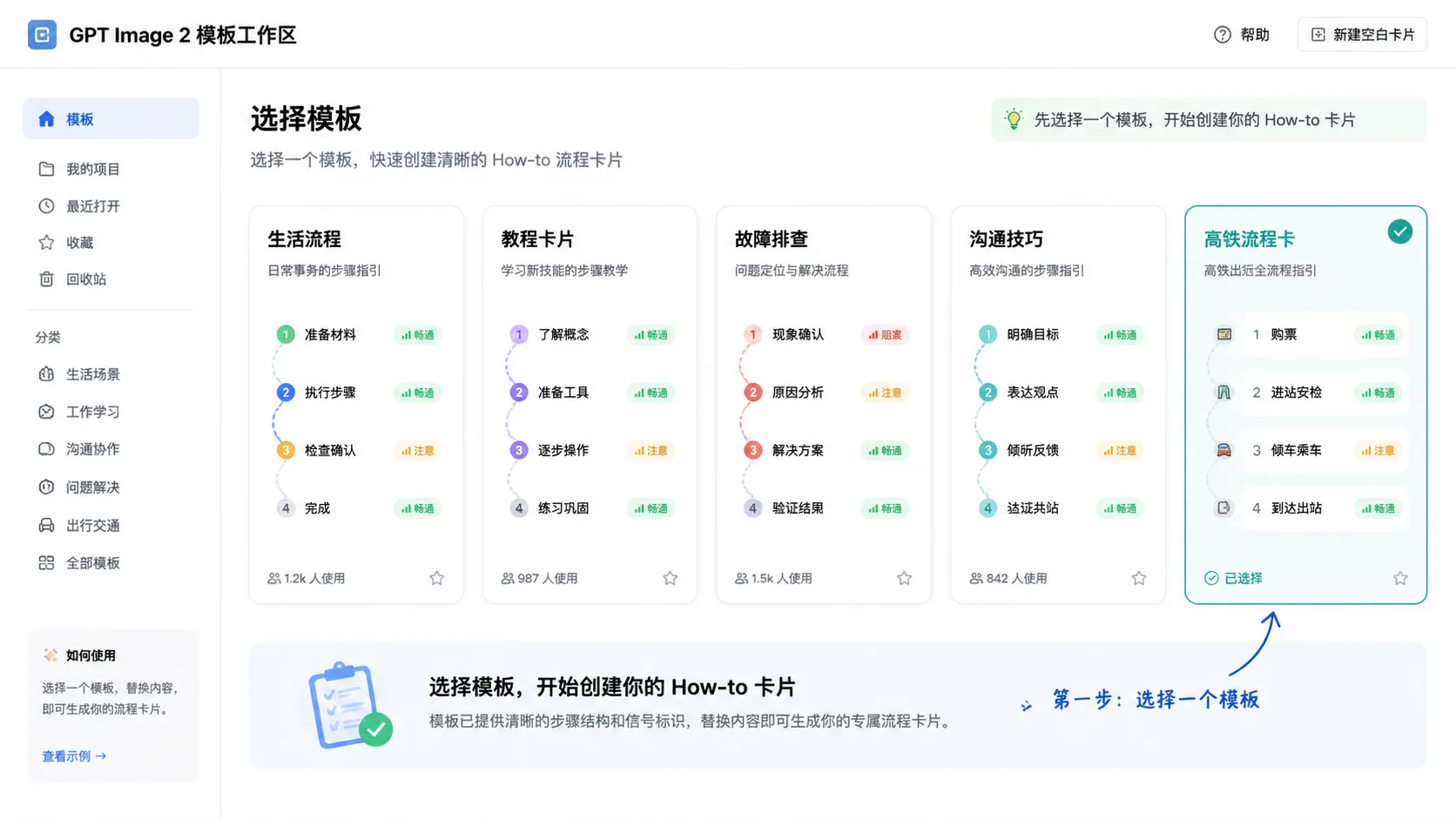
Choose the closest card scenario
Select the transit, service, brewing, software, plant-care, troubleshooting, communication, or safety card that matches the tutorial intent.
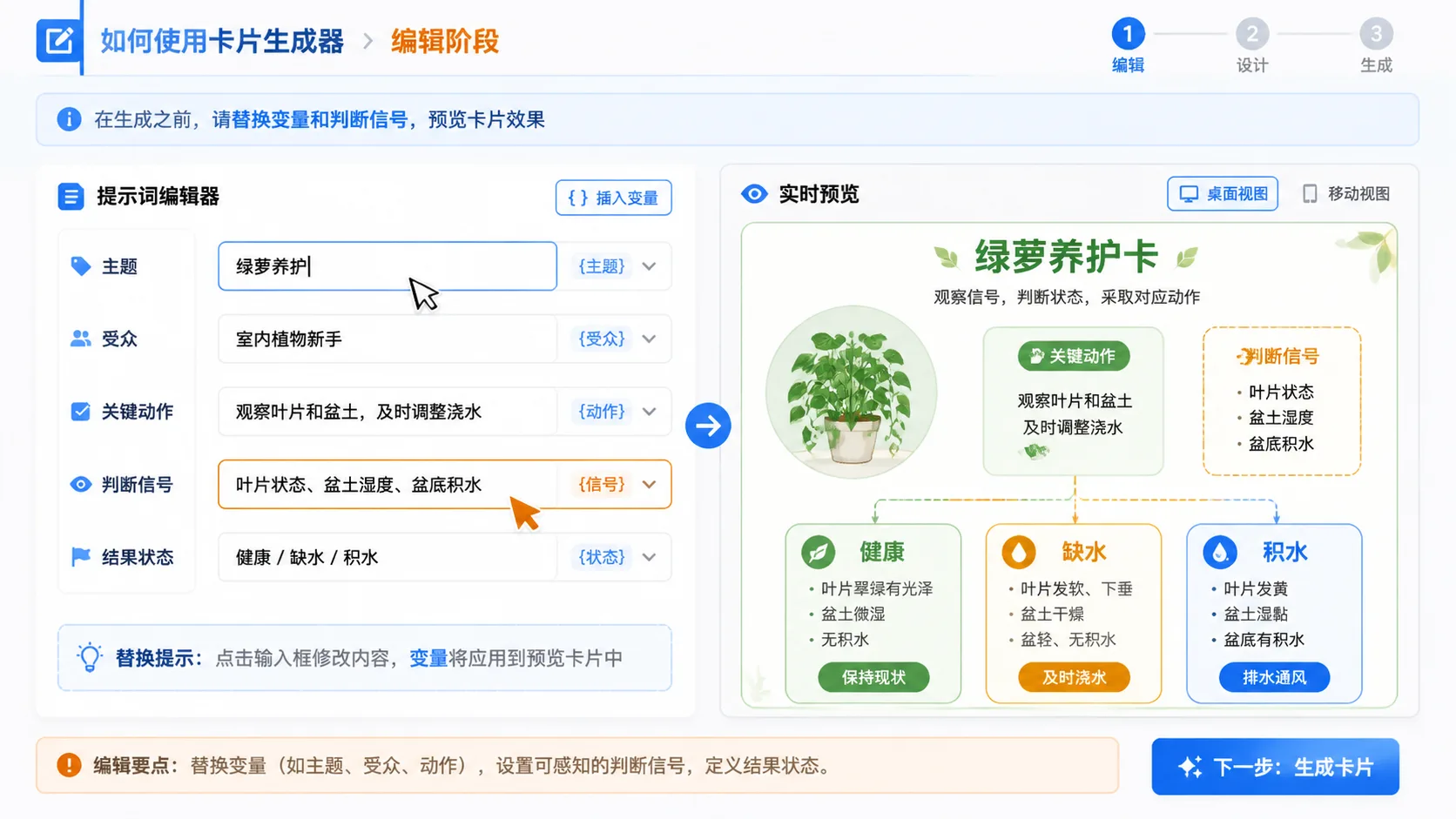
Replace topic and signal variables
Fill in the audience, topic, checkpoints, conditions, result states, and visual style before generating.
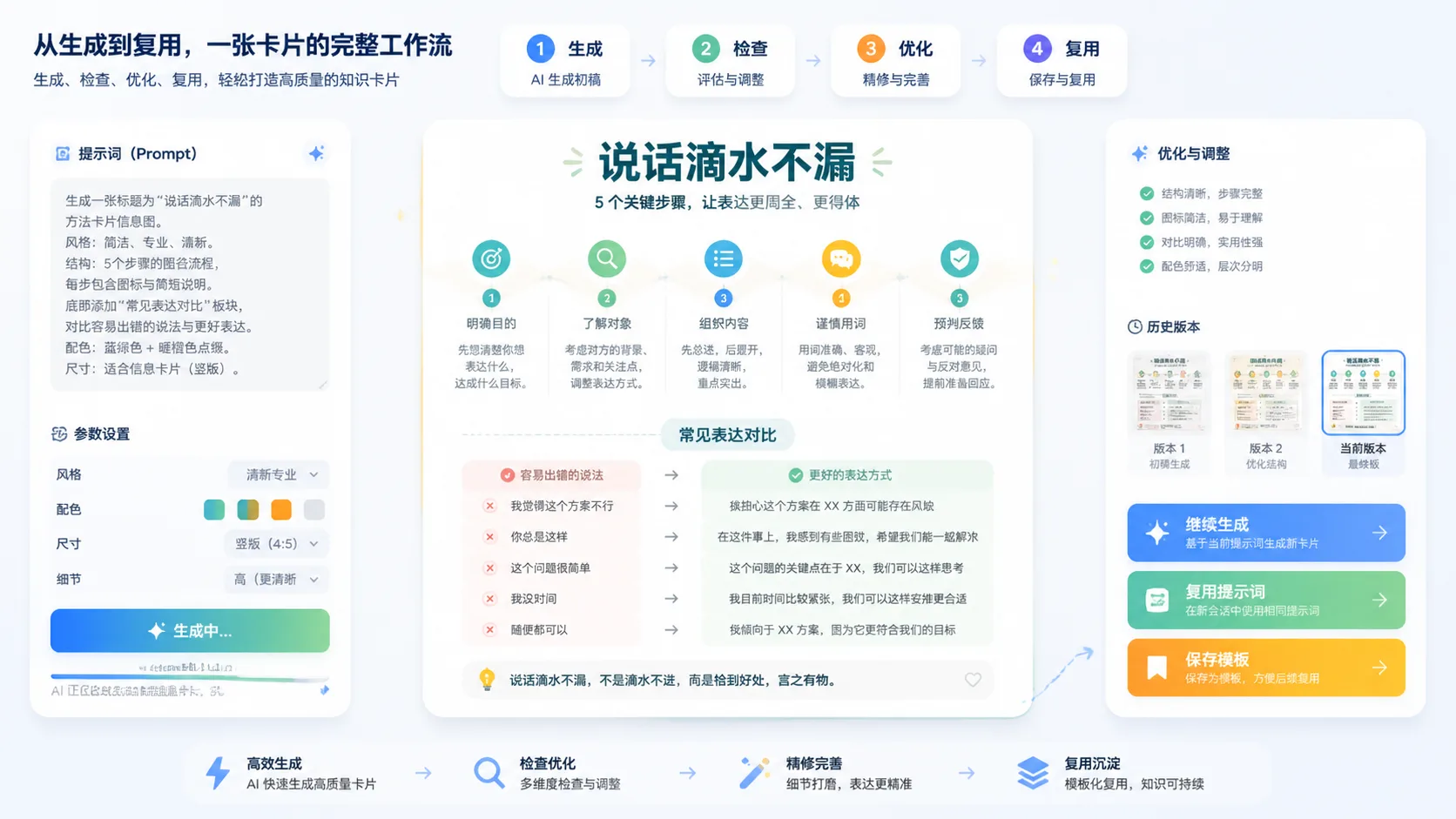
Generate, review, and refine
Check whether the generated card is readable, whether signals are concrete, and whether risky topics need human review.
How-to card prompt FAQ
Use these answers to choose the right GPT Image 2 tutorial card workflow.
Generate a how-to card infographic
Start from a reusable tutorial card prompt, add your topic and signals, then create a clearer GPT Image 2 card draft.