
Browse sample poster results on the right, then tap one to load that prompt back into the generator on the left.
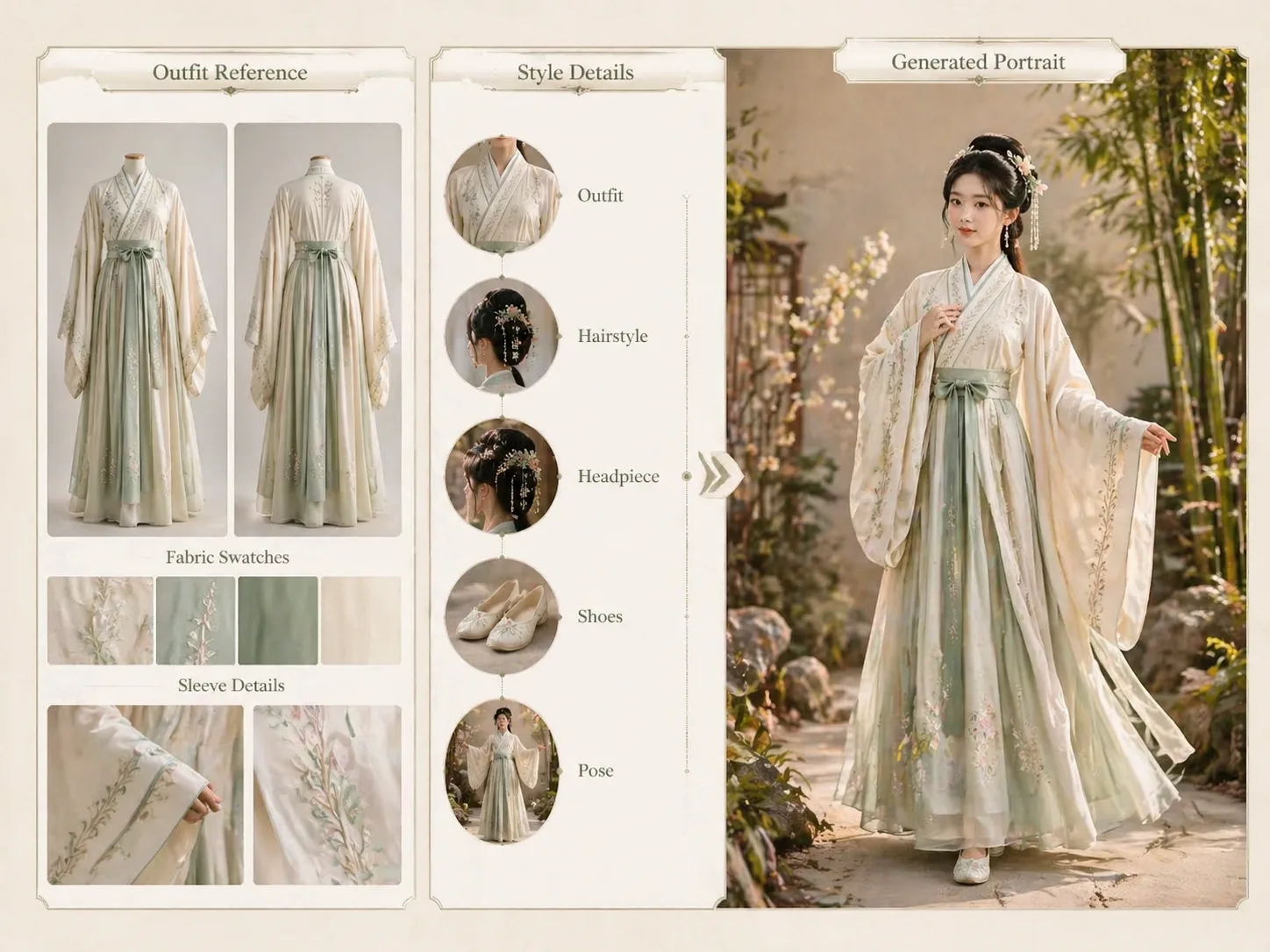
Hanfu outfit portrait GPT Image 2 prompts
Turn an uploaded Hanfu or traditional clothing reference into a polished adult portrait. These templates keep the garment as the visual anchor while guiding hairstyle, headpiece, footwear, pose, background, and visible text language. The goal is a practical prompt workflow for creators who need inspectable cultural fashion portraits, not a broad history article or generic costume filter.
Reference-first outfit control
Start from a clothing image or detailed outfit description so GPT Image 2 can follow the silhouette, sleeve volume, fabric layers, color palette, sash, trim, headpiece, and shoes. This makes the reference image prompt concrete enough to preserve the outfit mood while still producing an original result.
Full-body portrait framing
Each prompt asks for an adult head-to-toe composition, helping the final image show garment proportions, footwear, pose, and styling instead of cropping the outfit at the waist.
Respectful cultural styling
The prompts frame Hanfu as cultural fashion inspiration, avoid celebrity likenesses, protected costumes, revealing styling, fake logos, and unsupported claims of exact historical accuracy.
Editable lookbook variables
Swap the subject, season, garden, studio, festival scene, lighting, camera angle, pose, and visible language to build consistent portrait variations without rewriting the whole prompt.
How to use a Hanfu portrait template
Choose the closest scene, replace the outfit and styling variables, then generate and refine the portrait in GPT Image 2.
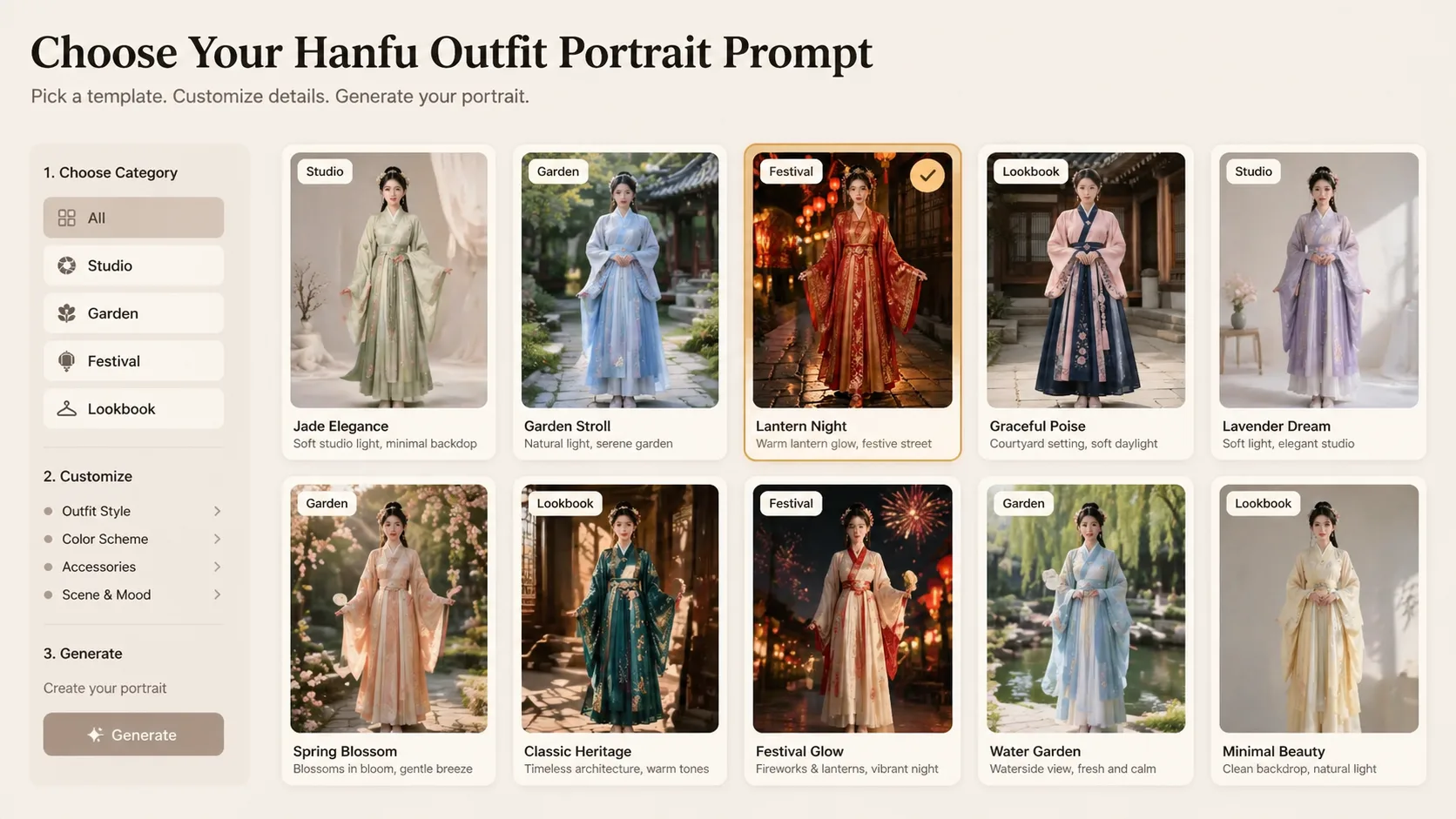
Choose a matching portrait prompt
Pick a studio, spring garden, lantern festival, cultural lookbook, museum study, or cinematic courtyard prompt based on the reference outfit and the portrait mood you need.
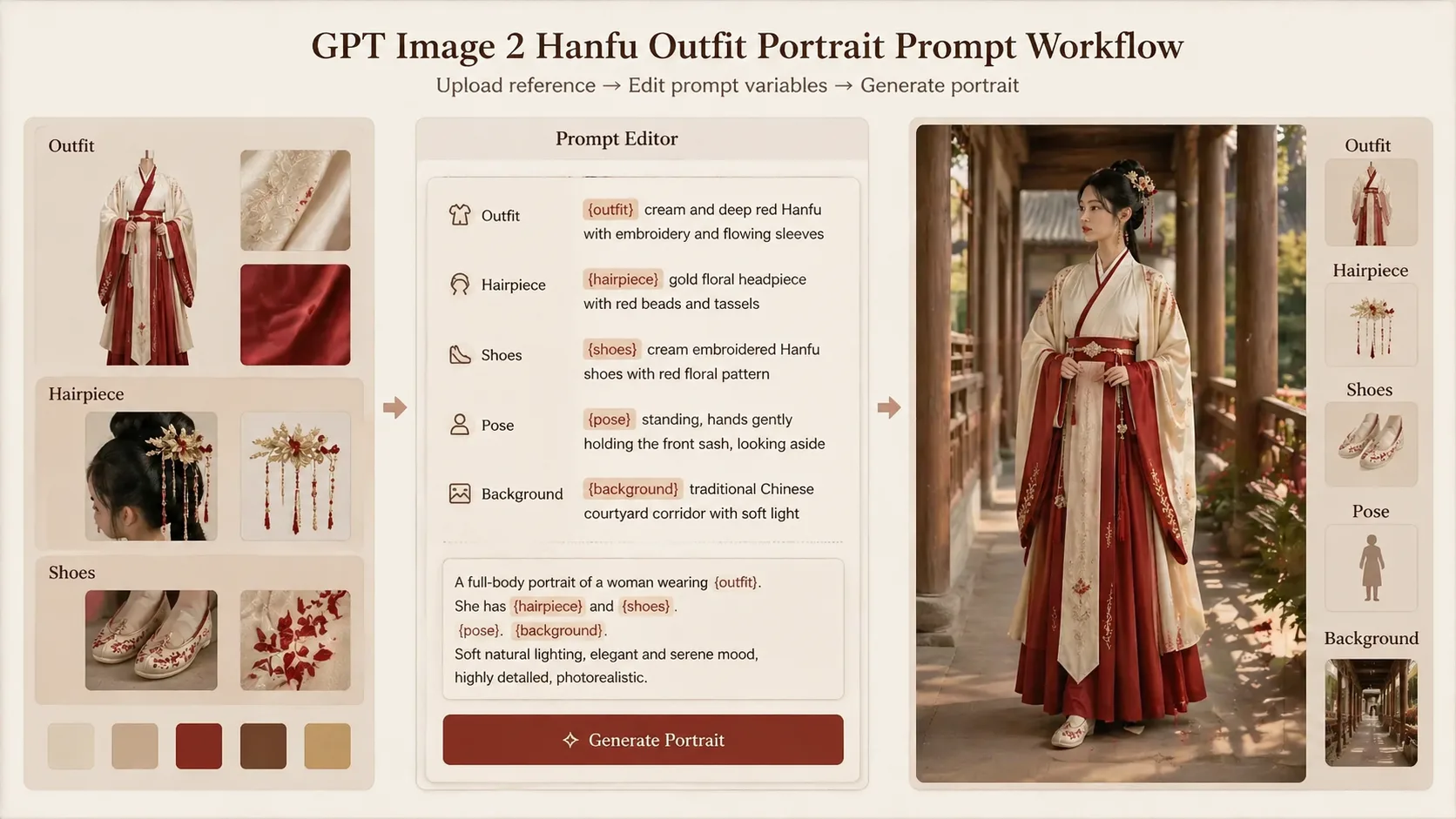
Replace reference and styling variables
Add your outfit reference, then edit the adult subject, hairstyle, hair ornament, shoes, pose, background, season, lighting, and short visible text language.
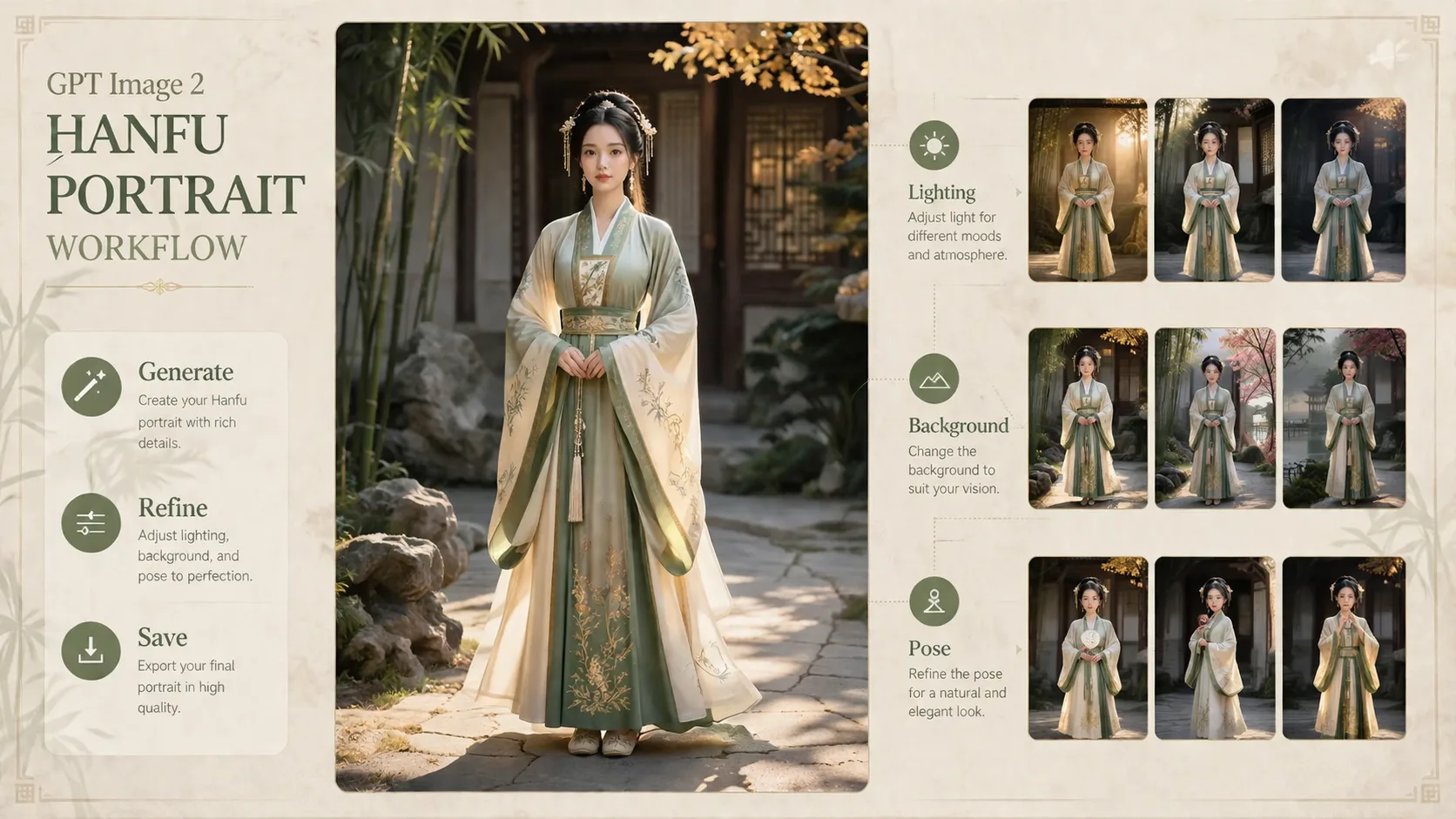
Generate, inspect, and refine
Run GPT Image 2, check the full-body result for garment clarity, anatomy, foot framing, readable details, and respectful styling, then adjust pose, framing, background, or detail notes before generating again.
Hanfu outfit portrait FAQ
Search-style answers for reference-based Hanfu portrait prompts, full-body composition, and respectful cultural fashion use.
Generate a Hanfu portrait
Use a template, attach your outfit reference, and create a respectful full-body Hanfu portrait with GPT Image 2.