
Browse sample poster results on the right, then tap one to load that prompt back into the generator on the left.
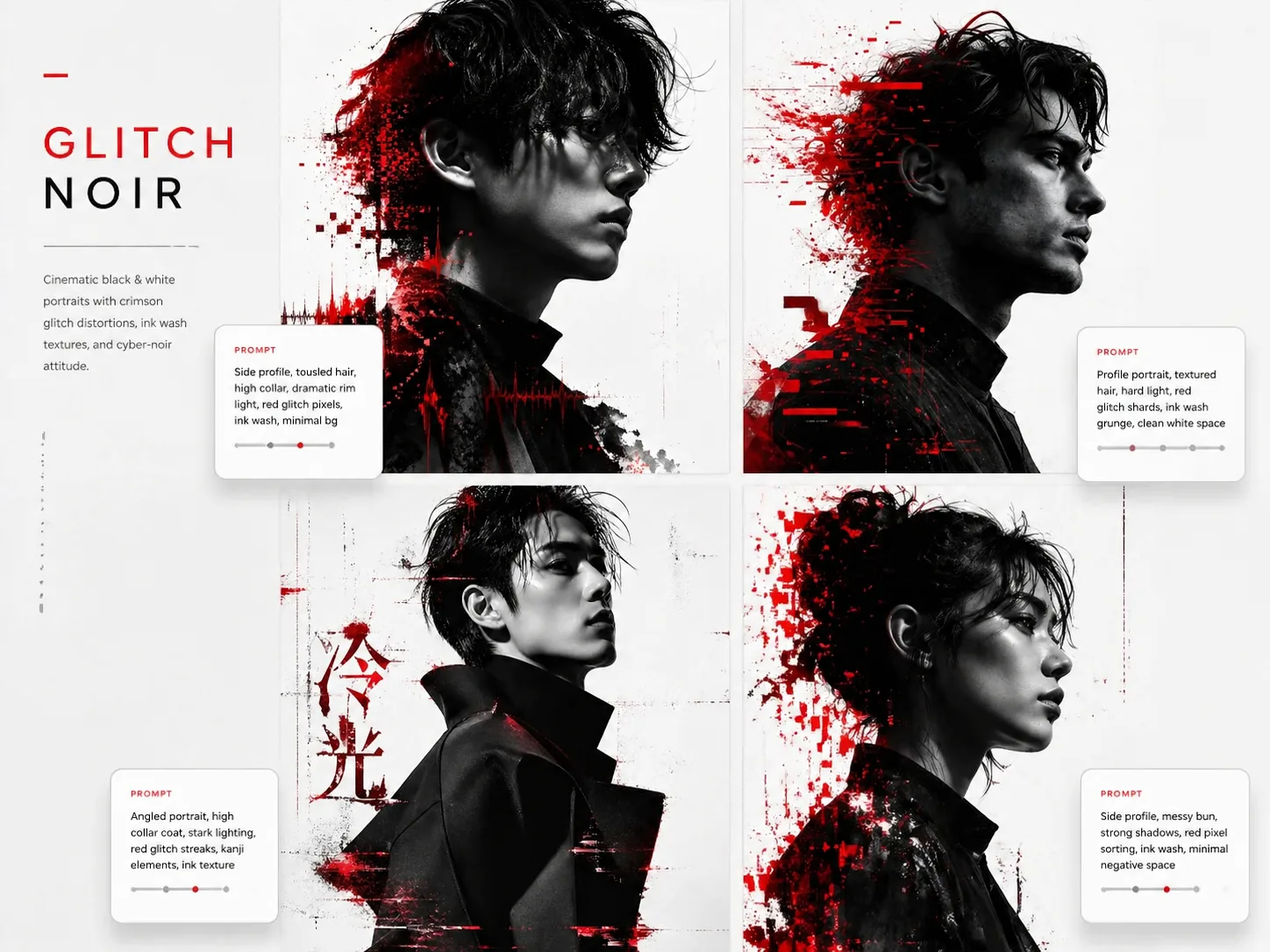
Create GPT Image 2 glitch portrait prompts
This scene turns a strict black-white-red visual system into reusable portrait prompts for GPT Image 2. Start from a sample, replace the subject and use case, then keep the cinematic noir lighting and controlled crimson glitch marks consistent across every output.
Noir portrait structure
Each prompt defines face angle, studio background, side lighting, skin detail, grain, and shadow depth so the generated portrait stays readable instead of becoming a random glitch-art image.
Controlled red disruption
Crimson shards, pixel sorting, waveform fragments, brush cuts, and ink texture are used as graphic accents around hair, shoulders, clothing, and negative space, not as gore or injury effects.
Profile and campaign formats
Use the same cyber-noir portrait prompt cluster for creator avatars, music covers, fashion editorials, founder posters, athlete campaigns, beauty covers, and original character key art.
Safe fictional subjects
The templates are written for fictional adult subjects and original concepts. They avoid real celebrity likeness, platform logos, brand marks, franchise references, watermarks, and messy random text.
From template to cyber-noir portrait
Choose a prompt, edit the variables, generate in GPT Image 2, then reuse the strongest direction for the next portrait variation.
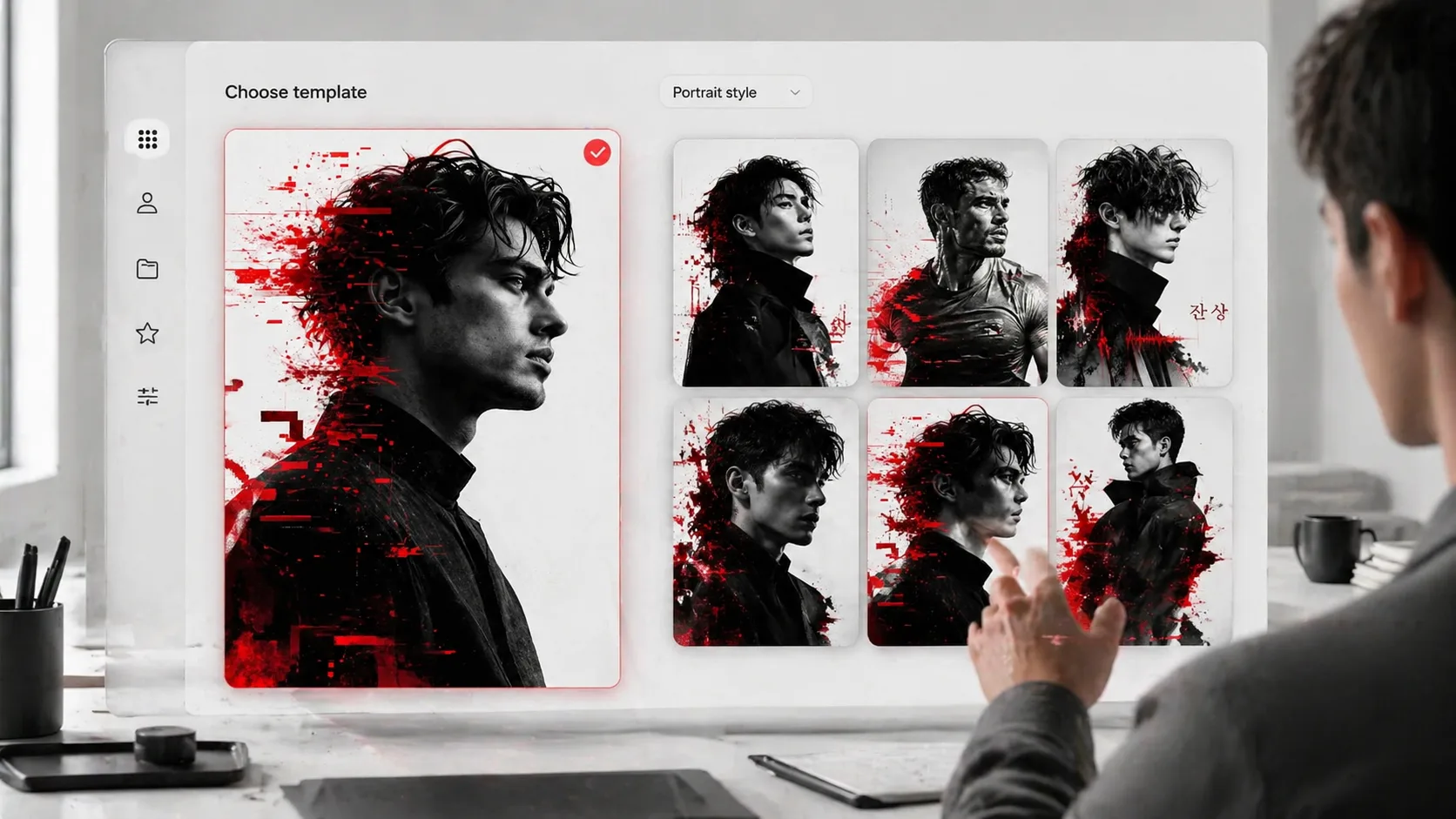
Choose the closest portrait use case
Start with the template that matches the final asset: a vertical side profile, a founder poster, a fashion editorial, a square music cover, a social avatar, a sports campaign, or a fictional character profile.
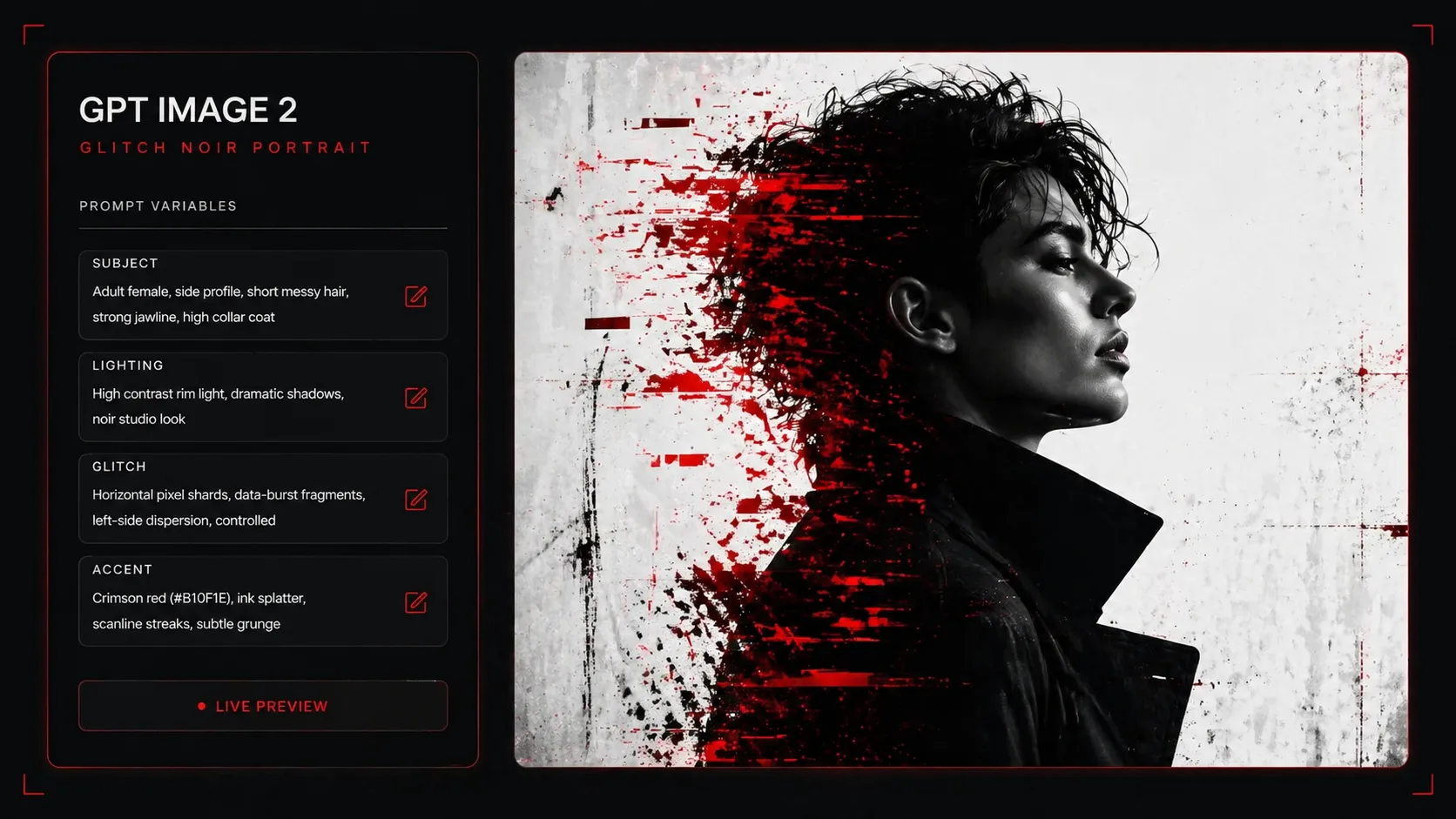
Replace subject and style variables
Swap the subject description, clothing, campaign phrase, title text, accent color, glitch intensity, and mood. Keep the monochrome portrait base and red-glitch rules intact so every variation remains in the same visual family.
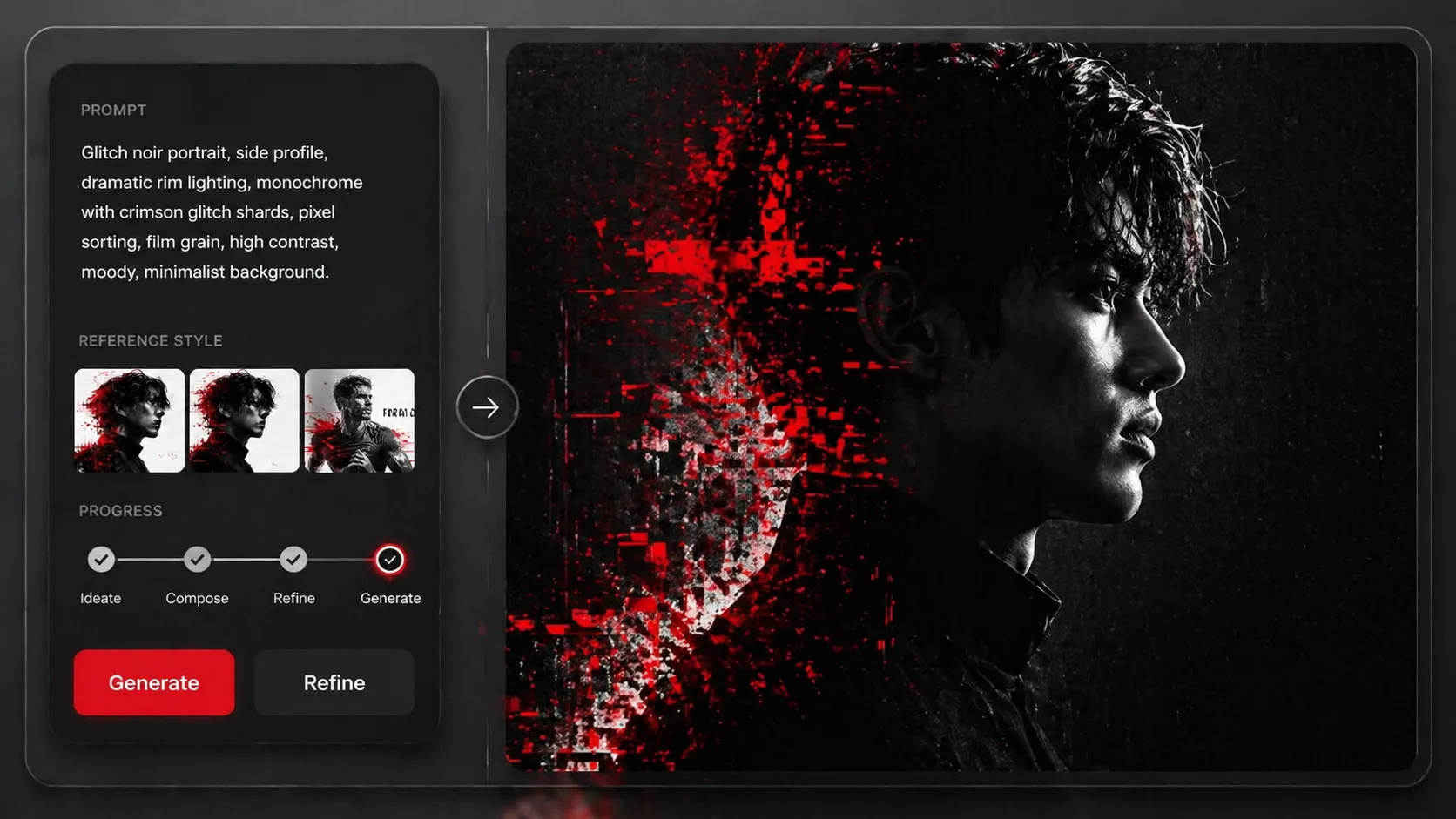
Generate, compare, and refine
Run the edited prompt in GPT Image 2, compare composition and face readability, then adjust lighting, text length, or glitch placement. Reuse the best prompt as a repeatable recipe for a portrait series.
GPT Image 2 glitch portrait FAQ
Search-style answers for creating black-and-white red-glitch portraits with this scene.
Generate a glitch portrait
Pick a cyber-noir portrait template, replace the variables, and create a black-white-red image in GPT Image 2.