
Browse sample poster results on the right, then tap one to load that prompt back into the generator on the left.
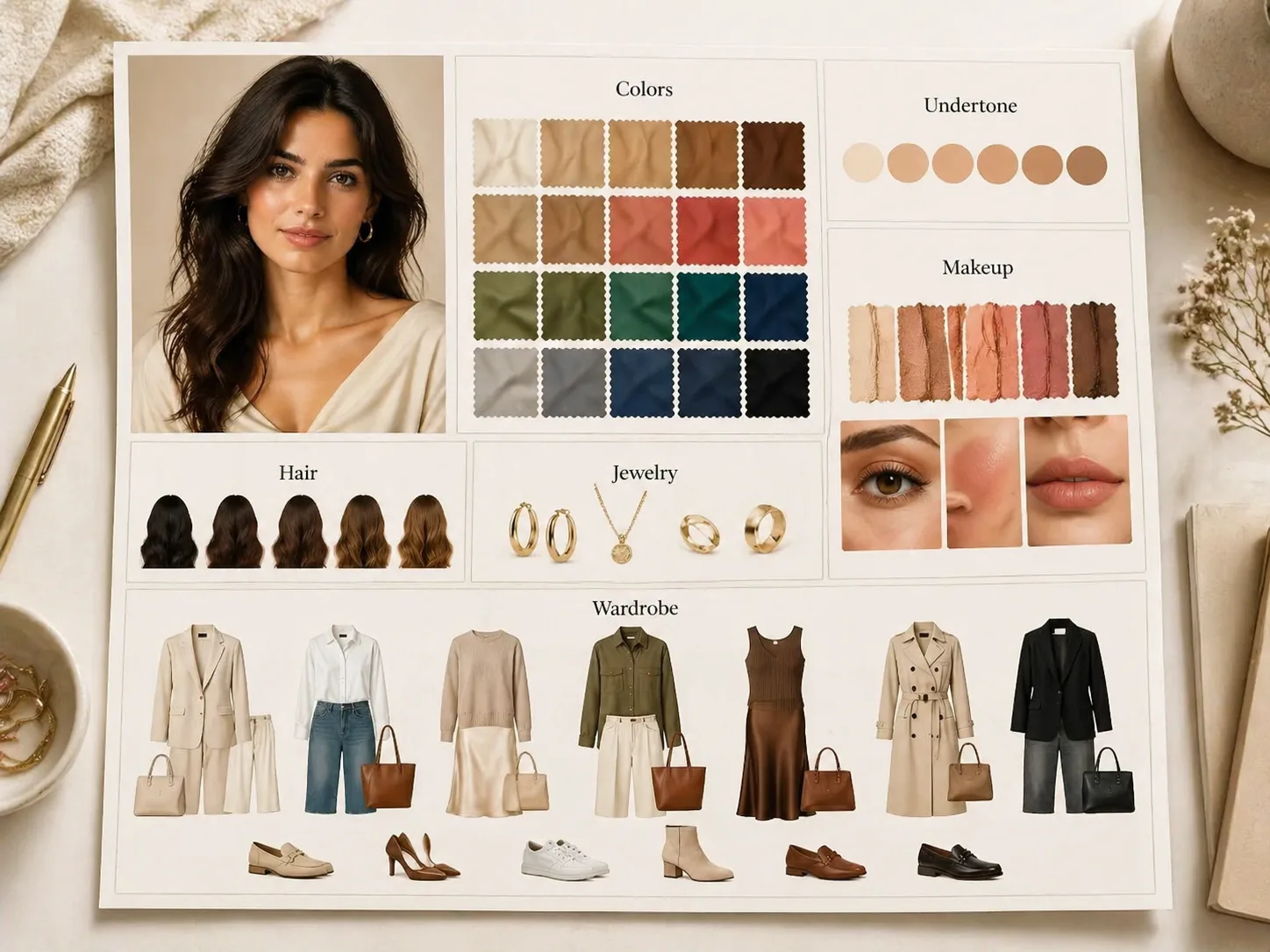
Create fashion analysis boards with GPT Image 2 prompts
Turn one portrait or model description into a luxury editorial board that organizes color direction, undertone notes, makeup, hair, jewelry, outfit variations, and capsule wardrobe ideas. These templates are built for creative styling direction, not a guaranteed professional diagnosis.
Portrait-led board structure
Keep the generated fashion analysis board anchored to one portrait while arranging swatches, beauty notes, wardrobe thumbnails, and style guidance in a clean magazine grid.
Color and beauty modules
Prompt GPT Image 2 to compare best colors, avoid colors, neutrals, makeup finishes, hair color ideas, jewelry direction, and flattering prints in one visual layout.
Editable styling variables
Replace the model, palette family, city mood, occasion, wardrobe category, and visible labels so the same board prompt can support many fashion content angles.
Localized prompt examples
Use the language-specific samples when you need board labels for Chinese, Korean, Japanese, Portuguese, Spanish, German, or French styling posts.
How to generate a styling board
Choose the closest board template, edit the portrait and styling variables, then generate and refine the result in GPT Image 2.
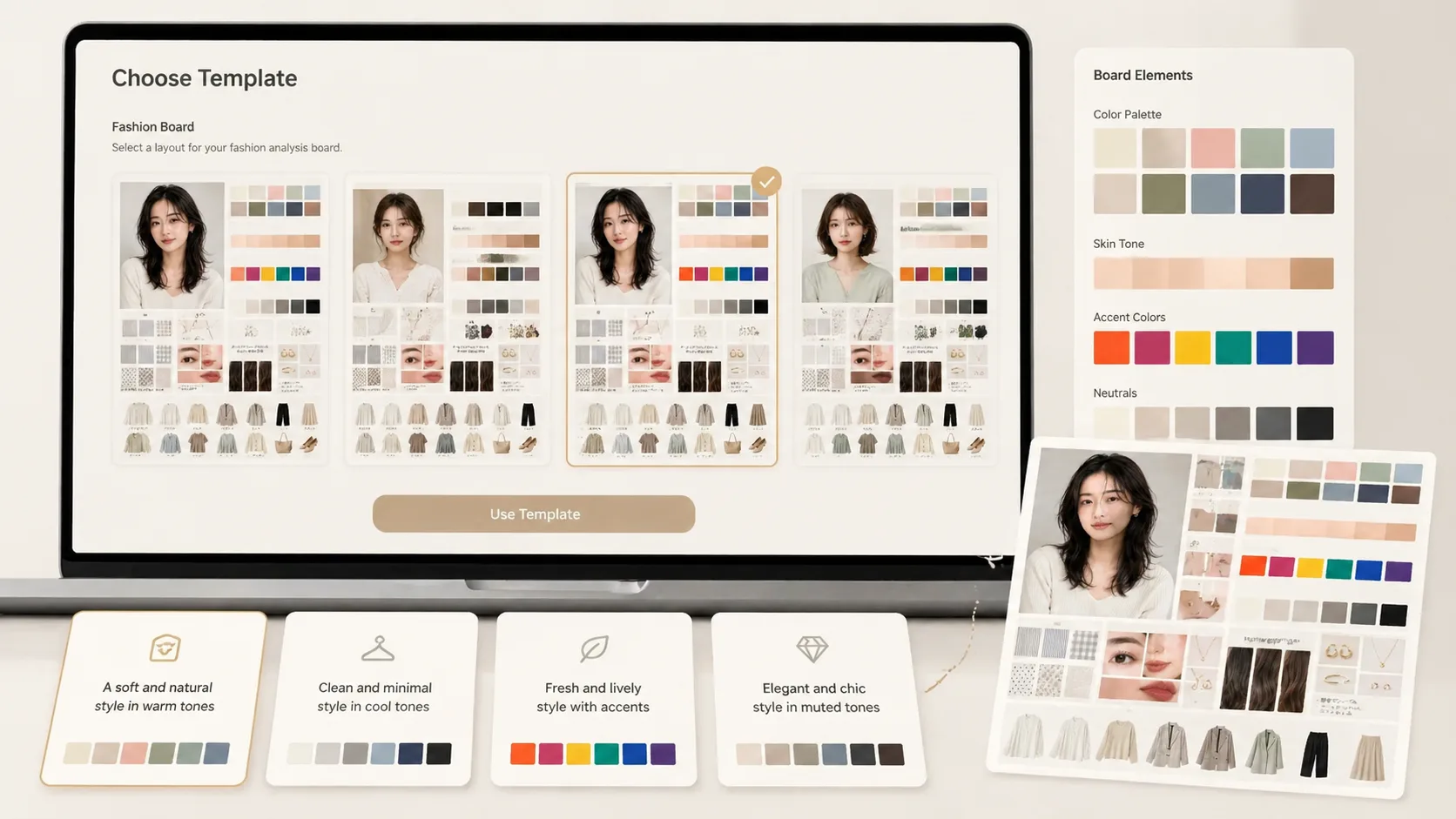
Choose a board prompt
Start with the fashion analysis board prompt that matches your goal: full color analysis, warm-tone style direction, neutral wardrobe planning, or beauty and outfit styling.
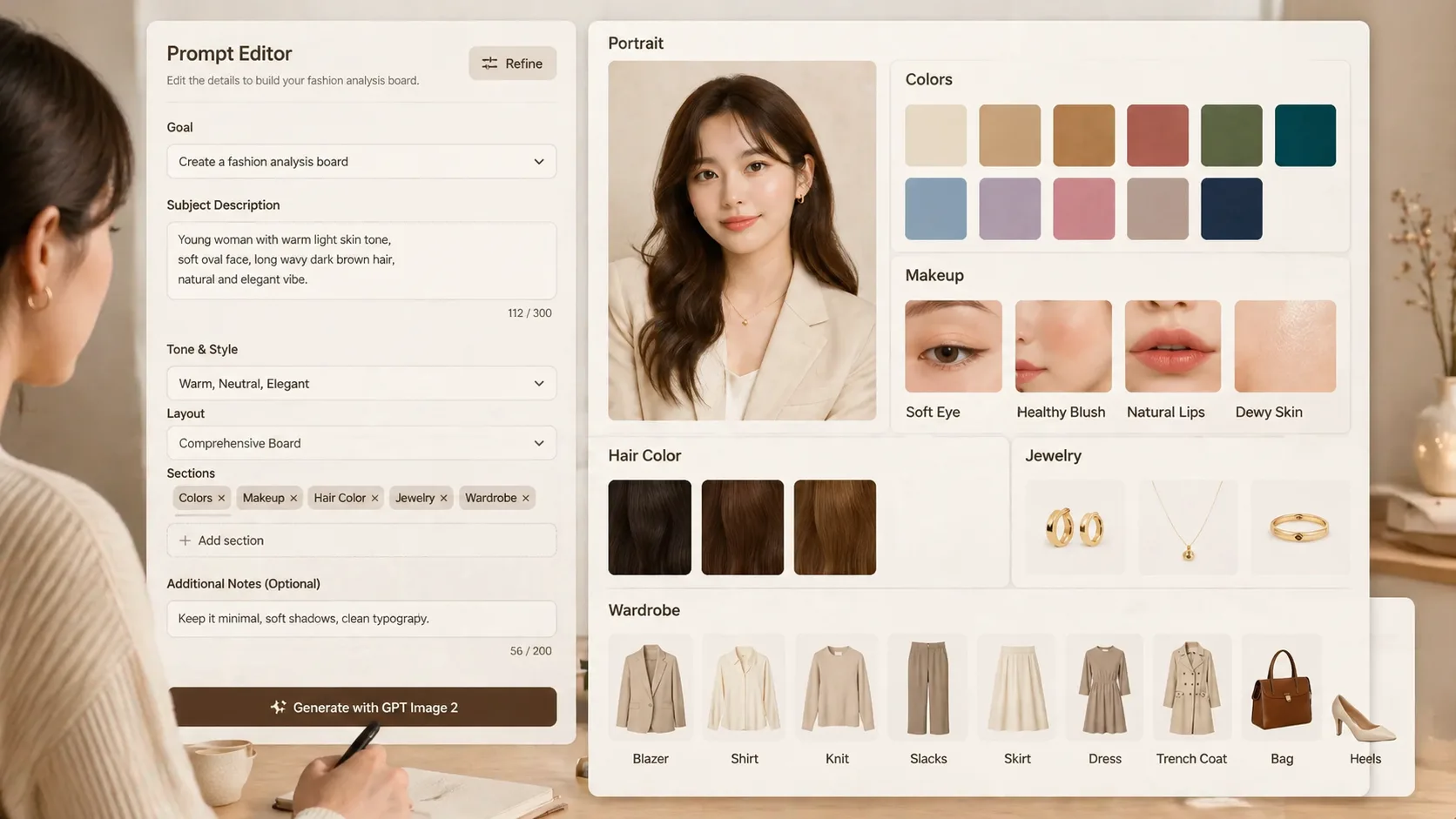
Edit portrait and variables
Upload a portrait when identity consistency matters, then adjust palette mood, outfit season, makeup finish, jewelry direction, and short visible board labels.
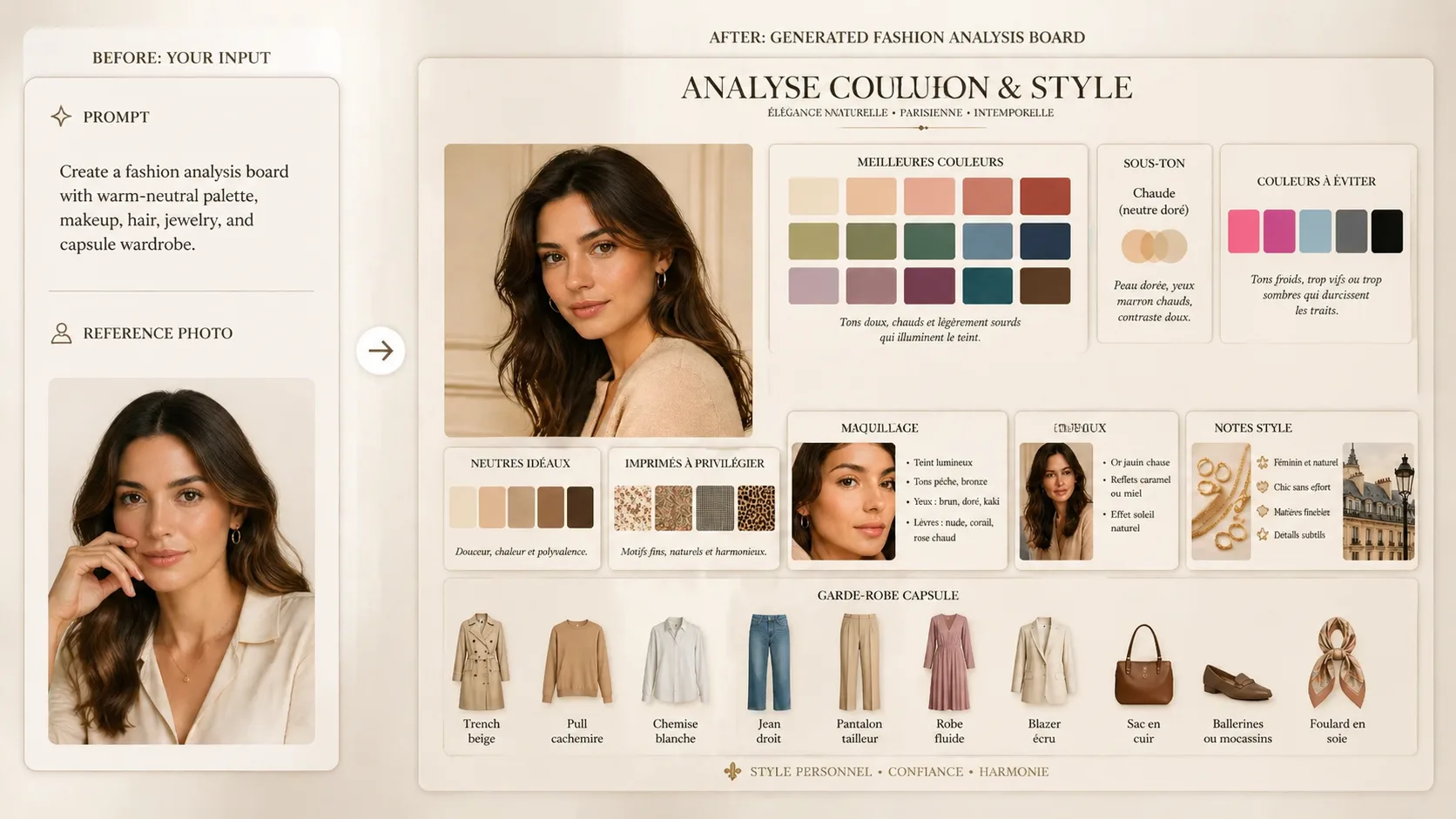
Generate and refine
Create the board with GPT Image 2, review the modules, then tighten wording, colors, or wardrobe details before using the result as a styling reference.
Fashion analysis board FAQ
Search-focused answers for using GPT Image 2 fashion analysis board prompts.
Generate a fashion board
Open a GPT Image 2 fashion analysis board prompt, add your portrait or model brief, and create a refined styling board for colors, beauty, outfits, and wardrobe direction.