
Browse sample poster results on the right, then tap one to load that prompt back into the generator on the left.
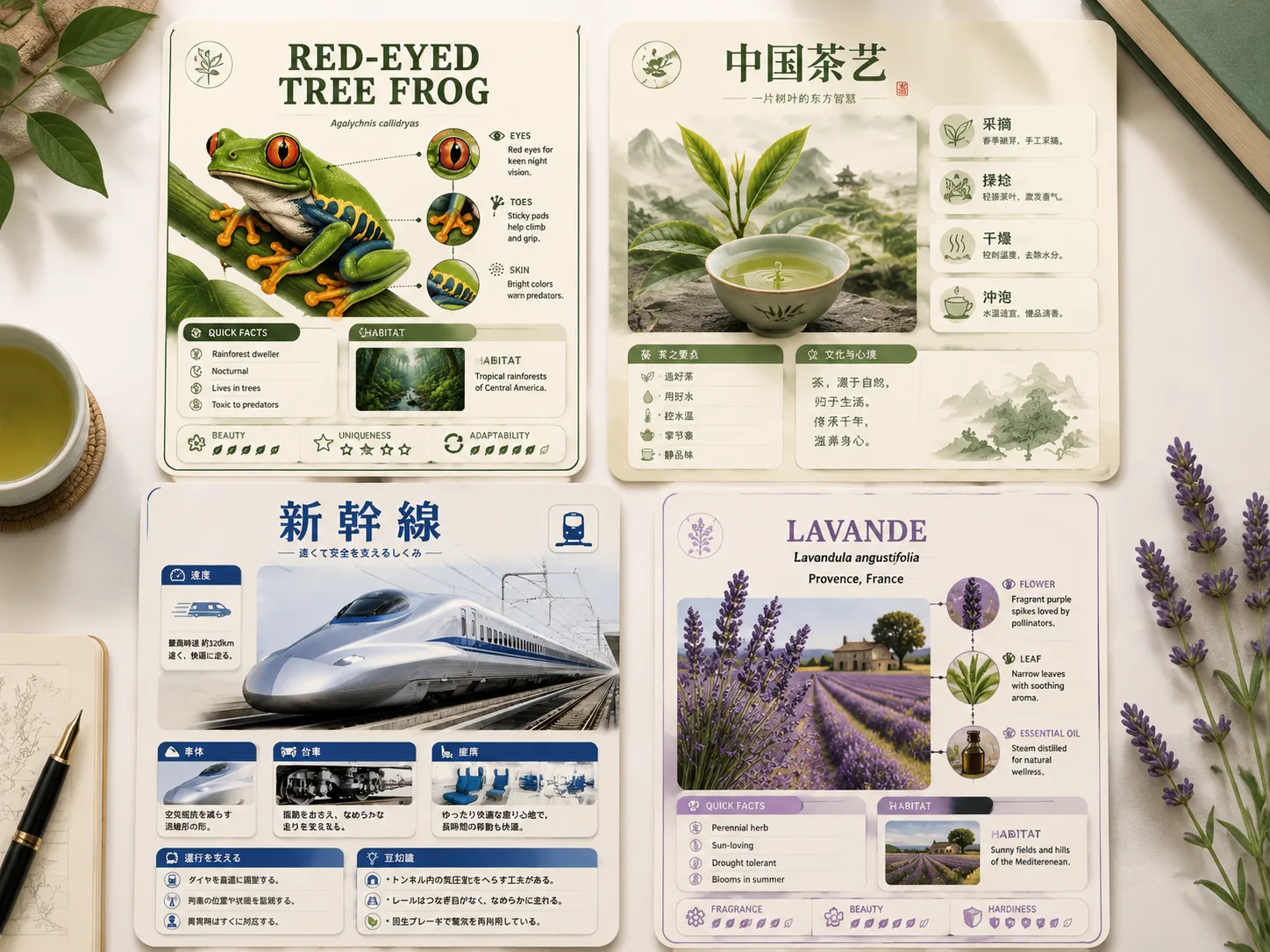
Create encyclopedia knowledge cards with GPT Image 2 prompts
This template collection helps educators, creators, and research teams turn a topic into a polished reference-card image. Each prompt keeps the same practical structure: one clear subject, zoomed details, compact fact modules, quick ratings, and short labels that stay readable in a dense vertical layout. Use it when you need a reusable educational infographic style for species guides, cultural processes, food explainers, architecture notes, transport systems, ingredients, design objects, or regional knowledge cards.
Modular fact panels
Build profile, origin, classification, process, usage, caution, rating, and top-facts modules without rebuilding the layout for every topic.
Subject-first visual design
Pair one polished hero illustration with two or three detail zooms so the card communicates visually before readers scan the text.
Localized education samples
Use the multilingual examples to plan short visible labels in English, Chinese, Korean, Japanese, Portuguese, Spanish, German, or French.
Reusable series format
Swap the topic variables and keep a consistent reference-handbook look across social posts, slides, newsletters, and galleries.
How to use the encyclopedia card prompt workflow
Choose the knowledge format, edit the topic variables, then generate and fact-check the GPT Image 2 result.
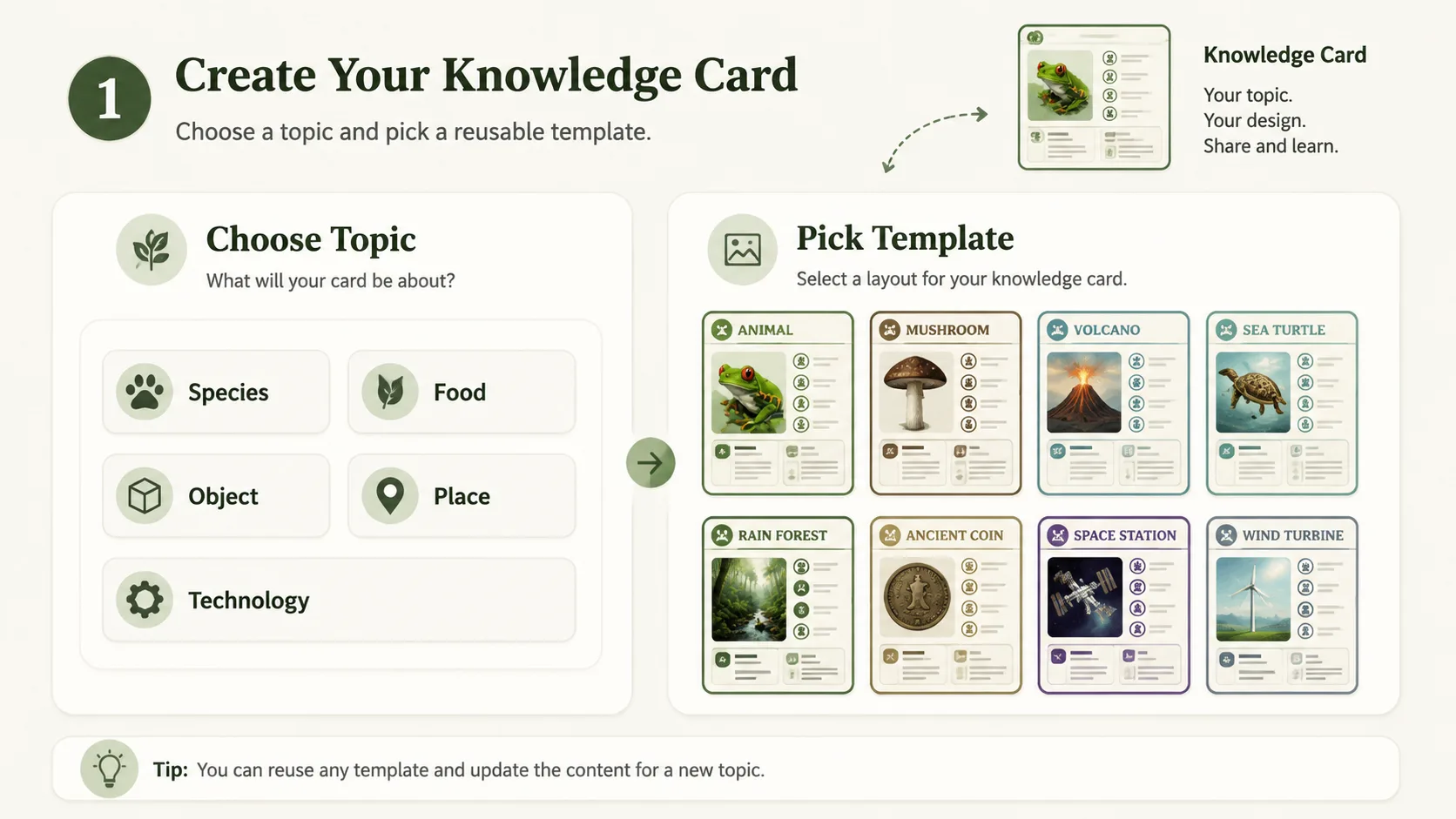
Choose a card angle
Start with a natural-history, culture, food, architecture, technology, ingredient, design, or regional guide prompt. Pick the template whose modules match the way your topic should be explained.
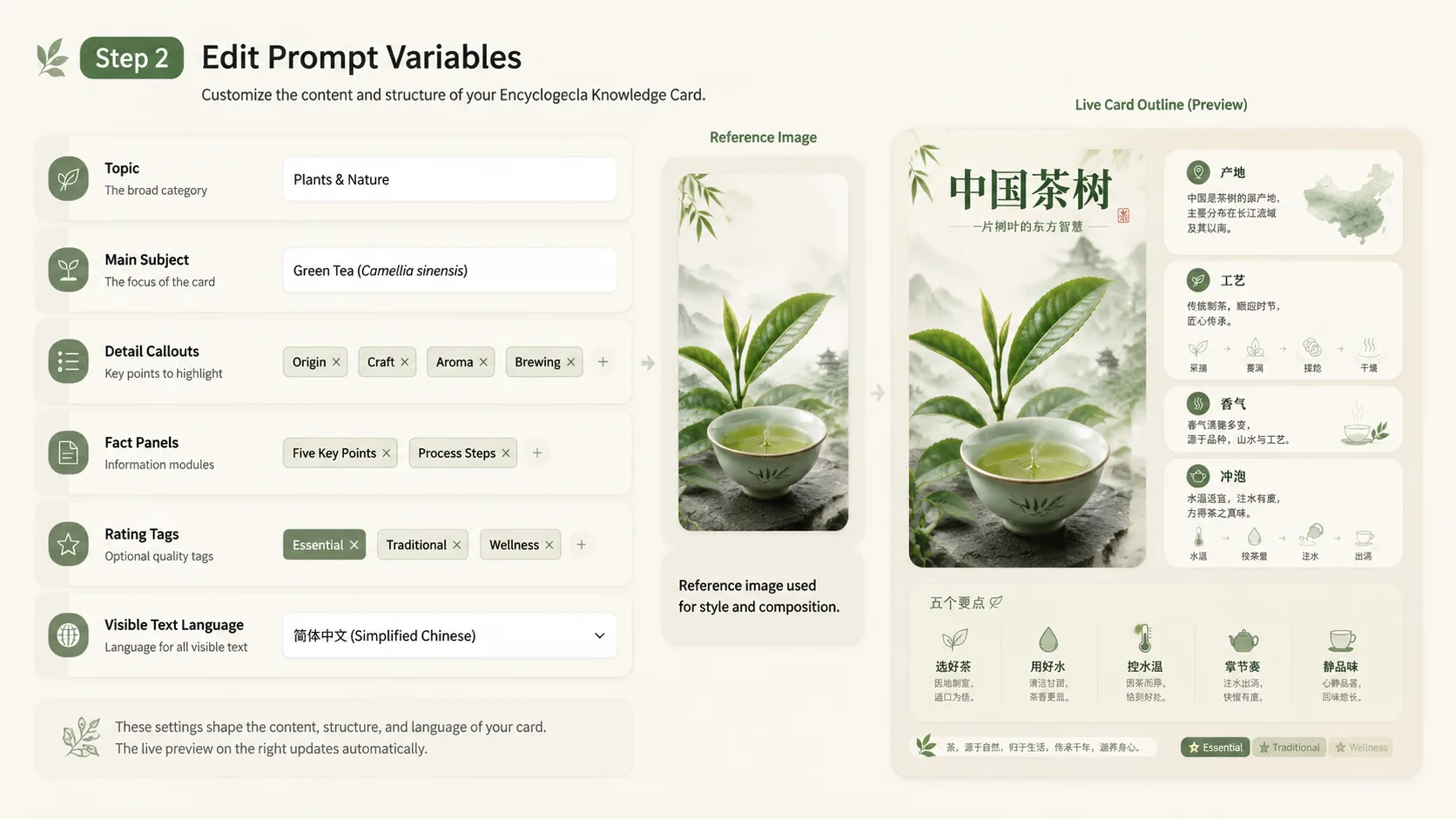
Edit topic variables
Replace the subject, region, process stages, materials, traits, usage notes, and label language. Keep visible text short because GPT Image 2 works best when the image layout carries most of the information.
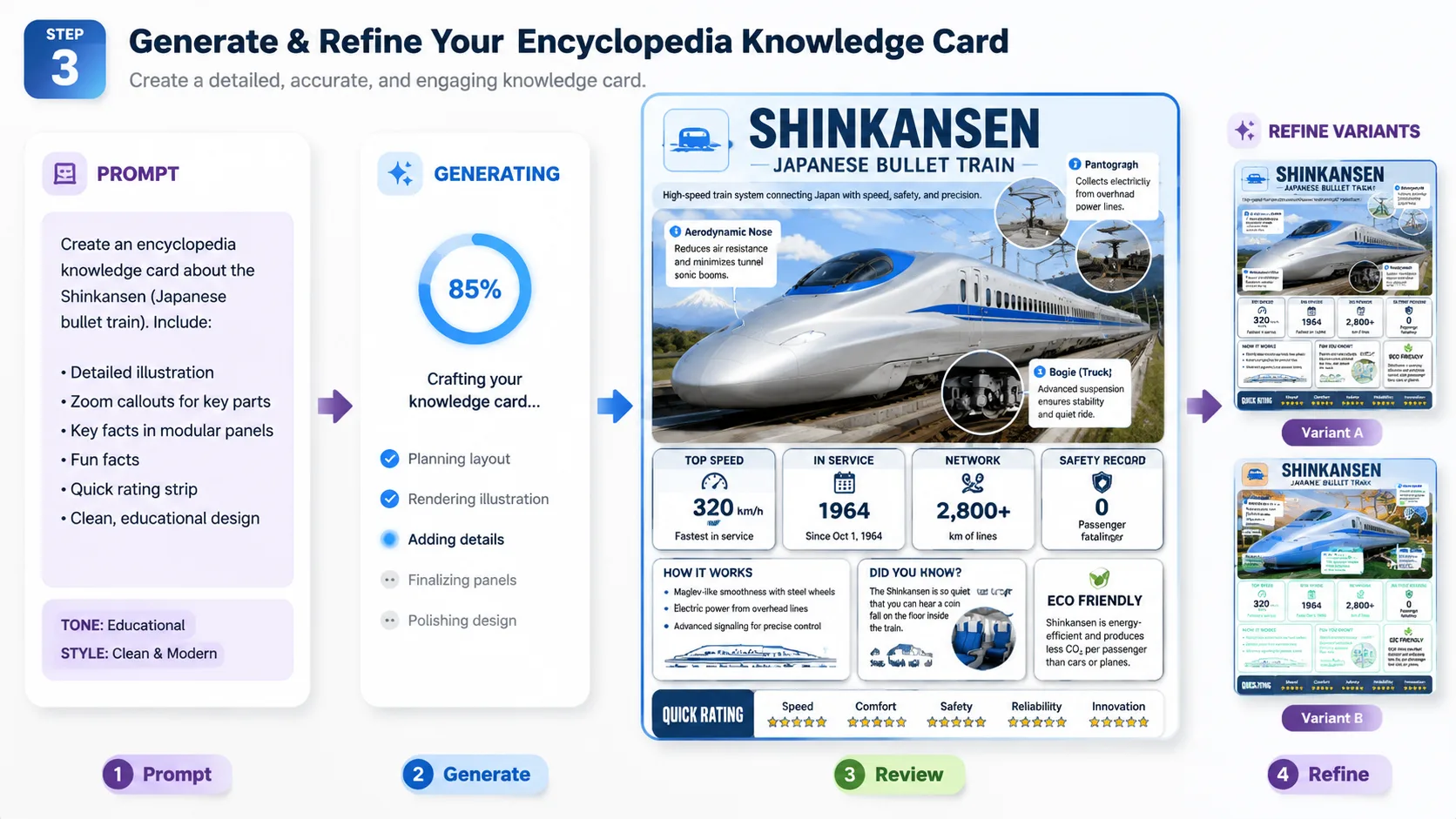
Generate, review, refine
Create the card, check factual claims, then refine the prompt for cleaner labels, stronger callouts, or a more consistent collectible handbook style.
Encyclopedia knowledge card prompts FAQ
Search-focused answers for educational infographic templates and GPT Image 2 knowledge card workflows.
Generate a knowledge card
Start with a reusable encyclopedia prompt, edit the topic variables, and create a GPT Image 2 educational infographic.