
Browse sample poster results on the right, then tap one to load that prompt back into the generator on the left.
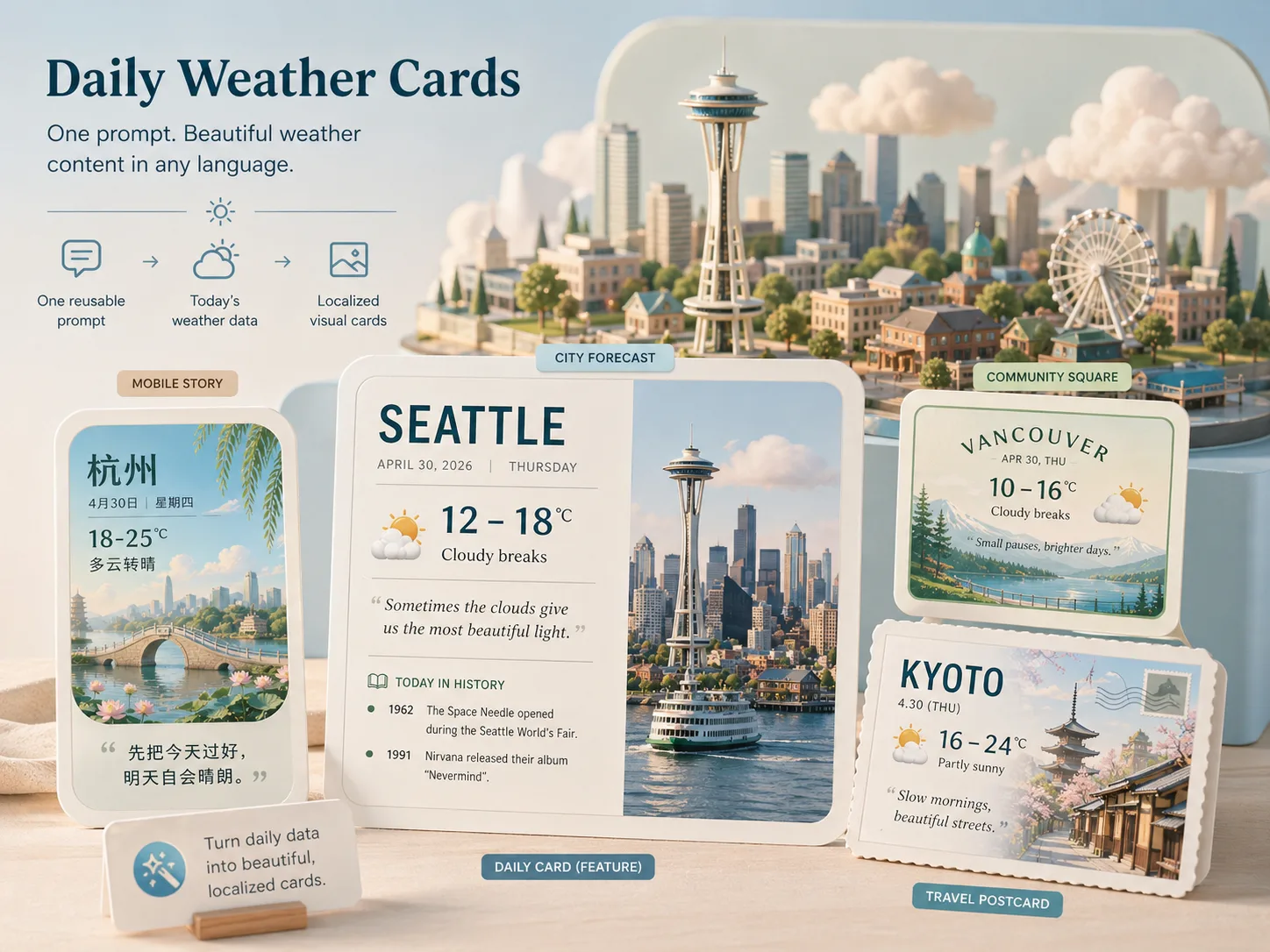
Build daily weather card GPT Image 2 prompts around real city data
Daily weather cards work best when the prompt keeps every changing field explicit. These templates organize city, date, forecast, temperature, quote, local note, language, and style DNA so GPT Image 2 can produce a finished card instead of a loose weather illustration.
Reusable forecast layouts
Start from wide cards, vertical stories, square community posts, travel postcards, office boards, school boards, or automation grids without rebuilding the structure each morning.
Editable local variables
Replace city, date, weekday, temperature range, condition, wind, humidity, air quality, quote, today-in-history facts, and daily tip before generation.
Readable multilingual text
Each prompt asks for short visible labels in the chosen language, with clear hierarchy and enough contrast for social feeds, newsletters, classroom screens, or workplace boards.
Style DNA for repeat publishing
Keep the same data source while switching between editorial, toy diorama, postcard, minimalist, dashboard-card, or other visual directions for recurring daily posts.
Generate forecast cards from template data
Use the workflow as a daily production loop: choose the closest card format, replace the live weather and calendar fields, then generate and refine the visual until the card is ready to share.
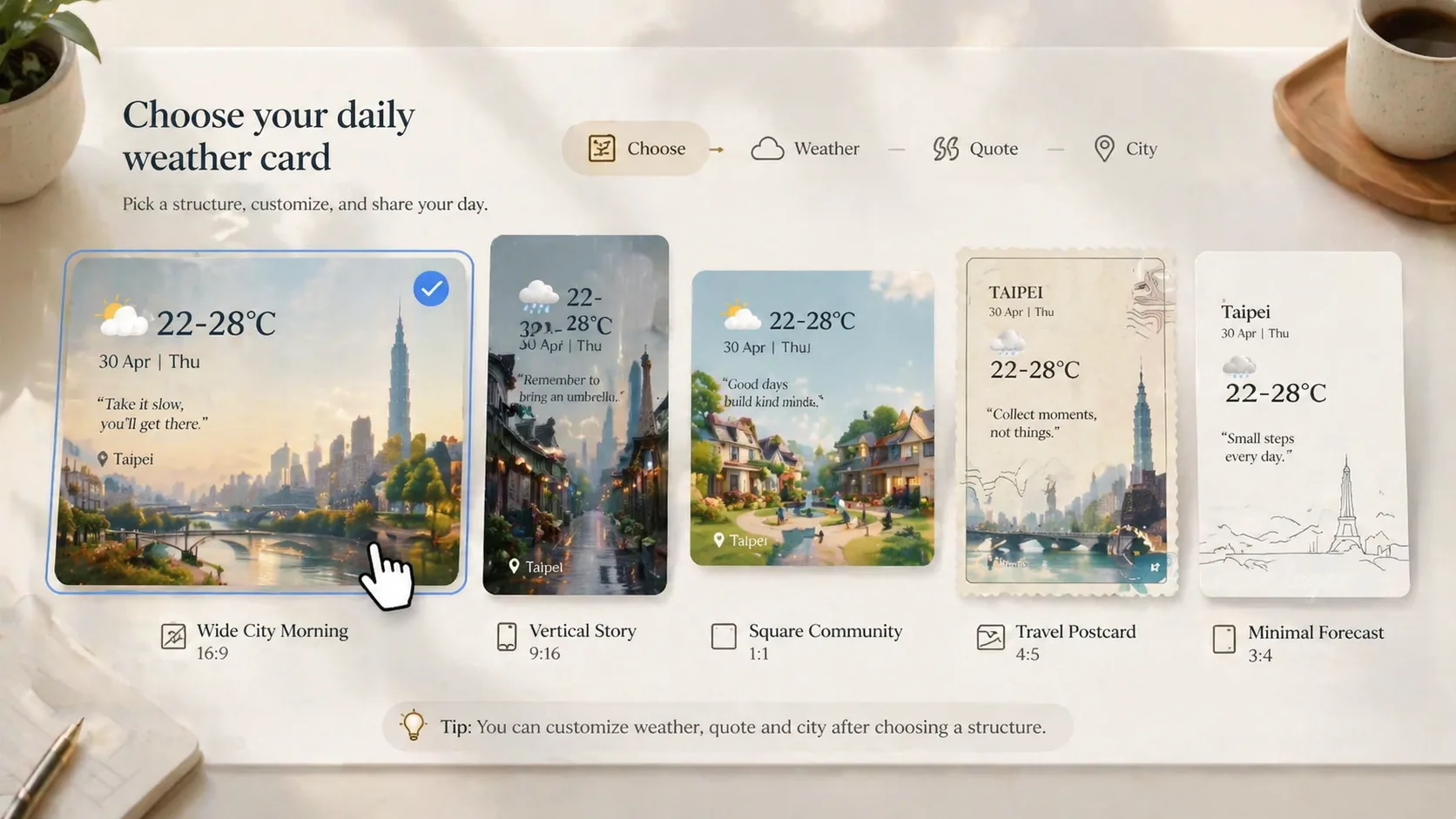
Choose a card format
Pick the prompt that matches the publishing surface: a morning city card, mobile story, local history sign, travel postcard, classroom board, office wellness board, or multi-style automation grid.
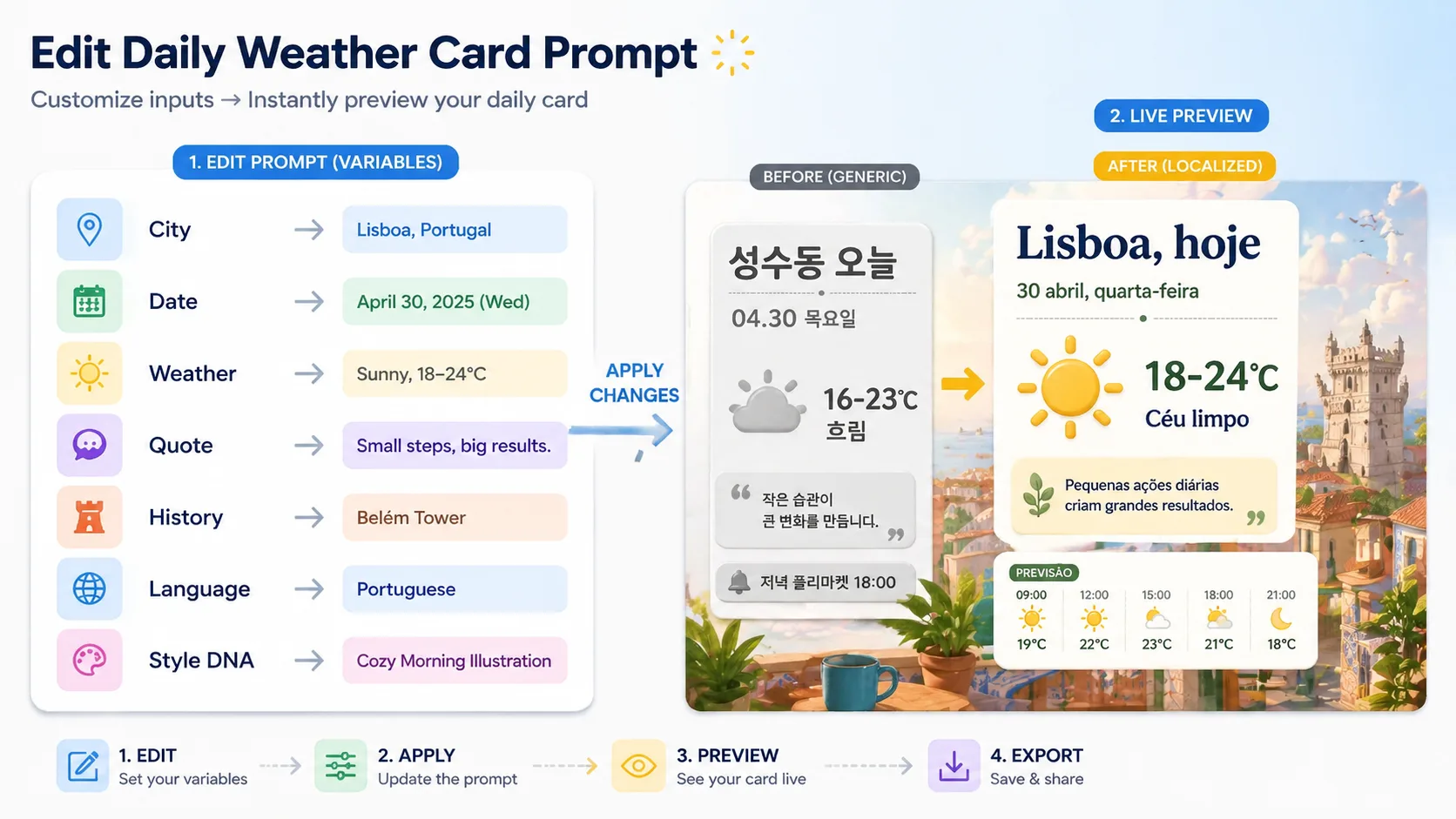
Edit weather and copy fields
Paste current forecast data and keep the words short. Add the date, quote, history notes, local reminder, visible text language, and style DNA before sending the prompt to GPT Image 2.
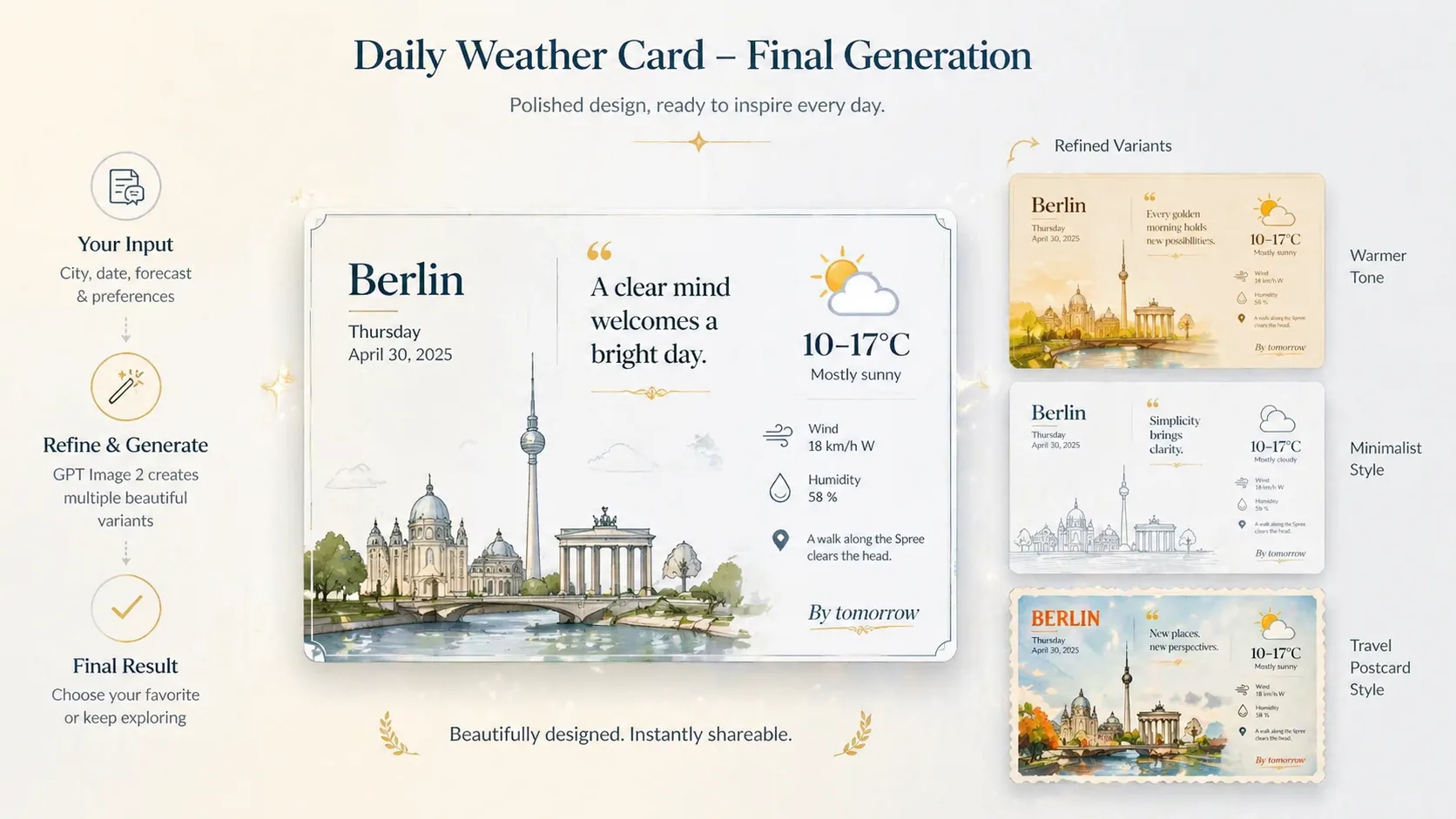
Generate, inspect, and refine
Create the card, check readability, adjust crowded labels or visual mood, then reuse the same structured prompt tomorrow with new data.
Daily weather card prompt FAQ
Answers for creators using GPT Image 2 daily weather card templates.
Create a daily weather card
Pick a prompt, replace the forecast fields, and generate a localized GPT Image 2 card for today.