
Browse sample poster results on the right, then tap one to load that prompt back into the generator on the left.
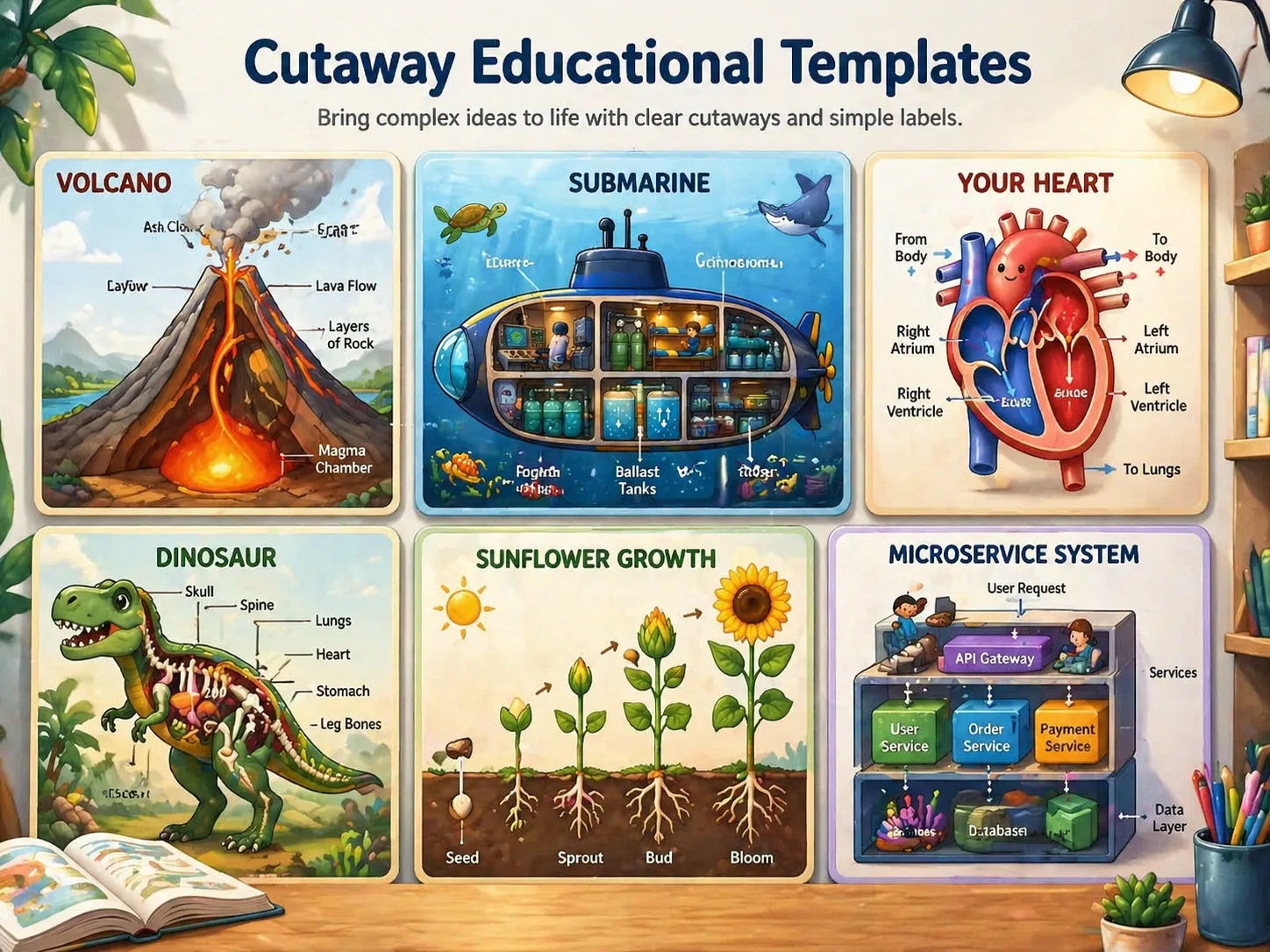
Create cutaway educational picture books with GPT Image 2
These cutaway educational picture book GPT Image 2 prompts turn a subject into a vertical learning page with an exterior view, interior structure, functional zones, short labels, and a clear story path. They are designed for creators who need a reusable visual explanation format rather than a one-off decorative image.
Cutaway logic
Guide GPT Image 2 to show slices, transparent reveals, layered interiors, or room-by-room sections so a volcano, submarine, heart, castle, library, or technical system becomes understandable in one image.
Readable labels
Build prompts around concise titles, arrows, numbered callouts, detail boxes, and age-aware label language instead of dense paragraphs or random filler text.
Picture-book polish
Keep the page warm, bright, organized, and friendly for science learning, parent-made study cards, classroom visuals, educational posts, and visual-explainer drafts.
Flexible subjects
Reuse the same educational cutaway illustration prompt structure across nature, anatomy, machines, buildings, prehistoric animals, ecosystems, fantasy settings, and conceptual systems.
How to generate a cutaway learning page
Start with a ready template, edit the subject details, then generate and refine the page until the structure, labels, reading order, and visual story are clear for learners.
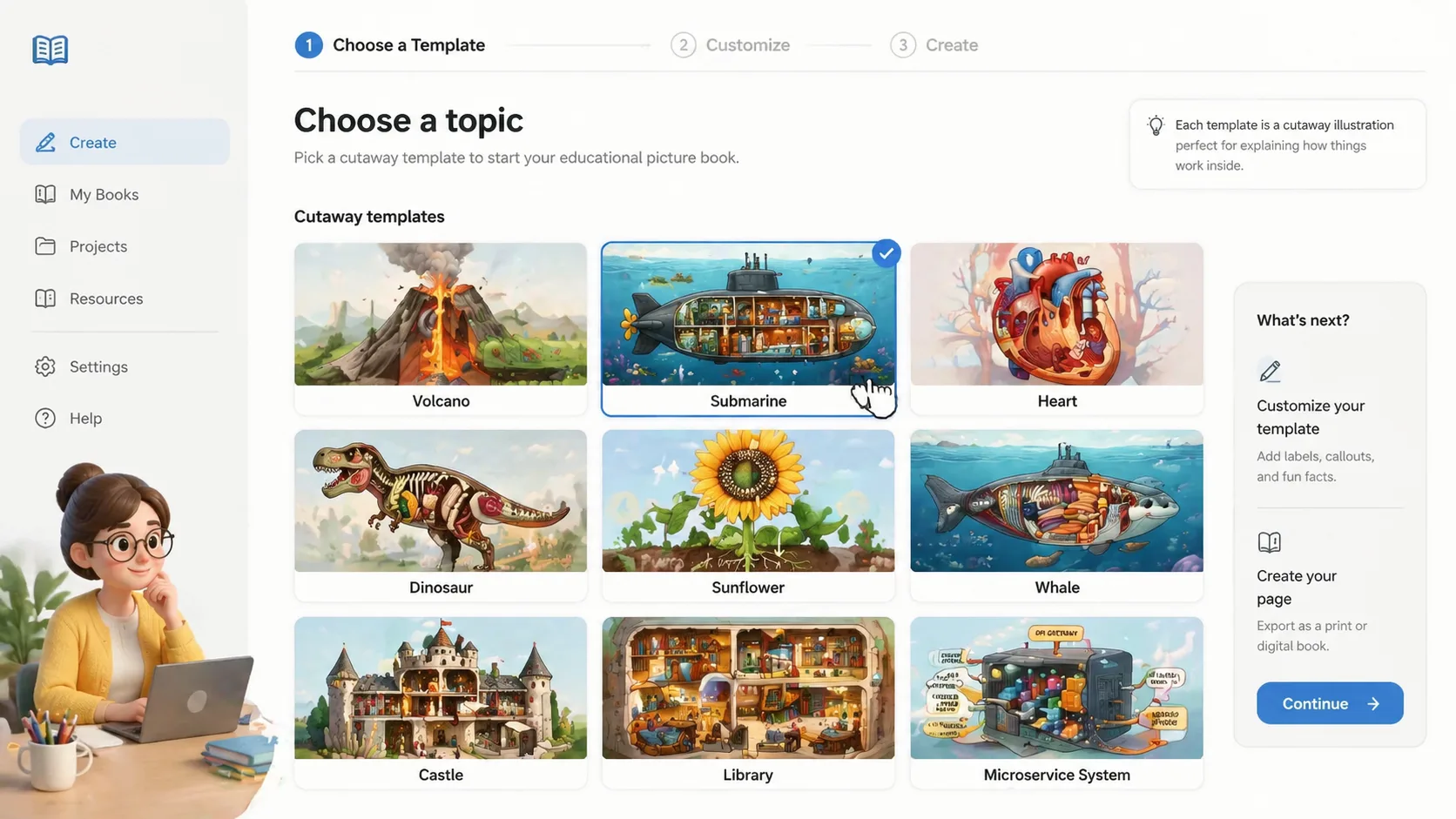
Choose a subject
Pick a template such as volcano, submarine, heart, dinosaur, sunflower, whale, castle, library, or microservice architecture. Each example already frames the exterior form, interior reveal, and educational job.
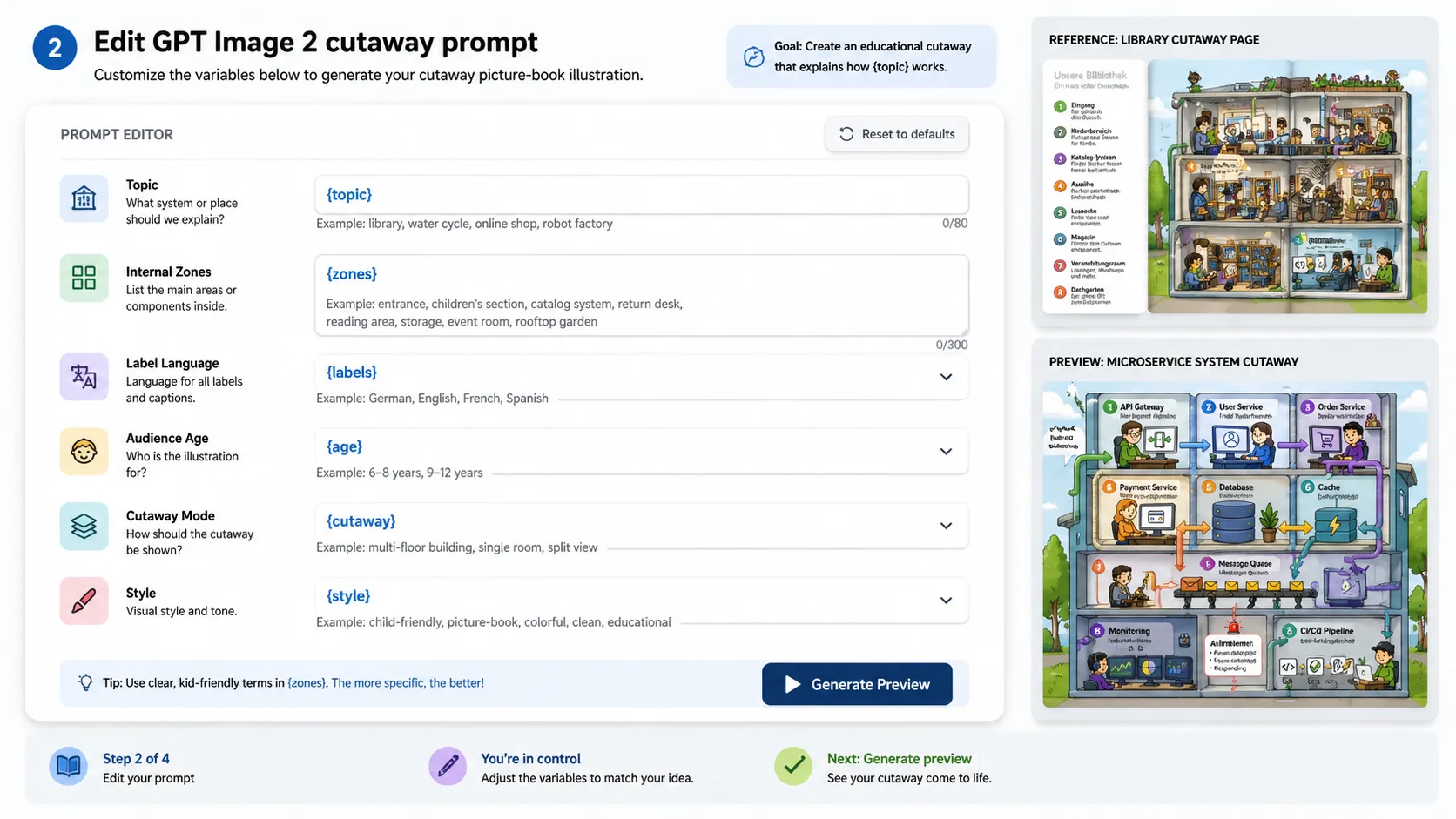
Edit variables and labels
Replace the topic, audience level, label language, callout detail, visual metaphor, and any reference-image guidance. Keep facts general and plan human review before final educational publishing.
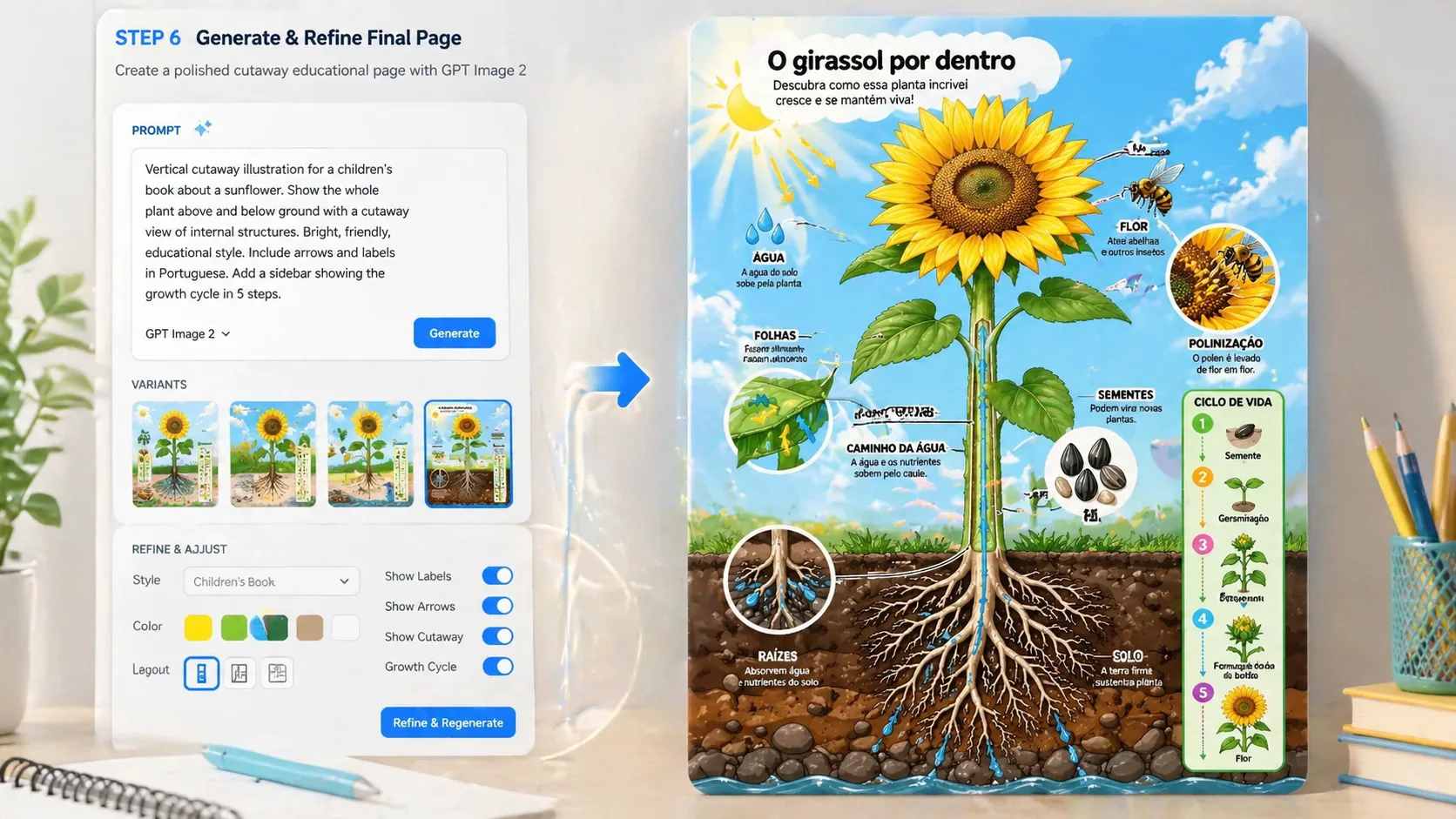
Generate and refine
Send the prompt to GPT Image 2, inspect the layout, then adjust label count, cutaway depth, color coding, and magnified details until the page reads well on mobile and in print drafts.
Cutaway educational picture book FAQ
Answers for using GPT Image 2 prompts to create labeled cutaway learning pages.
Generate a cutaway learning page
Open a template, replace the subject and labels, then create a polished GPT Image 2 educational visual you can review, adapt, and reuse as a learning-page draft.