
Browse sample poster results on the right, then tap one to load that prompt back into the generator on the left.
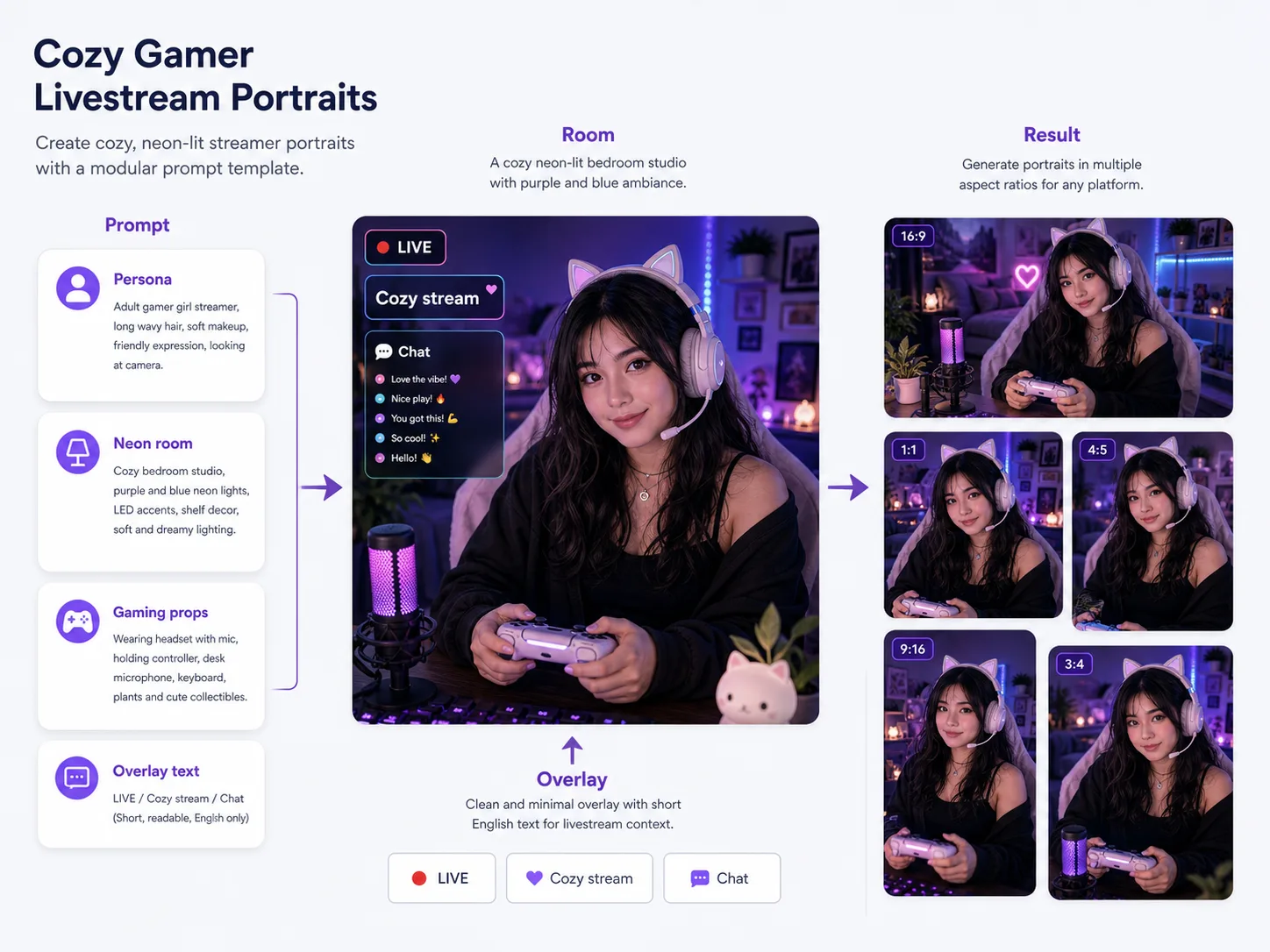
Create cozy gamer livestream portraits with GPT Image 2 prompts
This template set turns a streamer persona into polished profile art, livestream thumbnails, and webcam-style creator portraits. Each prompt combines an adult subject, cozy gaming room, headset or microphone details, neon desk lighting, short readable overlay text, and platform-neutral UI cues so the output feels ready for a channel preview without copying a real streaming service.
Streamer-ready portrait structure
Start from prompts built for adult gamer creators, with controllable face framing, expression, outfit, headset, controller pose, and cozy bedroom or PC room atmosphere.
Thumbnail and profile formats
Choose 16:9 thumbnails, 4:5 posters, square profile cards, vertical story images, or close-up webcam portraits without rebuilding the prompt from scratch.
Readable live overlay text
Guide GPT Image 2 toward short visible labels such as LIVE, Chat, game night, or localized equivalents while avoiding copied platform UI and real logos.
Reference-friendly customization
Add a reference image when you want stronger guidance for identity, room mood, clothing, pose, or desk setup, then keep the original prompt structure intact.
Generate a streamer portrait from one reusable prompt
Pick the closest scene, replace the channel-specific variables, and refine the GPT Image 2 result for an avatar, thumbnail, or livestream announcement.
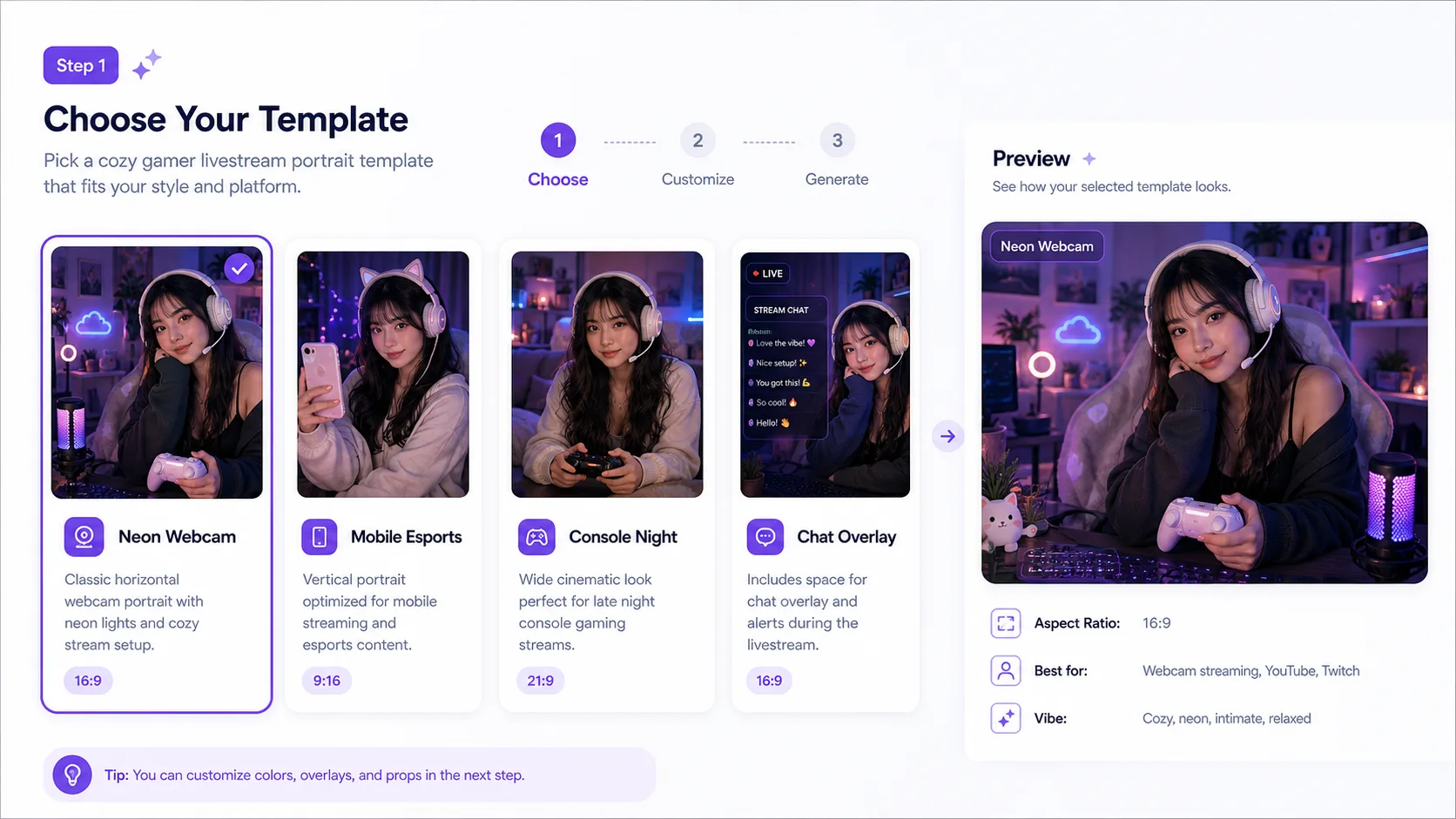
Choose the portrait format
Start with a webcam portrait, vertical story, square profile card, or 16:9 livestream thumbnail so the prompt already matches the surface you need.
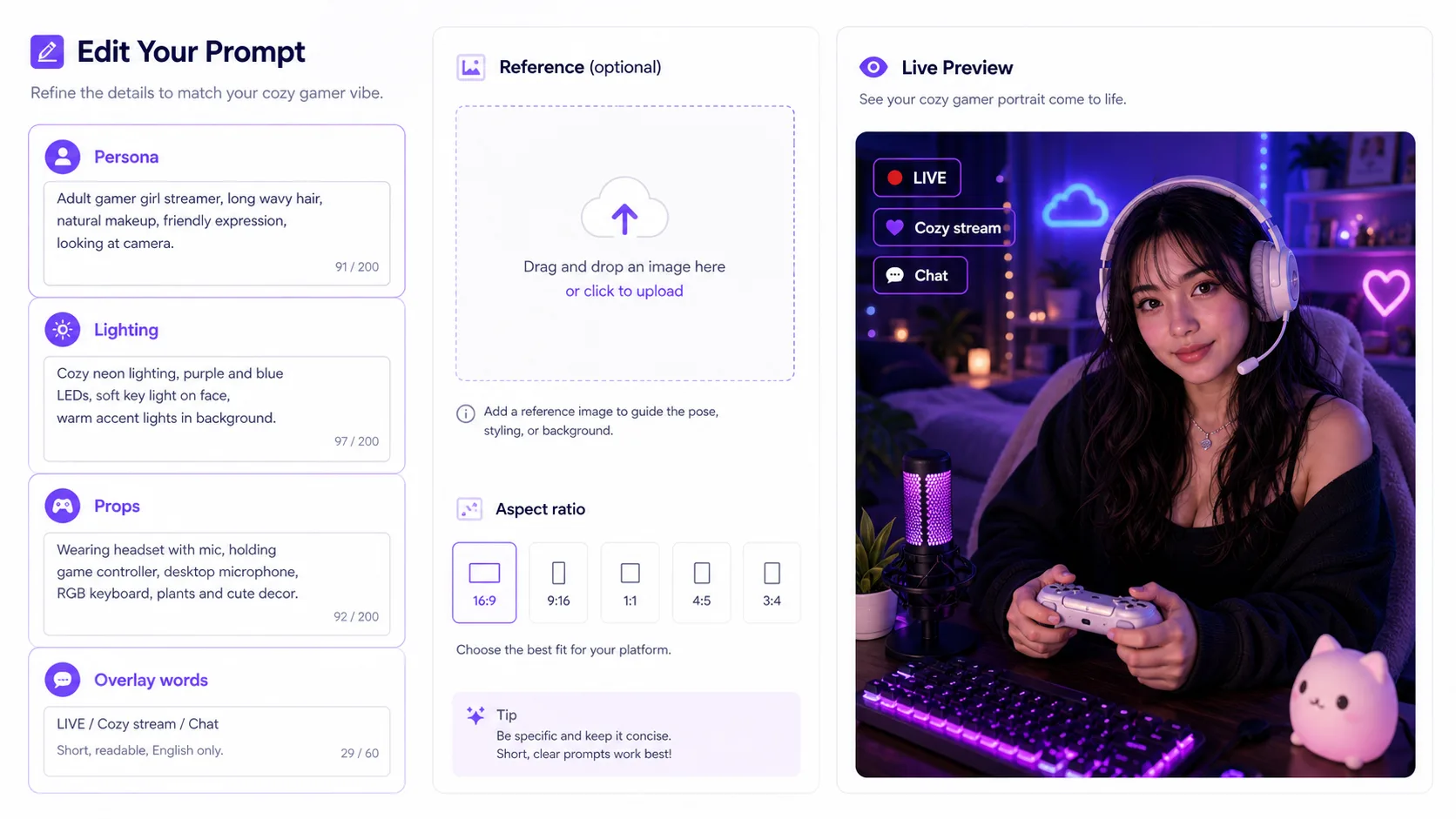
Edit streamer details
Replace the adult creator persona, headset or microphone, desk props, room color, visible overlay words, and any reference-image guidance before generating.
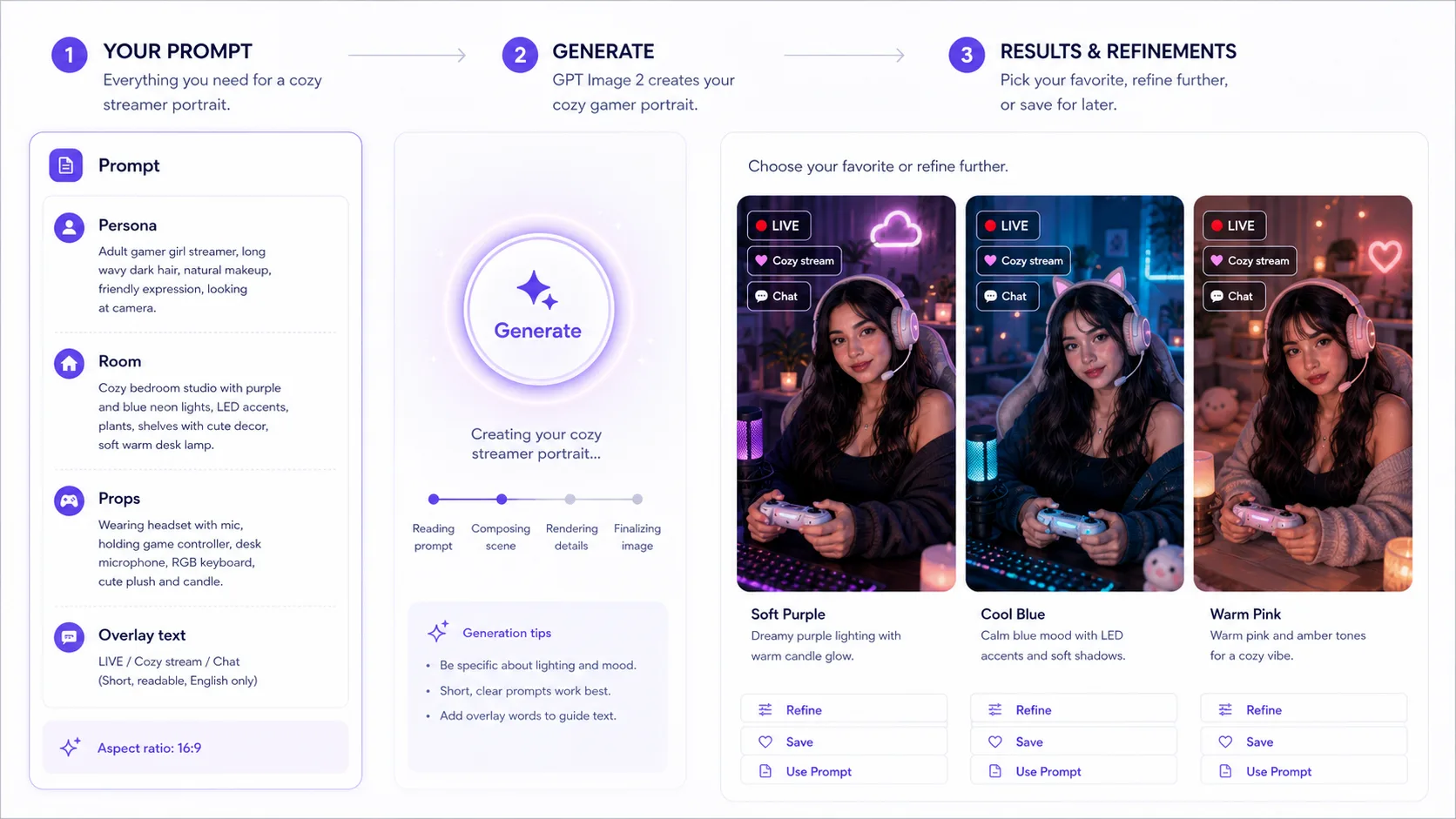
Generate and reuse
Create the image with GPT Image 2, compare variations, save the strongest prompt, and reuse it for future channel art or campaign visuals.
Cozy gamer livestream portrait FAQ
Search-focused answers for streamer avatars, webcam thumbnails, overlays, and GPT Image 2 prompt reuse.
Generate a cozy stream portrait
Open a template, edit the creator persona, room lighting, accessories, and overlay words, then generate a polished livestream portrait with GPT Image 2.