
Browse sample poster results on the right, then tap one to load that prompt back into the generator on the left.
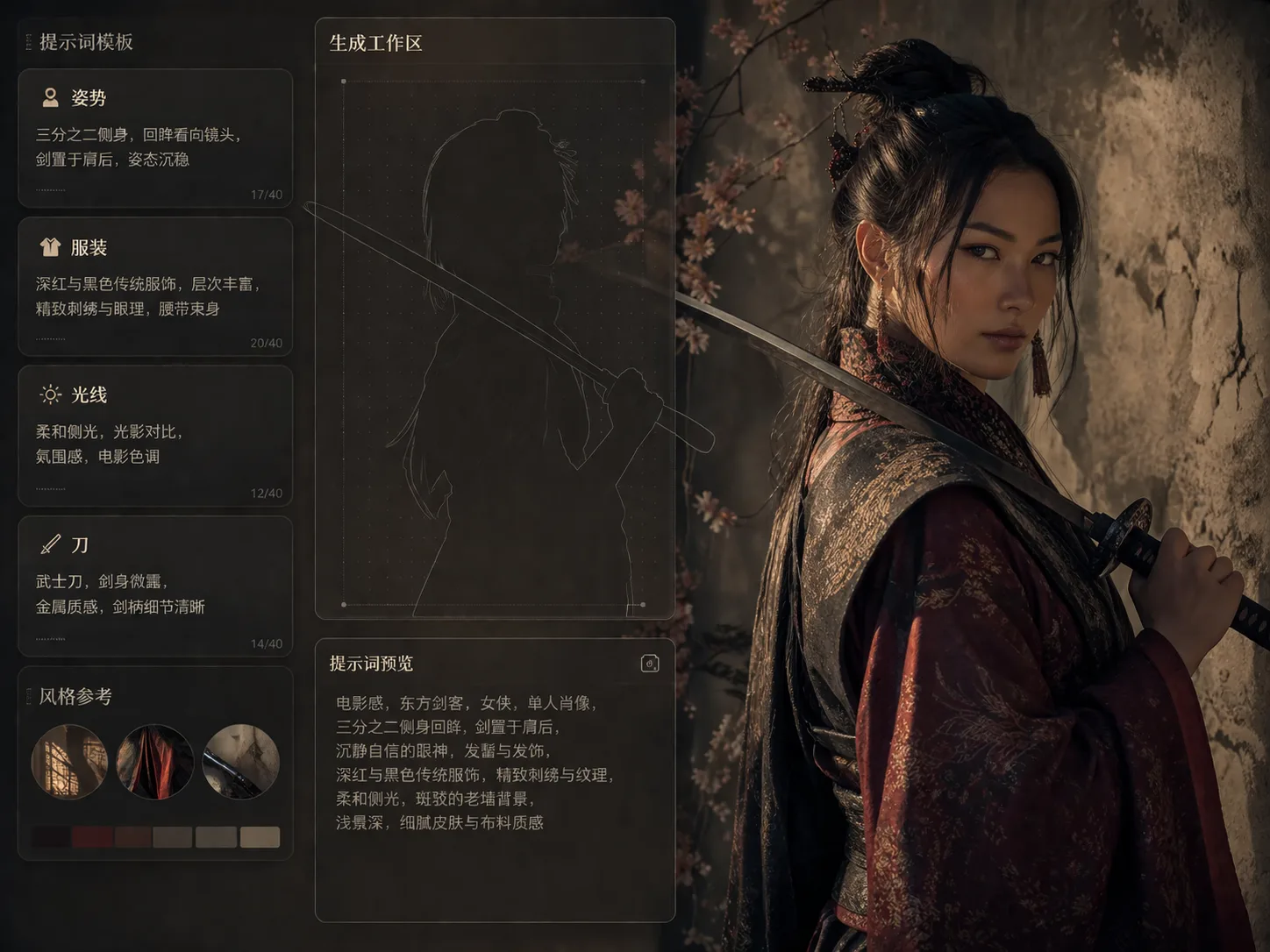
Build original swordswoman portraits with GPT Image 2 prompts
This template set turns a simple warrior character idea into structured swordswoman portrait GPT Image 2 prompts. Start with a cinematic pose, then control costume, katana placement, facial mood, background texture, lighting direction, and color grading without copying an existing game, anime, film, or comic character.
Katana pose control
Choose over-shoulder portraits, shrine posters, rainy alley scenes, duel key visuals, close-ups, and quiet profile compositions while keeping the blade position readable.
Original adult characters
Each prompt is written for an original adult swordswoman, with guardrails against copied franchises, readable logos, gore, and explicit violence.
Cinematic warrior mood
Guide moonlight, lantern reflections, wet stone, film-poster negative space, studio rim light, ink texture, and realistic fabric or steel detail.
Editable prompt variables
Swap robe colors, setting, weather, weapon fittings, expression, pose direction, reference image influence, and aspect ratio before generating.
How to use these cinematic warrior portrait prompts
Use the scene as a focused GPT Image 2 workspace: pick the portrait direction, edit the visual variables, generate a first result, then refine the prompt or add a reference image for stronger continuity.
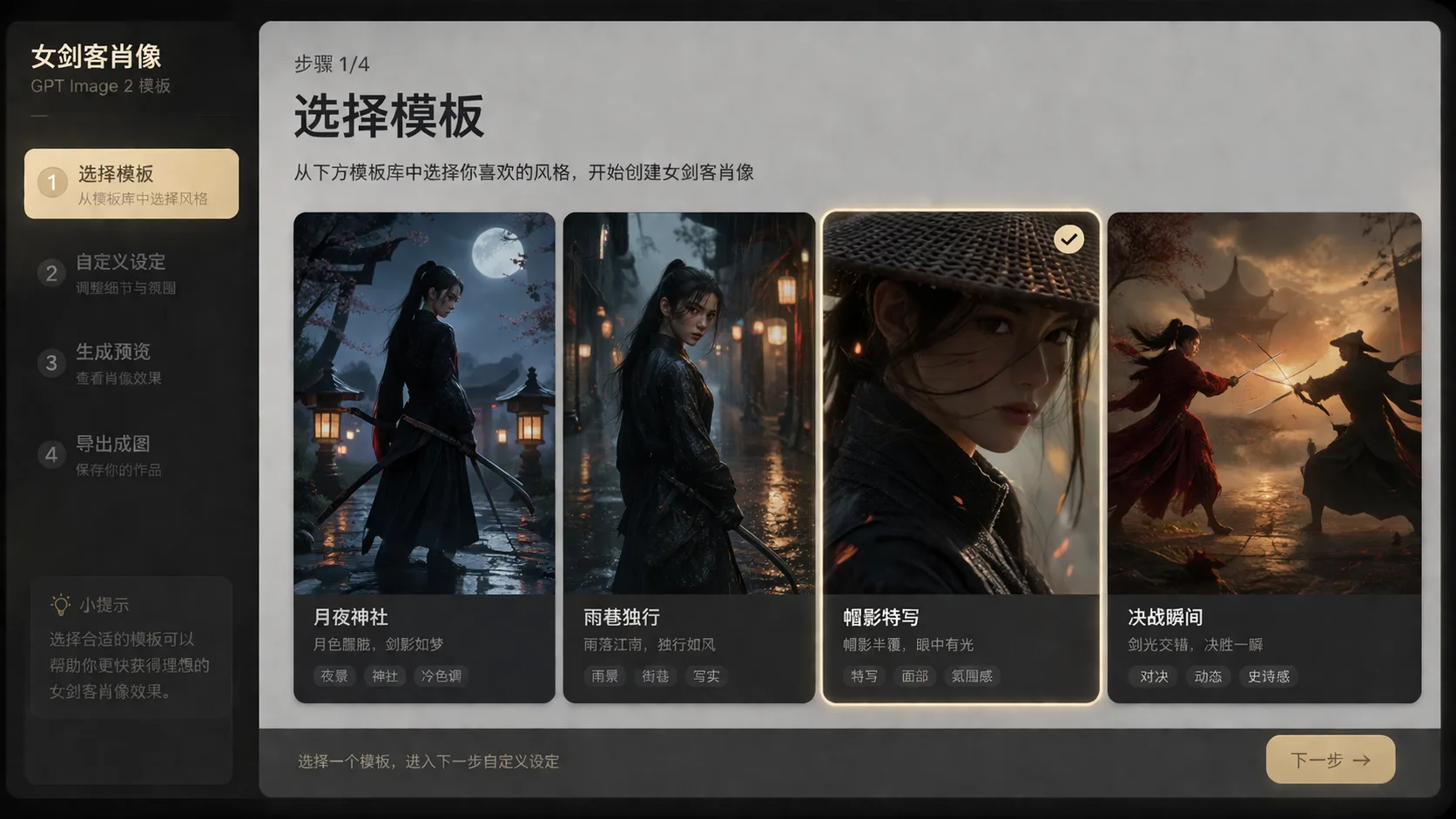
Choose a swordswoman portrait direction
Start from the sample that matches your intent: a quiet blade-over-shoulder portrait, moonlit shrine poster, duel key visual, hat-shadow close-up, rainy ronin alley, training courtyard, crimson editorial look, or ink-film profile.
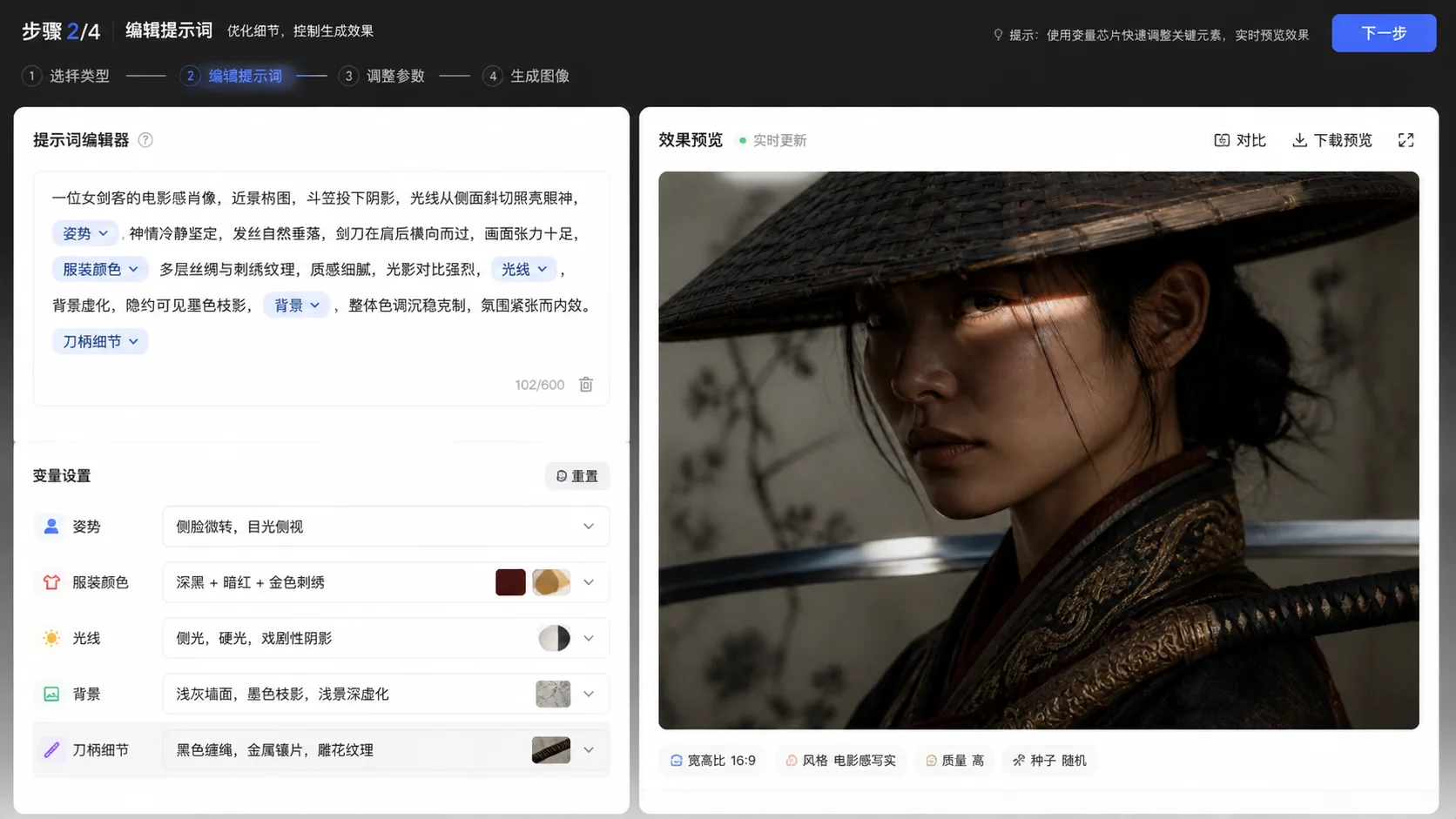
Rewrite the character and scene variables
Replace costume palette, era-inspired styling, background material, weather, lighting, katana angle, mood, and composition notes. Keep the original-character wording when you want a fresh design rather than a recognizable IP lookalike.
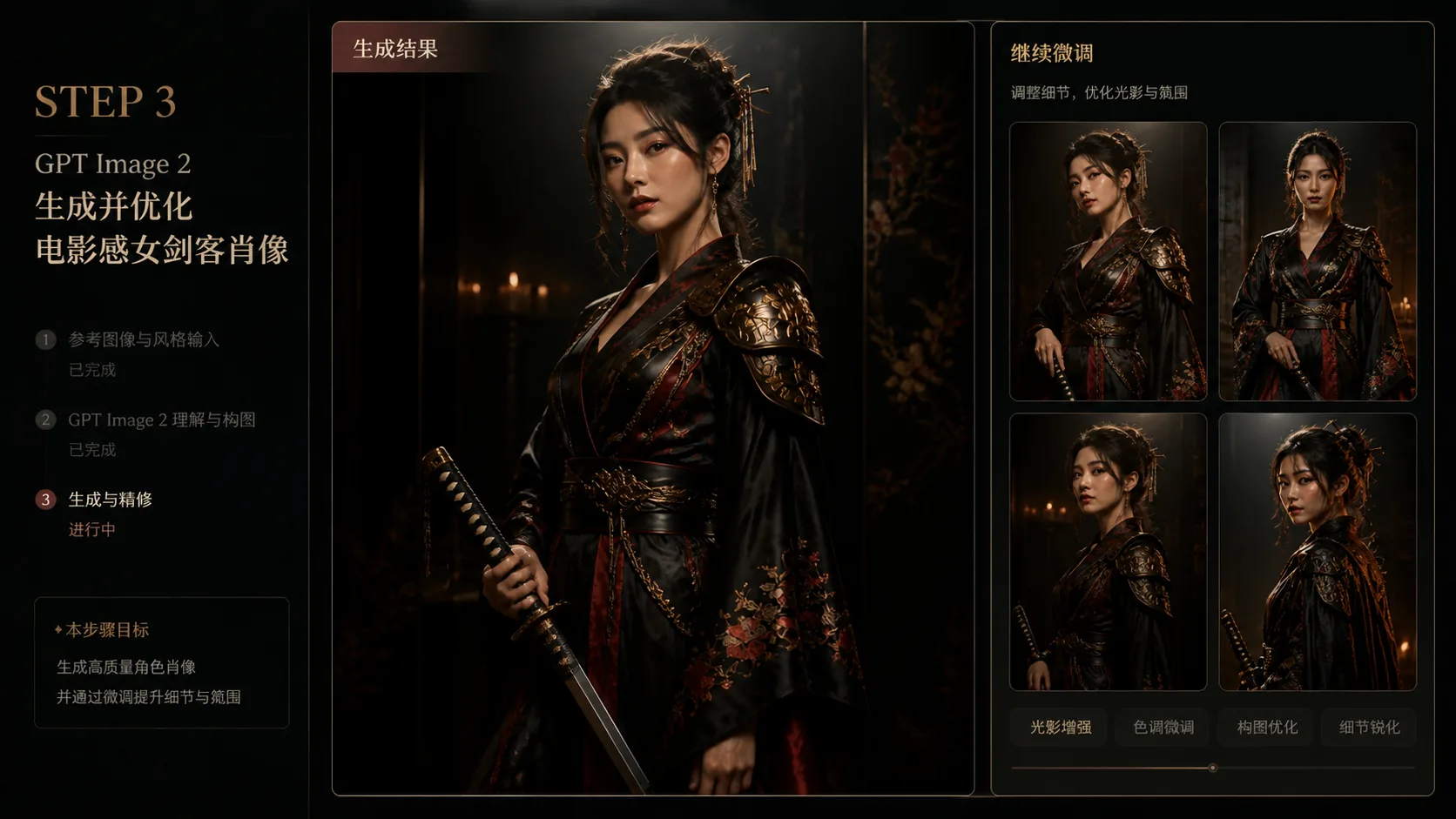
Generate, compare, and refine
Run the prompt in GPT Image 2, compare facial expression, silhouette, blade readability, and textile texture, then reuse the best prompt as a base for poster crops, portrait close-ups, or reference-image refinements.
Swordswoman portrait prompt FAQ
Search-focused answers for creating original cinematic swordswoman portraits with GPT Image 2.
Generate an original swordswoman portrait
Pick a cinematic warrior prompt, edit the costume and katana details, then create a polished GPT Image 2 portrait from the template workspace.