
Browse sample poster results on the right, then tap one to load that prompt back into the generator on the left.
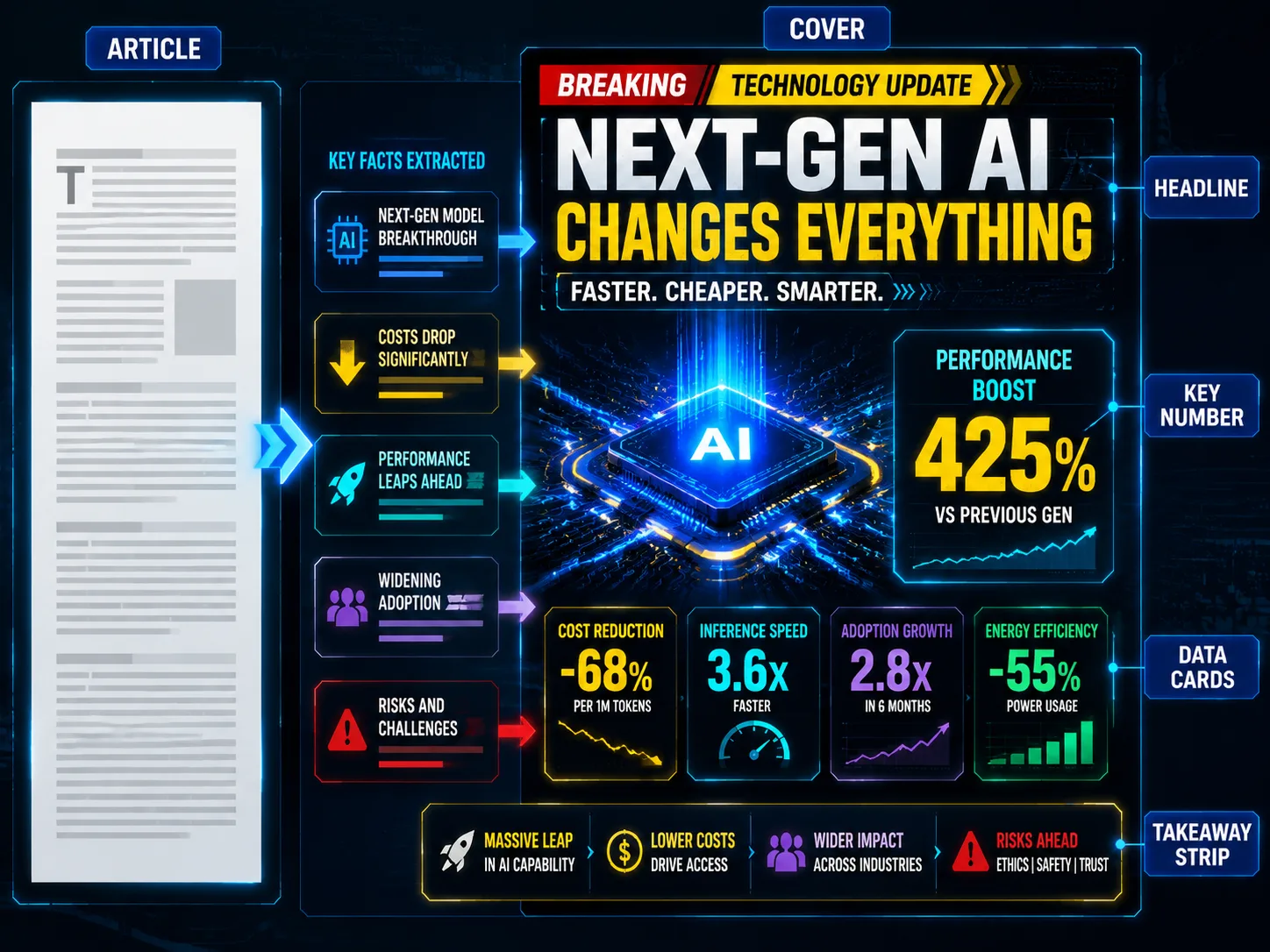
Create technology news cover GPT Image 2 prompts from any article
This scene turns a long technology article, launch brief, funding note, market update, or incident report into an editorial cover plan that GPT Image 2 can render. Instead of starting with a blank prompt, you paste the source story and let the template extract the headline hierarchy, key number, product focus, reader conclusion, visible language, and emotional framing. The output is built for 16:9 article headers, newsletter visuals, Bilibili covers, YouTube thumbnails, and fast social news cards that need to communicate the point in a few seconds.
Article-to-cover analysis
Paste an article or brief and guide GPT Image 2 to extract the short headline, subtitle, key number, topic symbol, strongest comparison point, and reader-facing conclusion before generating the image.
Dense editorial layouts
Build high-impact technology media covers with a bold headline, central product or symbolic visual, 3-5 data cards, arrows, chart fragments, warning strips, and a bottom takeaway row.
Localized visible text
Use the same workflow for English, Simplified Chinese, Traditional Chinese, Korean, Japanese, Portuguese, Spanish, German, and French covers while keeping text short enough for image generation.
Reusable news beats
Adapt the prompts for AI model launches, Chinese tech media stories, chip supply chains, startup funding, consumer electronics, fintech, gaming, cybersecurity, and climate technology policy.
From source article to generated news cover
Choose a cover prompt, replace the article variables, generate with GPT Image 2, then refine the hierarchy until the headline, key number, and data cards read clearly.
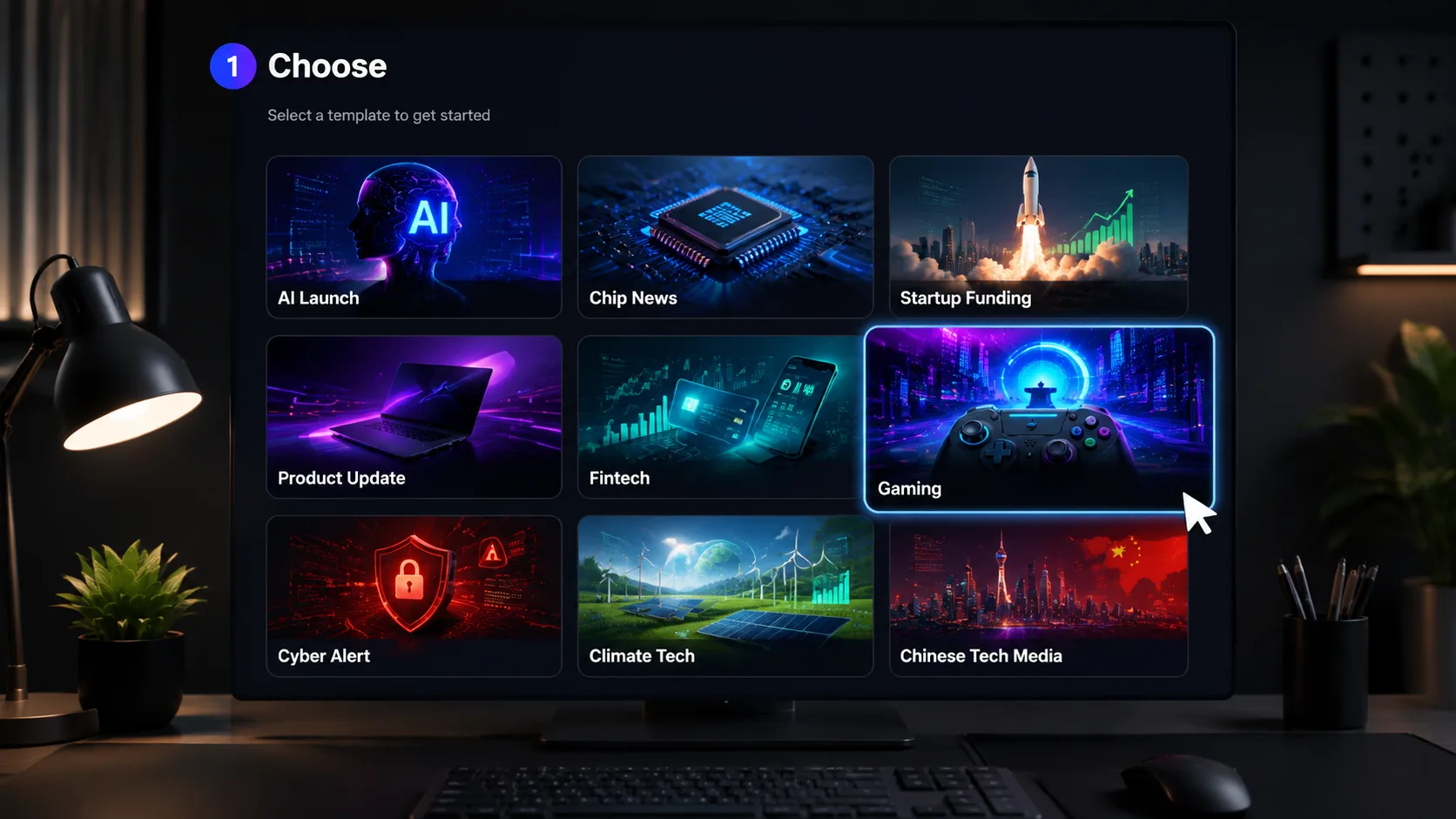
Choose the closest news cover prompt
Start with the prompt row that matches your story: AI launch, Chinese technology media, semiconductor supply chain, funding, consumer product, fintech, gaming, security, or climate tech. Each row already defines a 16:9 cover structure, visible text style, and safety boundaries.
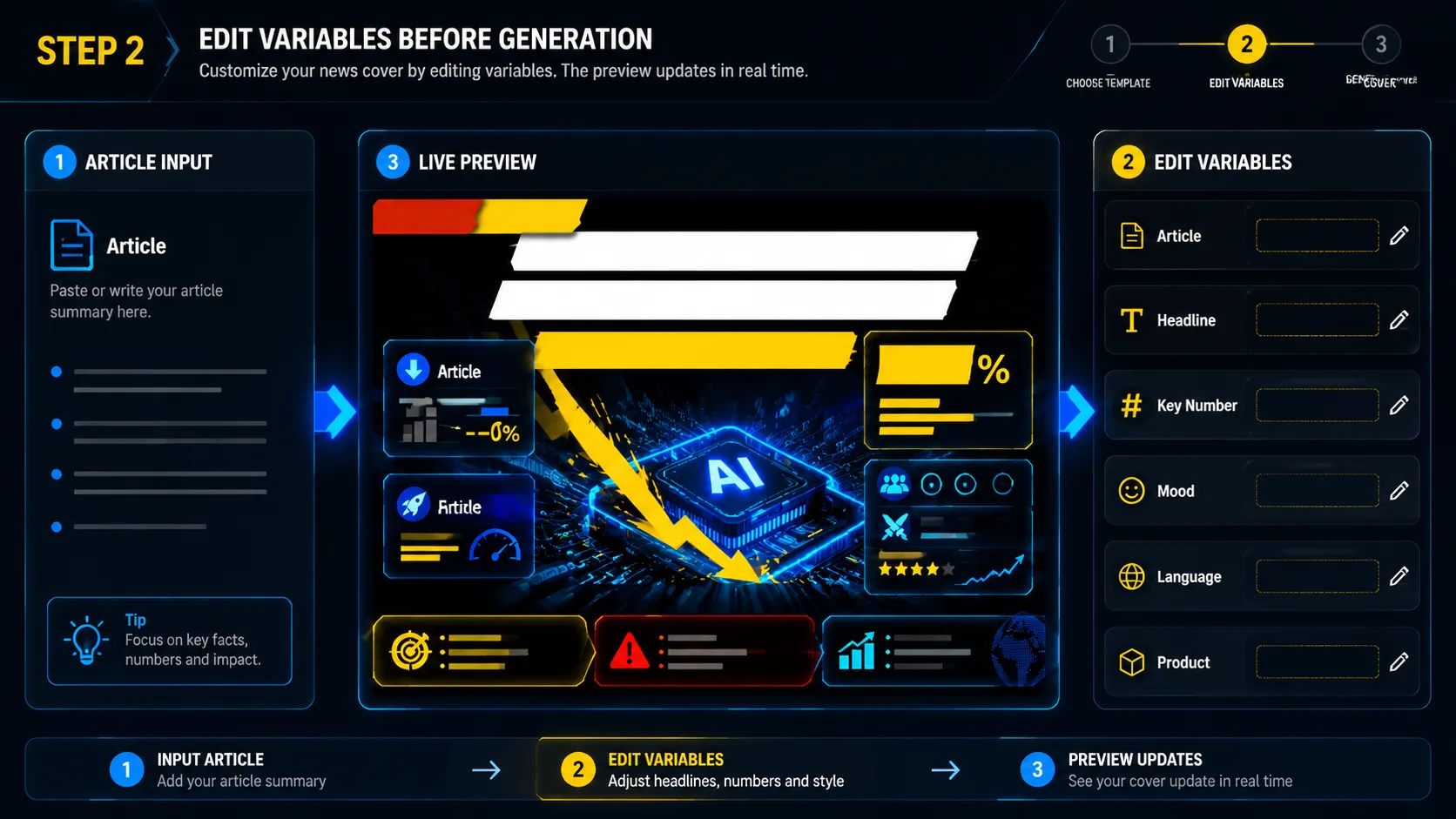
Edit article, language, and hierarchy variables
Paste the source article, add the product or company topic, choose the visible text language, and tighten the headline, key number, emotional tone, platform, and reader takeaway. Keep visible labels short so GPT Image 2 can produce more readable cover text.
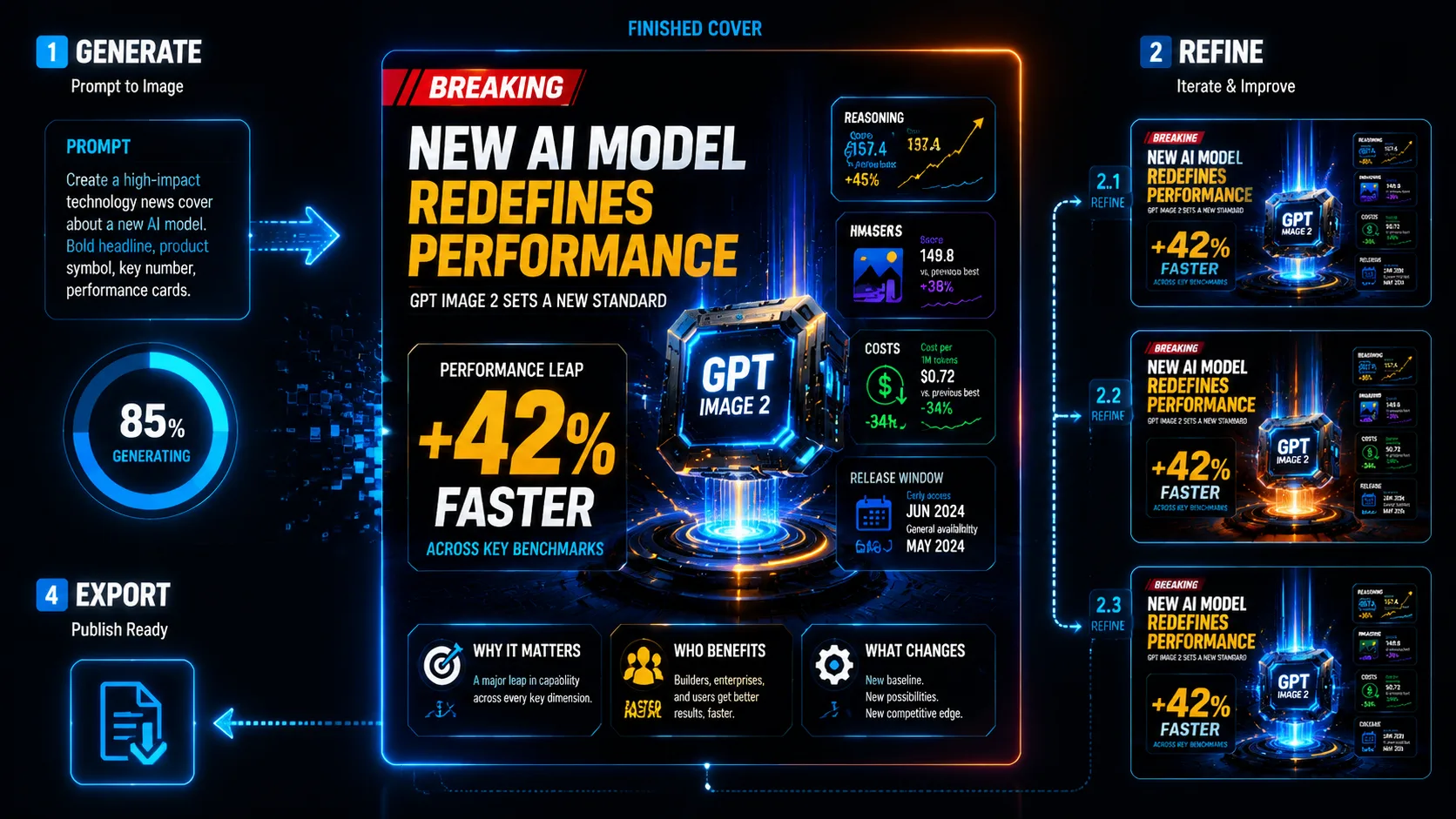
Generate, review, and refine
Generate the first cover, check whether the eye lands on the headline, product symbol, and key number in that order, then revise the prompt to reduce clutter, change color urgency, or focus the data cards on the most important facts.
Technology news cover prompt FAQ
Answers for editors and creators using GPT Image 2 news cover prompts.
Generate a technology news cover
Start with a GPT Image 2 prompt, paste your article, and create a cover that turns the story into a clear visual hierarchy.