
Browse sample poster results on the right, then tap one to load that prompt back into the generator on the left.
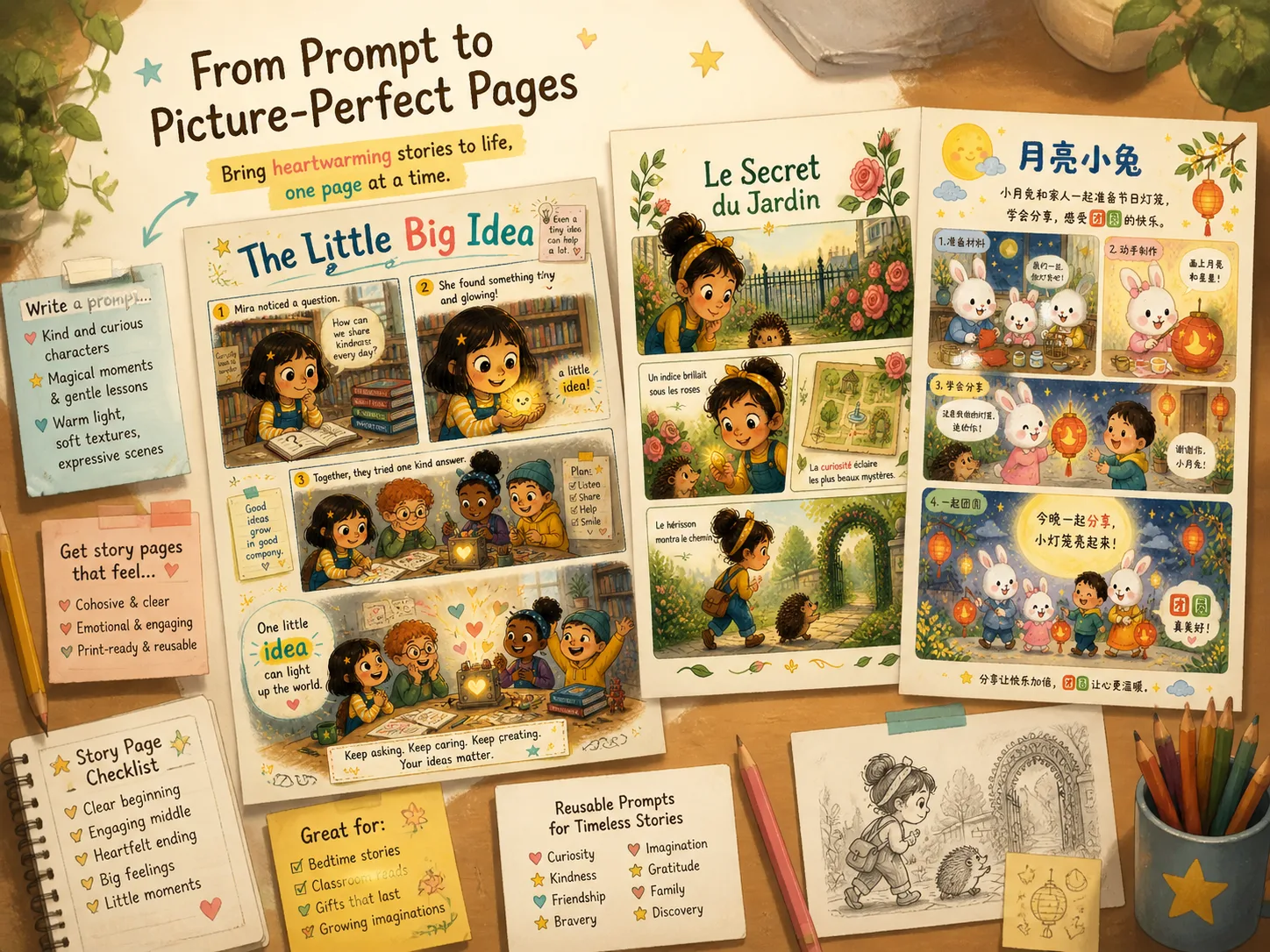
Create children's picture book pages with GPT Image 2
Turn a story idea, lesson, or local setting into a warm illustrated page with editable prompts built for GPT Image 2. The templates focus on practical storybook interiors: panel rhythm, child-safe character direction, visible page text, and a consistent hand-drawn finish that can be reused across related pages.
Interior page layouts
Start with vertical multi-panel page structures that feel like real children's picture book interiors, not loose illustration concepts. Each layout leaves room for a title, short narration, small visual details, and a clear closing moment.
Readable story text
Use prompt slots for titles, captions, and highlighted words so each generated page can carry simple narrative text. The wording stays short on purpose, which makes it easier to proofread and revise after generation.
Hand-drawn texture
Guide GPT Image 2 toward soft gouache, colored pencil, crayon marks, visible paper grain, and rounded child-safe characters. These cues help the output feel gentle and handmade instead of glossy or generic.
Localized story prompts
Adapt the character, setting, page language, and cultural details for classroom stories, family projects, or book prototypes. The examples show how the same page logic can work across English, Chinese, Korean, Japanese, Portuguese, Spanish, German, and French story contexts.
Build a reusable storybook page prompt
Choose a template, replace the story variables, then generate and refine the page in the GPT Image 2 workspace. The workflow is designed for creators who want a reusable page direction before investing in final illustration or print layout.
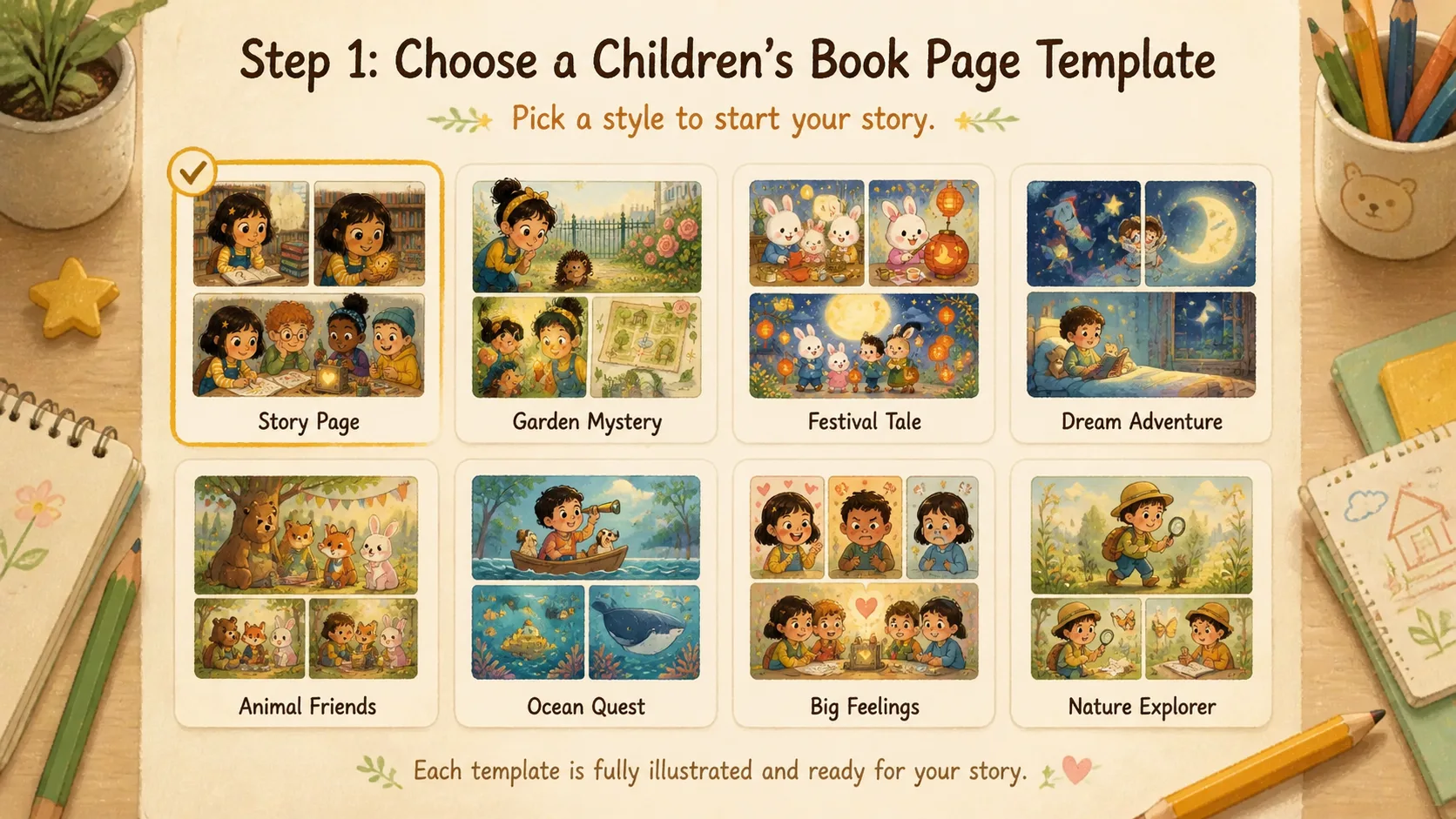
Choose the page style
Pick a picture book page prompt for a discovery story, festival scene, friendship moment, invention page, or gentle garden mystery. Start from the sample closest to your story goal so the layout and tone already match the intended page.
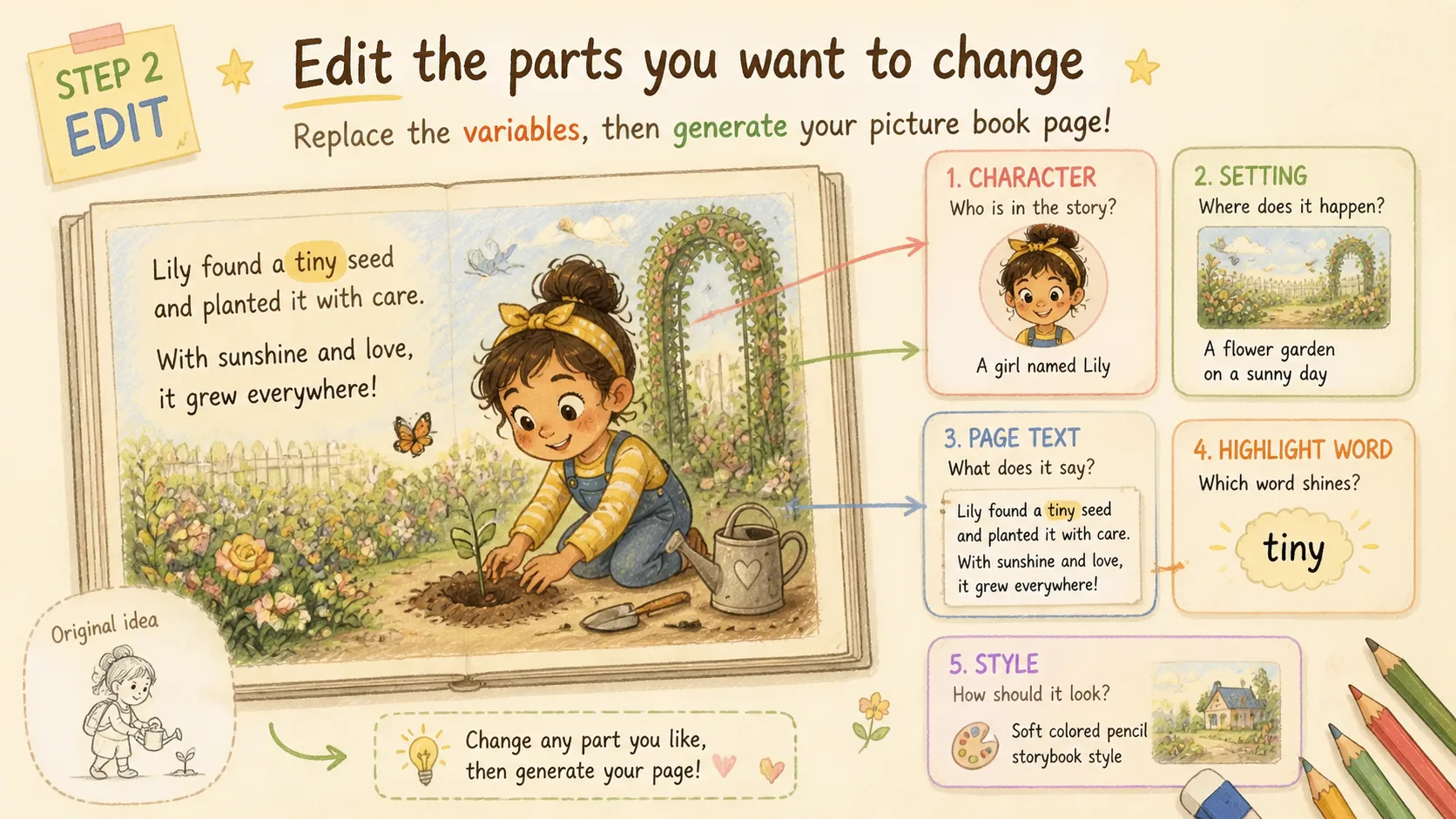
Edit the story variables
Replace the main character, setting, short page text, highlighted keyword, visual tone, and any reference details before generating. Keep visible text brief, because short phrases are easier for GPT Image 2 to place clearly.
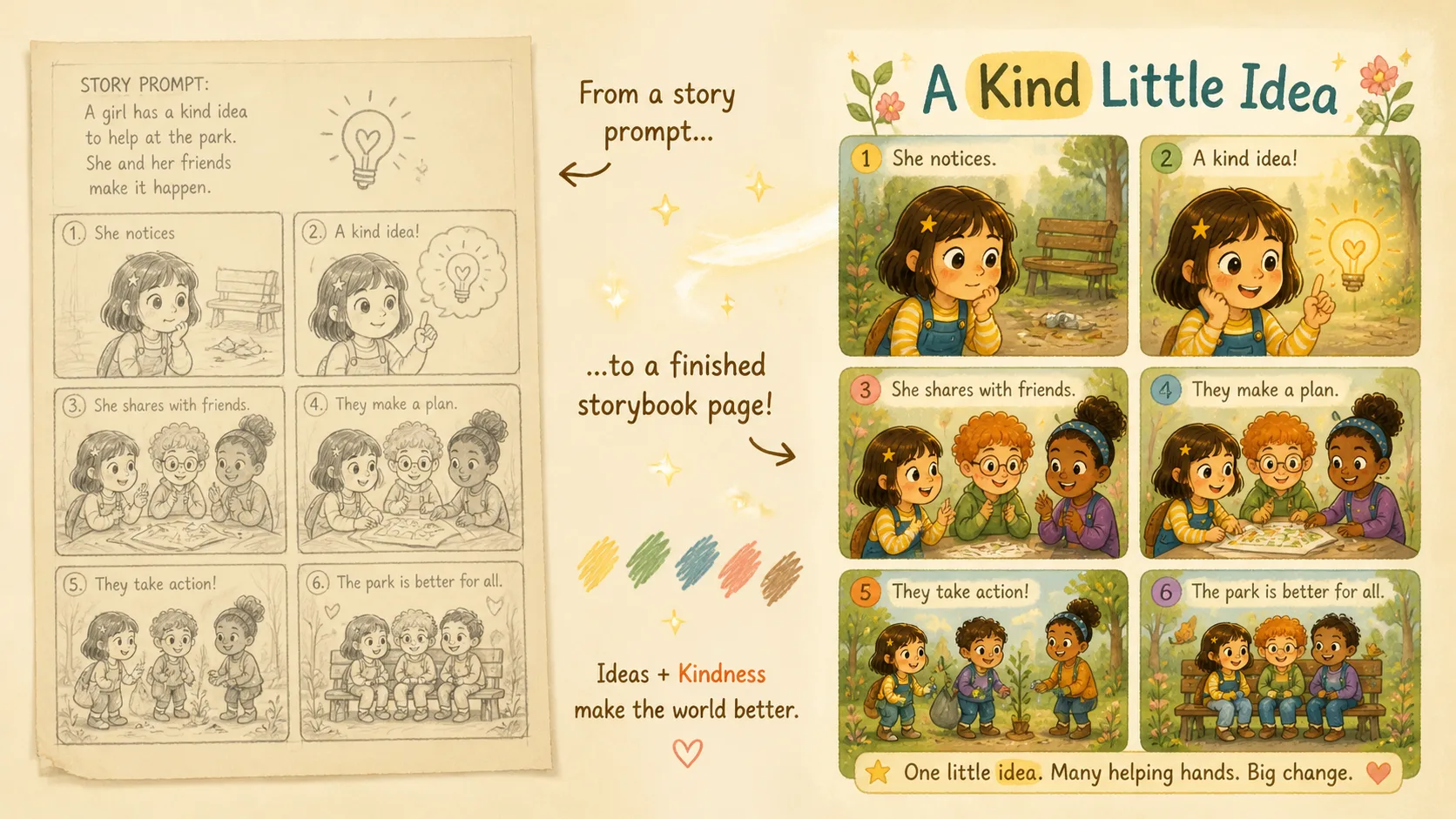
Generate and refine
Run the edited GPT Image 2 prompt, inspect the text and layout, then adjust captions, panel count, or illustration style for the next version. Treat each output as a visual draft you can refine into a more consistent page series.
Picture book prompt FAQ
Search-focused answers for creating storybook pages with GPT Image 2 prompts.
Generate a picture book page
Start from a reusable GPT Image 2 prompt, edit the story variables, and shape your idea into a warm illustrated page you can review, refine, and reuse for a larger storybook concept.