
Browse sample poster results on the right, then tap one to load that prompt back into the generator on the left.
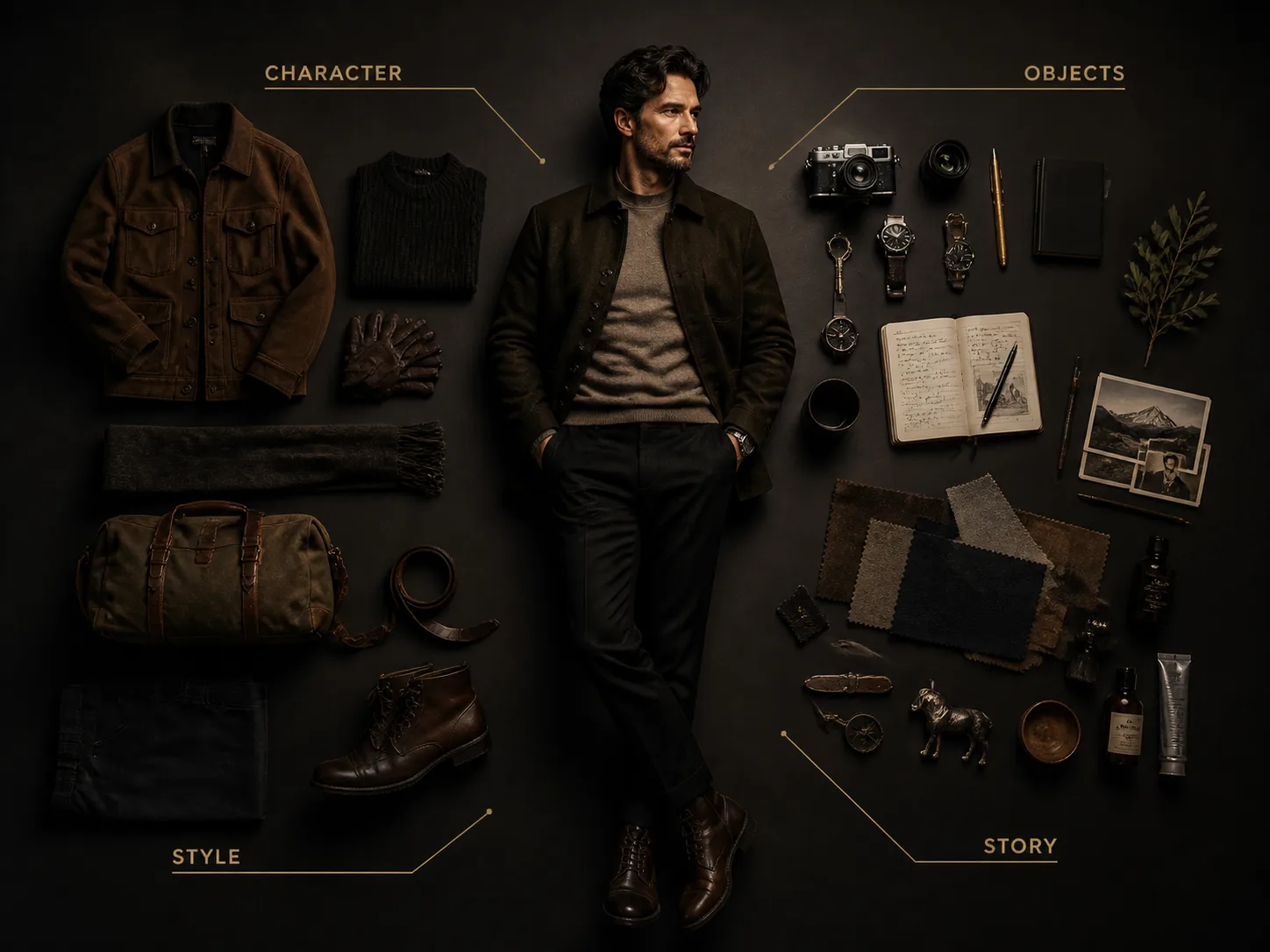
Create character inventory GPT Image 2 prompts for polished poster concepts
This scene is built for users who want a reusable character inventory poster workflow, not a generic character art article. Start with a portrait, avatar, performer concept, or original persona, then use GPT Image 2 prompts that describe the central character, object categories, label style, lighting, title text, and composition rules in one controlled brief. The templates help you create premium character breakdown posters for story worlds, creator profiles, fashion moodboards, game concepts, campaign decks, and social posts.
Reference-aware identity
Use an uploaded portrait or persona note while asking GPT Image 2 to preserve the adult subject, posture direction, hairstyle, and overall presence before changing the poster style.
Persona-specific objects
Keep object groups narrow for each concept, such as tailoring accessories, creator desk tools, cyber gear, music stage items, travel memories, costume pieces, or minimal essentials.
Knolling and exploded views
Guide the model toward radial knolling, clean flat-lay spacing, annotation lines, and readable zones so the result feels designed instead of randomly cluttered.
Editable poster variables
Swap the character, wardrobe, object count, label language, palette, title, background mood, and aspect ratio without rewriting the whole character object layout prompt.
How to make an AI character breakdown poster
Pick the closest inventory layout, edit the variables that define the persona, then generate and refine the poster with GPT Image 2 until the objects support the character story.
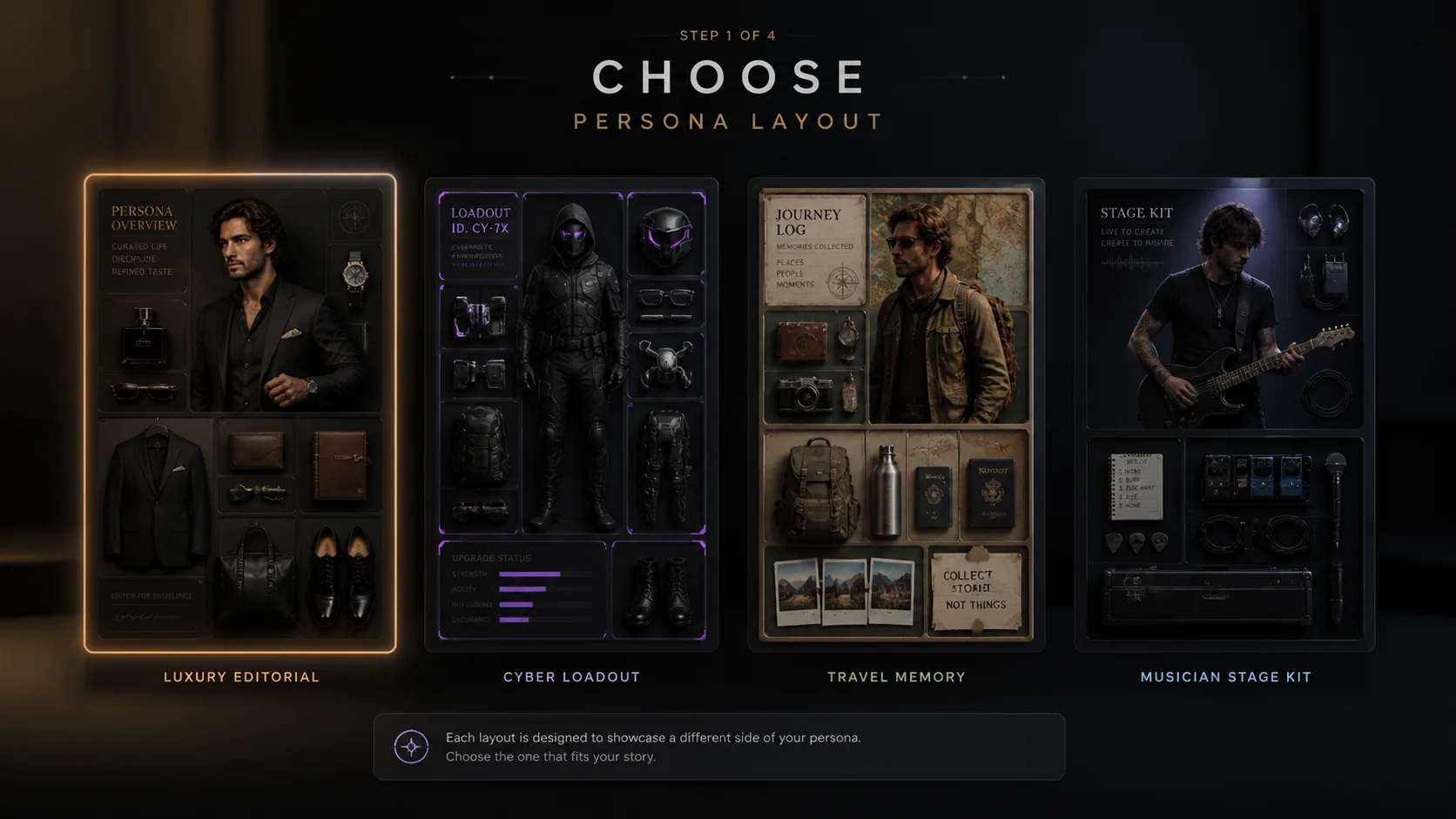
Choose a character inventory layout
Select a template for luxury editorial, menswear dossier, beauty inventory, creator desk loadout, cyber gamer gear, musician stage kit, travel memories, historical costume, or a minimal dossier.
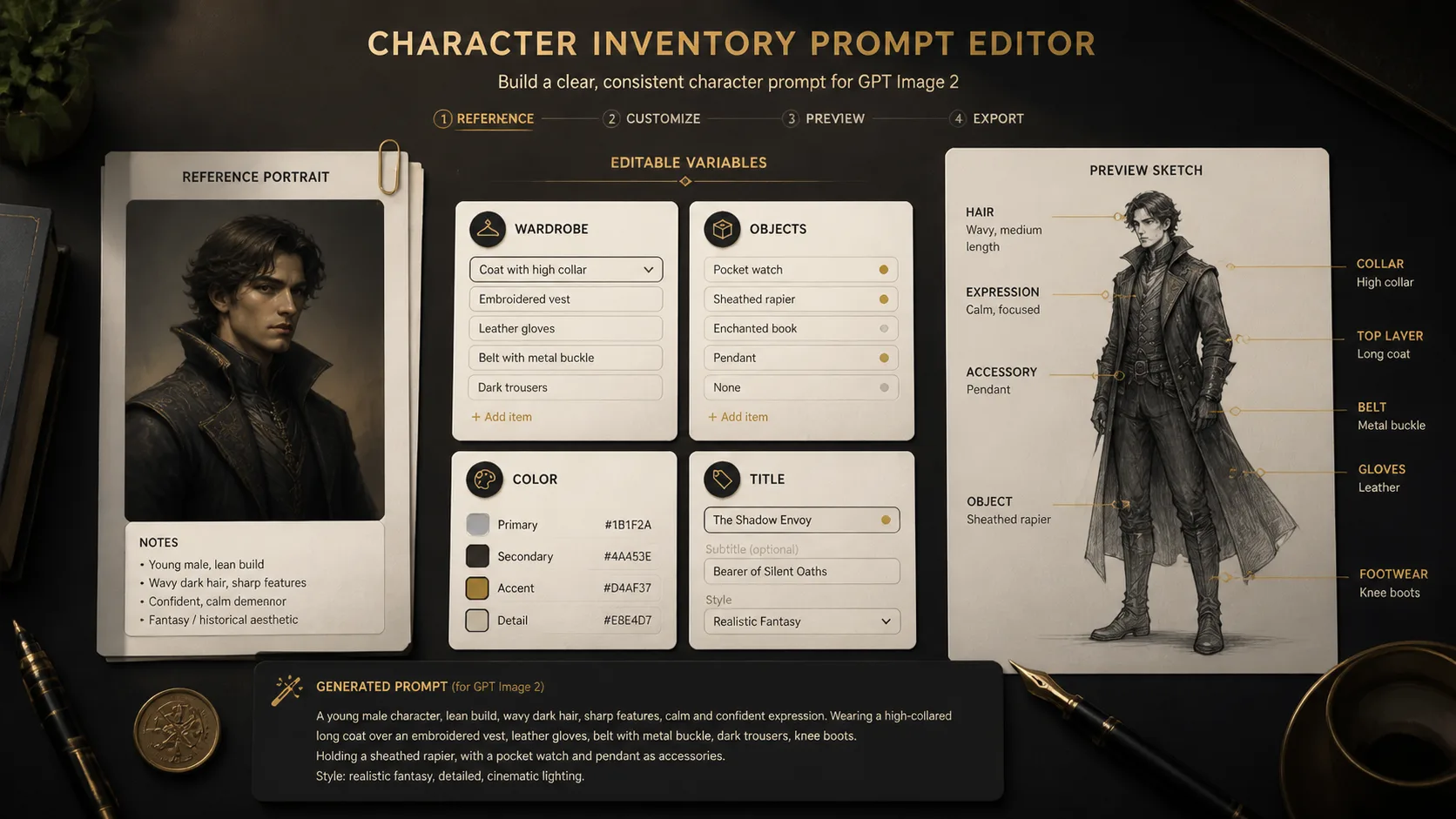
Add reference and object rules
Upload a reference image when you have one, replace the character notes, set the object categories, choose label wording, and remove anything that would introduce real logos, private data, or copyrighted identities.
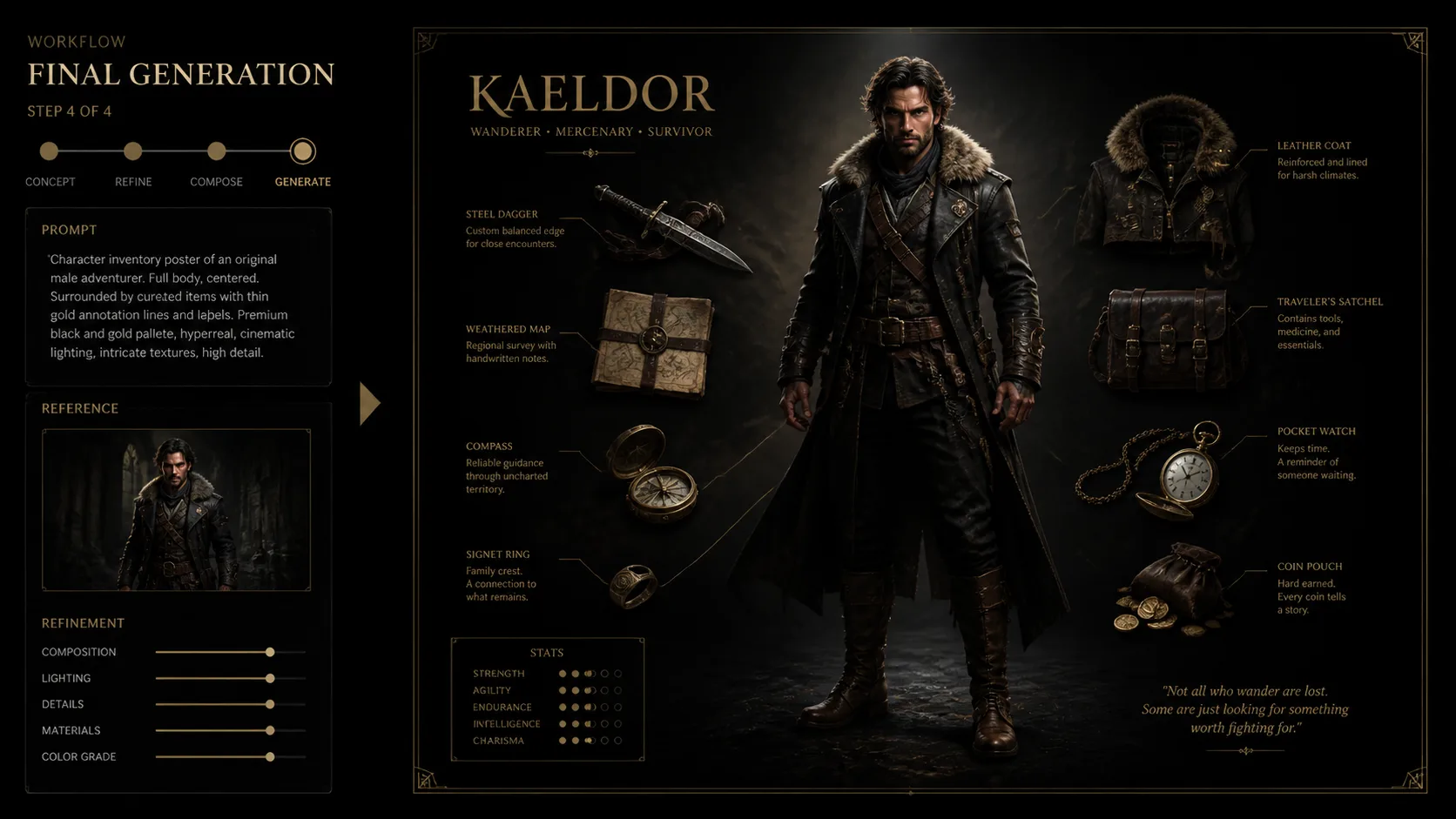
Generate, compare, and tighten
Run GPT Image 2, review whether the face, pose, objects, labels, and spacing match the brief, then refine with stricter object counts or cleaner annotation language for a more usable poster.
Character inventory GPT Image 2 prompt FAQ
Answers for using reference images, object layout prompts, and poster templates without drifting into unrelated character design tasks.
Generate your character inventory poster
Start from a reusable character object layout prompt, add a reference image or persona details, and create a polished GPT Image 2 poster for your next concept board.