
Browse sample poster results on the right, then tap one to load that prompt back into the generator on the left.
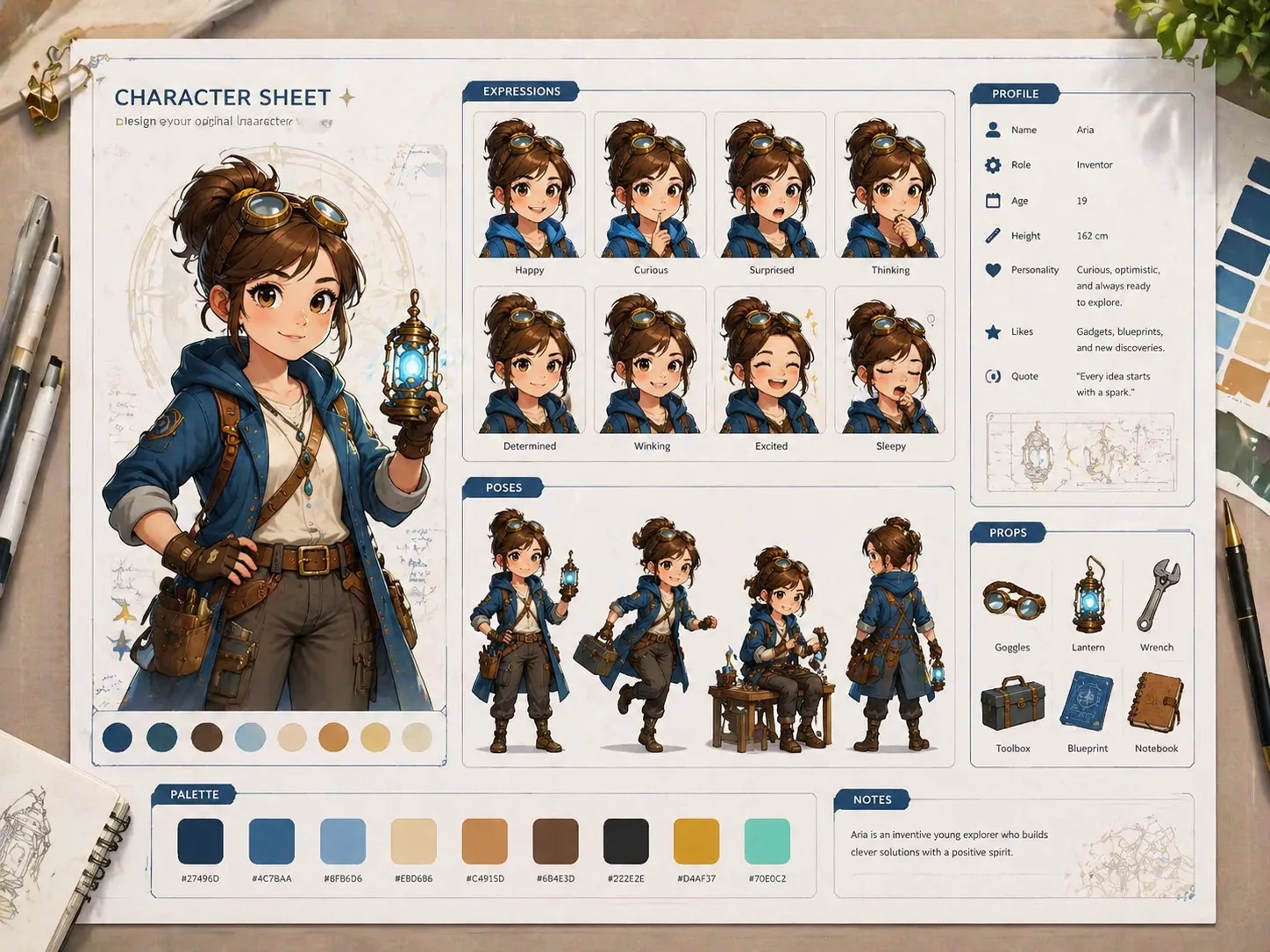
Create complete character design charts with GPT Image 2 prompts
Turn a rough character idea, sketch, portrait, mascot concept, or uploaded reference into a clear design board. These GPT Image 2 character design chart templates organize the details that matter: the main portrait, facial expressions, action poses, props, color palette, profile notes, and short readable labels.
Profile posters and design sheets
Start with prompts for full character profile posters, reference sheets, storybook boards, creature companions, fashion lineups, and creator avatar cards. Each prompt is structured so the output feels like a usable concept board instead of a single loose illustration.
Reference image support
Upload a character reference when you have one, then use the prompt to preserve identity, hairstyle, outfit direction, silhouette, markings, and core visual traits while exploring new expressions, poses, and board layouts.
Editable character variables
Replace the name, role, personality, costume, prop list, expression set, color story, and label language before generation. The same character design sheet GPT Image 2 prompts can support mascots, NPCs, original characters, avatars, and companion creatures.
Boards for creative direction
Use the generated chart to compare design options, brief an artist, pitch a mascot, plan a game NPC, or develop a social persona. The page focuses on practical character reference sheet prompts, not broad image-editor features.
How to generate a character design chart
Choose the closest template, replace the character variables, add a reference image if useful, then generate and refine the board in GPT Image 2.
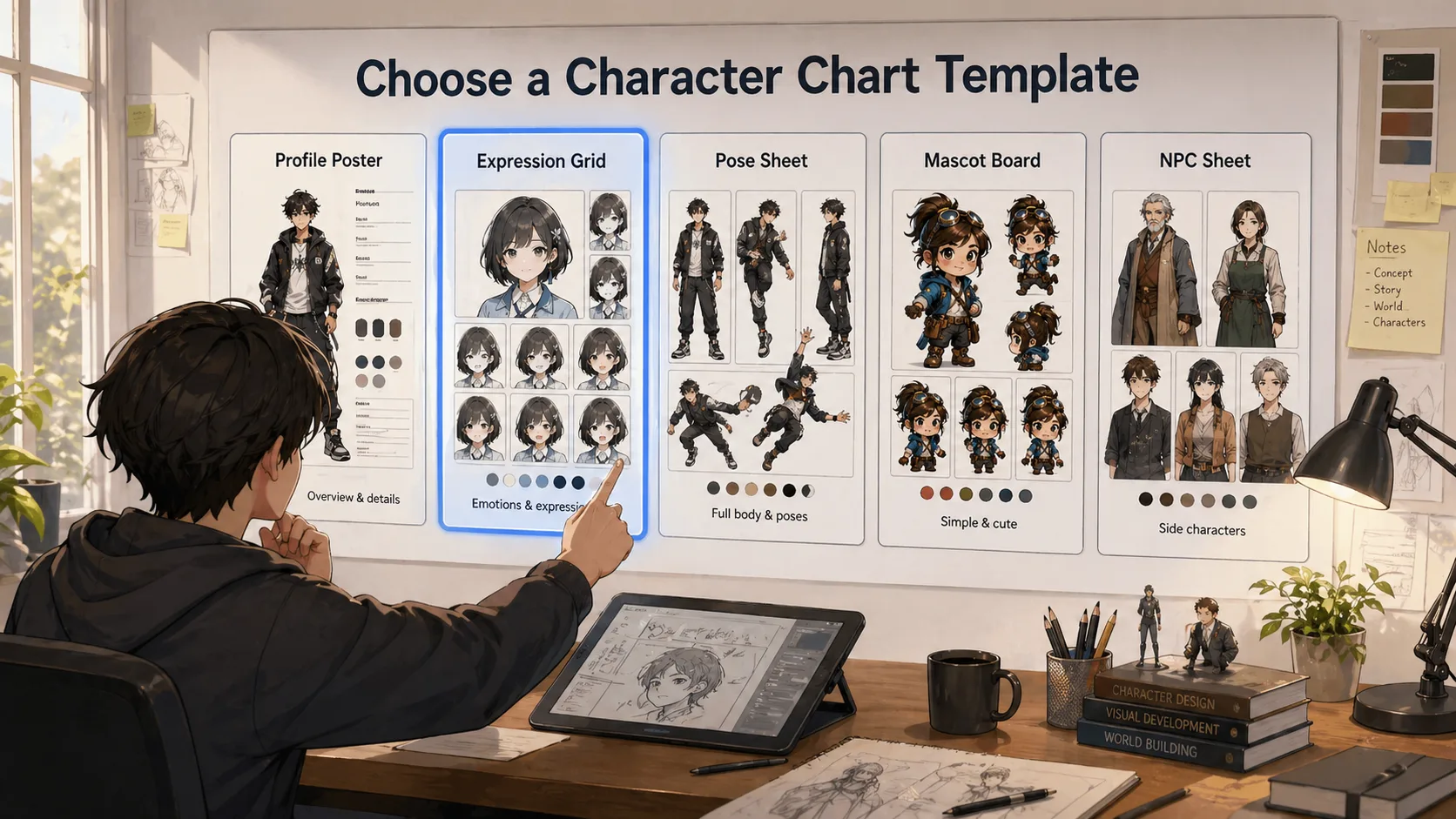
Choose the right chart template
Pick the prompt that matches your goal: an all-in-one profile poster, facial expression grid, action pose turnaround, mascot brand sheet, storybook character board, game NPC reference sheet, fashion lineup, creature companion sheet, or creator avatar card.
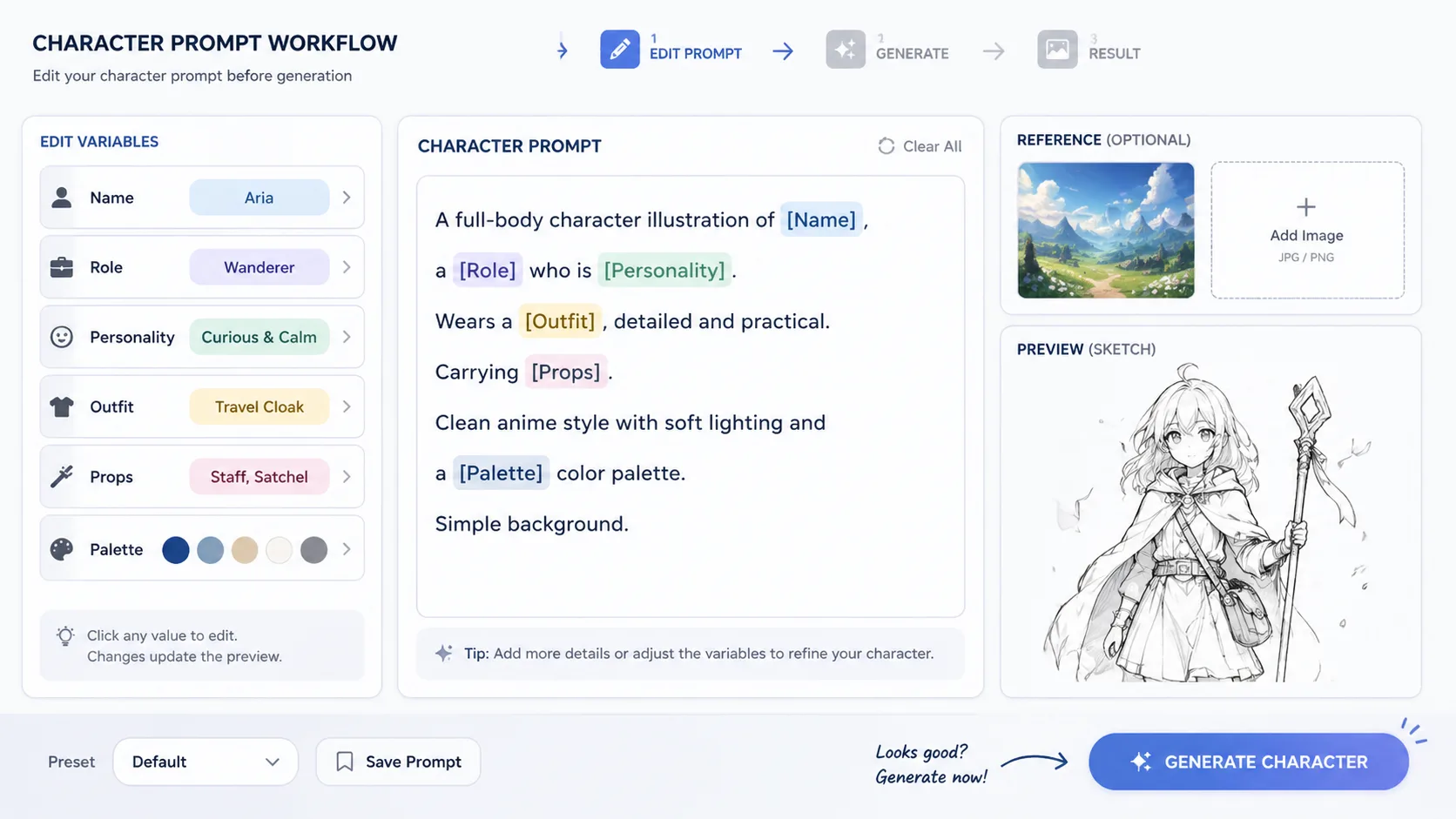
Edit the design details
Swap in the character name, archetype, age or role, personality traits, outfit direction, props, palette, and visible label language. If you already have a sketch or portrait, attach it so the prompt can keep the same identity while changing the board structure.
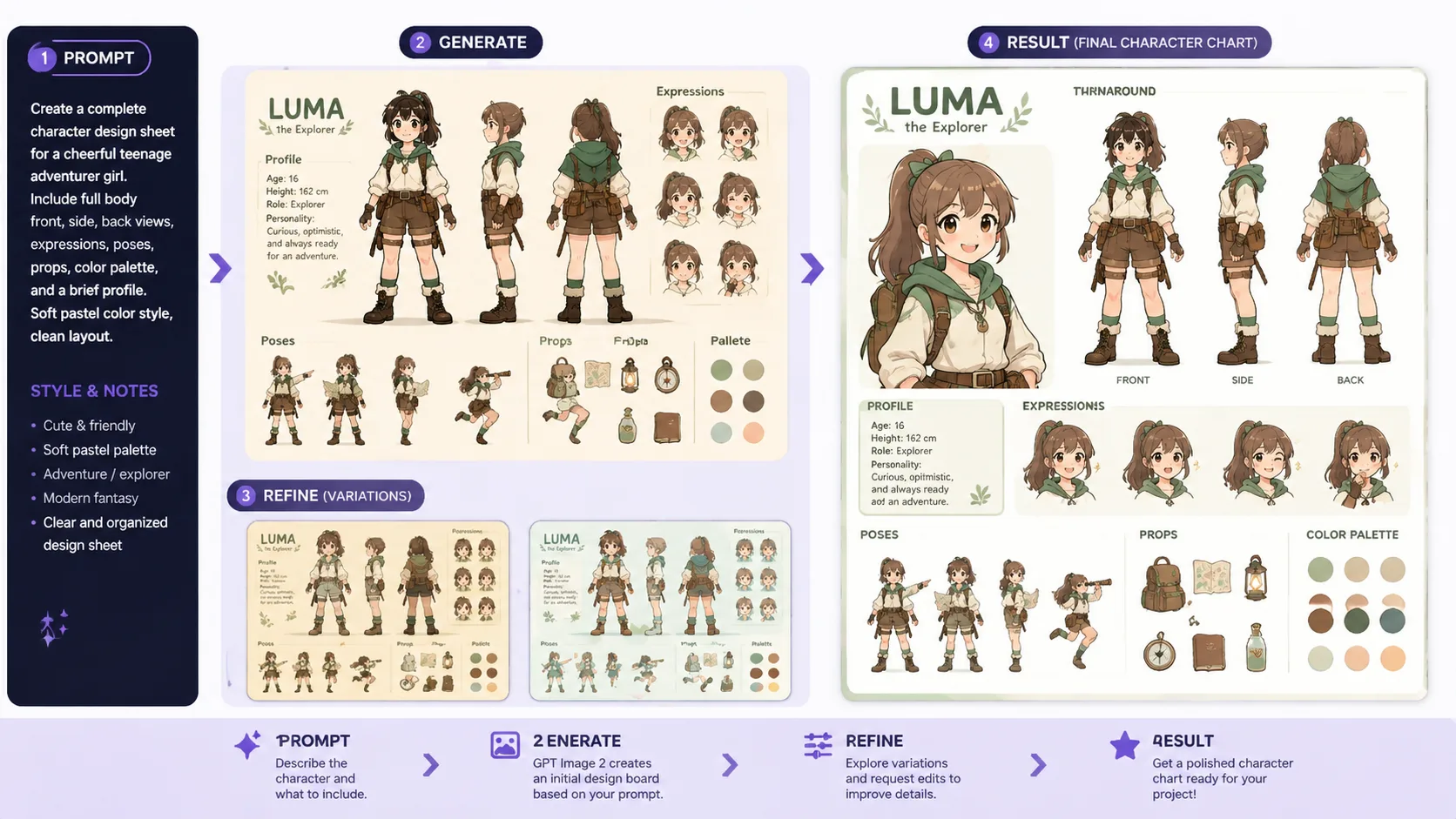
Generate, review, and reuse
Generate the board, review whether the face, silhouette, expressions, and labels are readable, then reuse the strongest prompt for alternate poses, cleaner expression sheets, or a tighter AI character reference sheet.
Character design chart FAQ
Answers for creators using GPT Image 2 prompts to build character reference boards.
Generate a character board
Choose a character design chart prompt, add your details, and create a reusable GPT Image 2 reference sheet.