
Browse sample poster results on the right, then tap one to load that prompt back into the generator on the left.
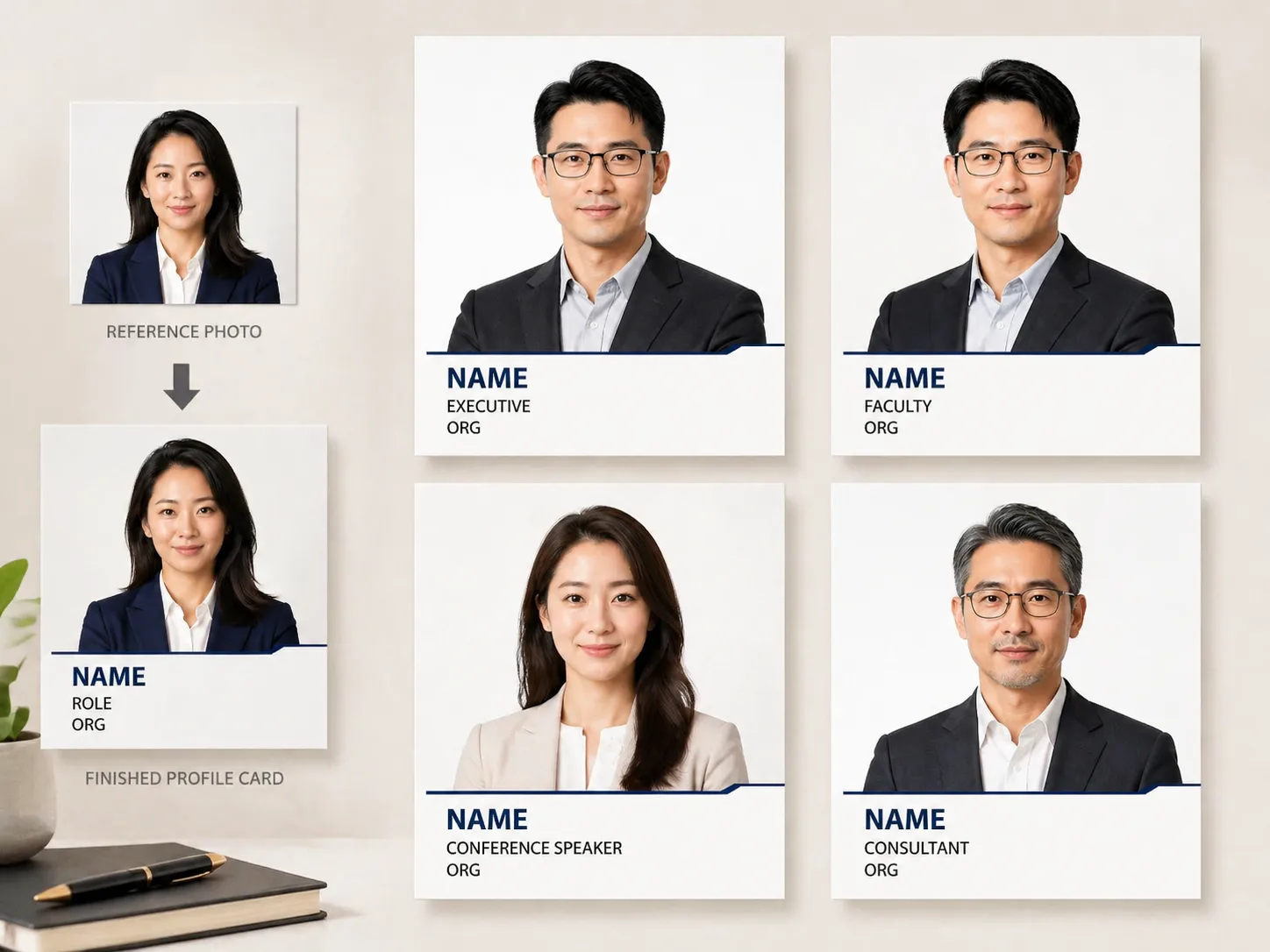
Create business profile headshot posters with GPT Image 2
These business profile headshot GPT Image 2 prompts help you turn a portrait reference into a polished profile card with professional styling, readable information bars, and reusable prompt variables. They are built for work profiles, team pages, resumes, conference bios, academic profiles, creator media kits, and service listings, not for official ID documents.
Preserve the person
Keep facial structure, face shape, age impression, and recognizability while improving lighting, grooming, and camera-ready presentation.
Edit profile details
Replace name, role, organization, department, speaker topic, portfolio title, or service label before generating each card.
Cover real profile formats
Use layouts for executives, university faculty, conference speakers, startup teams, consultants, resumes, directories, and professional service pages.
Avoid official ID framing
The prompts create professional profile posters and headshot cards without passport, visa, license, seal, or government document styling.
Localize visible text
Control the language shown in the information bar so profile cards can fit English, Chinese, Korean, Japanese, Portuguese, Spanish, German, or French audiences.
Reuse prompt structure
Start from a template, swap the variables, add a portrait reference, then refine wardrobe, background tone, crop, typography, and aspect ratio.
How the business headshot prompt workflow works
Use the template as a structured profile photo prompt, not a blank image request. Choose the profile context, replace the visible text and styling variables, then generate and refine in GPT Image 2.
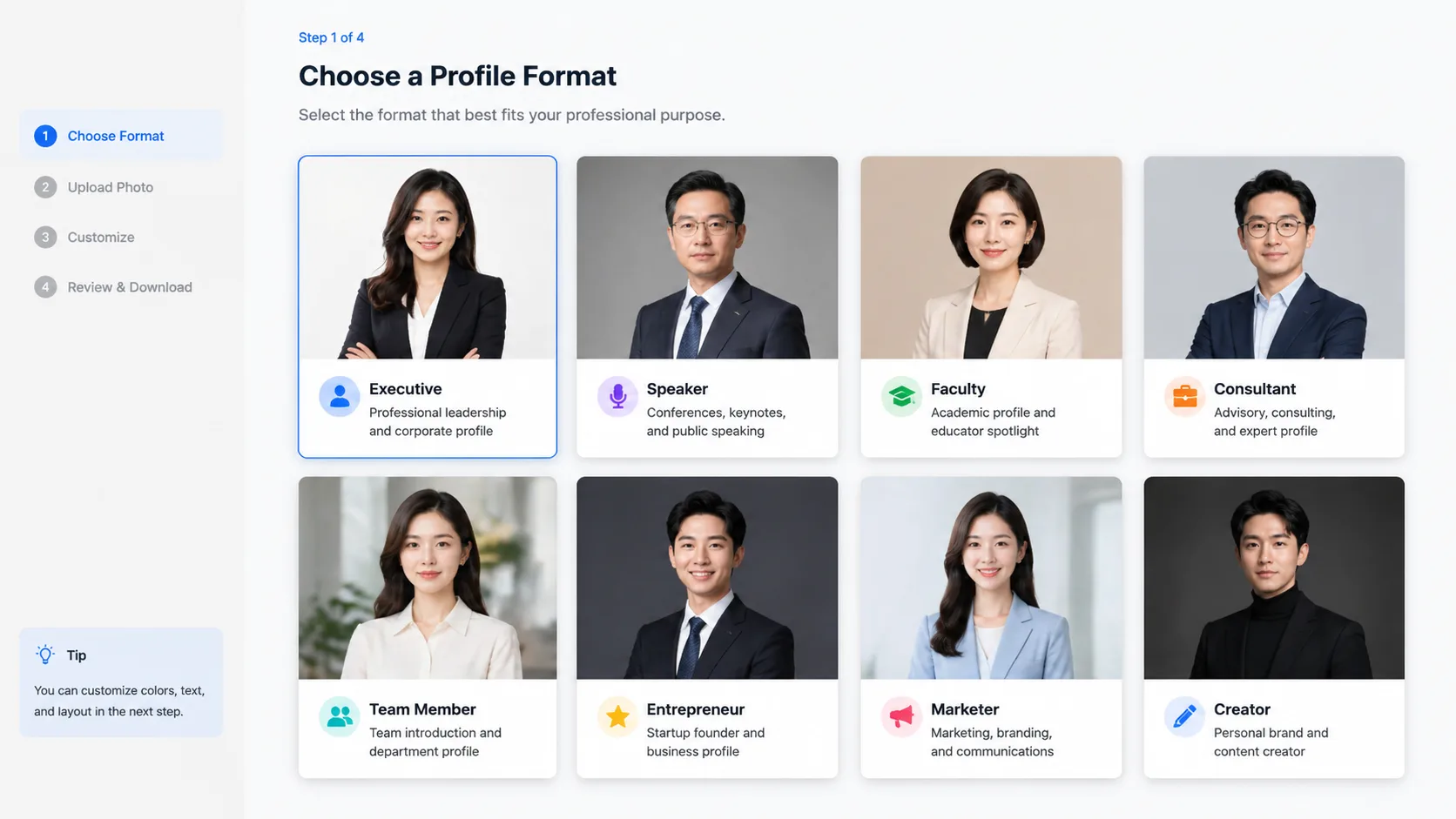
Choose a professional profile format
Pick the closest intent: executive card, academic faculty profile, conference speaker poster, startup team headshot, resume profile, company directory card, or service-provider bio.
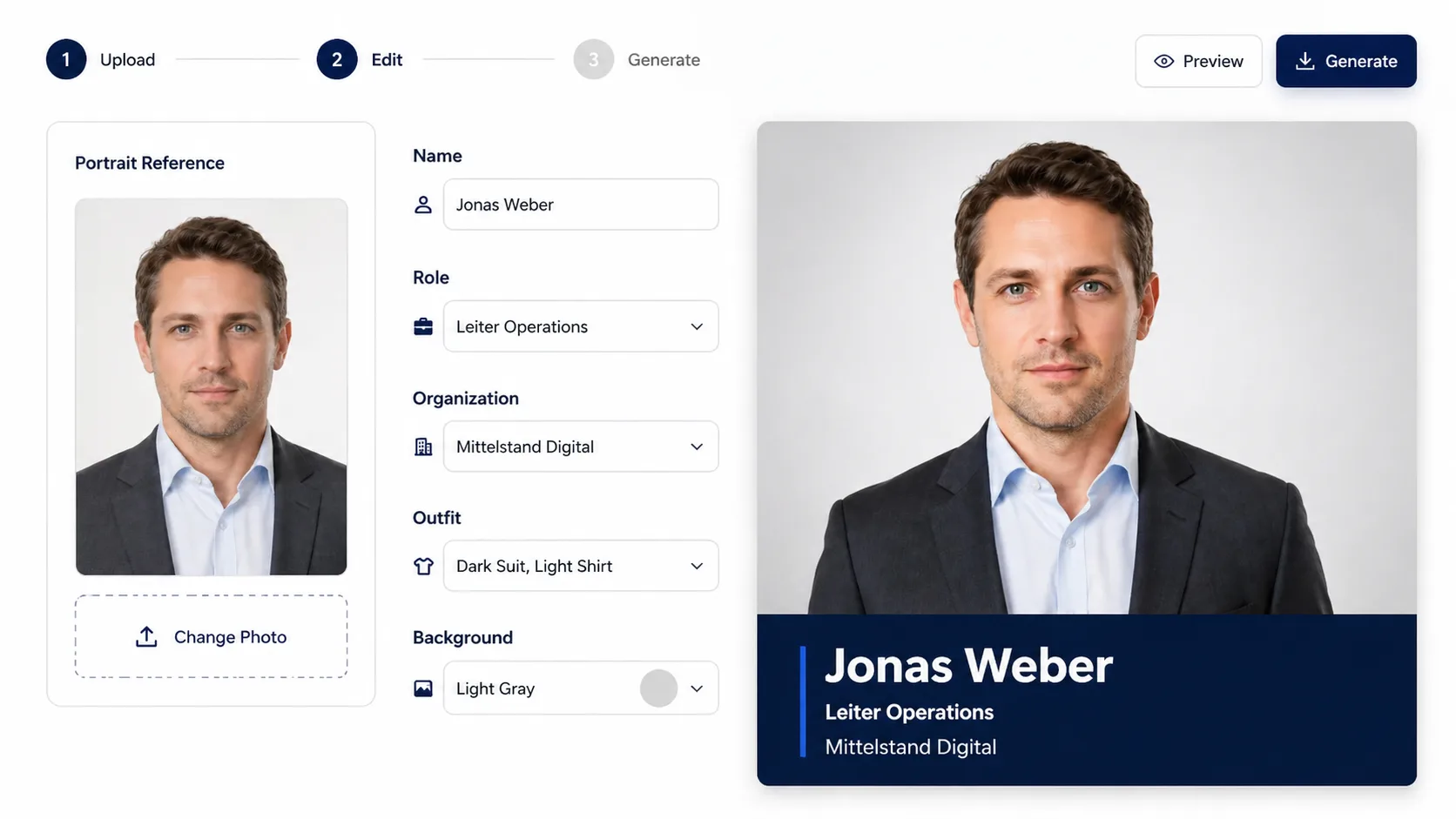
Replace variables and add a reference
Upload or describe the portrait, then edit the name, role, organization, wardrobe direction, background tone, language rule, and any information-bar text that should appear in the image.
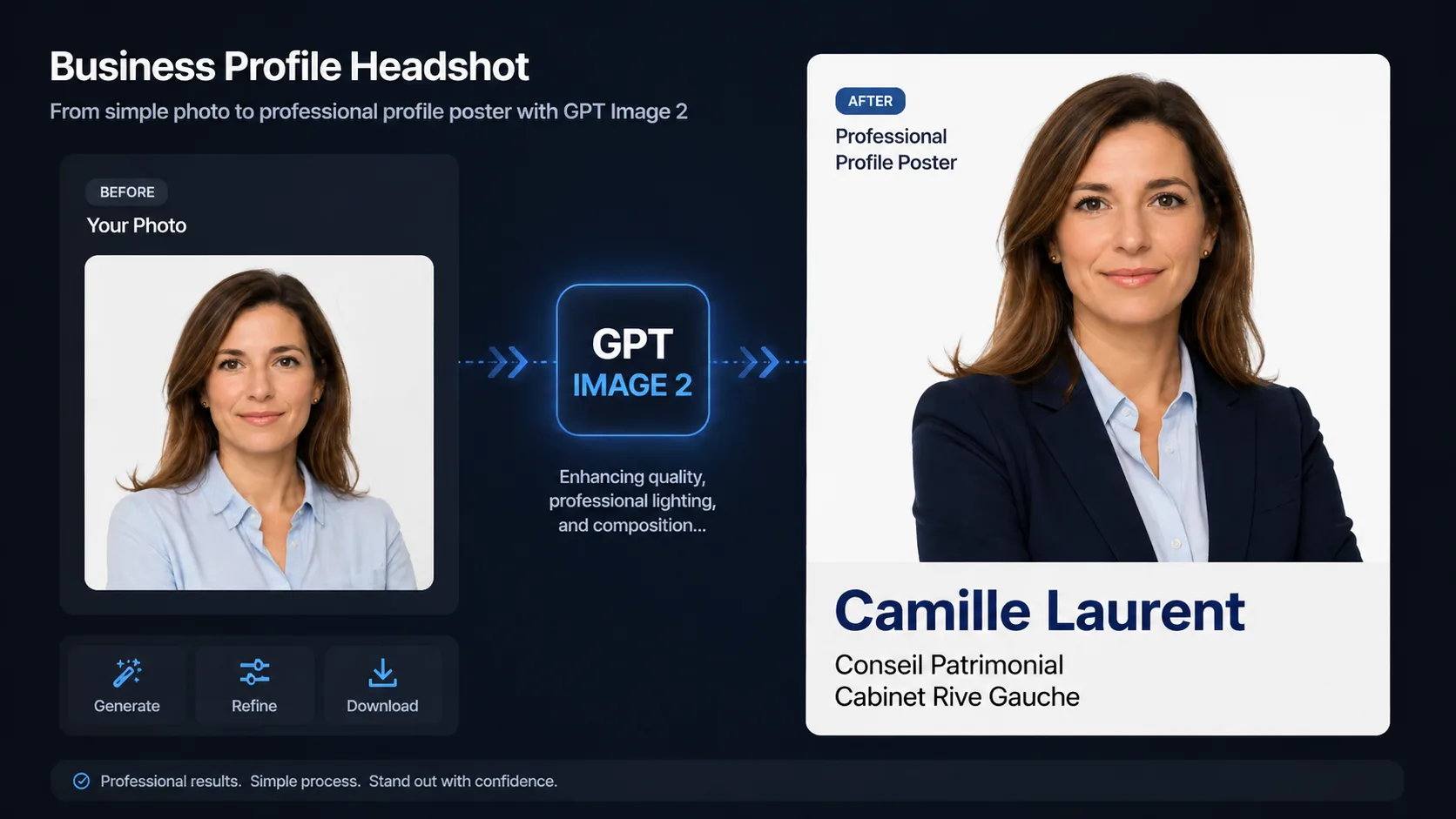
Generate, inspect, and refine
Create the image with GPT Image 2, check identity preservation and text hierarchy, then adjust crop, expression, outfit, typography, or aspect ratio before saving the final profile card.
Business headshot GPT Image 2 prompts FAQ
Answers for using these profile headshot prompts with portrait references, editable text, and professional profile-card layouts.
Generate a business profile headshot poster
Start with a same-intent GPT Image 2 prompt, add a portrait reference, and create a polished profile card for work profiles, resumes, team pages, or speaker bios.