
Browse sample poster results on the right, then tap one to load that prompt back into the generator on the left.
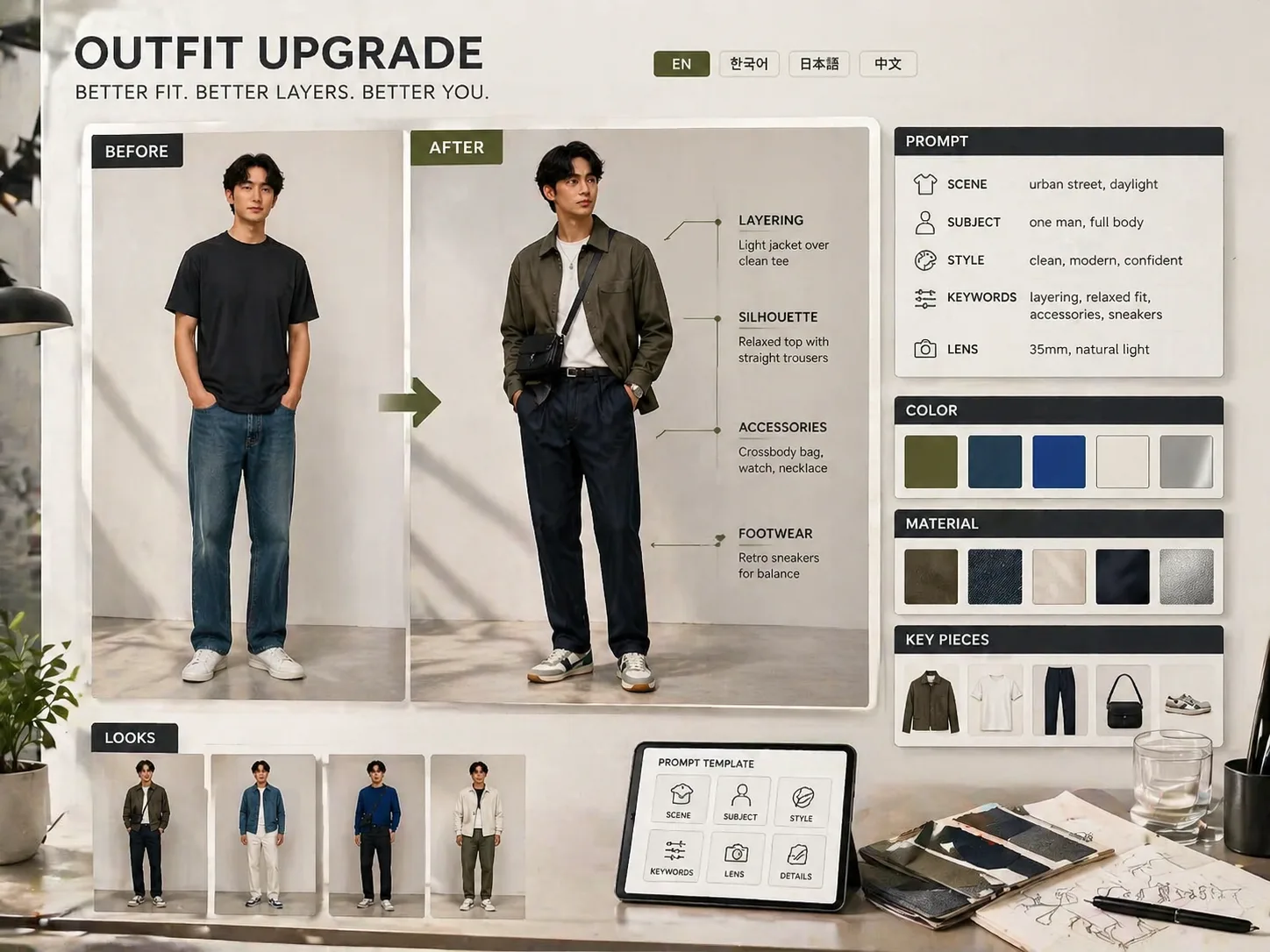
Create outfit upgrade reports with GPT Image 2
These outfit upgrade GPT Image 2 prompts turn a portrait or synthetic model into a polished before-and-after fashion consulting board. Instead of changing the person, the template focuses on styling logic: silhouette, proportion, layering, shoes, accessories, palette, material notes, and short readable report labels. Use it when you need a reusable AI outfit upgrade report for social posts, personal styling drafts, creator examples, ecommerce mood boards, or localized fashion makeover content.
Preserve the same person
Keep the face, age impression, hairstyle, body proportion, and natural temperament while the outfit becomes more current and camera-ready.
Show clear before and after contrast
Compare a plain baseline outfit with a stronger look that improves fit, layers, footwear, accessories, posture, and overall styling direction.
Build a complete style report
Generate a magazine-style board with style direction, key upgrades, color palette, materials, silhouette strategy, outfit ideas, key pieces, detail notes, and summary.
Localize visible report text
Adapt the prompt for English, Chinese, Korean, Japanese, Portuguese, Spanish, German, or French labels so the sample image fits its audience.
How to use the outfit upgrade prompt
Start from a report template, edit the styling variables, then generate and refine the GPT Image 2 result.
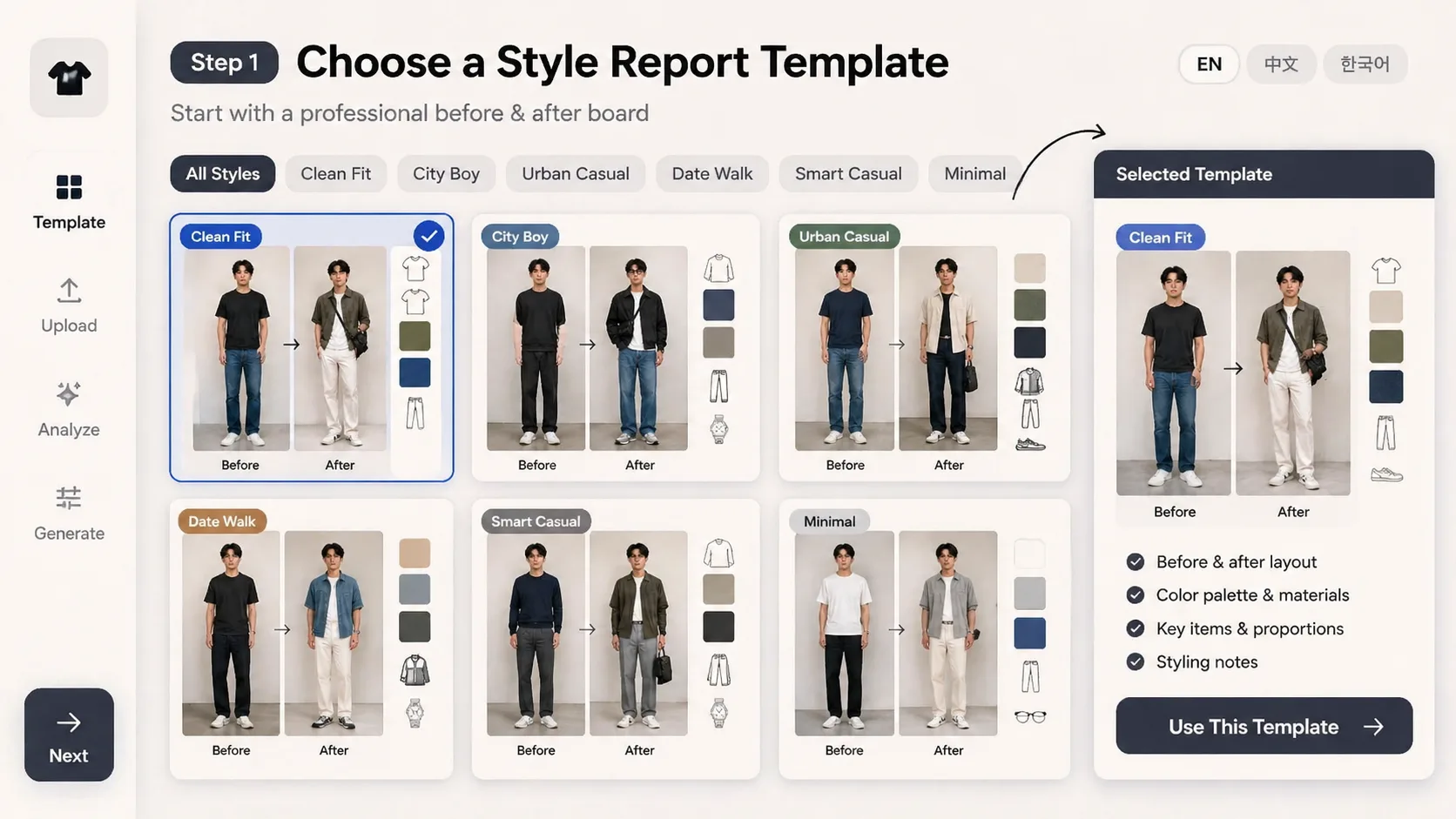
Choose a report template
Pick the English outfit upgrade board or a localized style direction such as Clean Fit, City Boy, Korean clean street, date walk, minimal streetwear, or Parisian style reset.
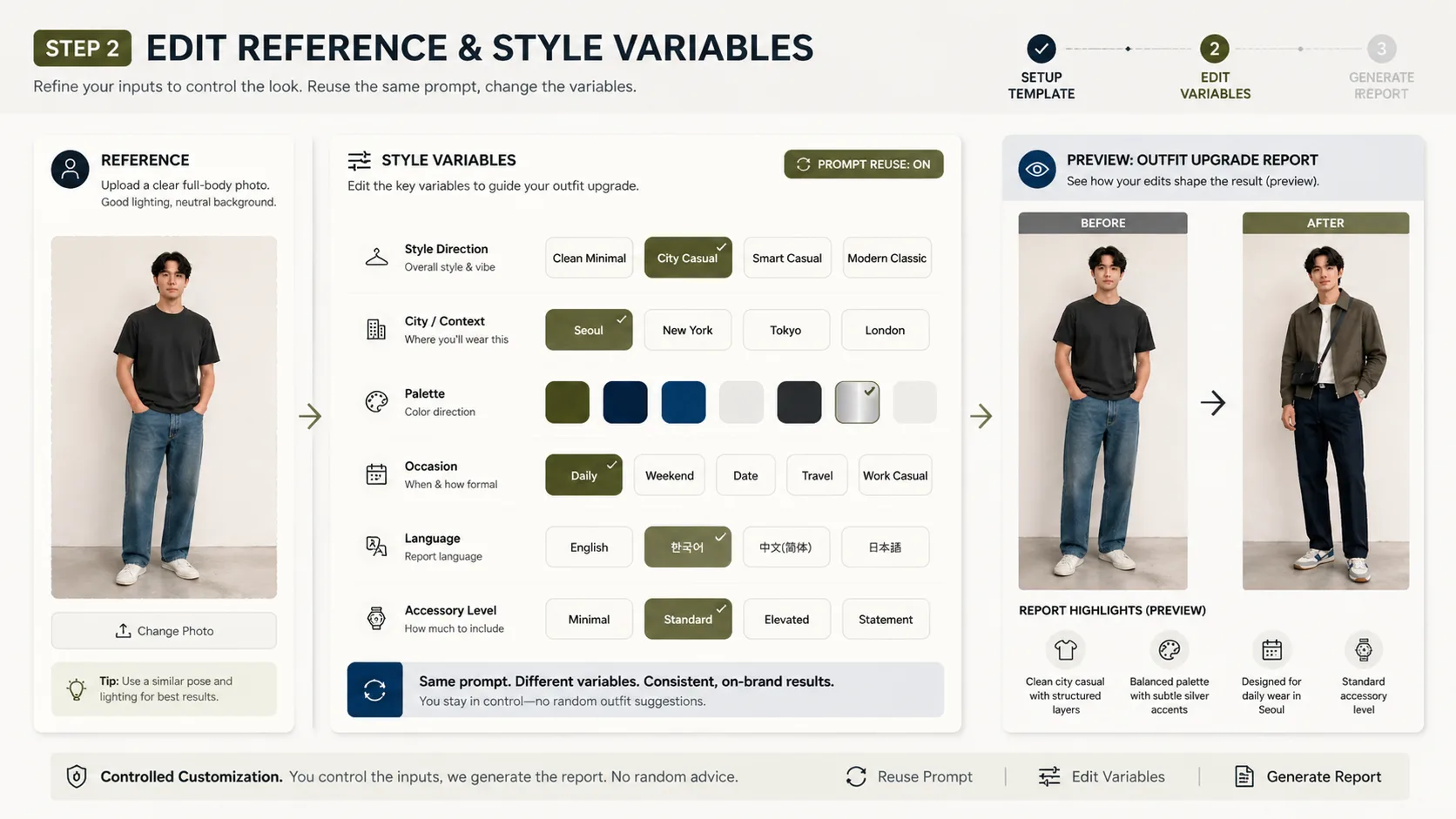
Edit the reference and variables
Add a portrait you have rights to use, then adjust city context, style direction, color palette, occasion, visible language, accessories, and key pieces.
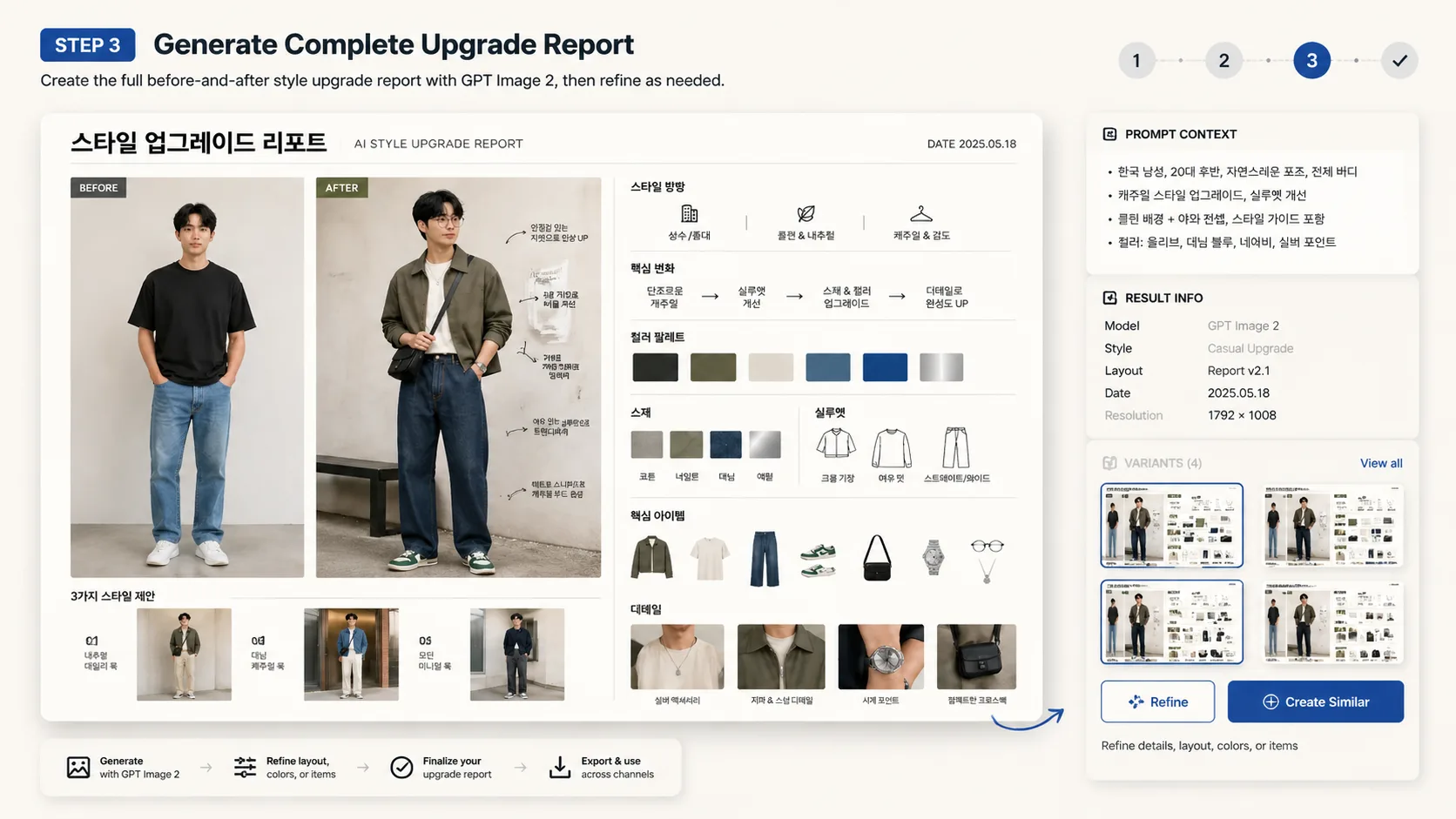
Generate, inspect, and refine
Create the before-and-after report, check identity consistency and readable labels, then reuse the prompt with tighter directions for another wardrobe upgrade version.
Outfit upgrade prompt FAQ
Search-style answers for using GPT Image 2 outfit upgrade prompts safely and effectively.
Generate an outfit report
Load a template, add a reference image if needed, and create a polished GPT Image 2 outfit upgrade draft.