
Browse sample poster results on the right, then tap one to load that prompt back into the generator on the left.
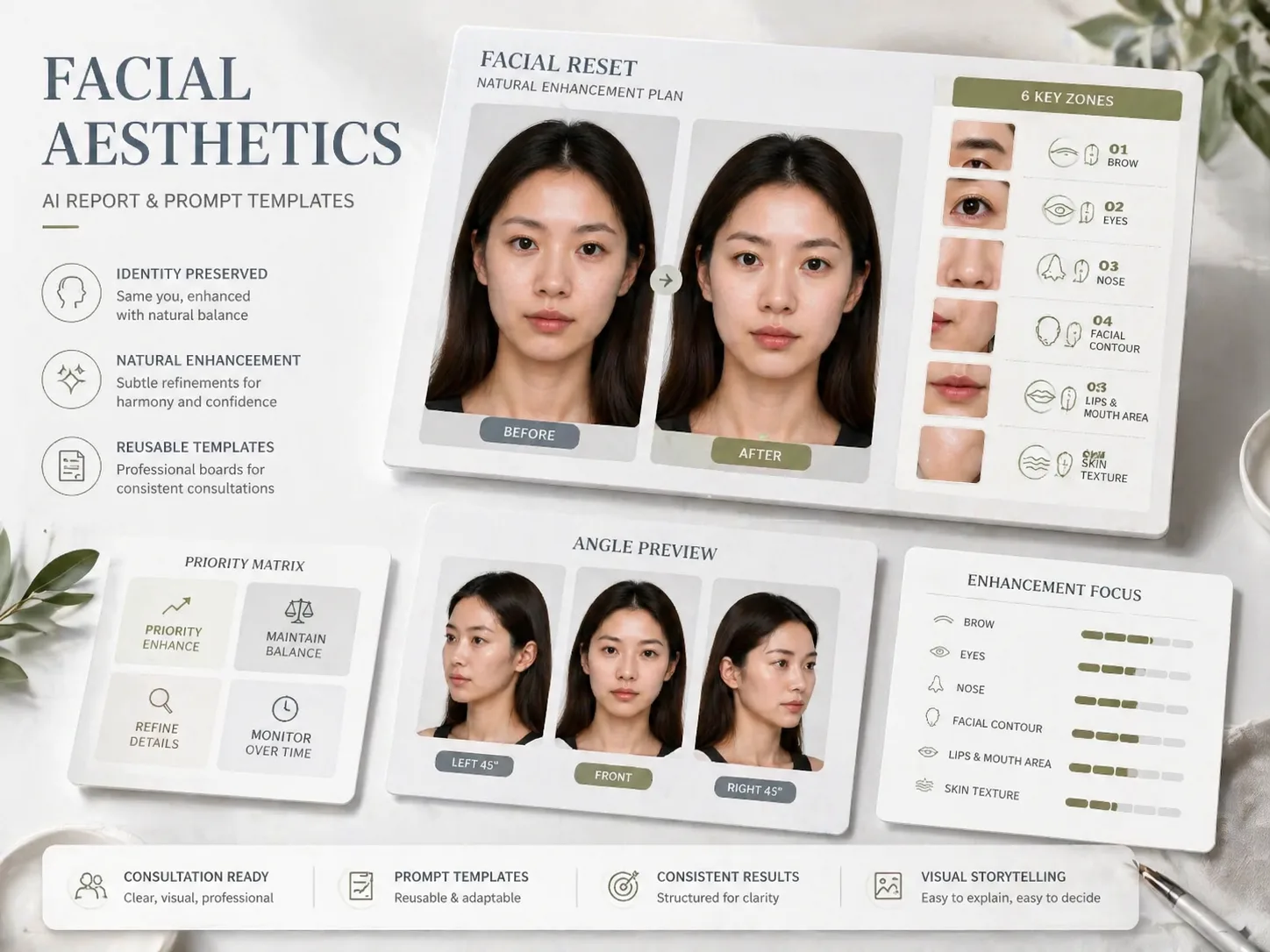
Create facial aesthetic reports with GPT Image 2 prompts
Turn a front-facing portrait into a clean before-and-after report board that explains natural facial refinement ideas without changing the person. These GPT Image 2 facial aesthetic report prompts focus on recognizable identity, readable consulting notes, and realistic visual direction rather than beauty scoring or medical claims.
Same-person face direction
Guide GPT Image 2 to keep face recognizability, age impression, core feature structure, facial outline, and real skin texture while showing a cleaner, fresher, more camera-ready version of the same person.
Six-zone aesthetic notes
Structure the AI facial aesthetic upgrade report around brow, eyes, nose, facial contour, lips and mouth area, plus skin texture, with concise labels, arrows, close-ups, and a priority matrix.
Clinic-style board layouts
Create premium clean beauty consultation boards, mobile story reports, square scorecards, and detail sheets that are useful for beauty consultants, portrait creators, and personal branding visuals.
Responsible prompt boundaries
Keep the output framed as a visual proposal. Avoid medical diagnosis, treatment guarantees, attractiveness scores, identity replacement, plastic skin, template influencer faces, and outfit-based makeover tricks.
How to generate a face report
Choose the report style, edit portrait variables, then generate and refine a cautious GPT Image 2 portrait analysis template.
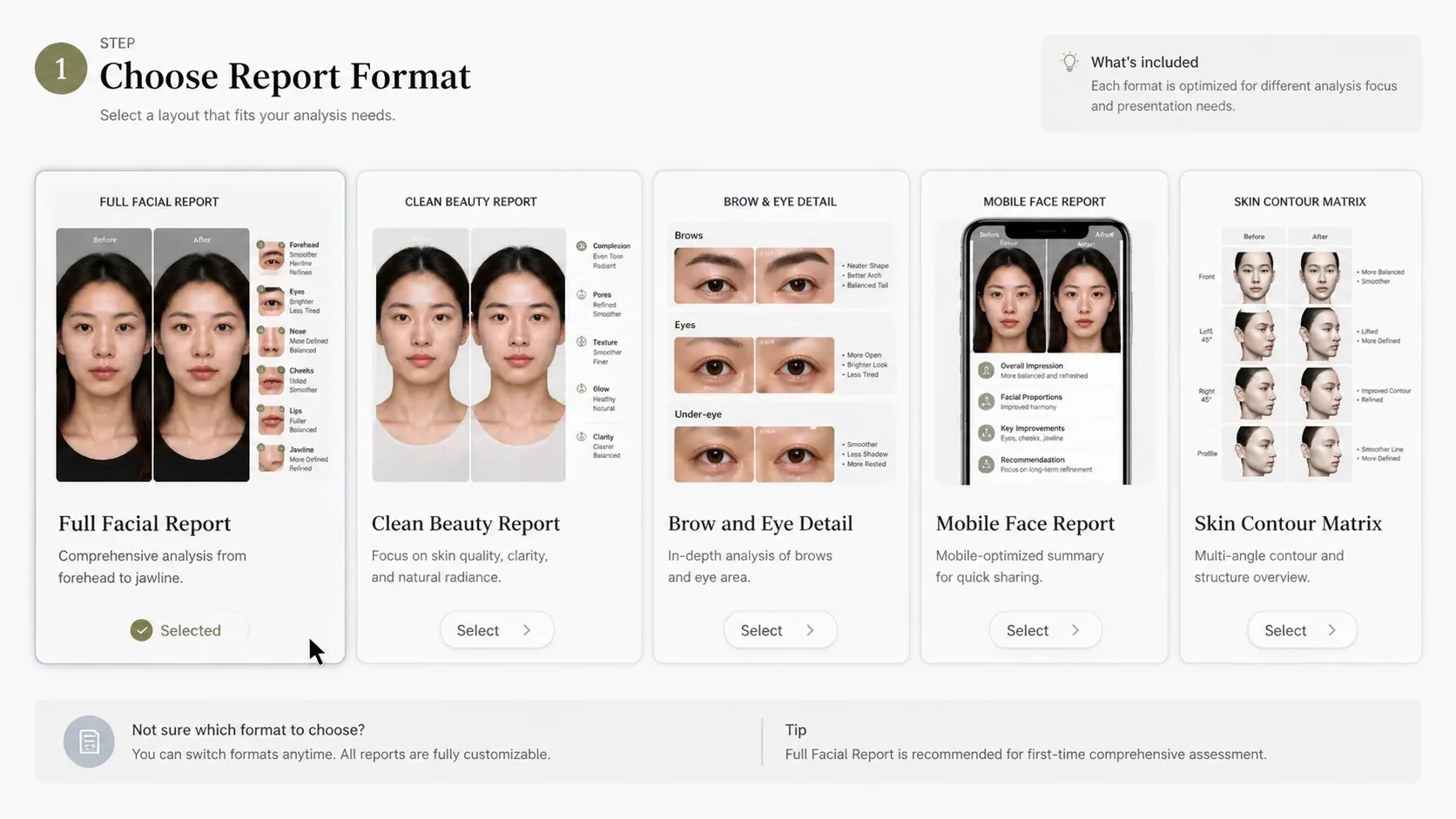
Choose the right report format
Start with the complete before-and-after board for a full proposal, or pick a mobile story, square feature scorecard, brow-and-eye detail report, or skin contour priority matrix for a narrower visual.
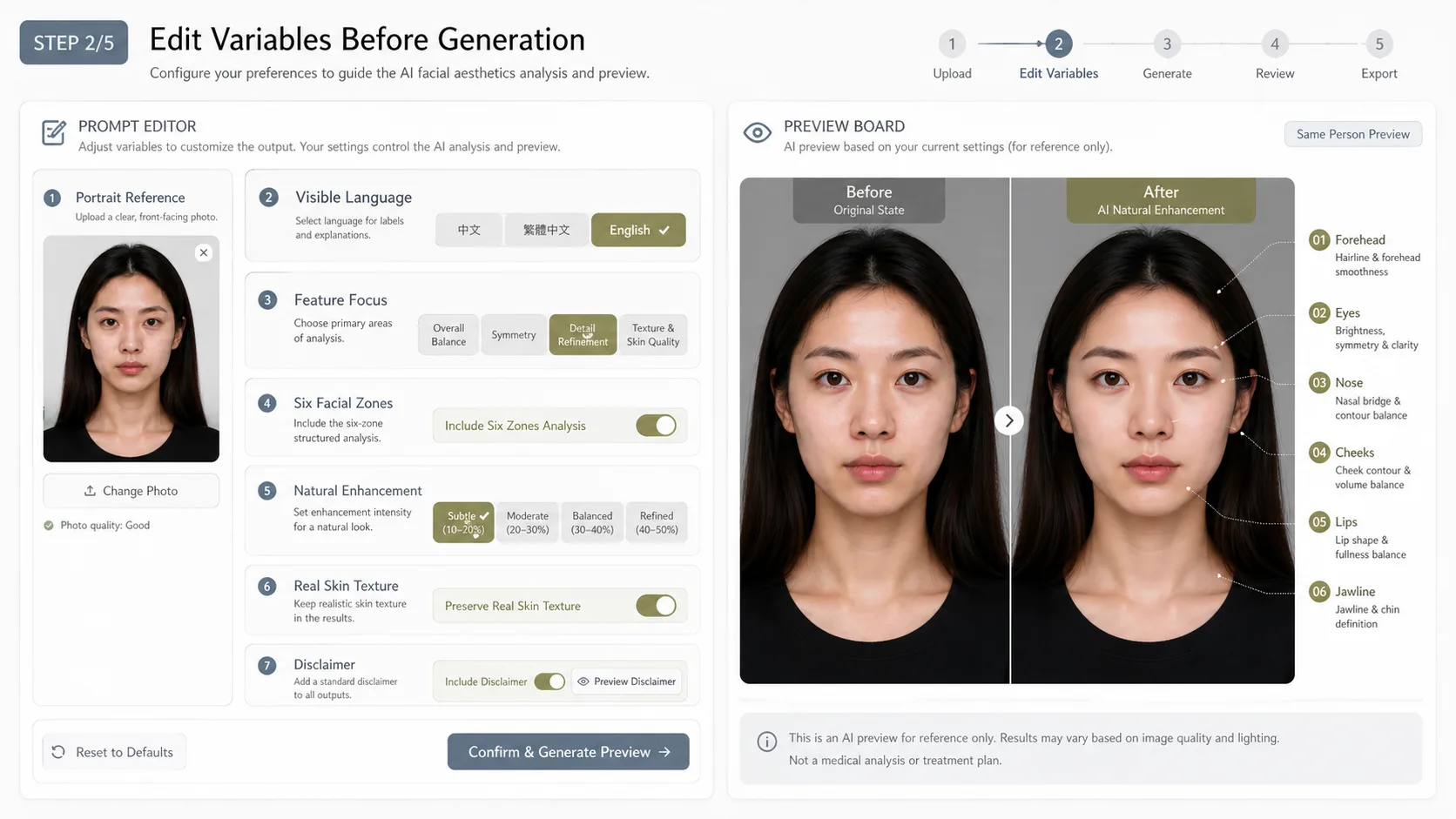
Edit the portrait and labels
Replace the reference image, set the visible language, choose the consultation tone, adjust the six facial focus areas, and keep the disclaimer short enough to remain readable on the generated board.
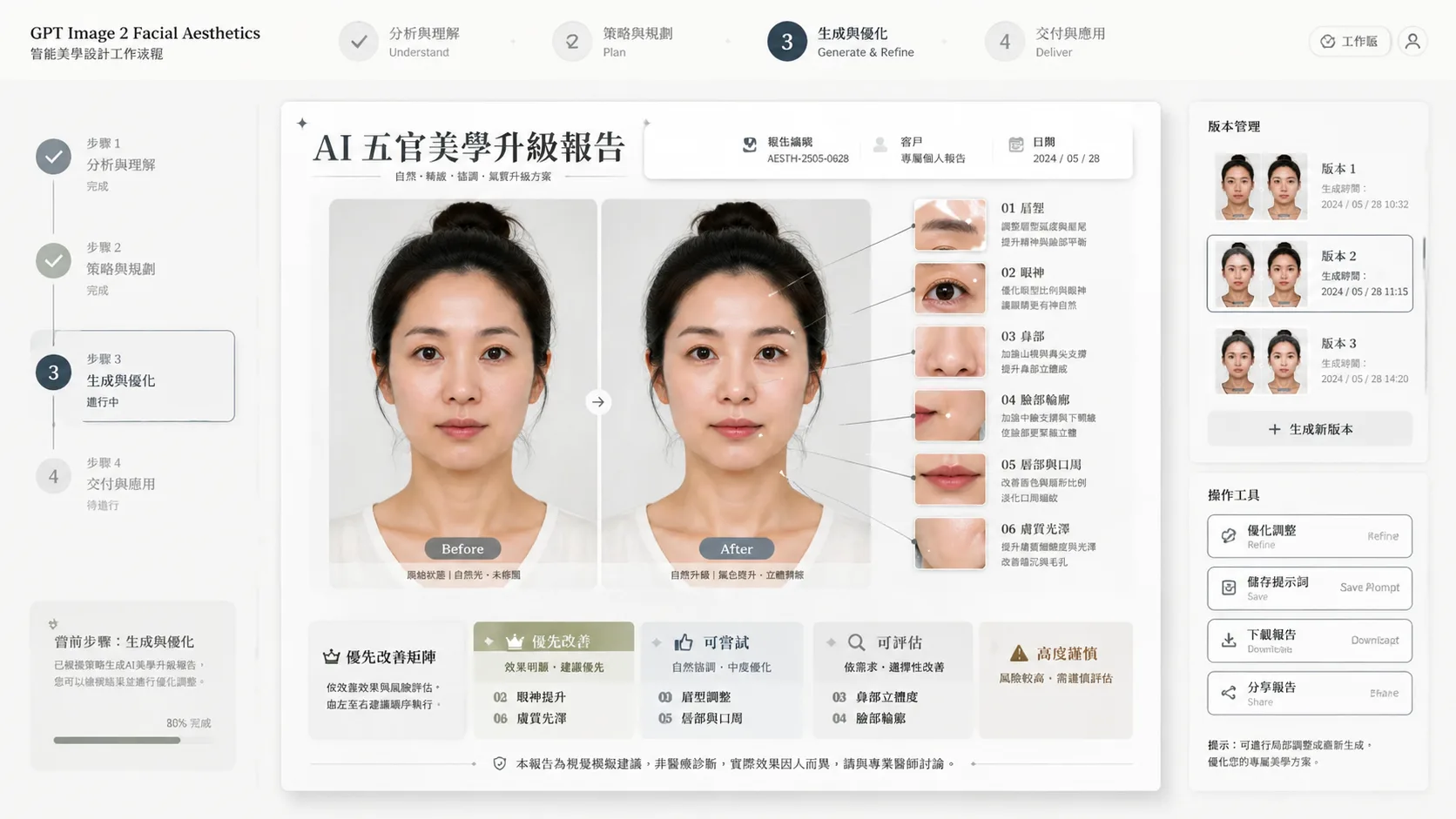
Generate, compare, and refine
Run the prompt in GPT Image 2, compare whether the same person is still recognizable, then refine wording around skin texture, natural enhancement, marker placement, and caution notes before using the result.
Facial aesthetic report FAQ
Search-style answers for using these GPT Image 2 prompts responsibly.
Generate a facial report
Use a structured GPT Image 2 prompt to create a natural, same-person aesthetic proposal board with clear visual notes.