
오른쪽에서 샘플 포스터 결과를 찾아본 다음 하나를 탭하여 해당 프롬프트를 왼쪽의 생성기로 다시 로드하세요.
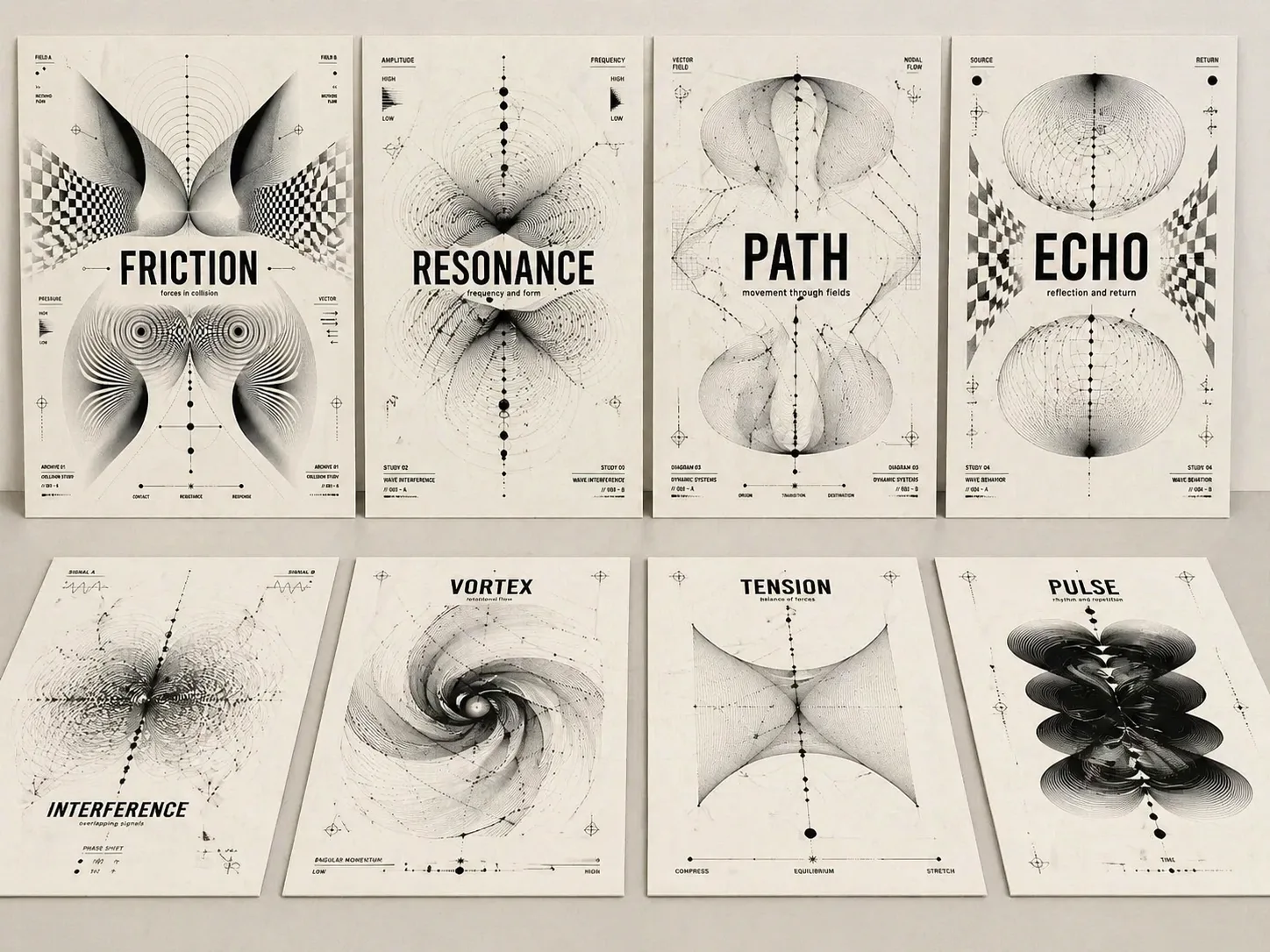
GPT Image 2 프롬프트로 광학 콘셉트 포스터 만들기
하나의 주제어, 앨범 제목, 전시 아이디어, 에세이 제목을 읽기 쉬운 타이포그래피와 흑백 광학 추상이 결합된 포스터로 바꿉니다.
제목 가독성 우선
각 프롬프트는 주제 문구를 크고 선명한 중심 타이포그래피로 유지해 장식 패턴이 아닌 실제 커버처럼 보이게 합니다.
흑백 Op Art 언어
모아레 선, 파동장, 왜곡 그리드, 파라메트릭 곡선, 노드, 생물형 검은 구조로 긴장, 공명, 기억, 경로를 시각화합니다.
재사용 가능한 변수
주제, 부제, 비율, 짧은 라벨, 분위기만 바꾸어도 실험적 스위스 포스터 구조를 유지할 수 있습니다.
완성도 있는 포스터감
따뜻한 종이 질감, 검은 잉크, 절제된 여백, 짧은 라벨, 명확한 위계가 편집 커버나 전시 포스터 같은 결과를 만듭니다.
광학 포스터 템플릿 사용 흐름
의도에 맞는 구조를 고르고, 핵심 변수만 바꾼 뒤 GPT Image 2에서 생성하고 제목 정확도와 추상 구성을 다듬습니다.
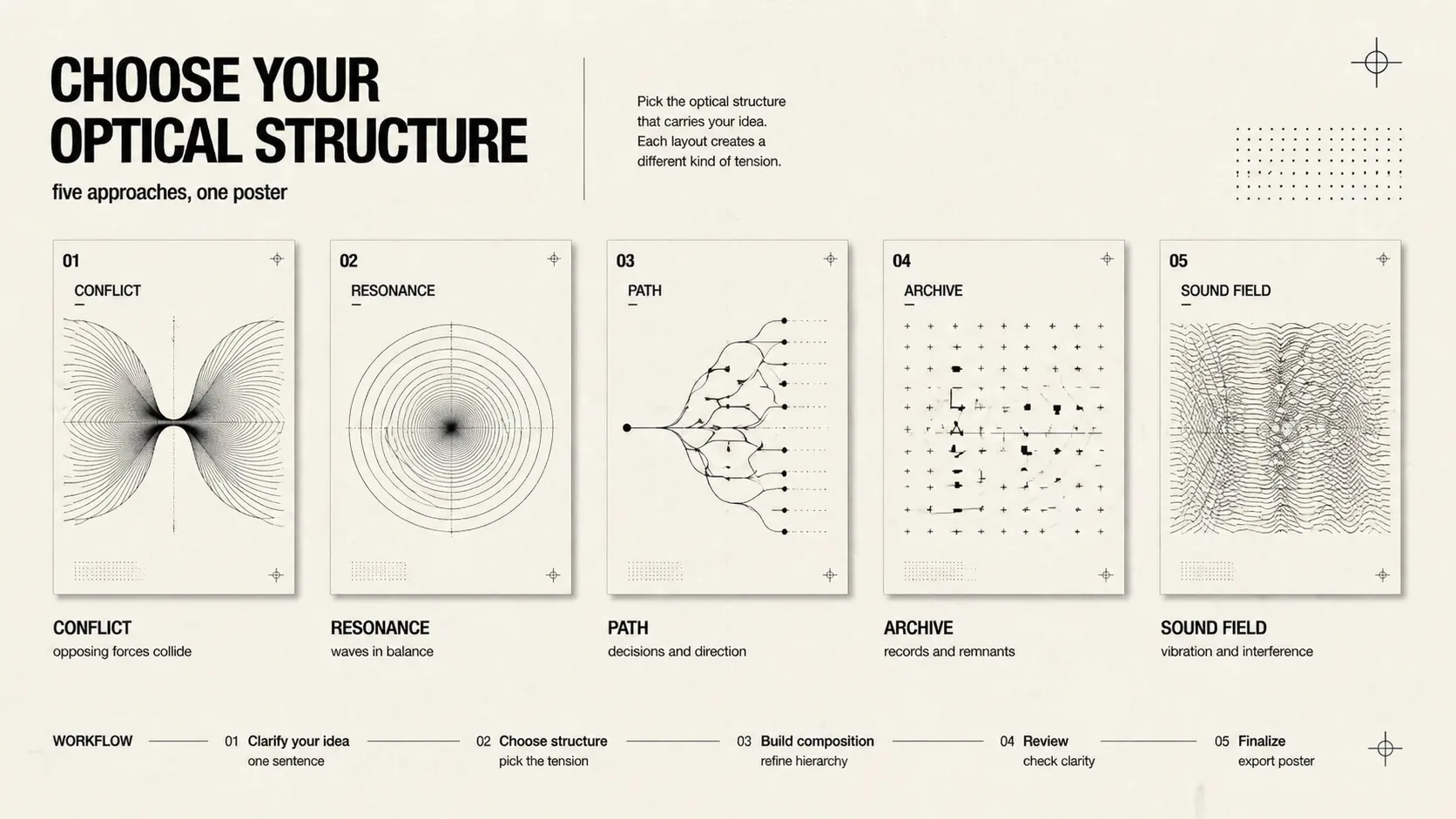
구조 선택
갈등, 공명, 결정 경로, 문화 기억, 기술 그리드, 음악 모아레, 전시 아카이브, 소셜 커버, 분할 힘 중 주제에 맞는 구성을 고릅니다.
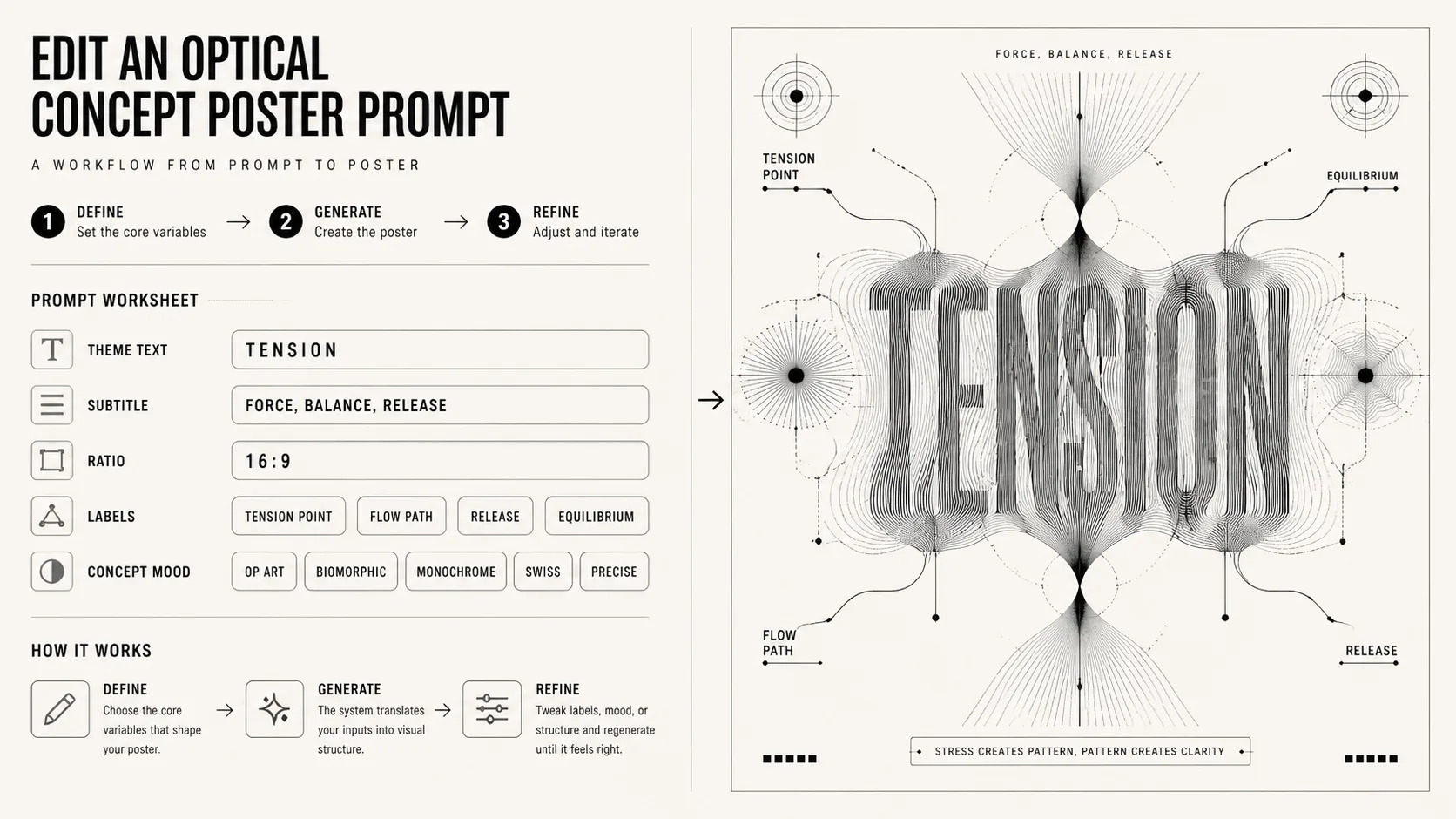
변수 편집
짧은 제목, 부제, 비율, 라벨, 분위기를 바꾸되 흑백 광학 추상, 읽기 쉬운 타이포그래피, 개념 중심 형식을 유지합니다.
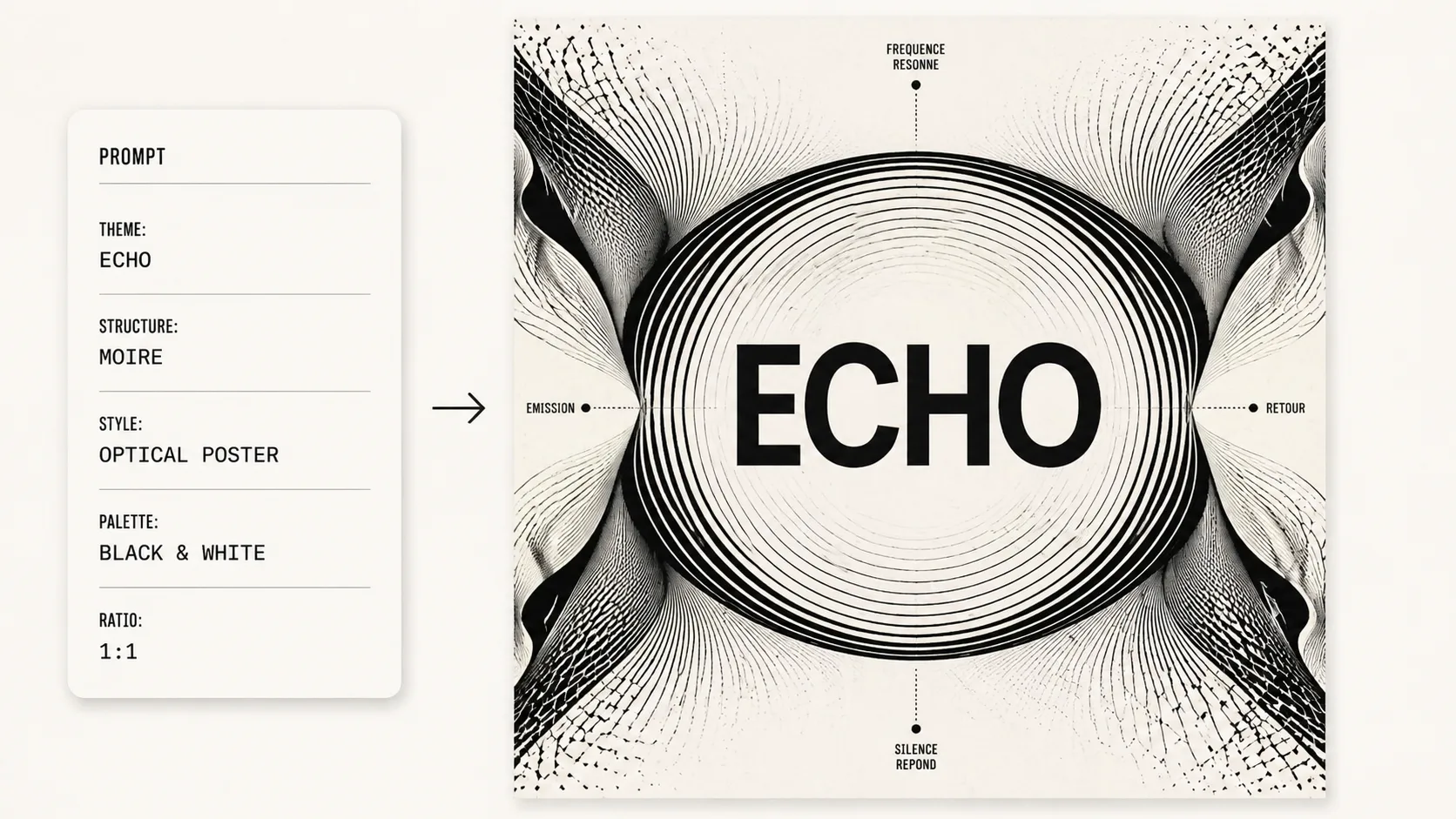
생성 후 개선
GPT Image 2 결과에서 제목이 정확한지 확인하고, 선 밀도, 대칭, 여백, 화면 비율을 중심으로 프롬프트를 조정합니다.
광학 콘셉트 포스터 FAQ
GPT Image 2 흑백 광학 포스터 프롬프트에 대한 검색형 질문입니다.