
오른쪽에서 샘플 포스터 결과를 찾아본 다음 하나를 탭하여 해당 프롬프트를 왼쪽의 생성기로 다시 로드하세요.
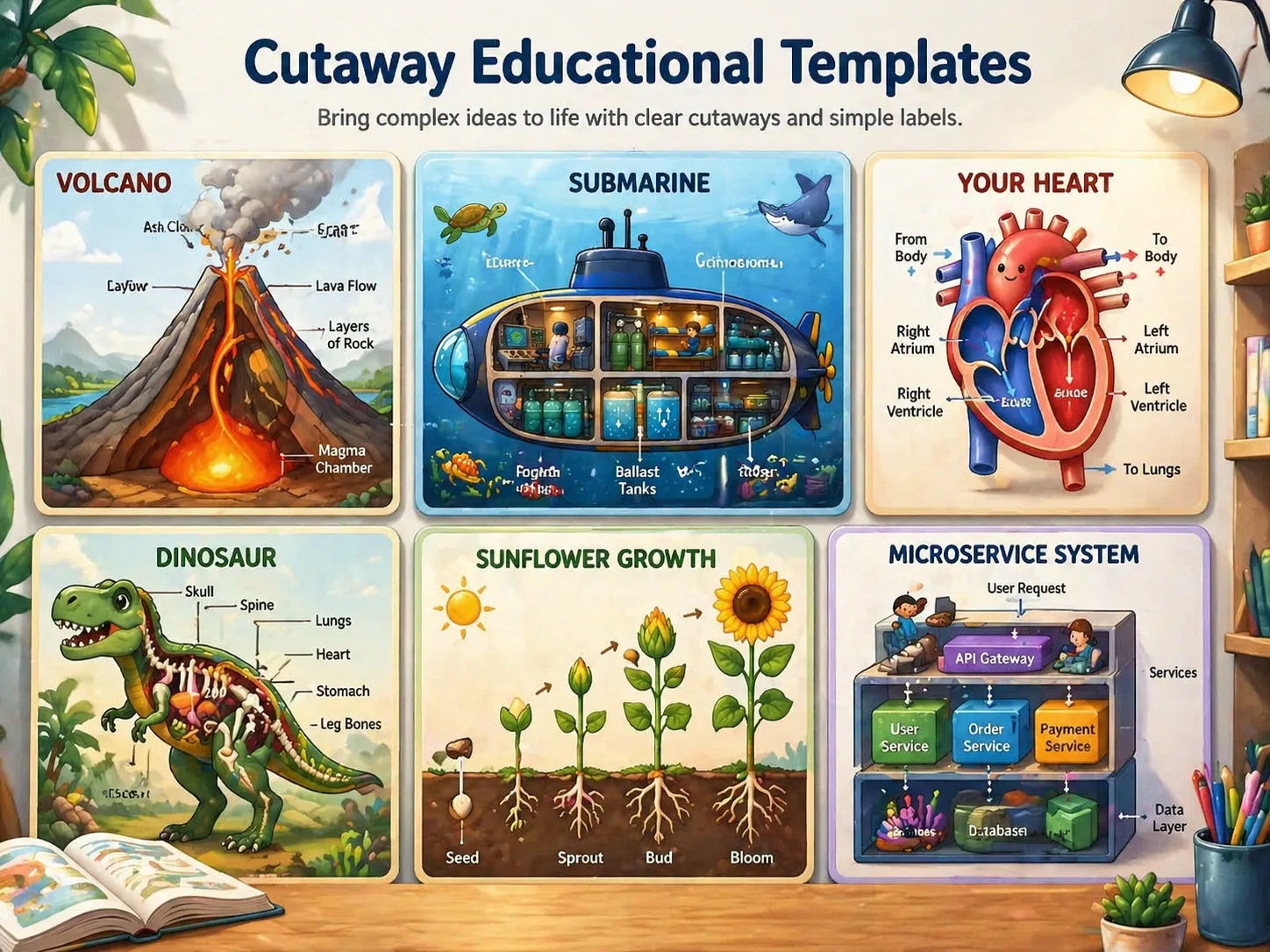
GPT Image 2로 컷어웨이 교육 그림책 만들기
이 GPT Image 2 프롬프트는 주제를 세로형 학습 페이지로 바꾸고 외형, 내부 구조, 기능 구역, 짧은 라벨을 함께 보여 줍니다.
컷어웨이 구조
절단면, 투명 표시, 층별 전개, 내부 공간 보기로 화산, 잠수함, 심장, 성, 도서관, 기술 시스템을 한 장에서 설명합니다.
읽기 쉬운 라벨
짧은 제목, 화살표, 번호, 확대 상자, 연령에 맞는 라벨을 중심으로 구성해 긴 문단과 읽기 어려운 글자를 줄입니다.
그림책 완성도
밝고 따뜻하며 정돈된 화면을 만들어 과학 학습, 학습 카드, 수업 자료, 교육 게시물, 시각 설명 초안에 맞춥니다.
넓은 활용 범위
자연, 해부, 기계, 건물, 고생물, 생태계, 판타지 설정, 개념 시스템까지 같은 교육용 컷어웨이 프롬프트 구조를 재사용할 수 있습니다.
컷어웨이 학습 페이지 생성 방법
템플릿을 고르고 주제와 라벨을 바꾼 뒤 구조와 가독성을 다듬어 생성하세요.
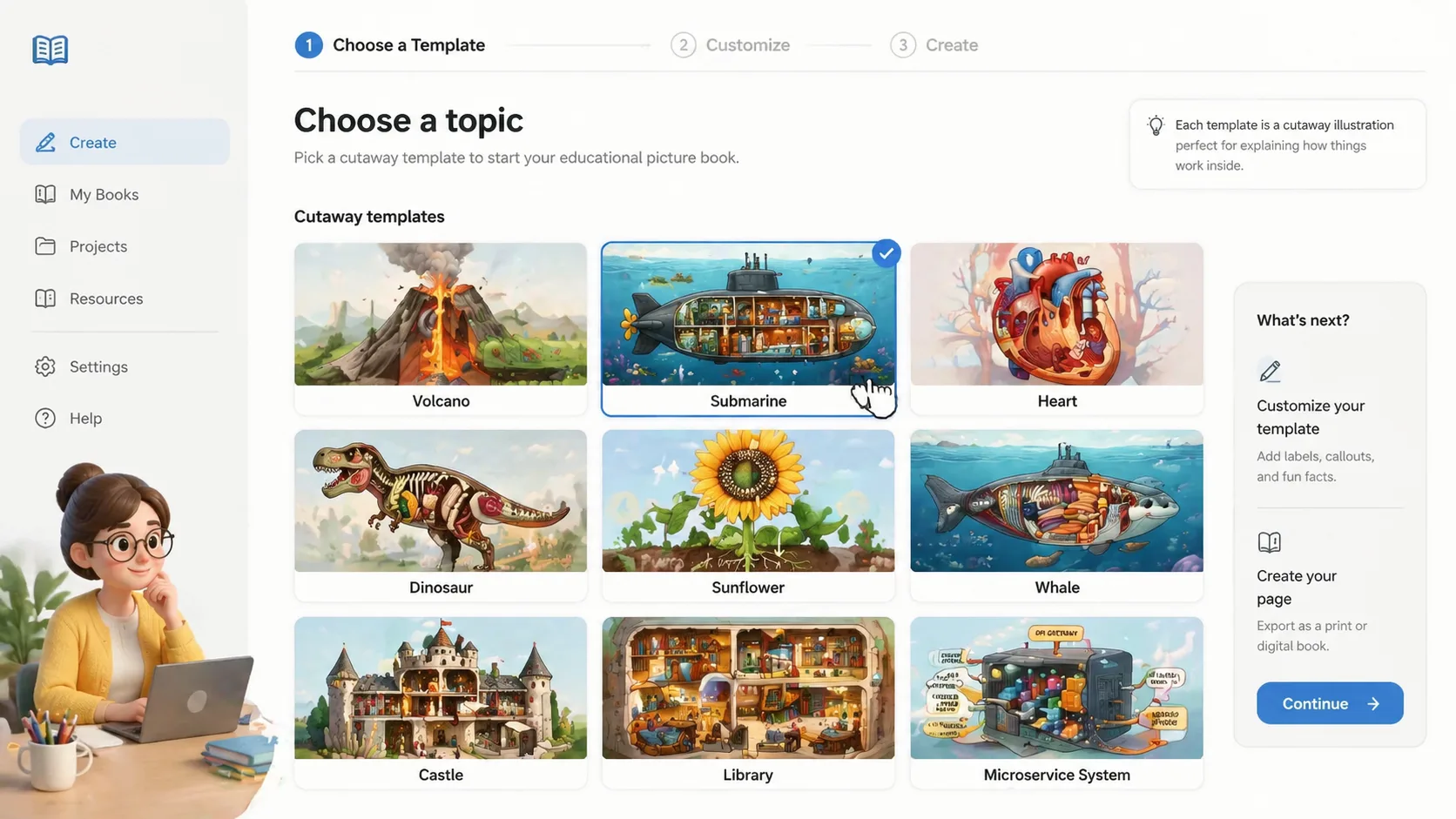
주제 선택
화산, 잠수함, 심장, 공룡, 해바라기, 고래, 성, 도서관, 마이크로서비스 아키텍처 같은 템플릿에서 시작합니다. 각 예시는 외형, 내부 공개, 교육 목표를 갖고 있습니다.
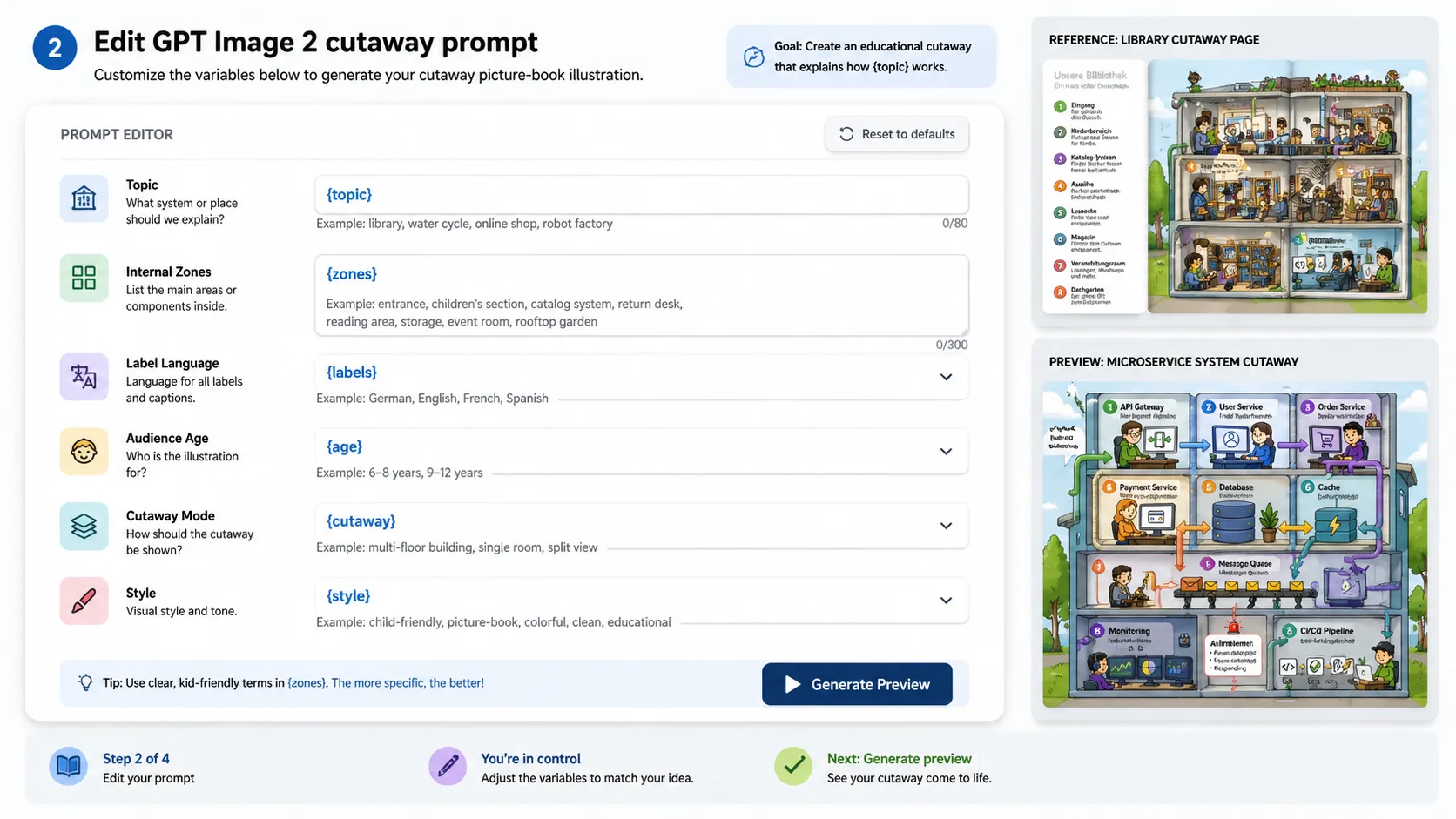
변수 수정
주제, 대상 연령, 라벨 언어, 설명 수준, 시각적 비유, 참고 이미지 지시를 바꿉니다. 최종 교육 자료로 쓰기 전에는 사실을 검토하세요.
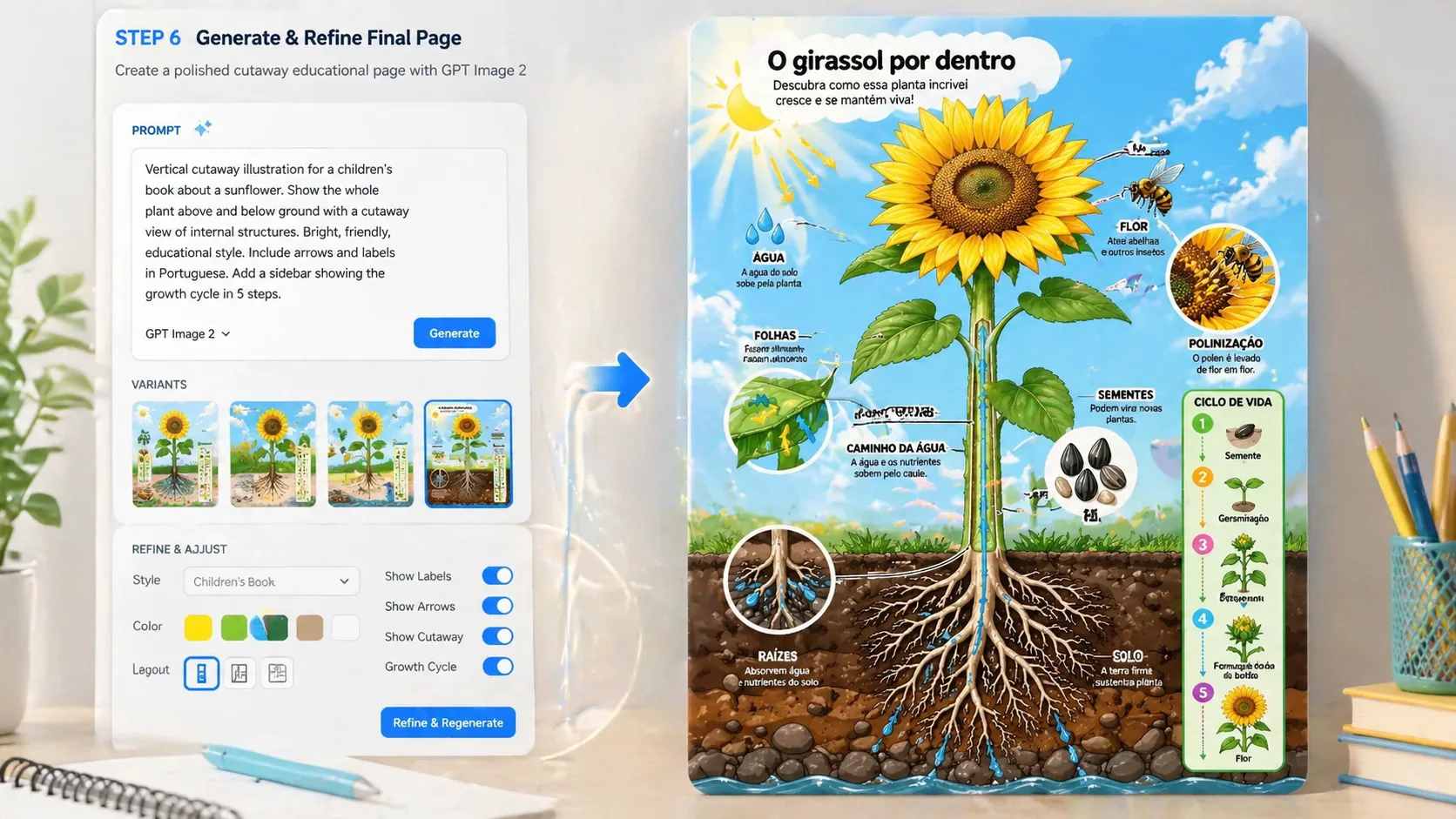
생성 후 개선
GPT Image 2로 만든 뒤 구도와 라벨을 확인하고 라벨 수, 컷어웨이 깊이, 색상 구분, 확대 디테일을 조정합니다.
컷어웨이 교육 그림책 FAQ
GPT Image 2 프롬프트로 라벨이 있는 컷어웨이 학습 페이지를 만드는 방법입니다.